

Best 10 Gemini Polaroid Prompts: Create Vintage AI Photos in 2025
The Gemini AI polaroid trend is taking social media by storm, allowing users to generate breathtaking retro-style images that look like they were captured on vintage Polaroid cameras. Whether you want to create romantic couple shots, cherished family portraits, or even dream photos with your favorite celebrities, this AI-powered trend makes it all possible.
In this comprehensive guide, you'll discover everything about creating perfect AI-generated polaroid photos—from step-by-step tutorials to proven Gemini polaroid prompts that deliver professional results every time.
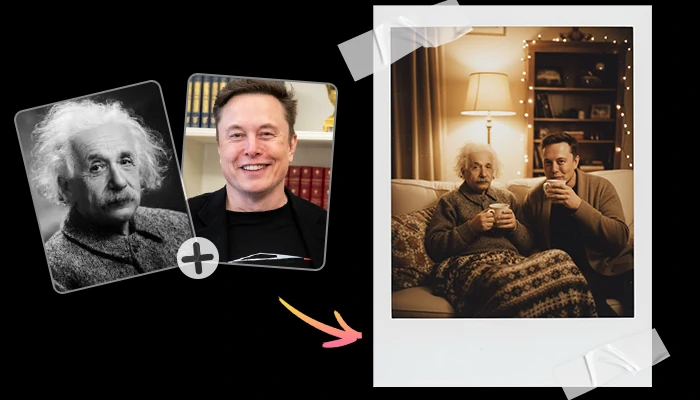
🎯How to Generate Gemini Polaroid Photos: Step-by-Step
Creating your own vintage-style polaroid images with Gemini AI is surprisingly straightforward.
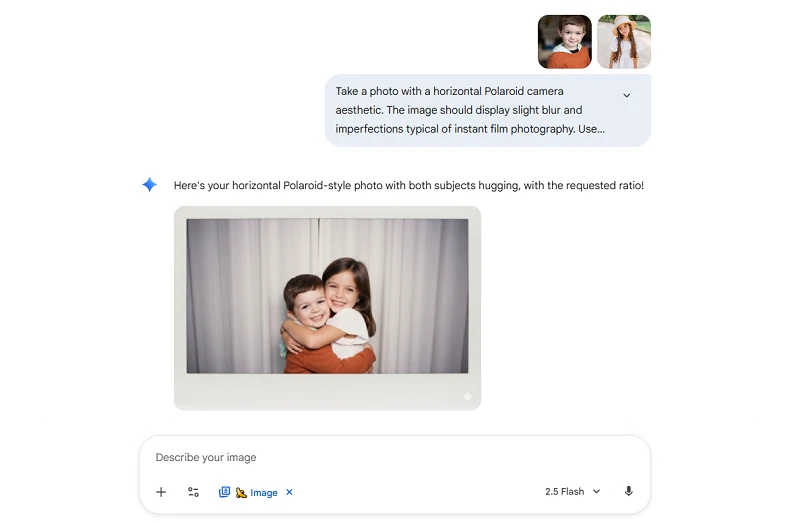
Here's exactly how to do it:
Step 1: Access Google Gemini
Navigate to the Google Gemini platform and ensure you're logged into your Google account. The image generation feature is available in Gemini Advanced.
Step 2: Upload Your Photos
Select and upload 1-2 photos of the people you want to feature in your polaroid-style image. For best results, choose clear, well-lit photos where faces are clearly visible.
Step 3: Enter Your Polaroid Prompt
This is where the magic happens. Input a detailed prompt that describes exactly what you want. The key is being specific about the polaroid aesthetic while describing your desired scene.
Step 4: Review and Refine
Gemini will generate your image within seconds. If you're not satisfied with the first result, you can refine your prompt and try again. The AI learns from your adjustments to produce better results.
💡Important Legal Note: Always obtain explicit consent before using someone else's image. Unauthorized use may violate privacy and publicity rights.
Simplified Alternative: SeaArt's AI Polaroid Photo Generator
If crafting detailed prompts feels overwhelming, SeaArt's dedicated AI polaroid maker offers a streamlined workflow. This polaroid photo generator automates the technical aspects, simply upload two photos and the AI automatically applies the authentic vintage photo effect without complex prompting.
This approach is perfect if you want consistent, professional polaroid-style photos without spending time tweaking prompts. Just upload and generate.
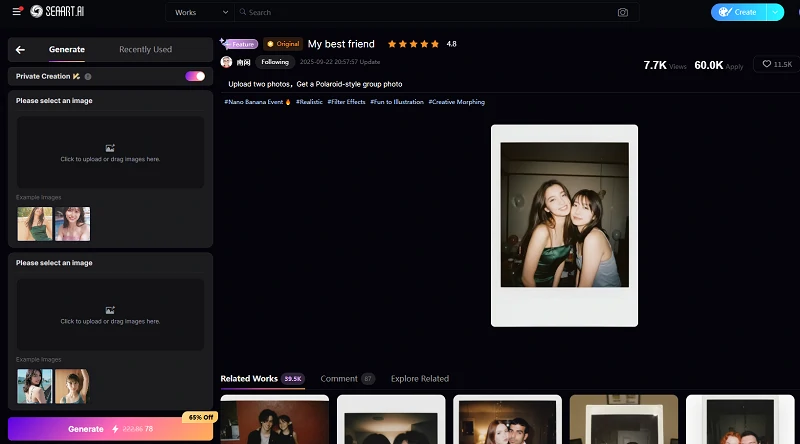
How to use SeaArt's AI polaroid photo generator:
1. Access the AI polaroid photo generator on SeaArt AI.
2. Upload your photos: your image plus the photo of who you want to appear with (celebrities, friends, family, pets, or even fictional characters)
3. Hit "Generate" - the AI detects faces and creates a natural polaroid group photo that looks authentically captured
4. Download and share your vintage-style creation across social media
🖌️Best 6 Gemini Polaroid Prompts
The quality of your AI-generated polaroid photo depends heavily on your prompt. Here are proven prompts that consistently deliver impressive results:
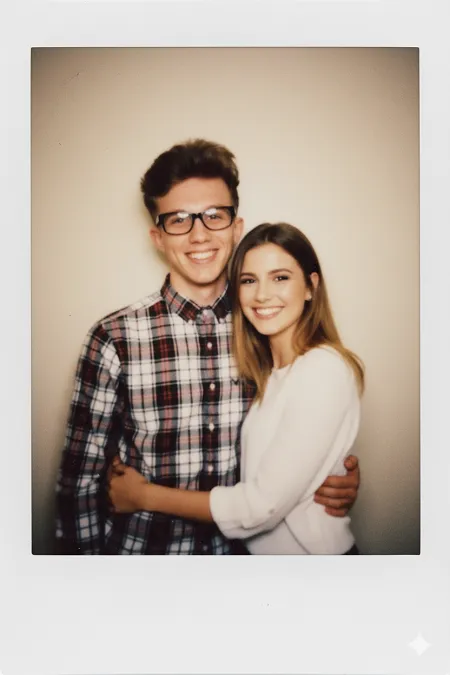
1. Classic Couple Polaroid Prompt
Create a photo that looks like it was taken with a vintage Polaroid camera. The image should have a slight blur and soft grain. There should be consistent lighting as if from a camera flash in a dimly lit room, with light scattered evenly throughout the photo. Keep the faces unchanged and natural. Show two people standing close together, smiling warmly at the camera. The background should be a simple cream-colored wall. The photo should feel spontaneous and candid.
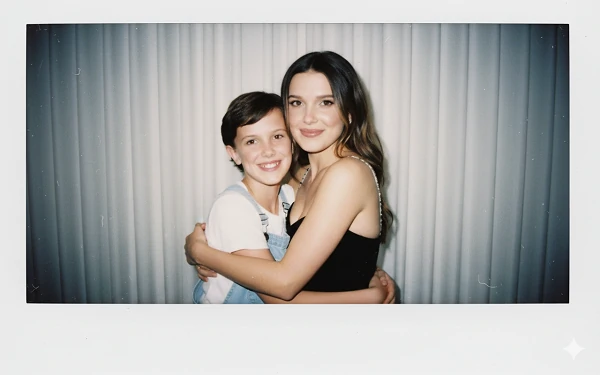
2. Hug My Younger Self
Take a photo with a Polaroid camera aesthetic. The image should display slight blur and imperfections typical of instant film photography. Use consistent lighting that mimics a flash from a dark room, creating even illumination across the photo. Do not alter the subjects' faces. Change the background to a white curtain. Show both people hugging each other warmly, with genuine expressions of affection.
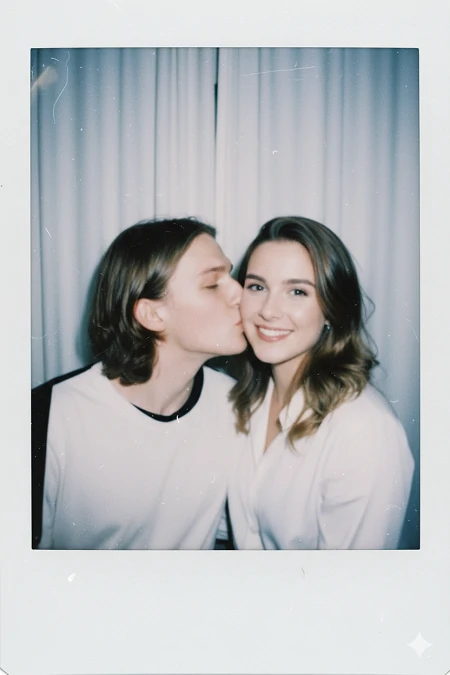
3. Kiss Pose Polaroid Prompt
Polaroid photo. Slight blur and imperfections typical of instant film photography. Use consistent lighting that mimics a flash from a dark room, creating even illumination across the photo. Do not alter the subjects' faces. Change the background to a white curtain. Show one person gently kissing the other's cheek while the recipient smiles warmly at the camera, capturing a sweet tender moment of affection.
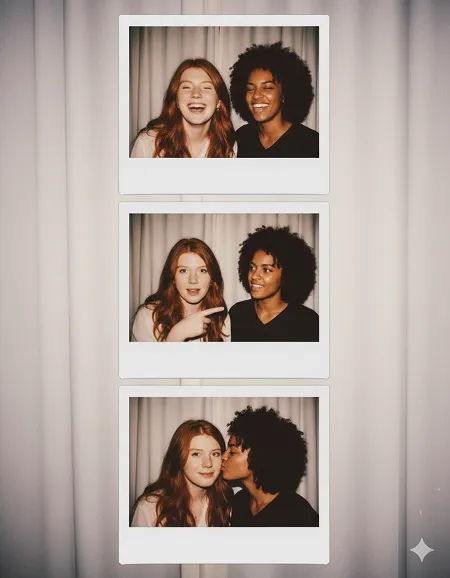
4. Three-Layer Polaroid Story Prompt
Create three stacked Polaroid photos arranged vertically for Instagram Stories (1080x1920). Consistent flash lighting in dim indoor space with polaroid glow. Simple white curtain background across all layers. Keep faces, eyes, clothing unchanged across all layers. First layer (top): Two people laughing together, looking at camera. Second layer (middle): One person pointing playfully at the other. Third layer (bottom): One person kissing the other's cheek while they pose. Include authentic polaroid aesthetic with soft focus, film grain, vintage tones, and white borders on each photo.
5. Candid Moment Polaroid Prompt
Make an image that appears to be captured spontaneously with a Polaroid camera. There should be no obvious staging or props. The photo should look like a random, authentic moment caught by chance. Include slight motion blur and natural camera flash lighting in a dimly lit environment. The light should spread evenly throughout the photo. Keep facial features similar to uploaded images. Change the background to [describe your preferred setting: coffee shop, park, bedroom, etc.]. The subjects should appear relaxed and natural, as if unaware they're being photographed.
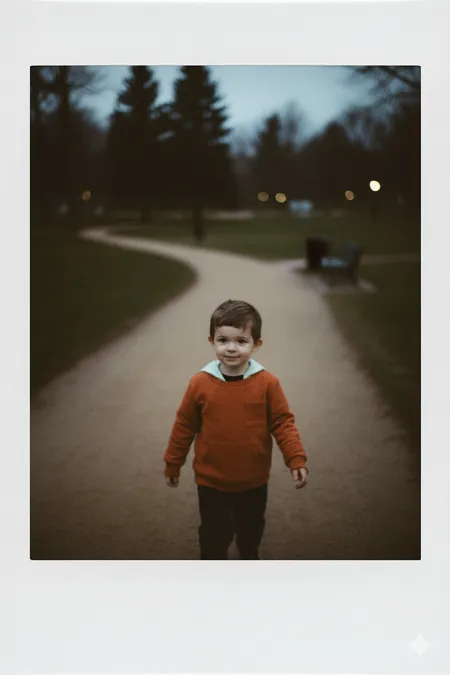
6. Cozy Indoor Polaroid Prompt
Create a vintage Polaroid photo captured indoors in a warm, intimate setting. The image should show two people in a cozy living room or bedroom environment. The photo should have that authentic instant film look: slight blur, noticeable film grain, and warm color tones with a slight yellow-orange cast typical of indoor flash photography on vintage film. Include subtle imperfections like slight overexposure around the subjects from the flash, creating that characteristic polaroid halo effect. Do not alter facial features—keep them exactly as provided. The background should show hints of home décor: a couch, bookshelf, or warm lighting from lamps, creating that intimate, personal atmosphere. Show subjects sitting close together, perhaps sharing a blanket or holding mugs, conveying warmth and comfort. The mood should feel intimate, nostalgic, and homey—like a treasured moment from a family photo album.
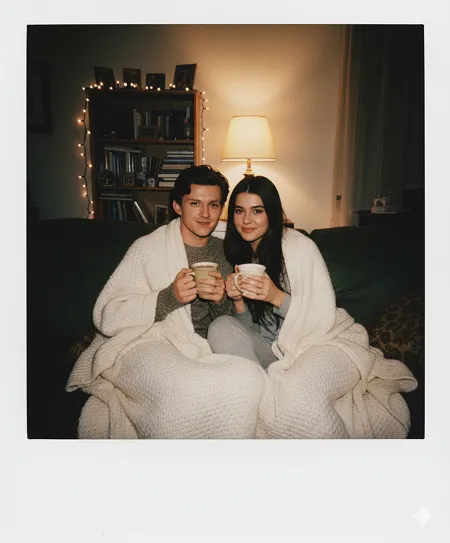
7. Celebration & Party Polaroid Prompt
Create a Polaroid instant photo capturing a joyful celebration moment. Two people in celebratory pose—raising glasses, wearing party hats, or holding balloons—with expressions of joy. Strong camera flash typical of indoor party photography, creating bright, slightly overexposed look with catchlights in eyes. Background shows party environment: colorful decorations, balloons, or string lights out of focus. Include polaroid film grain and warm color cast from flash in dim lighting. Keep facial features unchanged. Add confetti or sparkle effects. Slight motion blur suggesting celebration energy. Spontaneous, joyful, nostalgic 80s-90s party vibe.
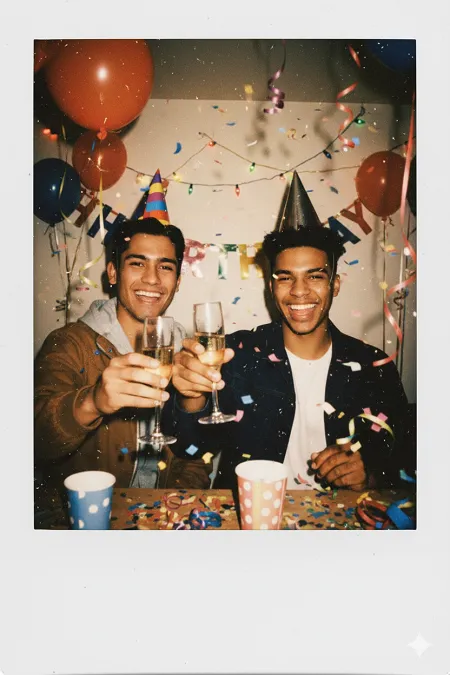
8. Holiday with Pet
Vintage Polaroid mid-shot, person waist-up holding a pet at chest level, Christmas background. STRONG FLASH in dim room, bright subjects, slight overexposure, cool bluish tones with warm Christmas lights. PRONOUNCED GRAIN visible. Preserve exact features of person and pet from uploads. Person center frame facing camera. Casual clothing. Blurred Christmas tree, colorful lights, decorations behind. Dark room with twinkling lights. White Polaroid borders.
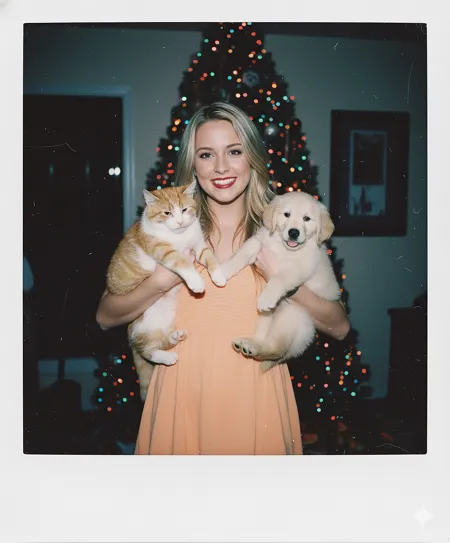
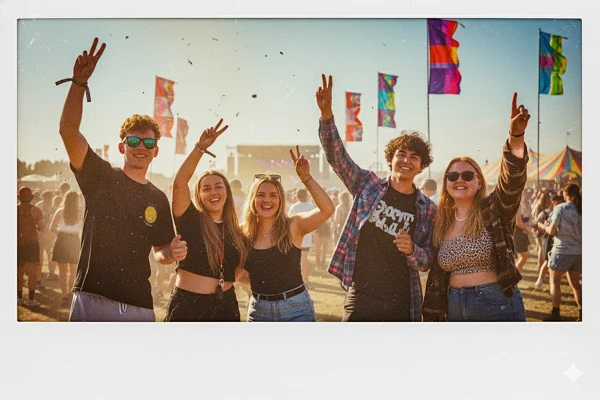
9. Music Festival Polaroid Prompt
Create a photo that looks like it was taken with a Polaroid camera at an outdoor music festival. The image should have motion blur and heavy grain suggesting high energy and movement. Bright daylight with camera flash creating that characteristic washed-out festival photo look with slight overexposure. Keep the faces unchanged and natural. Show people in the crowd with arms raised, dancing, or making peace signs, wearing festival attire like band tees, sunglasses, or flower crowns. Expressions should be joyful and carefree. The background should show blurred stage lights, crowds, colorful festival banners, or tents out of focus. The photo should feel exuberant, youthful, and capture that unforgettable summer festival energy.
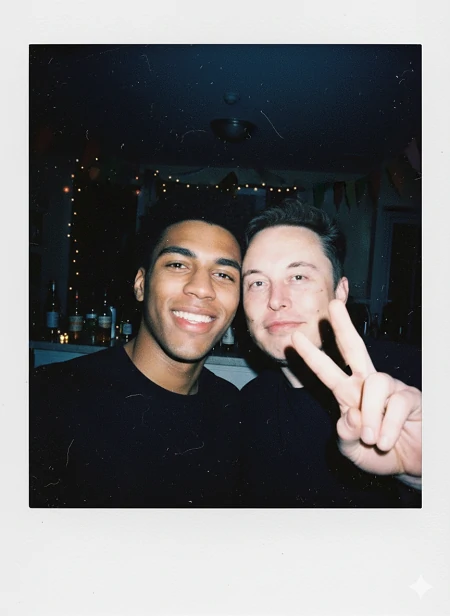
10. Party Night Selfie Polaroid Prompt
Create a Polaroid selfie in dimly lit indoor party setting with bright flash hitting faces directly. Strong flash creates glowing effect on subjects while dark background remains atmospheric. Heavy film grain, cool-toned environment with warm flash on faces, slight lens flare. Keep exact facial features—preserve all faces. Two people in tight selfie frame, playful expressions, peace signs or fun poses, camera held at arm's length. Blurred party background—bottles, fairy lights, or room decorations barely visible. White Polaroid frame. Spontaneous late-night party selfie vibe with characteristic flash overexposure.
⭐Pro Tips for Perfect Gemini Polaroid Results
To maximize the quality and authenticity of your AI-generated polaroid photos, keep these expert tips in mind:
1. Be Specific About Lighting
Always mention the characteristic Polaroid flash effect—"consistent light source like a flash from a dark room" produces the most authentic results.
2. Emphasize Photo Imperfections
Real Polaroid photos aren't perfect. Include terms like "slight blur," "soft grain," "subtle motion blur," or "slightly faded colors" to enhance authenticity.
3. Preserve Facial Features
Explicitly state "do not change faces" or "keep facial features unchanged" to ensure the AI maintains the identity of people in your uploaded photos.
4. Keep Backgrounds Simple
Simpler backgrounds (white curtains, solid walls, basic outdoor settings) tend to produce more convincing results than complex, busy scenes.
5. Specify the Mood
Describe the emotional tone you want: "romantic," "playful," "nostalgic," "joyful," or "intimate" to guide the AI's interpretation.
6. Use High-Quality Source Photos
Upload clear, well-lit photos where faces are easily visible. The better your input images, the better your final result.
7. Iterate and Refine
Don't expect perfection on the first try. Adjust your prompt based on the initial results, adding more specific details where needed.
😀Taking It Further: Animating Your Polaroid Photos
Once you've created your perfect polaroid image, there's one more trend worth exploring: animating your static photos into videos. If you've been on social media lately, you've probably seen these—vintage polaroid-style images that suddenly come alive with subtle movements, hugs, or kisses.
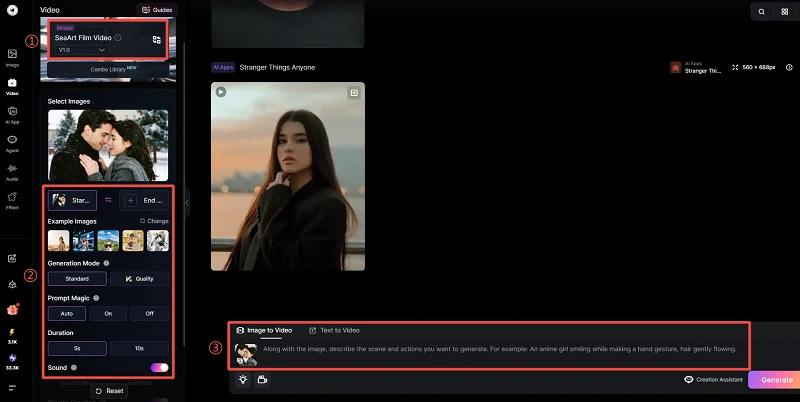
Here's how to animate your polaroid photos:
1. Access SeaArt AI's Video Generation feature.
2. Choose a model, here we recommend the "SeaArt Film Video" model.
3. Select "Image to Video" option at the bottom, then upload your polaroid-style photo.
4. Enter a motion prompt such as "Two people hug and kiss gently" or "Subject smiles naturally and waves at the camera"
5. Hit Generate and watch as the AI video generator transforms your static vintage polaroid into a dynamic, emotionally engaging animation
Let's see the final result:
Start Creating Your Own Polaroid Memories Today
Ready to create your own vintage-style AI memories? Start experimenting with the Gemini polaroid prompts above, or explore simplified tools if you prefer a more streamlined approach. Don't forget to share your creations on social media with #GeminiPolaroid and inspire others with your AI-generated nostalgic masterpieces!