

Seedream 4.5 vs Seedream 4.0: What's Actually Changed
Imagine spending hours crafting the perfect prompt, only to watch your AI tool struggle with basic details like realistic hands or consistent lighting. If you've been using Seedream 4.0, you know the feeling, impressive results most of the time, but occasional frustrations that slow down your creative workflow.
Now ByteDance has released Seedream 4.5, and the AI image generation community is buzzing with one question: Is this upgrade worth your attention?
Whether you're a hobbyist exploring AI art for the first time, a content creator racing against deadlines, or a professional designer demanding pixel-perfect output, this Seedream 4.5 vs Seedream 4.0 breakdown will help you decide which version fits your needs. We've tested both extensively, and here's what you need to know.
Quick Overview — Seedream 4.5 vs 4.0 at a Glance
Before diving into the details, here's a snapshot of how these two versions stack up:
Key Specifications Comparison
| Feature | Seedream 4.0 | Seedream 4.5 |
|---|---|---|
| Max Resolution | Up to 4K | Up to 4K |
| Image Generation | ✅ Unified architecture | ✅ Enhanced scaling |
| Image Editing | ✅ Prompt-based editing | ✅ More precise control |
| Multi-Image Input | ✅ Batch input/output | ✅ Accurate subject identification |
| Reference Consistency | Good | Strictly preserved details |
| Text Rendering | Capable | Further enhanced |
| Typography & Layout | Standard | Designer-level |
| Knowledge-Driven Generation | ✅ Charts, diagrams, educational | ✅ Inherited + improved |
What's New in Seedream 4.5?
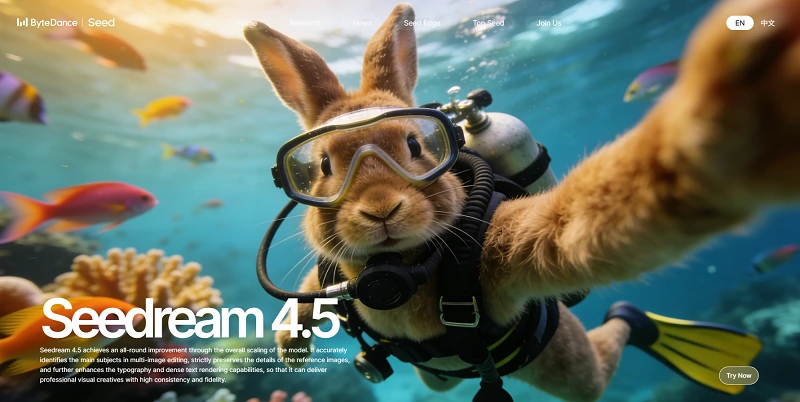
According to ByteDance's official page, Seedream 4.5 brings these key improvements:
- Accurate Multi-Image Subject Identification: Precisely identifies target elements across multiple input images
- Strict Reference Image Preservation: Maintains facial features, lighting, color tone, and other details from reference images
- Enhanced Typography & Dense Text Rendering: Delivers professional visual creatives with clear, readable small text
- Designer-Level Poster Layout & Logo Design: Professional composition and typography capabilities
- High Consistency & Fidelity: Overall model scaling for all-round improvement
What Made Seedream 4.0 Already Powerful
Before comparing, it's important to recognize what Seedream 4.0 already achieved:
Unified Generation + Editing Architecture
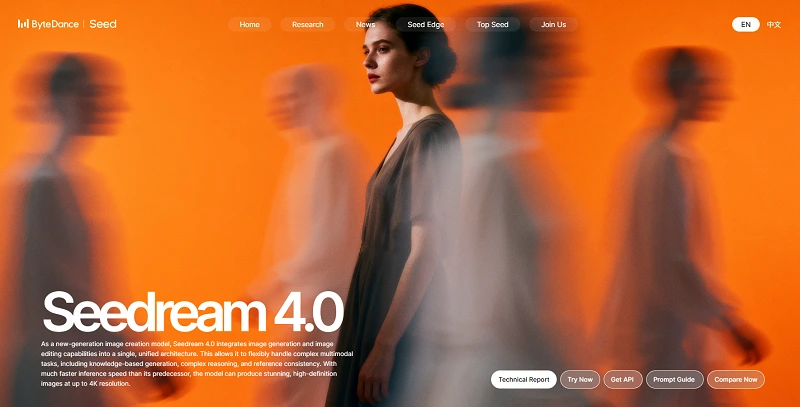
Seedream 4.0 was groundbreaking in integrating image generation and image editing into a single unified architecture. This means you could:
- Generate images from text prompts
- Edit images with text prompts
- Handle complex multimodal tasks including knowledge-based generation
Knowledge-Driven Generation
One of 4.0's standout features is its ability to generate educational content:
- Mathematical equations and solution steps on blackboards
- Historical timelines with dynasty icons
- Comparison charts of architectural styles
- Scientific diagrams and vegetation distribution charts
This makes it invaluable for educators, content creators, and anyone needing accurate informational graphics.
Batch Input & Output
Need to process multiple reference images? Seedream 4.0 already supports uploading multiple images and generating several outputs in one go — a significant workflow boost.
Versatile Style Transfer
Transform images into various styles — watercolor, cyberpunk, vintage, and more — with professional-quality results.
Where Seedream 4.5 Takes It Further
Now let's examine the specific improvements in 4.5:
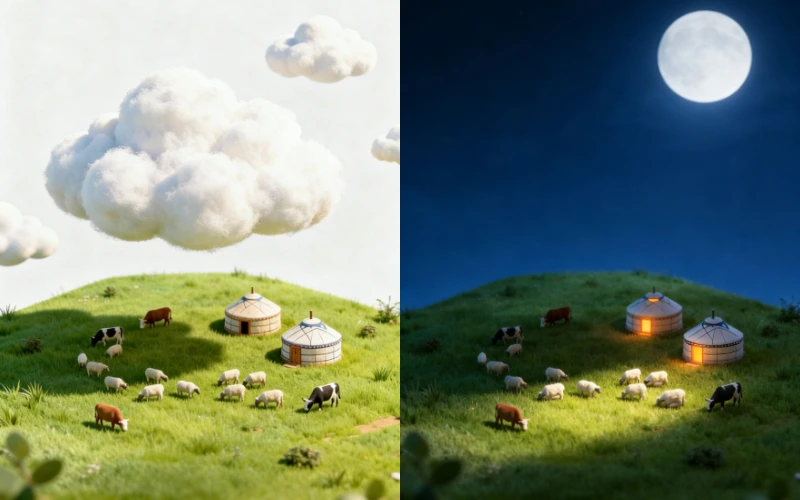
Reference Image Consistency (Major Upgrade)
This is perhaps the most significant improvement. What this means in practice:
- Portrait editing maintains exact facial features
- Lighting conditions stay consistent across edits
- Color grading remains faithful to the original
- Fine details are strictly preserved, not approximated
Check out the example below—it shows how you can dramatically edit an image with prompts while keeping the object looking exactly the same. Here's the prompt used:
"3D render, miniature world. Night scene, dark blue sky, moonlight on the grass. Warm orange light glowing from the windows of the yurts."
Multi-Image Editing Precision
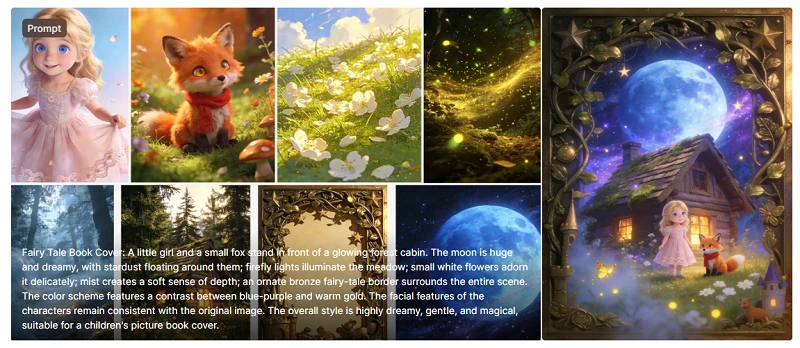
Seedream 4.5 introduces accurate identification of target elements across multiple input images. This enables:
- Controllable multi-image generation
- Consistent outputs when working with multiple references
- Precise subject isolation in complex scenes
For example, upload multiple reference images and provide corresponding prompts:
"Fairy Tale Book Cover: A little girl and a small fox stand in front of a glowing forest cabin. The moon is huge and dreamy, with stardust floating around them; firefly lights illuminate the meadow; small white flowers adorn it delicately; mist creates a soft sense of depth; an ornate bronze fairy-tale border surrounds the entire scene. The color scheme features a contrast between blue-purple and warm gold. The facial features of the characters remain consistent with the original image. The overall style is highly dreamy, gentle, and magical, suitable for a children's picture book cover."
Then you will get:
Typography & Dense Text Rendering
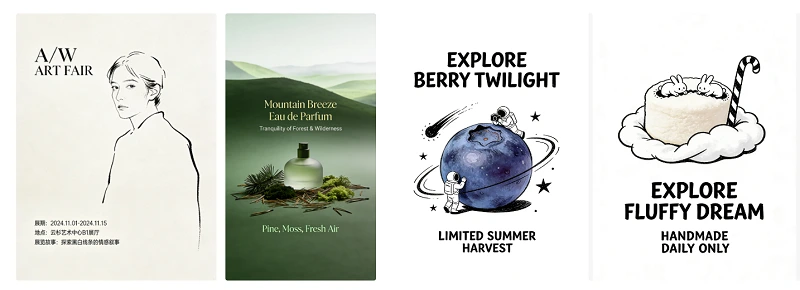
Both versions handle text, but 4.5 takes it to professional levels:
Seedream 4.0: Capable text rendering for basic use cases
Seedream 4.5: "Further enhances typography and dense text rendering capabilities"
This means:
- Clear, readable small text on posters
- Professional font handling for brand visuals
- Complex layouts with multiple text elements
- Logo design with precise typography
Designer-Level Poster & Logo Creation
- Seedream 4.5 explicitly targets professional design workflows:
- Art exhibition posters with proper font hierarchy
- E-commerce product detail pages
- Gym promotional key visuals with layered typography
- Wedding invitation designs with foil typography
- Beauty product KV designs with ingredient text
MagicBench Performance Comparison
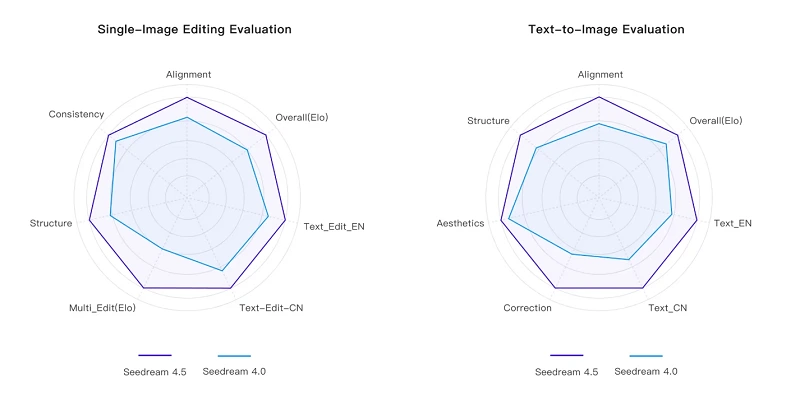
ByteDance uses their internal benchmark called MagicBench for multi-dimensional evaluation. According to official data:
"In comparison with Seedream 4.0, Seedream 4.5 has significant improvement across core dimensions including prompt adherence, alignment, and aesthetics."
The following radar charts provide a visual breakdown of how both versions perform across two key evaluation scenarios:
Which Version Should You Use?
Choose Seedream 4.5 If You Need:
✅ Multi-image editing with accurate subject identification
✅ Reference image consistency — strict preservation of details
✅ Professional typography — posters, brand visuals, logo design
✅ Dense text rendering — readable small text in complex layouts
✅ Designer-level compositions for commercial creative work
Seedream 4.0 Remains Excellent For:
✅ Knowledge-driven generation — educational diagrams, charts, timelines
✅ General image generation at up to 4K resolution
✅ Prompt-based editing for everyday use cases
✅ Style transfer across various artistic styles
✅ Batch processing with multiple inputs and outputs
For Beginners & Hobbyists
Verdict: Either version works well
Both versions share the same unified architecture and core capabilities. If you're just starting with AI image generation, you'll get excellent results from either. Choose 4.5 if you're interested in text-heavy designs.
For Content Creators
Verdict: Seedream 4.5 for branded content
If you're creating social media graphics, promotional materials, or anything requiring consistent branding and readable text, 4.5's typography enhancements make a real difference.
For Professional Designers
Verdict: Seedream 4.5 is the clear choice
The designer-level layout capabilities, precise reference consistency, and professional text rendering in 4.5 align with commercial production standards. For client work involving posters, brand visuals, or multi-asset campaigns, 4.5 delivers.
Conclusion
After examining the official documentation for both versions, the comparison between Seedream 4.5 vs Seedream 4.0 reveals a focused evolution rather than a complete overhaul.
If your work involves professional visual design, brand consistency, or text-heavy layouts, Seedream 4.5's improvements directly address those needs. For general image generation and educational content, both versions deliver excellent results.
Ready to experience the difference? Both versions are available for testing on ByteDance Seed's official platform, and you can also try them on platforms like SeaArt AI for a user-friendly experience.
Frequently Asked Questions
What is the main difference between Seedream 4.5 and 4.0?
Seedream 4.5 focuses on multi-image editing precision, reference image consistency, and professional typography/layout capabilities. Both versions share the same 4K resolution support and unified generation-editing architecture.
Does Seedream 4.5 generate images faster than 4.0?
Official documentation does not specify speed differences between 4.5 and 4.0. Seedream 4.0 is noted as having "much faster inference speed than its predecessor" (referring to earlier versions).
Can both versions handle text in images?
Yes, both versions can render text. However, Seedream 4.5 "further enhances typography and dense text rendering capabilities," making it better suited for professional designs with small text and complex layouts.
Which version is better for creating posters and brand materials?
Seedream 4.5, as it explicitly offers "designer-level composition and typography" ideal for posters, brand visuals, and creative scenarios.
Can I use Seedream models for commercial projects?
Check the specific terms of service on your chosen platform. ByteDance Seed provides official access, and third-party platforms like SeaArt have their own licensing terms.