

Complete Sora 2 Tutorial: How to Use Sora 2 (Mobile & PC)
If you've been hearing the buzz about the latest in AI video tech, you're probably as excited as I am about Sora 2's launch. I remember when the first Sora dropped—it felt revolutionary, but Sora 2? It's like OpenAI cranked up the realism dial to eleven.
Sora 2 can generate professional video clips from text in minutes—no cameras, no editing software. But here's the catch: getting access is tricky, and making it work well requires knowing what you're doing.
Maybe you're stuck waiting for an invite code. Or you've got access but your results look mediocre. After testing Sora 2 for days, I've figured out what actually works.
This Sora 2 tutorial covers everything: how to get started (with or without invite codes), how to use Sora 2 effectively, and the exact prompts that produce great results. Whether you're a content creator or marketer, you'll be generating usable videos in minutes.
👉 What is Sora 2? Quick Overview
At its core, Sora 2 is OpenAI's upgraded AI video model that turns text into hyper-realistic videos complete with synchronized sound.
From my own plays with it, the biggest leap from Sora 1 is the audio integration; no more awkward lip-sync fails or mismatched sound effects. It can generate dialogue that matches mouth movements, ambient noises that fit the scene, and even insert real people or objects via Cameo with proper consent.
Clips top out at 10-15 seconds right now, but the fidelity is insane—think broadcast-quality without a film crew. I've used it for everything from visualizing story ideas to mocking up marketing ads, and it's saved me hours.
Of course, it's not perfect; complex multi-character scenes can still glitch, and access is invite-only for now, starting in the US and Canada. But for educators whipping up explainer vids or marketers testing concepts, it's a powerhouse.
👀 How to Get Started with Sora 2
Once you've wrapped your head around what Sora 2 can do, the next step is actually getting your hands on it. It's not as gated as you might think, especially with the initial free tier and expanding access. I'll break it down into practical steps, from the official app to web options and even a workaround that skips the invite queue altogether. Let's ease into the operations so you can start generating videos right away.
📱 Getting Access to the Sora 2 App
1. Download and Access
First, confirm you're in the US or Canada (iOS-only for now; If you are Android users, it is suggested to use sora.com).
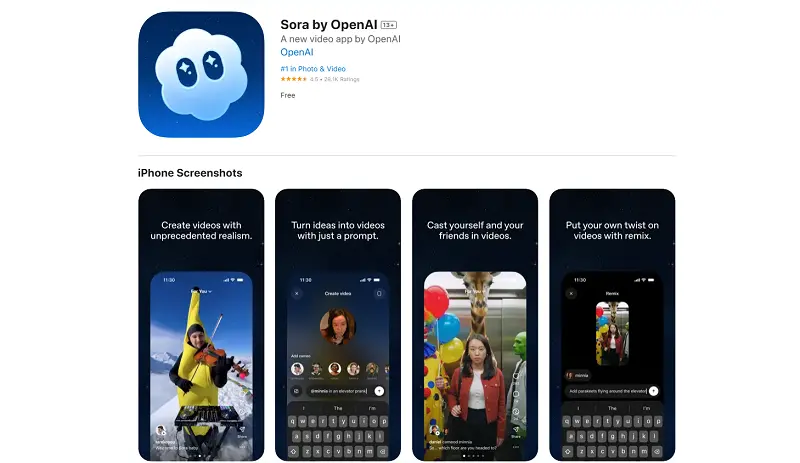
For iOS users, head to your Apple App Store and search for "Sora". Download it for free, and once installed, open the app.
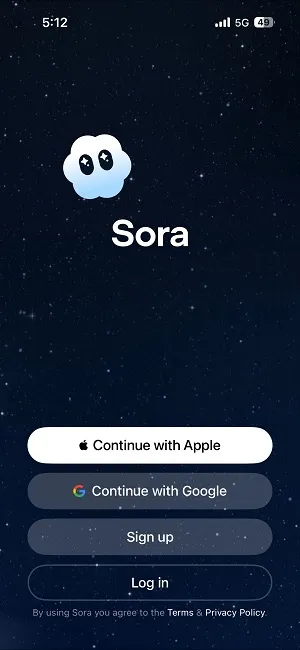
You'll need an OpenAI account—sign up with your email or link via Google/Apple if you don't have one.
2. Get an Invite Code
You need a Sora 2 invite code before you can access the app.
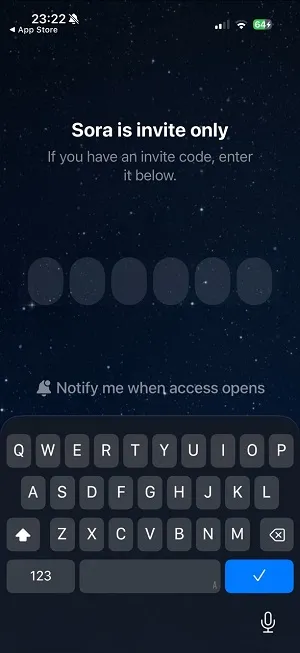
Here's how to get one:
● Each Sora 2 user can invite 6 people. If you know someone already on the platform, ask for their code.
● Check Reddit's Sora 2 Invite Code Megathread or Facebook groups where users share codes. These get claimed quickly, so check frequently.
● We are providing our readers with an invite code: EN6429 🎫 Give it a try!
If it's already used, explore SeaArt's Sora 2 workflow for invite-free access.
⚠️ Don't buy codes from resellers—it violates OpenAI's terms and risks account suspension.
3. Set Permissions & Verify
Allow camera/microphone access for the "Cameo" feature. Complete portrait verification: record a 3-second face video and phrase as prompted to create your avatar.
4. Explore the Sora 2 App Now
The interface is straightforward, and looks like TikTok, you can swipe to browse others' videos.
And you will see 3 Tabs at the buttom mune:
"For You" (Recommended videos)
“Search" (Find specific content)
“Create" (Make your own videos)

5. Create Videos with Prompts
Tap the ➕ button in the middle of the bottom bar. Select your orientation (portrait or landscape) and duration (10s or 15s).
Write a simple prompt describing what you want, for example: "A cute kitten eating McDonald's fries on a wooden table."
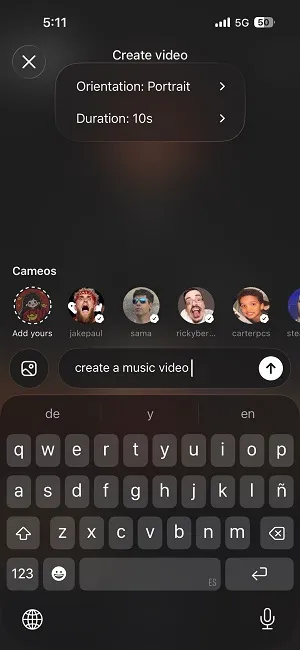
6. Review, Edit, or Share
That's it! After minutes, your video will be ready. You can share it directly to the feed or click "Edit Video" to refine your prompt if you're not satisfied with the results.
💻 How to Use Sora 2 on PC
If apps aren't your thing or you're on a non-iOS device, the web version at sora.com is a solid alternative—it's browser-based and mirrors the app's functionality without downloads.
Start by visiting sora.com in Chrome or Safari (it works best on desktops for bigger previews).
Log in with your OpenAI credentials; if new, create an account right there.
I actually prefer the web version for quick experiments, it is very straightforward.
To create, type a detailed prompt, say "A serene forest path with leaves rustling in the wind and birds chirping." You can also set up orientation and duration by clicking the Settings icon.
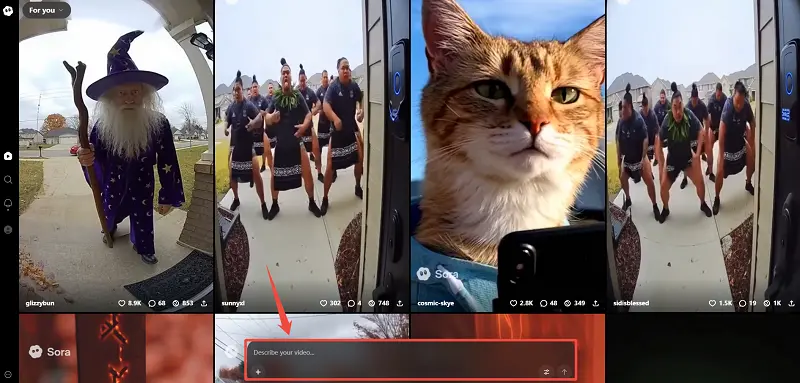
Beyond text-to-video, Sora also allows you to generate videos from images
How it works:
1. Tap the ➕ button in the prompt bar to upload your photo
2. Describe what motion or action you want to add
3. Generate and wait minutes
For example, I uploaded a photo of a cat:

My prompt was simple:
"The cat turns its head, and eats fries handed to it by an off-screen hand."
Then, I get:
🥳 Using Sora 2 Without Invite Codes: The SeaArt Alternative
Can't get an invite code? No problem.
We've integrated Sora 2 into SeaArt—no invite code, no app download, and no ChatGPT subscription required.
Here's how it works:
Create a free SeaArt account, head to the Sora 2 AI video generator. The interface is designed to be straightforward—just enter your prompt and generate. You get the same Sora 2 generation quality, but with more accessible entry points.
The platform supports all key Sora 2 features: aspect ratio options, full prompt control, and even the Sora 2 Cameo feature for adding yourself into videos.
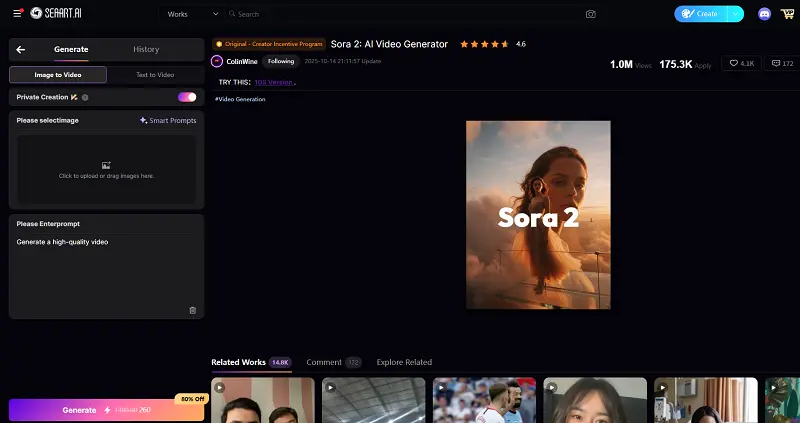
✨ What makes SeaArt practical:
● Free credits to start: Test the platform without payment. See if AI video creation fits your needs before committing to anything.
● Credit-based system: Pay only for what you use, or take advantage of daily free refreshes. More flexible than monthly subscriptions if you're an occasional creator.
● Browser-based: Works on any device—Windows, Mac, even tablets. No iOS or regional restrictions.
😊 What you will get on SeaArt beyond Sora 2:
● Always experience cutting-edge AI models like Wan 2.5, Veo 3.1, and more as they release.
● Free, ready-to-use workflows for different creative needs.
● Multimodal AI community. Generate images, videos, audio, AI characters, and even novels, all in one platform.
SeaArt is particularly useful for testing AI-generated content for social media, client projects, or exploring whether this technology fits your creative workflow. Generate a few videos, evaluate the results, then scale up as needed.
Sora 2 Prompts: What Actually Works
Effective Sora 2 prompts follow a structure. You don't need to memorize it perfectly, but hit most of these elements:
- Subject and action: Be specific: not "a woman walking," but "a woman in her 30s with a red coat walking briskly"
- Setting and mood: Where and when: "through a misty autumn park at dawn"
- Camera movement: Critical for professional feel: "smooth tracking shot following from behind, slight crane down"
- Lighting details: Sets the tone: "soft golden hour backlight with lens flares"
- Audio: New in Sora 2: "distant bird calls, crunching leaves underfoot"
In fact, highly descriptive prompts give you consistent, controlled results. Lighter prompts let the model get creative, often producing unexpected but beautiful variations. Neither approach is wrong—it depends on whether you need precision or exploration.
FAQs about Sora 2
Where can I use Sora?
You can access Sora 2 primarily through the official iOS app or the web at sora.com. It's US/Canada-focused at launch but expanding globally. Alternatives like SeaArt, Higgsfield let you use similar features on any browser without region locks.
Can I use Sora for free?
Yes. OpenAI initially launched Sora 2 with generous free limits to encourage exploration, though these are subject to compute availability and may have usage caps. ChatGPT Pro subscribers get access to Sora 2 Pro, a higher-quality experimental model on sora.com and in the app.
Platforms like SeaArt offer free credits to use Sora 2's model without subscription. You won't get unlimited generation, but it's enough to evaluate whether the tool fits your needs before committing to paid plans.
What can I make with Sora 2?
Sora 2 is versatile enough to handle most video content needs, from realistic footage to stylized animations.
What it's best at: Simple to medium-complexity scenes with clear subjects, controlled camera movements, and 10-15 second durations. Think product rotations, lifestyle B-roll, walking shots, and establishing scenes.
Current limitations: Complex multi-character interactions, rapid action sequences, and precise hand movements still present challenges. For these, you'll need multiple iterations or should plan for post-production fixes.
Conclusion
From setup to prompts, this Sora 2 tutorial has you covered. Whether you use the official app or jump straight to the web version, give yourself three real attempts before judging. Your third video will be noticeably better than your first.
Now go create something.