banner_image ×
SeaArt AI الإصدارة المؤسسية

Background: background-image: Use an image that refers to the history of aviati

Background:

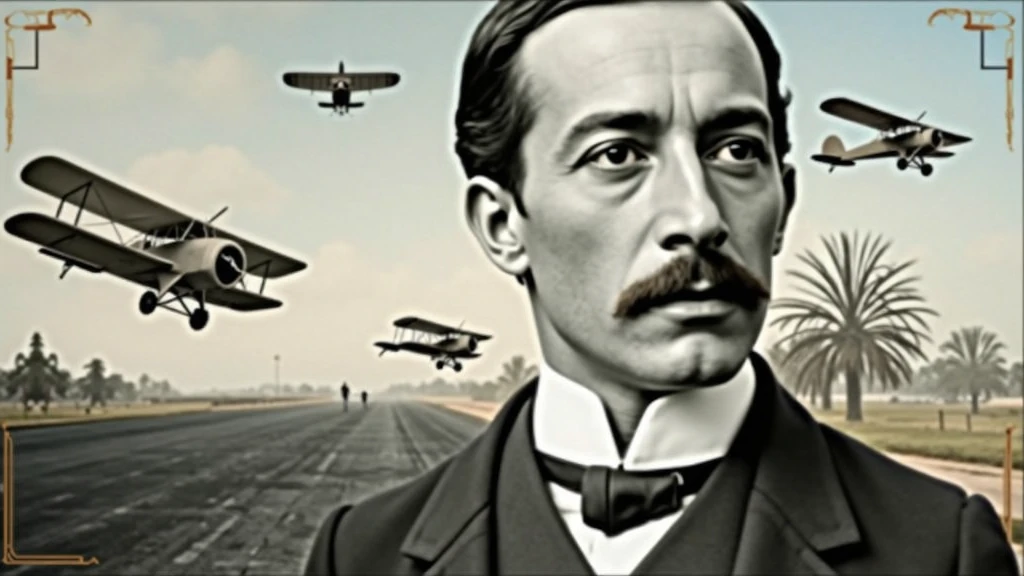
background-image: Use an image that refers to the history of aviation. It could be a photo of an old runway, a blue sky or a montage with vintage aviation elements. Another option is a background that matches Santos Dumont's era., as an early 20th century setting.
Color Effect: Consider a sepia tone or a slight texture to give the background a historic, vintage feel..
main image:

Portrait of Santos Dumont: Place a central image of Santos Dumont. It could be a classic photo of him or a stylized illustration.. If you use an illustration, make sure it captures the essence of Dumont's pioneering spirit and personality.
Historical Aircraft: Include images of your most famous inventions, like the 14-Bis or the Demoiselle, somewhere on the cover. These planes can be in the background or as part of the design..
Leading text:

Video Title: Add a big, eye-catching title, as “Santos Dumont: Aviation Pioneer and His Technological Vision”. Use an elegant, easy-to-read font, like “Garamond” or “Montserrat”.
Color and Effect: Use colors that contrast with the background, like white or gold. Consider adding a light shadow or outline to improve readability..
Additional Text:

Subtitle or Short Description: Include shorter text that provides more context, as “Exploring the History and Innovations of the Father of Aviation”. Use a smaller font and keep the color consistent with the title, but a little less prominent.
Position and Colors: Position the subtitle below the main title, ensuring that it does not overlap the main image. Use a complementary color to the main text.
Graphic elements:

Icons and Symbols: Add subtle aviation-related graphics, like stylized wings, old planes or aircraft parts. Position them to complement the main image and text., without overloading the cover.
Borders and Dividers: Use discreet borders or dividers to separate text from images, if necessary.
Logo and B
image
avatar
S
SOFT BYTE
معلومات الإبداع
ريمكس
السجل
كلمة التلميح
Background: background-image: Use an image that refers to the history of aviation . It could be a photo of an old runway , a blue sky or a montage with vintage aviation elements . Another option is a background that matches Santos Dumont&#39 ; s era ., as an early 20th century setting . Color Effect: Consider a sepia tone or a slight texture to give the background a historic , vintage feel .. main image: Portrait of Santos Dumont: Place a central image of Santos Dumont . It could be a classic photo of him or a stylized illustration .. If you use an illustration , make sure it captures the essence of Dumont&#39 ; s pioneering spirit and personality . Historical Aircraft: Include images of your most famous inventions , like the 14-Bis or the Demoiselle , somewhere on the cover . These planes can be in the background or as part of the design .. Leading text: Video Title: Add a big , eye-catching title , as “Santos Dumont: Aviation Pioneer and His Technological Vision” . Use an elegant , easy-to-read font , like “Garamond” or “Montserrat” . Color and Effect: Use colors that contrast with the background , like white or gold . Consider adding a light shadow or outline to improve readability .. Additional Text: Subtitle or Short Description: Include shorter text that provides more context , as “Exploring the History and Innovations of the Father of Aviation” . Use a smaller font and keep the color consistent with the title , but a little less prominent . Position and Colors: Position the subtitle below the main title , ensuring that it does not overlap the main image . Use a complementary color to the main text . Graphic elements: Icons and Symbols: Add subtle aviation-related graphics , like stylized wings , old planes or aircraft parts . Position them to complement the main image and text ., without overloading the cover . Borders and Dividers: Use discreet borders or dividers to separate text from images , if necessary . Logo and B
مقاس
1024X576
تاريخ
Aug 25, 2024
الوضع
الاستوديو
النوع
cell
Checkpoint & LoRA
SeaArt Infinity
Checkpoint
SeaArt Infinity
0 تعليق
0
1
0
0/400

تطبيقات الـAI السريعة من SeaArt
ai_video_generationimg
توليد فيديو AI

أطلق العنان لخيالك ودع AI يخلق روائع بصرية من أجلك.
face_swap_titleimg
مبادلة الوجه عبر الإنترنت مجانا

إبداع الفيديوهات والصور المضحكة أو الواقعية لمبادلة الوجه بسرعة
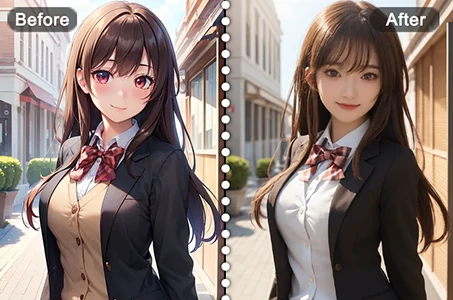
anime2realityimg
من الأنمي إلى الواقع

أحضر شخصيات الأنمي المفضلة لديك إلى الحياة فورا.
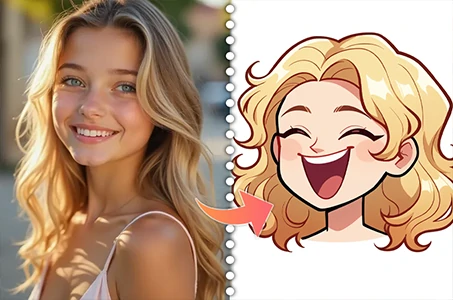
cartoon_avatar_h1img
صانع أفاتار كرتوني

حوّل صورك إلى أفاتارات كرتونية فريدة على الفور.
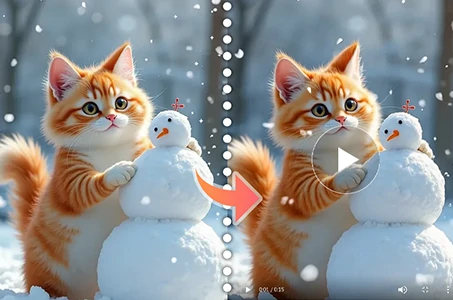
wanimg2vid_h1img
Wan 2.1 الفيديو من الصورة

حرّك الصور بحركة واقعية وتأثيرات سينمائية.
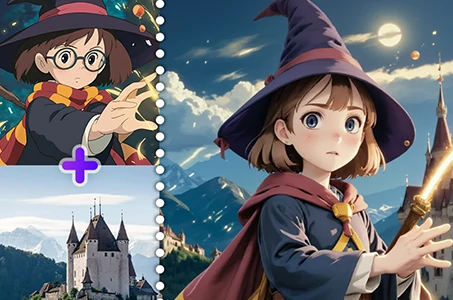
fuse_anyoneimg
اندماج صورة الـAI

ادمج صورتين في صورة مذهلة جديدة باستخدام اندماج صورة الـAI.

استكشاف المزيد من تطبيقات الـAI 

اقتراحات ذو صلة

شبكة التحكم
logo
العربية
تطبيقة
توليد الصورة شخصيات AI سويفت AI تدريب النموذج اللوحة المتقدمة الأداة السريعة تيار العمل
ذات الصلة
الاستوديو التصنيفات كلما عالت جودة الصور المولدة، زادت العملات الرمزية المستهلكة، والآن مجاني لفترة محدودة مدونة AI أخبار AI
دعم
الدليل خدمة العملاء
احصل على التطبيق
icon
Download on the
APP Store
icon
GET IT ON
Google Play
تابعنا
iconiconiconiconiconiconiconicon
© 2025 SeaArt, Inc.
Copyright Policy
شروط
سياسة الخصوصية 特定商取引法 資金決済法に基づく表示
المزيد