×
SeaArt AI

"A cinematic and highly detailed scene of a powerful dragon and Venom facing eac
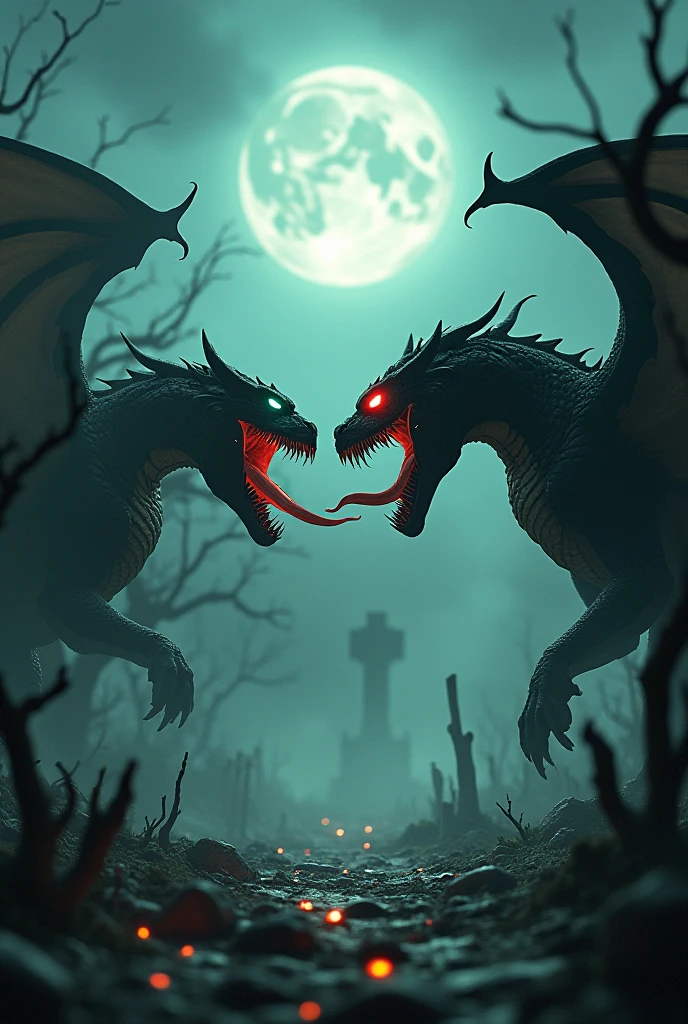
"A cinematic and highly detailed scene of a powerful dragon and Venom facing each other in an intense standoff. The dragon is a fearsome creature with glowing red eyes, black scales, sharp claws, and massive wings spread wide. Venom is depicted with his iconic muscular symbiotic body, a wide-open mouth revealing sharp teeth and a long tongue, glowing with green venom. Both creatures have their mouths open, roaring fiercely at each other. The setting is a haunted, foggy graveyard with twisted, dead trees, crumbling tombstones, and faint glowing ghostly lights in the background. The atmosphere is dark and eerie, with a full moon and storm clouds illuminating the scene. Rendered in 4K HD with cinematic lighting, intricate textures, and a vertical 9:16 aspect ratio."


---

Steps to Create It

1. Use an AI Art Generator:

Platforms like MidJourney, DALL·E, or Stable Diffusion are excellent for detailed and atmospheric images.


2. Set the Aspect Ratio:

For MidJourney, add --ar 9:16 at the end of your prompt.

In other tools, select vertical aspect ratio settings.


3. Set the Quality to 4K:

Ensure the generator supports high-resolution output or use a tool that allows post-generation upscaling.


4. Adjust for Haunted Theme:

Focus on eerie lighting, fog effects, and detailed haunted landscapes in your prompt.


5. Review and Enhance:

If the result isn't perfect, refine the prompt or edit the image in software like Photoshop to add more detail or adjust lighting.
توليد الفيديو
Hard gamer Gamer
معلومات الإبداع
السجل
كلمة التلميح
"A cinematic and highly detailed scene of a powerful dragon and Venom facing each other in an intense standoff. The dragon is a fearsome creature with glowing red eyes, black scales, sharp claws, and massive wings spread wide. Venom is depicted with his iconic muscular symbiotic body, a wide-open mouth revealing sharp teeth and a long tongue, glowing with green venom. Both creatures have their mouths open, roaring fiercely at each other. The setting is a haunted, foggy graveyard with twisted, dead trees, crumbling tombstones, and faint glowing ghostly lights in the background. The atmosphere is dark and eerie, with a full moon and storm clouds illuminating the scene. Rendered in 4K HD with cinematic lighting, intricate textures, and a vertical 9:16 aspect ratio." --- Steps to Create It 1. Use an AI Art Generator: Platforms like MidJourney, DALL·E, or Stable Diffusion are excellent for detailed and atmospheric images. 2. Set the Aspect Ratio: For MidJourney, add --ar 9:16 at the end of your prompt. In other tools, select vertical aspect ratio settings. 3. Set the Quality to 4K: Ensure the generator supports high-resolution output or use a tool that allows post-generation upscaling. 4. Adjust for Haunted Theme: Focus on eerie lighting, fog effects, and detailed haunted landscapes in your prompt. 5. Review and Enhance: If the result isn't perfect, refine the prompt or edit the image in software like Photoshop to add more detail or adjust lighting.
مقاس
688X1024
تاريخ
Jan 3, 2025
الوضع
الاستوديو
النوع
cell
Checkpoint & LoRA
SeaArt Infinity
Checkpoint
SeaArt Infinity
#وحوش
#رعب
#أساطير
#الواقعية الغربية
#SeaArt Infinity
0 تعليق
تعال واحصل على أول تعليق!
0
0
0
0
0/1000
logo
تابعنا
احصل على التطبيق
icon
Download on the
APP Store
icon
GET IT ON
Google Play
© 2026 SeaArt, Inc.
Copyright Policyشروطسياسة الخصوصية特定商取引法資金決済法に基づく表示
توليد الصورة
عمل فيديوهات
إبداع الفيديو
إنشاء تطبيق AI
Beta
SUNRISEAI PTE. LTD.