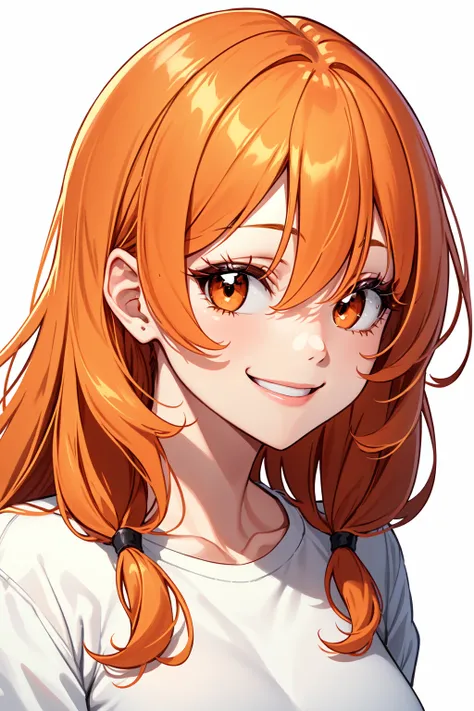
If you ran into any troubles with my mix, please read description below. There is plenty of useful information. Also, you can contact me through message system on CivitAI.
Если вы столкнулись с каким-либо проблемами при использовании моего микса, пожалуйста, прочитайте описание ниже. Там есть много полезной информации. Так же вы можете связаться со мной через чат на CivitAI.
Also try: DivineEleganceMix!
Introduction:
DivineAnimeMix, obviously, more anime-styled version of DivineEleganceMix, that was inspired by more clean and straight-forward anime style. It's still keeps some details of original mix, but also has it's own more unique and anime-ish visuals.
Clean and sharp anime style
Less post-processing in generations
Great prompt guidance
Great character and concept recognition level
Great LoRA (nai/any-based) compatibility
I hope you also will like DivineAnime, so stay tuned for newer versions of mix!
Recommendations:
Use danbooru tagging for prompts
Sampler: "Euler a" at 30 steps
Cfg scale: 8
Clip Skip: 2 <---- VERY IMPORTANT
ENSD (Eta noise seed delta) - leave blank
kl-f8-anime2 VAE
Recommendations (Hires Fix):
Upscaler: Fatal Anime
Upscaler: R-ESRGAN 4x+ Anime6B (basic)
Hires steps: 10 (Euler a)
Hires steps: 15 (other samplers)
Denoising strength: 0.3 (Euler a)
Denoising strength: 0.4 (other samplers)
Upscale by: any
Troubleshoot:
My colored are bleached out. What should i do?
You're missing a VAE file. For this mix i would recommend kl-f8-anime2 VAE. Just put it into SD folder -> models -> VAE folder. Then go to your WebUI, Settings -> Stable Diffusion on the left list -> SD VAE, choose your downloaded VAE.
If you want to get mostly the same results, you definitely will need negative embedding:
Don't use EasyNegative (or other embeddings) with Style LoRAs, it may ruin the style!
Don't use a lot negative embeddings at the same time. It definitely will ruin any possible output on all models! If you want to use negative embeddings - use one for quality, and one for hands (if you want a placebo for hands).
Technical support:
If you're ran into any problem with my mix, you can DM me on discord:
troubledarkness - discord nickname.
I'll be glad to help | Буду рад помочь.
Credits:
Really BIG thanks to:
andite for Cocoa
Linaqruf for original Anything model
You, for reading, downloading and reviewing this mix