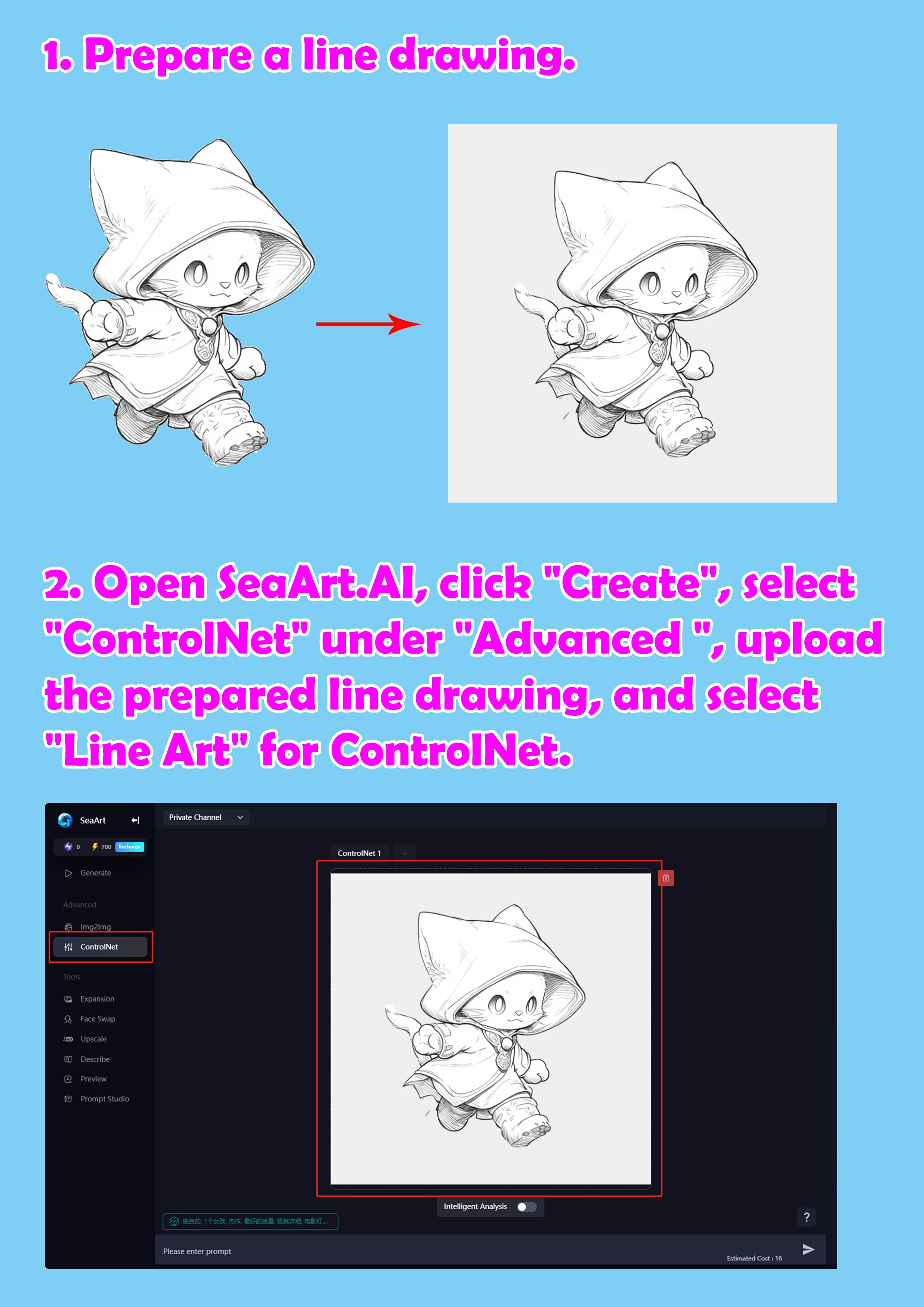
2. Open SeaArt.AI, click "Create", select "ControlNet" under "Advanced ", upload the prepared line drawing, and select "Line Art" for ControlNet.
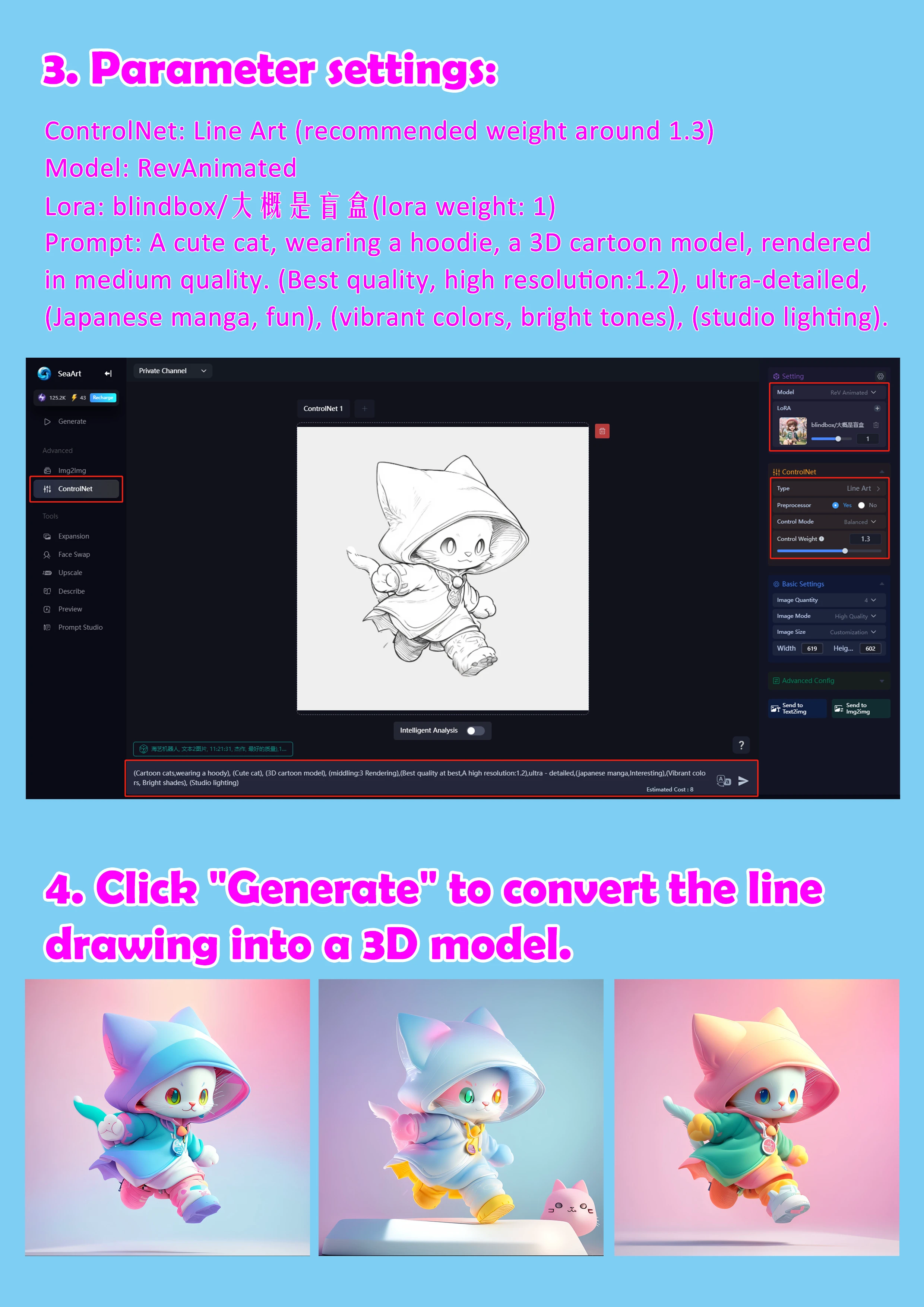
3. Parameter settings: ControlNet: Line Art (recommended weight around 1.3) Model: RevAnimated Lora: blindbox/大概是盲盒(lora weight: 1) Prompt:A cute cat, wearing a hoodie, a 3D cartoon model, rendered in medium quality. (Best quality, high resolution:1.2), ultra-detailed, (Japanese manga, fun), (vibrant colors, bright tones), (studio lighting).
4. Click "Generate" to convert the line drawing into a 3D model.

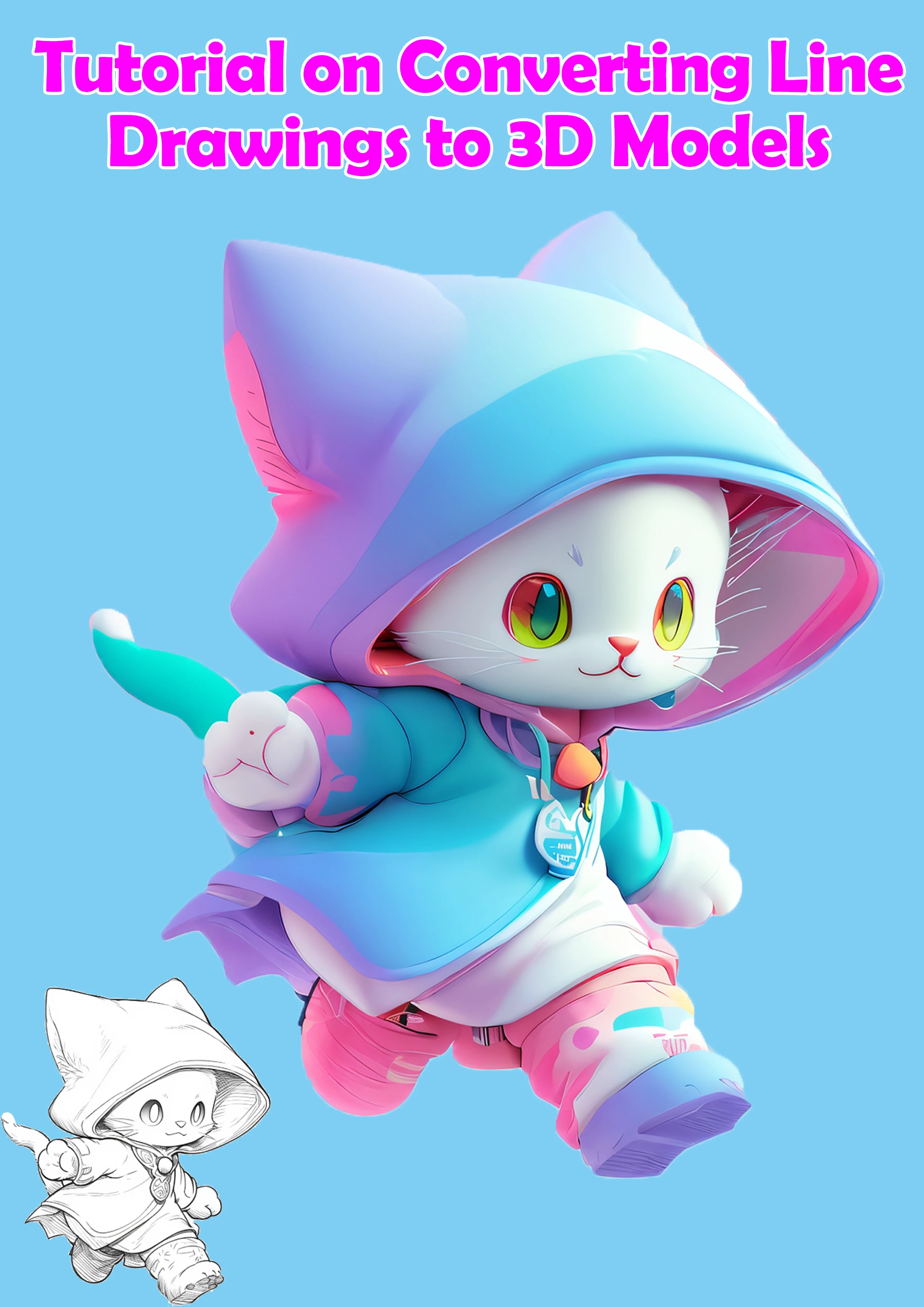


Tutorial on Converting Line Drawings to 3D Models
1. Prepare a line drawing.
2. Open SeaArt.AI, click "Create", select "ControlNet" under "Advanced ", upload the prepared line drawing, and select "Line Art" for ControlNet.
3. Parameter settings:
ControlNet: Line Art (recommended weight around 1.3)
Model: RevAnimated
Lora: blindbox/大概是盲盒(lora weight: 1)
Prompt:A cute cat, wearing a hoodie, a 3D cartoon model, rendered in medium quality. (Best quality, high resolution:1.2), ultra-detailed, (Japanese manga, fun), (vibrant colors, bright tones), (studio lighting).
4. Click "Generate" to convert the line drawing into a 3D model.