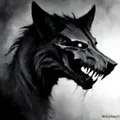
DreamShaper XL is an advanced model that improves what DreamShaper can do. Model is very efficient with it's high-quality fast outputs, prompting show difference from standart DreamShaper. It aims to do well with any art styles as other DreamShaper versions.
What This Model Excels At
- Crafting versatile styles that also have realistic touch, especially excels at photorealistic/3D render type images.
- Generating female/male human images, better and refined human outputs.
- Generating animal/object/landscape type subjects. This version is better at rendering dragons overall.
- Crafting images with SFW/ content, model has improved that better than many other SDXL models.
- Crafting various styles. e.g. illustration, abstract, sketching, painting etc.
- Crafting themes like fantasy, medieval, sci-fi etc. Also generating anthromorphic creatures.
- Great lighting/shadow usage.
- Great depth/focus usage.
- Recognizes most of art/artist styles.
- Better understanding of prompts.
- Faster generations with Lightning and Turbo version choices.
Cautions For Optimal Usage
- Make sure to use `LCM` with this model's Turbo and Lightning versions. Turbo can work without it in a certain way. It will be explained on Recommended Settings section.
- Works with lower steps and guidance, avoid to use with normal settings and follow guidelines.
- Based on SDXL Turbo and SDXL Lightning (faster SDXL versions without sacrificing quality), has certain differences but prompting is almost same so you can use same prompt for both versions.
- `anime girl, anime coloring, anime screencap` like terms can be used in front of prompt to craft anime style images, use `3D, render, cgi` in negative while working on anime arts.
- Distance reduces quality of subject. Model prefers "close-up, portrait, medium range" shots, although quality is still acceptable with far-shots, it just sacrifice detail like other models.
- Better with single subject images.
- Using lighting, shadow and focus terms increase realism and quality of images. Model uses advanced camera terms effectively in composition.
- Work great with additional quality modifiers like `8K, UHD, trending on deviantart` etc.
- Works pretty nice with many various style/character LoRA.
Recommended Settings
You can't use any other sampler than `LCM` in standart generation page because other samplers can't be used with recommended low setting values.
DreamShaper XL Turbo
- Steps: 4-8
- CFG Scale: 2
- Sampler: LCM, DPM++ SDE Karras (only ComfyUI)
- Clip Skip: 2
- VAE: sdxl_vae (User preference)
DreamShaper XL Lightning
- Steps: 6, 3-6 (only ComfyUI)
- CFG Scale: 2
- Sampler: LCM, DPM++ SDE Karras (only ComfyUI)
- Clip Skip: 2
- VAE: sdxl_vae (User preference)
Note: Steps can vary between 3-6 but LCM starts from 4 and it makes image darker than it should be. It's recommended to use with 6 steps at standart generation page. You can use 4 steps to create darker ambient though.
DreamShaper XL Turbo as a non-turbo model (Standart SDXL)
- Steps: 20-40
- CFG Scale: 6
- Sampler: Euler, DPM++ 2M SDE Karras
- Clip Skip: 2
- VAE: sdxl_vae (User preference)
Note: Results are not good enough so it's recommended to not use this generation method but you still have a option.
Suggested Resources
LoRA
- SDXL based style and character LoRAs
Prompt Style
- Better with tag style prompts but also pretty good with descriptive natural language prompts.
- Can work with both of short and long prompts, usually long prompts have better results compared to short ones.
- Use descriptive prompts to achieve desired results.
- Can understand many of various terms from photography to drawing techniques.
- Quality Modifiers have great impact to quality and details of output.
- Using references (artist, website etc.) has noticeable improves on results, recommended to use.
- Great usage of `depth of field, bokeh, sharp focus` like terms.
- Use `anime girl, anime coloring, anime screencap` like terms in front of prompt to make anime renders.
- `cinematic film still` has great impact to improve photorealistic results.
Recommended Prompt Order
- Medium/Style
- Art/Artist References
- Angle/View
- Subject
- Quality Modifiers
- Details of Composition
- Lighting/Shadow
- Additional Modifiers/Details
Prompt Examples
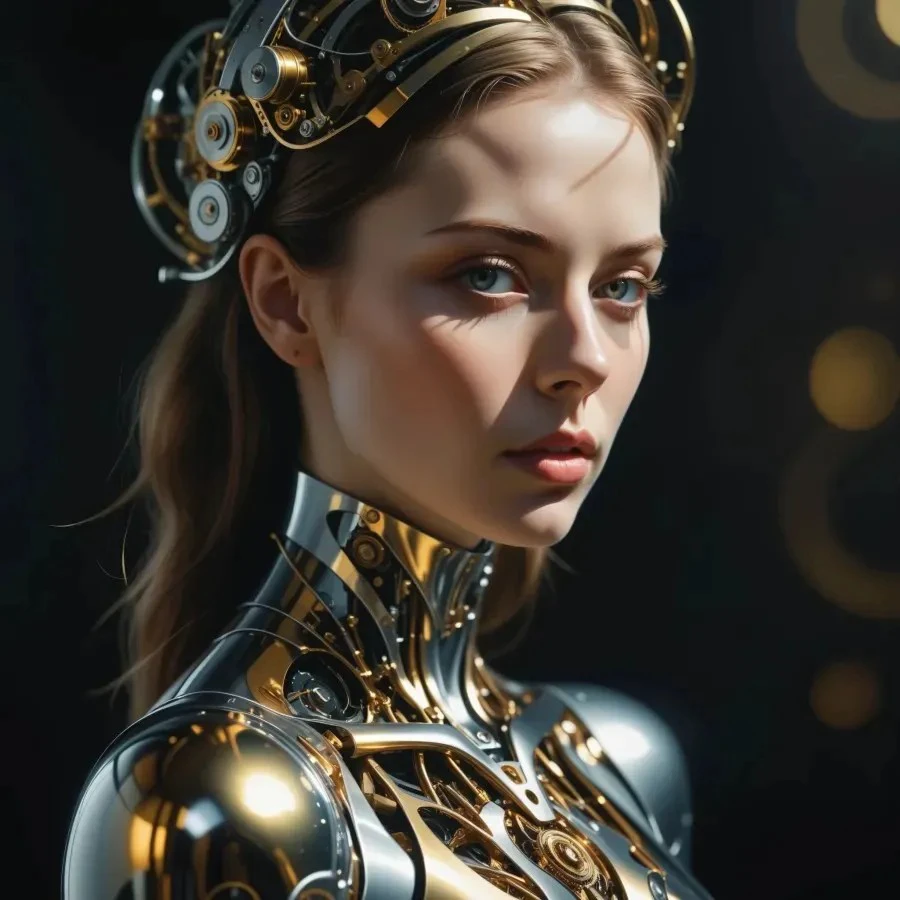
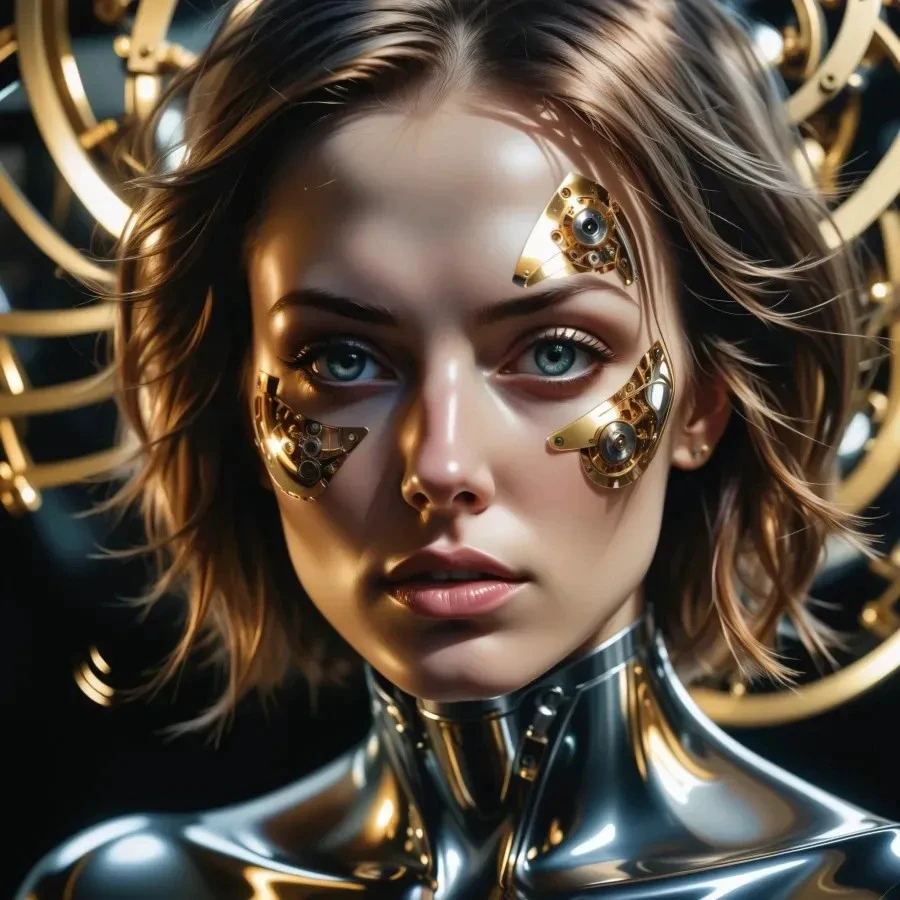
Chronophobia (Turbo | Lightning)
Positive Prompt
`highly detailed portrait, (abstract art, surreal), by Android Jones, by Tomma Abts, 1girl in mechanism, high resolution, (cinematic:1.3), (chronophobia:1.2), wheels, clockwork, (subsurface light scattering, metal reflection:1.2), gold theme, silver theme, dark theme, depth of field, timeless, diffused lighting, mastercraft, eye-catching art, amazing background`
Negative Prompt
`(low quality, worst quality:1.4), cgi, text, signature, watermark, extra limbs, , child`
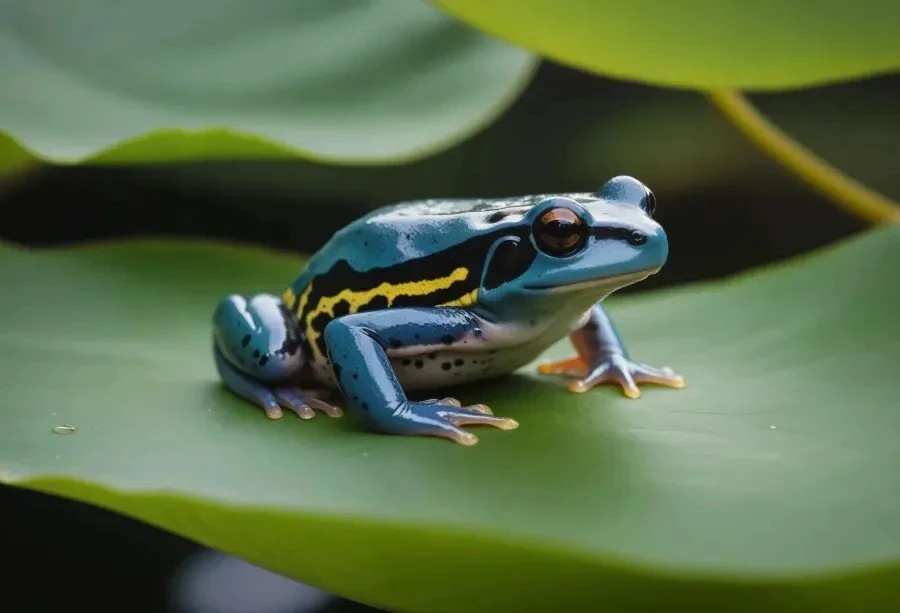
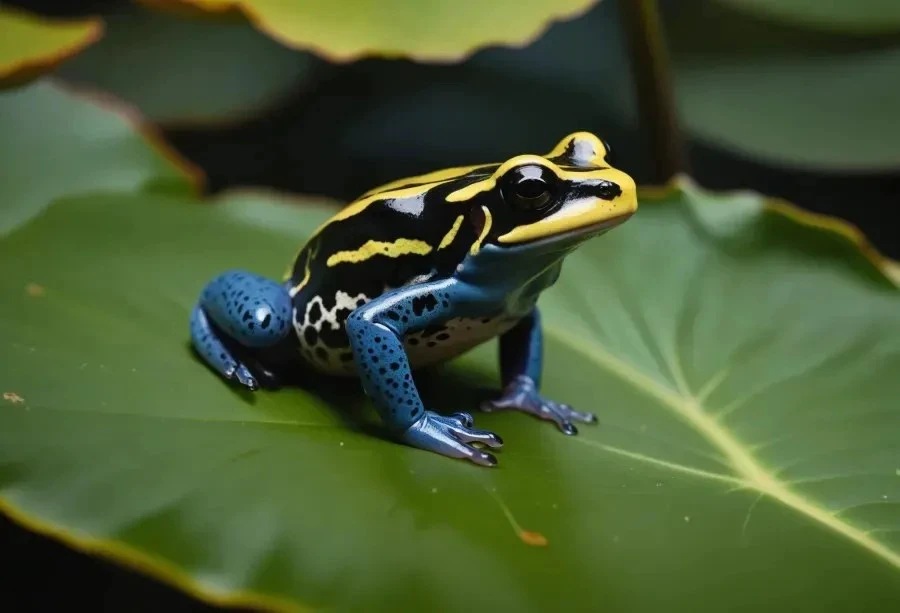
Documentary: Frog (Turbo | Lightning)
Positive Prompt
`macro photography of a dart frog on a lotus leaf, lake background, (cinematic, high resolution), UHD, 8K animal photography shot with Olympus Tough TG-6 with Built-in 4.5-18mm f-2-4.9, minimalist render with highest details, nature, depth of field, (soft lighting), sharp shadow, documentary image`
Negative Prompt
`(low quality, worst quality:1.4), cgi, text, signature, watermark, extra limbs, cartoon`
You can join SeaArt Discord Community for more content, also you will have opportunity to choose next model guides with your vote. You can use comments or SeaArt server #guides-feedback to leave feedback or suggestion. We look forward to seeing you on the server.
Happy Generations To Everyone!