
Title Prompt:
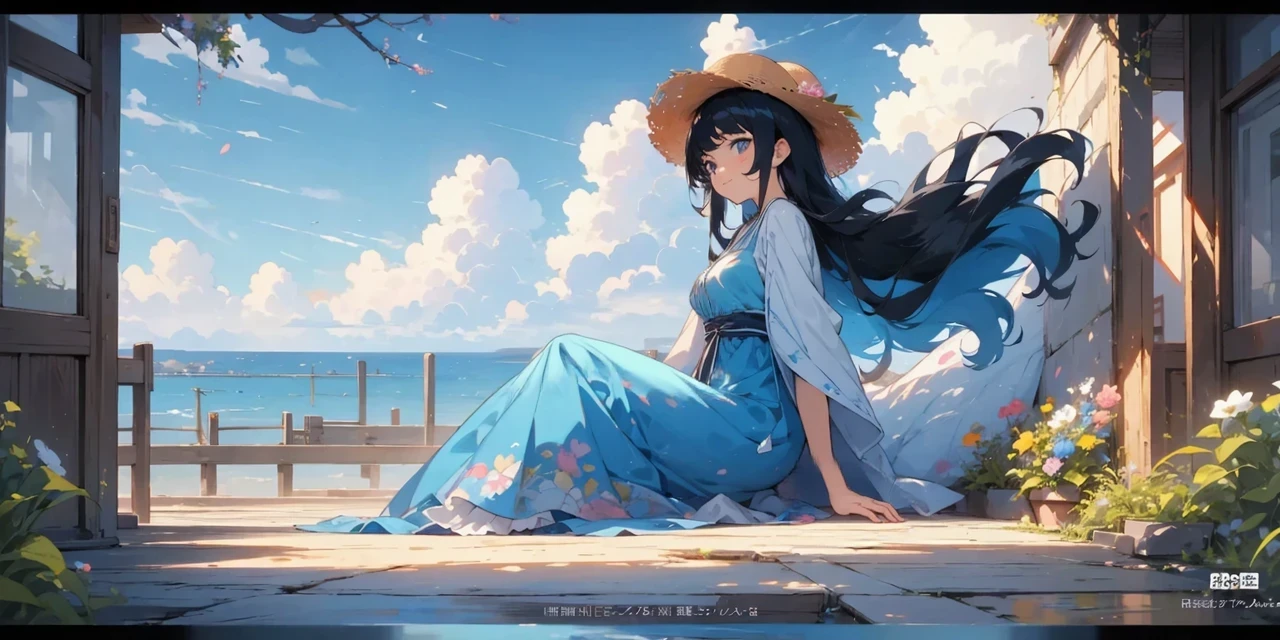
”An anime girl in a blue dress and straw hat, with long black hair and flowing curly bangs, in the style of anime, against a background of a coastal street by the sea, on a bright sunny day, with flowers on a windowsill, with a cheerful expression, with detailed design, with a watercolor painting effect, and vibrant colors, Hayao Miyazaki's manga, with high resolution and clear details“
When using AI to generate art, well-crafted prompts are key to producing high-quality images. Below are some simplified and easy-to-understand prompt tips to help you better navigate AI drawing creation:
1. Specify Details ClearlyIf
you don't specify enough details (e.g., "a kawaii girl"), the generated image might be too simple and lack depth. To avoid this, include more descriptive elements such as the character’s hairstyle, eye color, clothing, background, etc.
2. The Importance of Word Order
The order of words in your prompt affects the generated result. Words at the beginning of a prompt are given more weight by the AI, so if you want the character to stand out against the background, make sure to describe the main character first, followed by the background. For example, "a girl with long blonde hair in a white dress in a forest" will emphasize the character more than the reverse order.
3. Weather and Time
Adding weather or time details when describing the background can greatly influence the overall effect of the image. For example:
a. golden hour lighting: Dreamlike imagery captured at sunrise or sunset.
b. rainy days: Creates a mood of loneliness or romance.
c. sunset: Warm and deep emotional layers.
d. foggy mornings: Adds depth and a sense of mystery.
e. sunrise: Conveys hope and vitality in the scene.
4. Background and Scene
Specifying a background can give your artwork more personality. Whether it's an ancient castle, a cyberpunk city, a beach, or a mountaintop, the scene will add rich layers to the image. For example:
a. in the baroque architecture: Filled with detailed carvings and grand spaces, ideal for vintage or historical themes.
b. on the beach: A relaxed, free-spirited atmosphere, perfect for summer, romance, or relaxation.
c. rainy night in a cyberpunk city: A mysterious and surreal urban atmosphere.
d. on a mountain top: Provides a sense of vastness and tranquility.
e. in a forest: Ideal for mysterious, dreamlike, or adventurous scenes.
5. Character Features
The finer details make a huge difference in how lively and dynamic the image feels. When describing characters, consider these aspects:
a. Hair: Long hair, bangs, hair color, etc.
b. Eyes: Big eyes, heterochromia (different colored eyes), etc.
c. Pose: Standing, sitting, lying down, etc.
d. Expression: Happy, surprised, angry, etc.
6. Color and Brightness
Controlling color and brightness helps to create different emotional atmospheres in your artwork. For example:
a. light: Warm and positive, perfect for fresh and light-hearted scenes.
b. dark: Creates a mysterious, tense, or heavy atmosphere, ideal for suspense, horror, or dark themes.
c. deep: Adds depth to the image, suitable for scenes with complex emotional layers.
7. Composition and Angle
Choosing the right angle can give your work more visual impact. For example:
a. from above: This angle makes characters appear small, adding a sense of vastness to the scene, ideal for showing the environment.
b. from below: Shooting from below makes characters appear taller, increasing visual drama.
c. full body: A full-body shot shows the complete shape and movement of the character, suitable for dynamic scenes or character portrayal.
d. close-up: A close-up focuses on facial expressions, conveying nuanced emotions.
8. Clothing and Style
Clothing details also play a crucial role in the visual impact of the image. You can use clothing style tags such as:
a. school uniform
b. knightess armor
c. fantasy priest
9. Emotion and Expression
a. angry
b. happy
c. ? smile
10. Action and Pose
Describing actions or poses helps create dynamic and engaging imagery. For example:
● standing
● running
● sitting on a chair
11. Generation Effects and Details
Enhancing image details and clarity can be achieved through high-resolution prompts. For example:
● highres: For detailed, clear images.
● absurdres: For ultra-high-definition details.
12. Avoid Common Issues
To avoid generating images that do not meet your expectations, you can use negative prompts to exclude unwanted elements. For example:
● "no humans": Excludes human characters from the image.
● "no background": Removes the background, focusing only on the subject.
Conclusion:
By using well-crafted prompts, AI can create artwork with more detail, emotion, and style based on your specific needs. Remember to adjust your prompt based on word order, detailed descriptions, and the atmosphere you want to achieve. Whether it's the scene, character, or emotion, controlling these details will bring your artwork to life.