This information is recommended for users on the free plan. Please note that this was tested and written in a desktop environment.
Both free and beginner plan accounts have a daily limit on the number of images they can generate. Free plan users, for example, are allocated 130 Stamina per day, which function like points or coins.
Given that SDXL image generation consumes these points, 130 Stamina might be depleted almost instantly when generating SDXL images. Therefore, you can typically generate more images using SD1.5.
For more detailed information on how many sheets can be generated with 130 Stamina, see the table in this
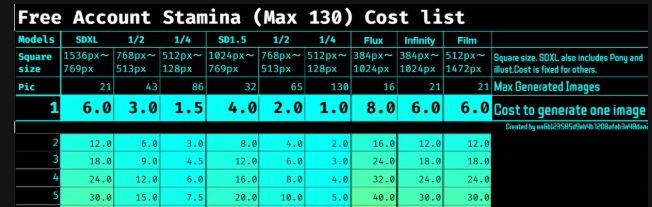 " Free 130 Stamina: A Comprehensive Guide to AI Image Generation Costs, sdxl sd " article.
And,📝Here is the cost information for training a LoRA model with 130 Stamina for free users. LoRA model generation costs
ℹ️Generating an image in SDXL consumes up to Cost 24.
For information on consumption when generating SDXL, please move on to the next section.
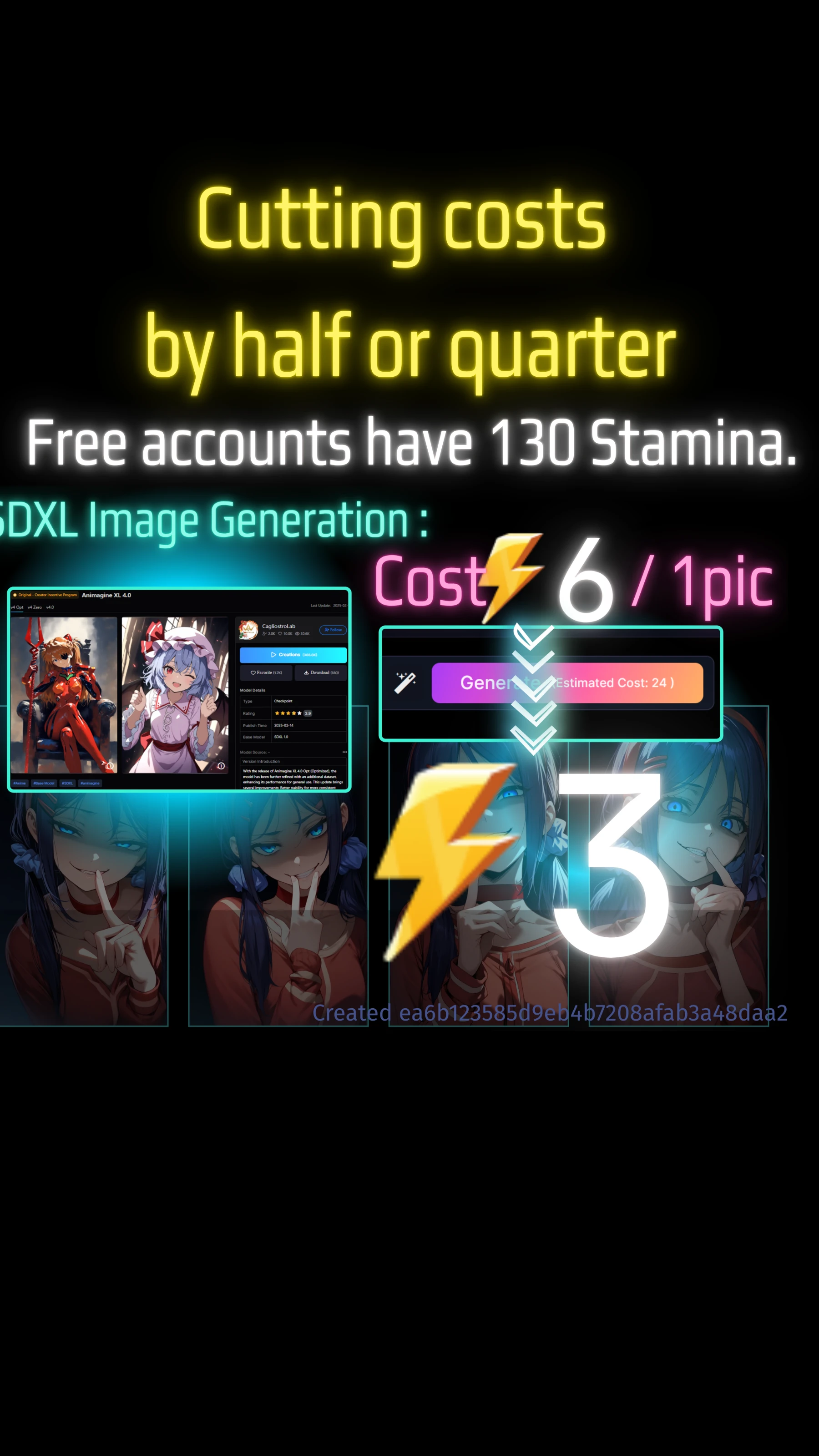
For example, this Asuka's base model(Animagine XL 4.0) is SDXL.
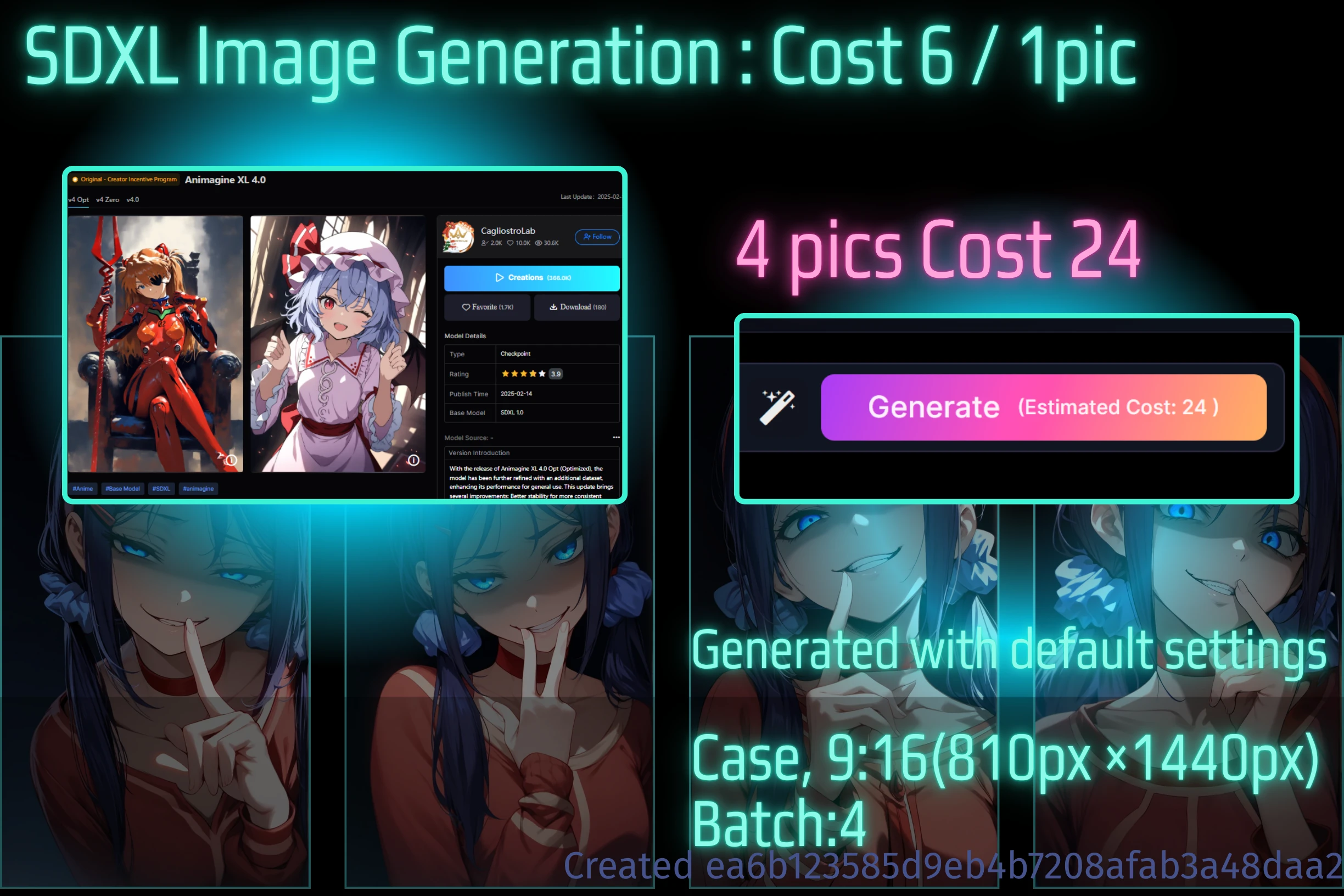
When generated at 9:16, each image consumes 6 Stamina. Generating four images costs 24 Stamina.
If you generate images with a batch size of 4, 24 Stamina will be consumed per image in the batch.
Consequently, your Stamina will decrease as shown in the image below.
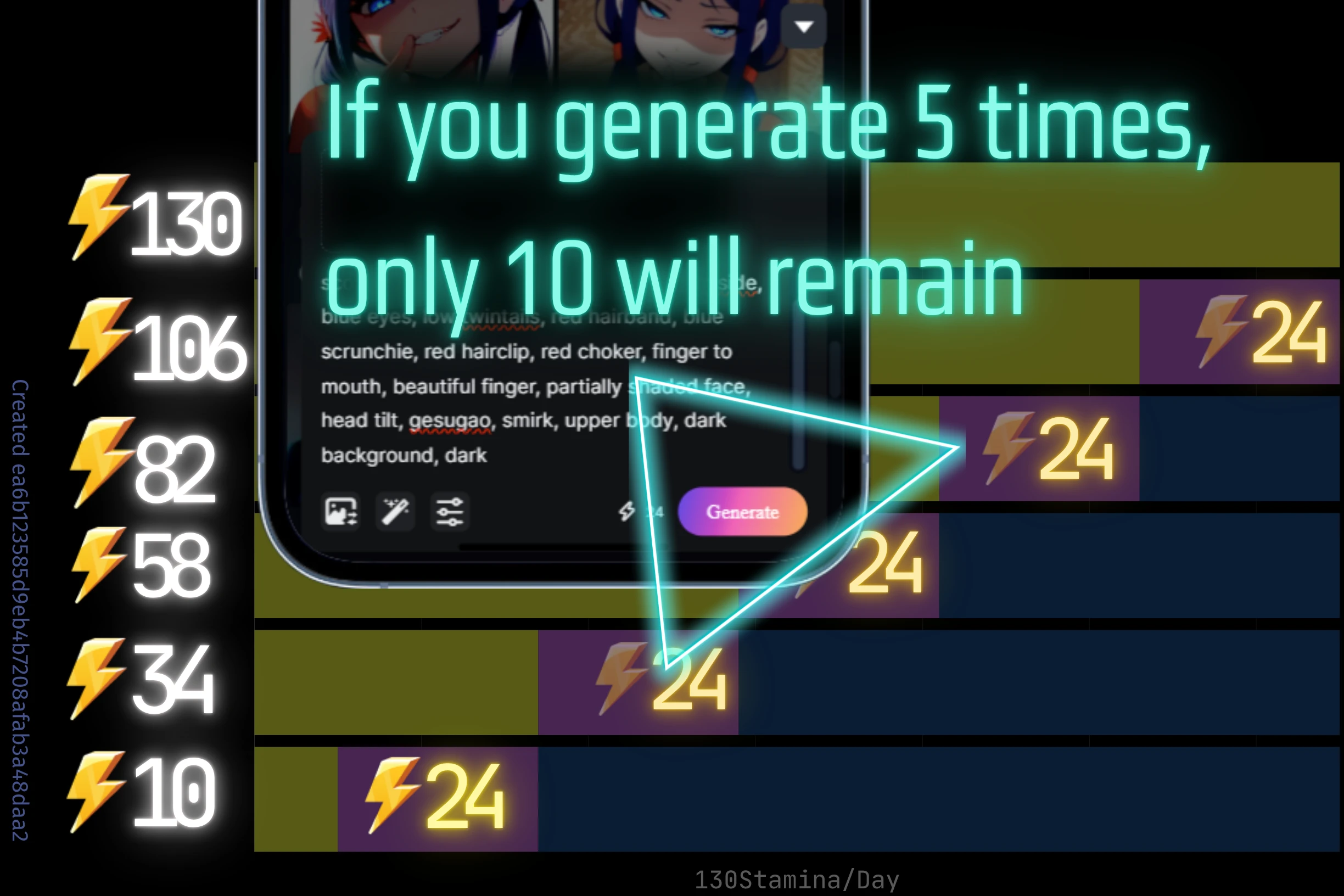
After five generations, your Stamina will be reduced to 10.
⚡️Cost chart for SDXL, FLUX, SeaArt filme, etc.
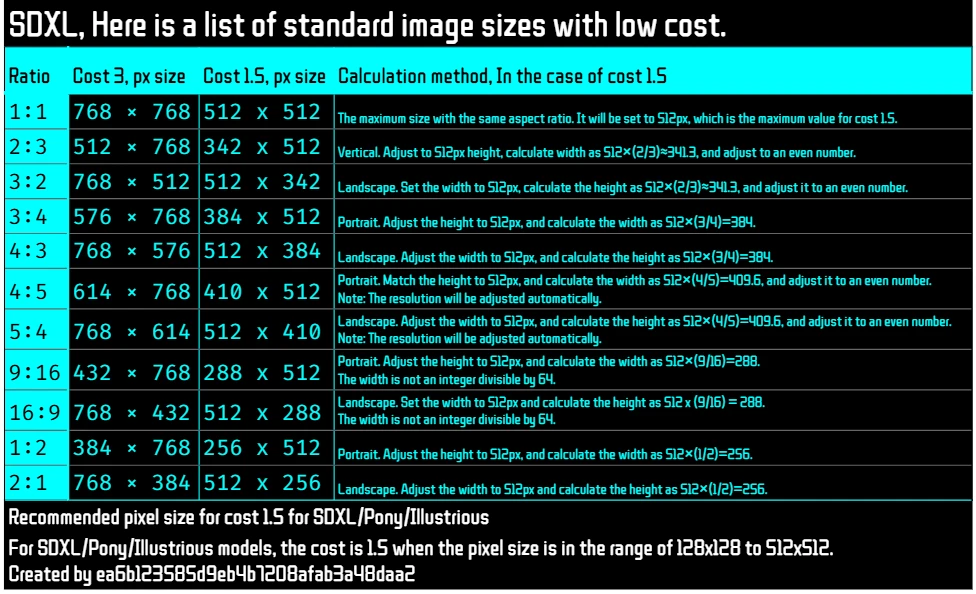
This table shows the difference in cost depending on the resolution of each model.
The image is usually generated at a cost of 6.
The lower the resolution, the lower the cost.
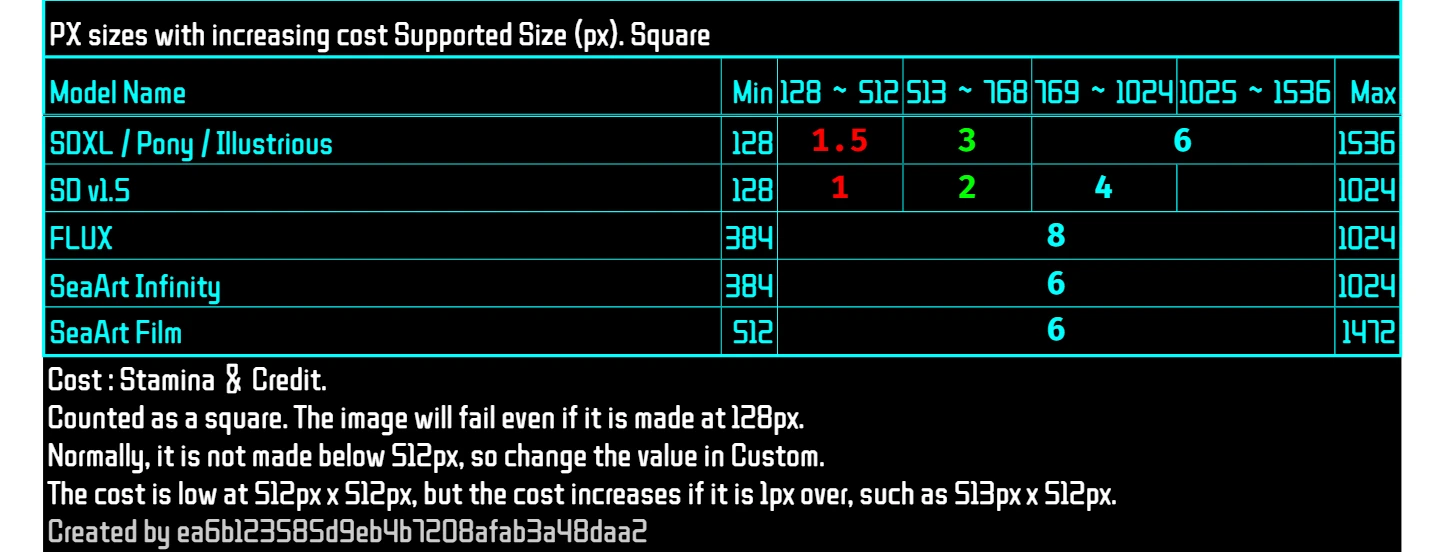
If you want to reduce the quality of the images and increase the number of images, SDXL etc. will be halved if the height and width are 768px or less.
Cost and Resolution
The cost (in credits or stamina) of AI image generation
generally scales with the total pixel count of the generated image. As shown in
the provided cost table, lower resolutions typically incur lower costs.
Example (for SDXL / Pony / Illustrious models):
- Up to ~512px × 512px: The cost is set to a low 1.5. This range is recommended for cost-conscious generation. Be aware that the cost increases if the dimensions exceed 512px by even 1px (e.g., 513px × 512px).
- 513px ~ 768px: The cost increases to 3.
- 769px ~ 1024px: The cost further increases to 6.
✅️Comparison images when the cost is halved and quartered
Images with a cost of 3 and 1.5 were generated according to the default aspect ratio.
Landscape will be added at a later date.
Other: skip1, random seed generation. Negative prompt is included.
Prompt word:(masterpiece, best quality, high score, great score), absurdres, 1girl, mita \(miside\), miside, blue eyes, low twintails, red hairband, blue scrunchie, red hairclip, red choker, finger to mouth, beautiful finger, partially shaded face, head tilt, gesugao, smirk, upper body, dark background, dark
🖼️【Raito 9:16】810px×1440px/Half/Quarter
The default resolution is 1024px, which is the most stable. Therefore, COST 1.5, etc., is very poor quality because it is 288px with a quarter of the width. This will not be usable. COST3 is also difficult to stabilize because it has a width of 432px.
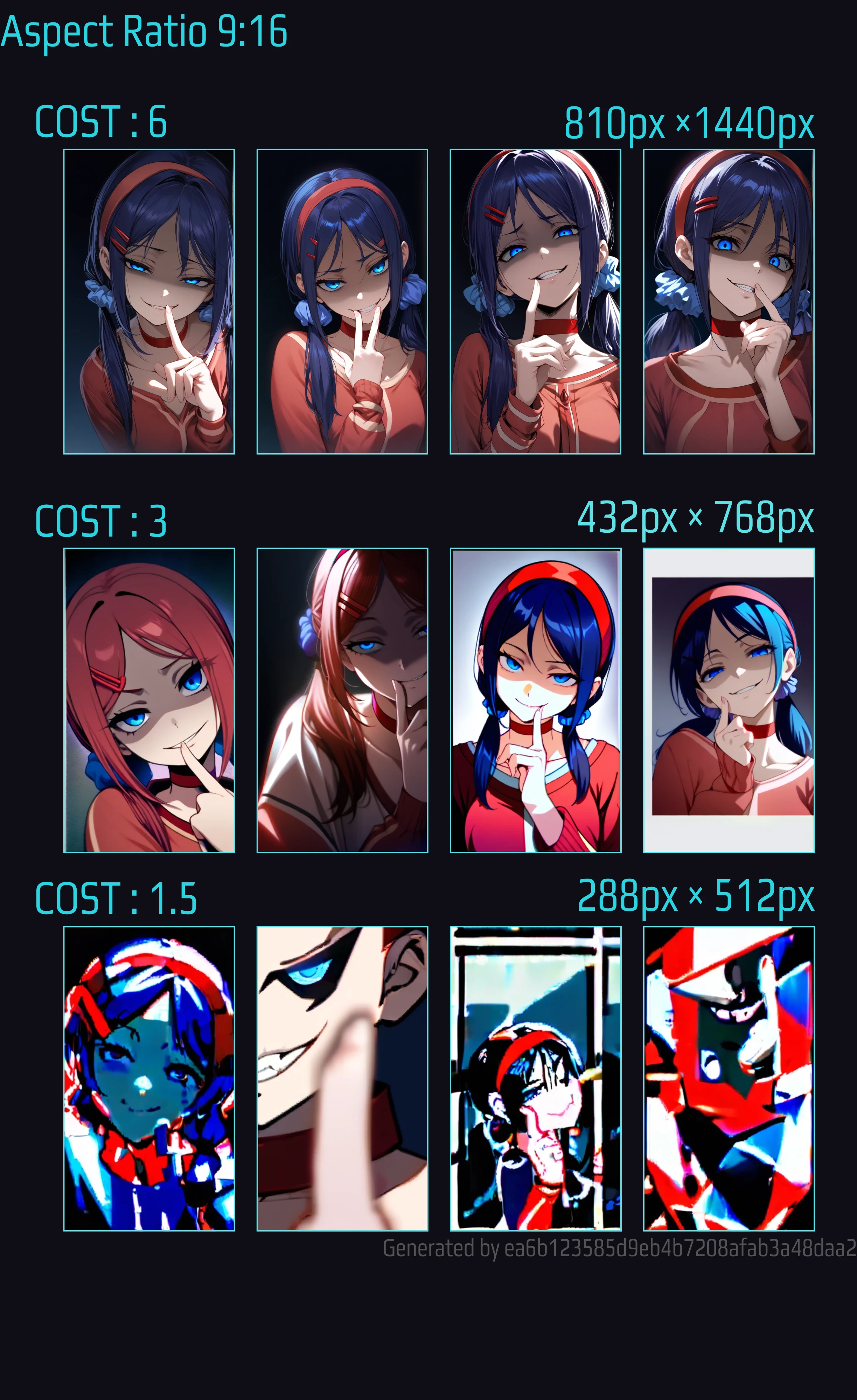
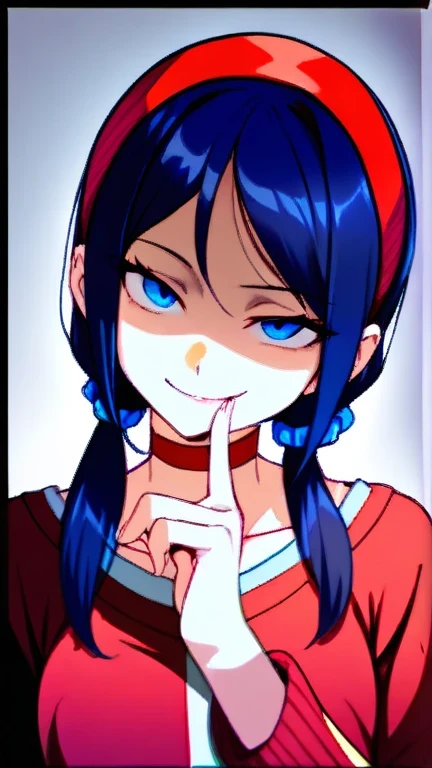
⚡️COST6⇨⚡️COST3(4pic 12)SDXL 9:16 TEMPLATE.⤴️
🖼️【Raito 1:2】768px ×1536px/Half/Quarter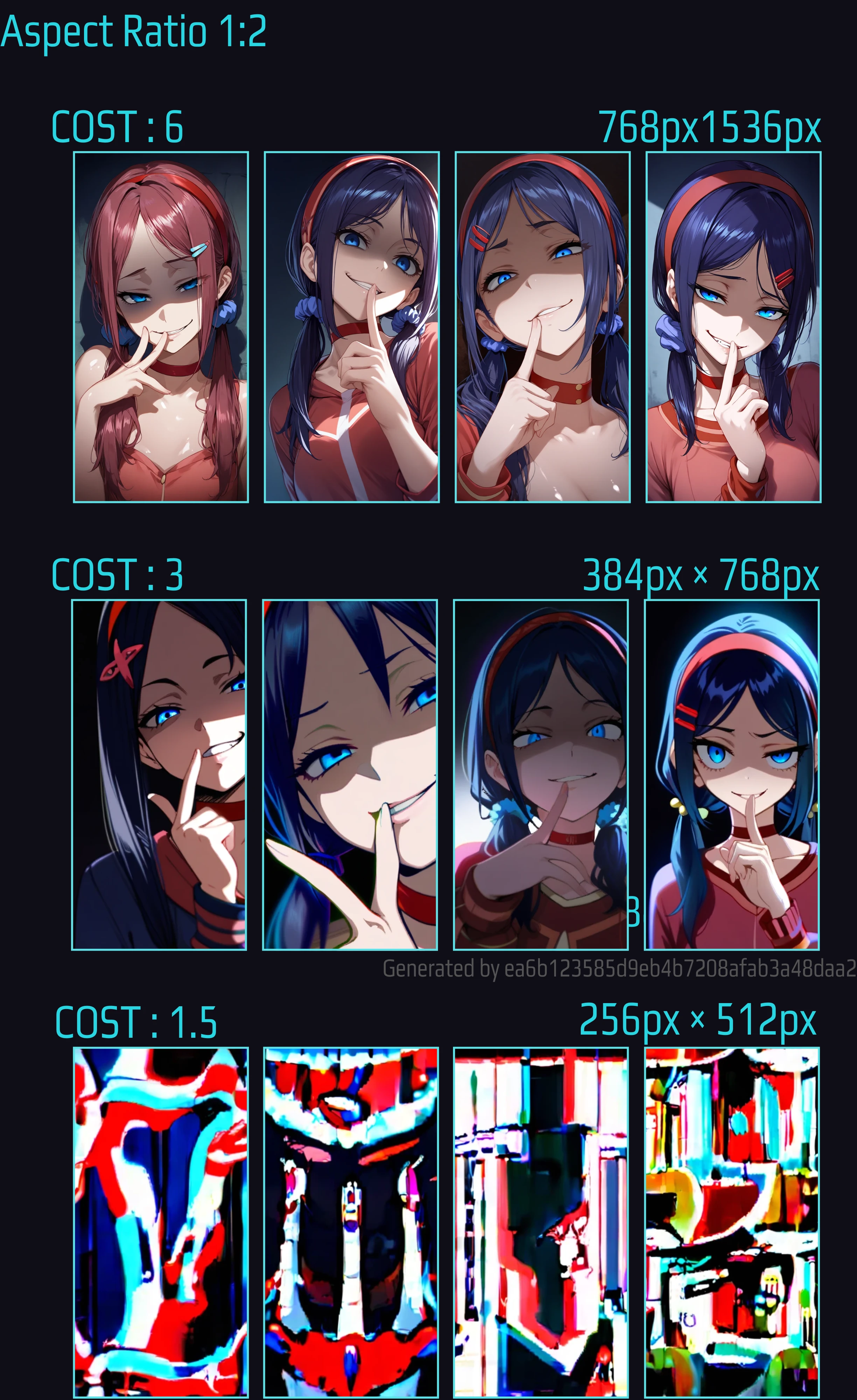
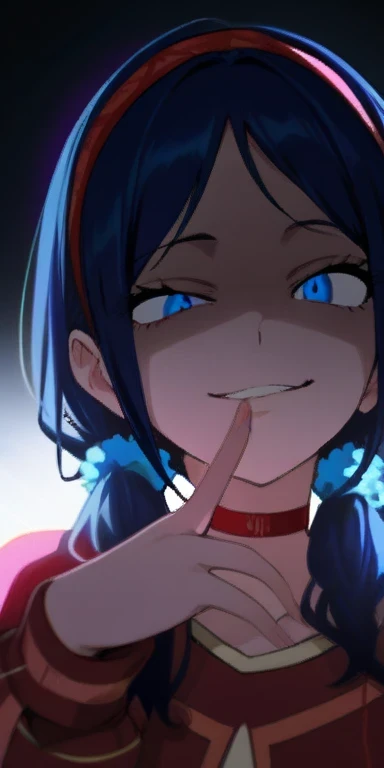
⚡️COST6⇨⚡️COST3(4pic 12)SDXL 1:2 TEMPLATE .⤴️
1:2 images are also difficult to stabilize in quality, just like 9:16. COST1.5 has an even smaller width of 256px and no people are drawn in the image.
🖼️【Raito 2:3】768px ×1152px/Half/Quarter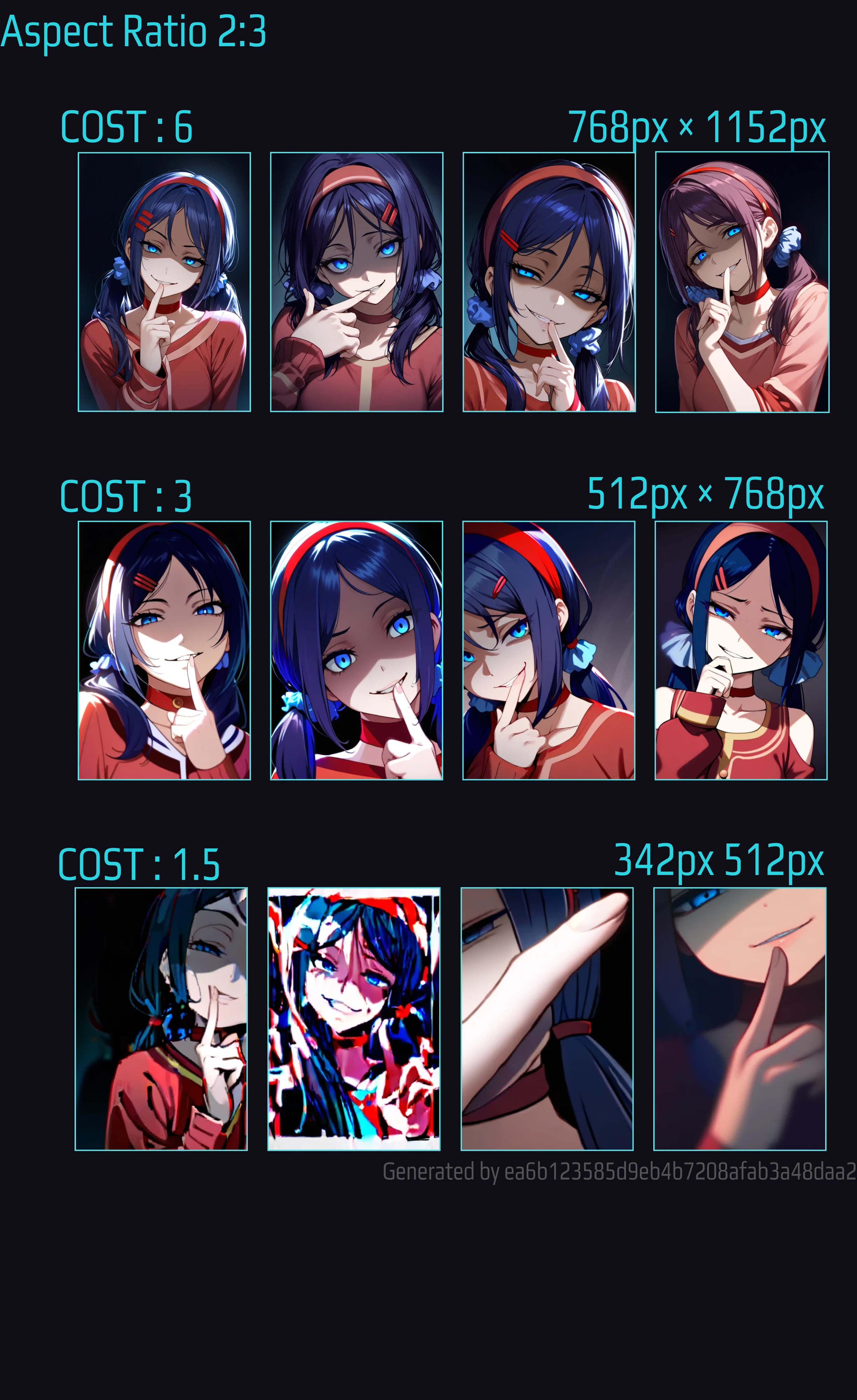
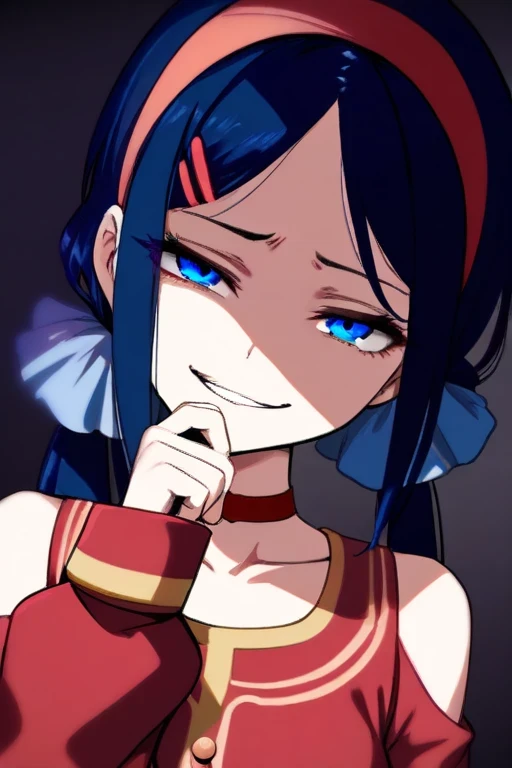
⚡️COST6⇨⚡️COST3(4pic 12)SDXL 2:3 TEMPLATE.⤴️
COST3 has a resolution range of 512px and 768px. There is little shading such as hair and shadows like COST6.
🖼️【Raito 3:4】768px×1024px /Half/Quarter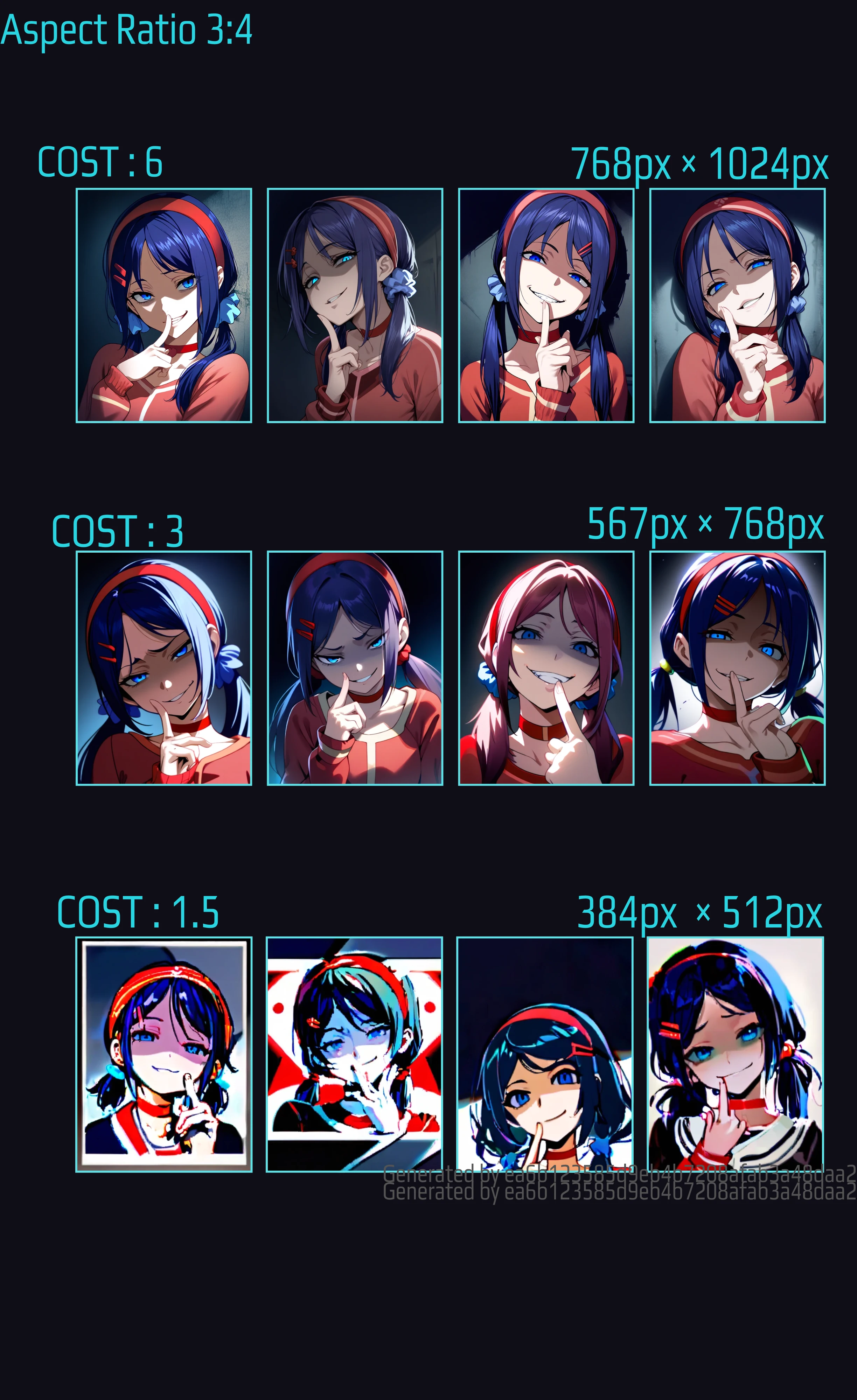
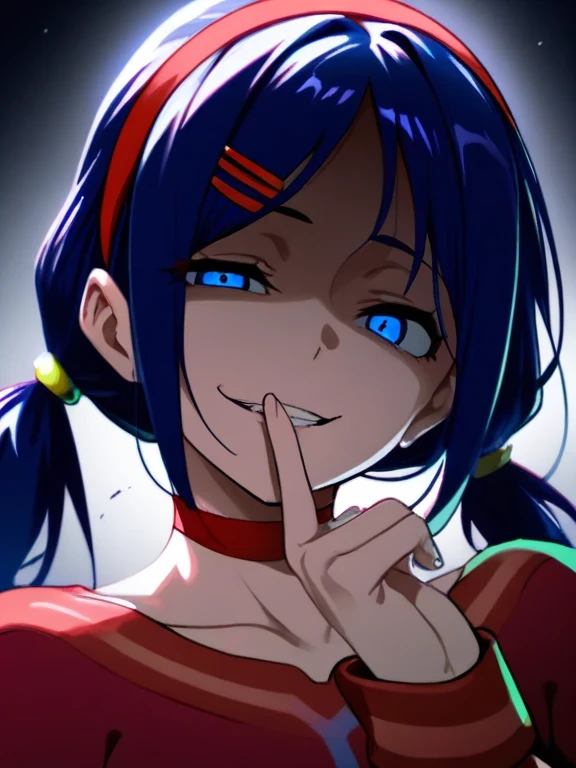
⚡️COST6⇨⚡️COST3(4pic 12)SDXL 3:4 TEMPLATE.⤴️
About COST3, which has a resolution of 3:4. There is more depth to the facial expressions than 2:3.
With COST 1.5, the image feels blurred.
🖼️Raito 4:5#1(Cost 3) 1152px ×1440px/Half/Quarter
Since 4:5 does not align to a multiple of 8 by default, several patterns have been prepared.
the image ratio of 4:5 was a little different from the others. Therefore, we will explain an example of a larger px size than the others.
Images with previous ratios were all multiples of 8, but even if you select this 4:5, they are not all multiples of 8. The seaart system fine-tunes the numbers to multiples of 8 before generating the image.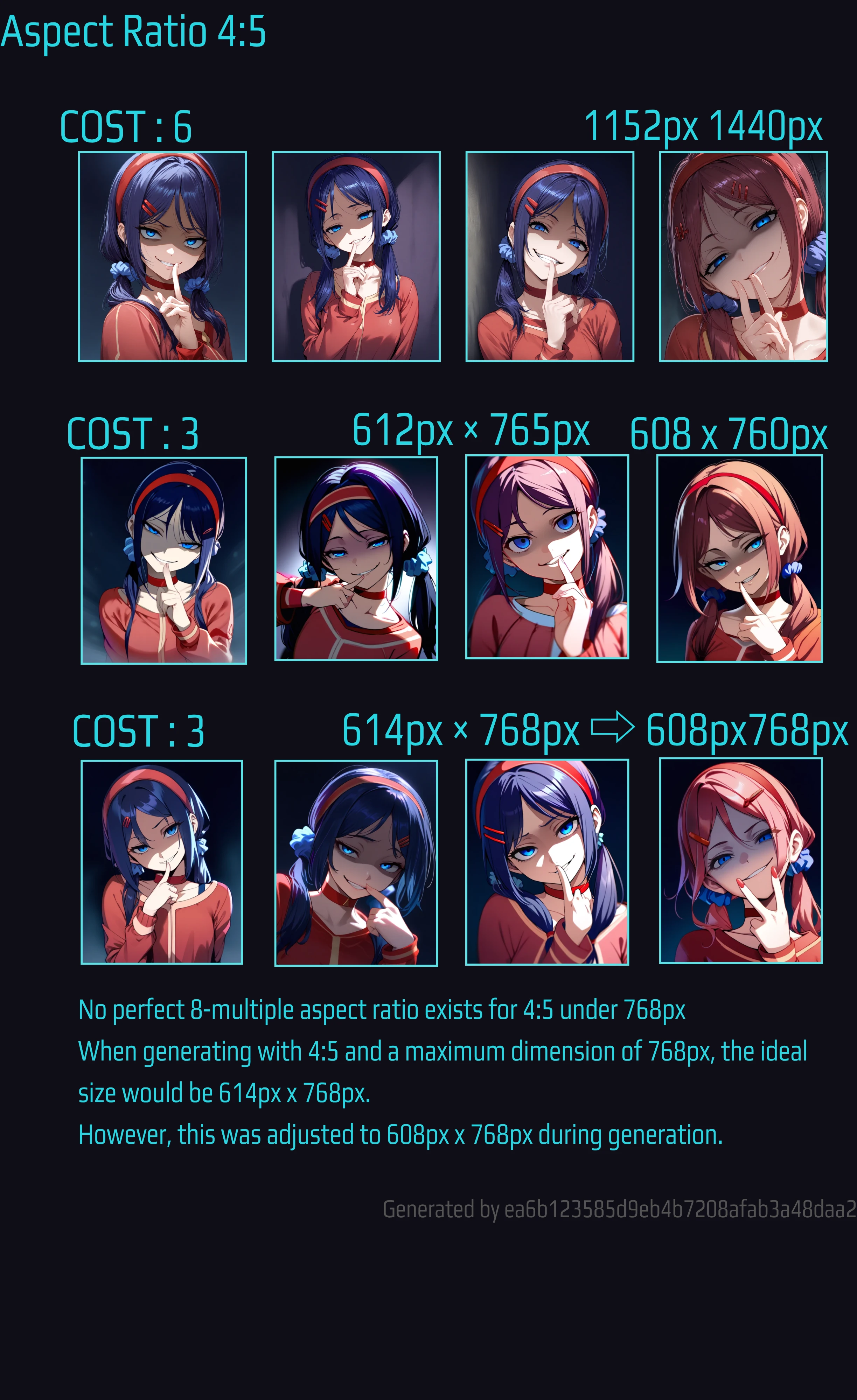
Pattern A 612px×765px⇨608px760px
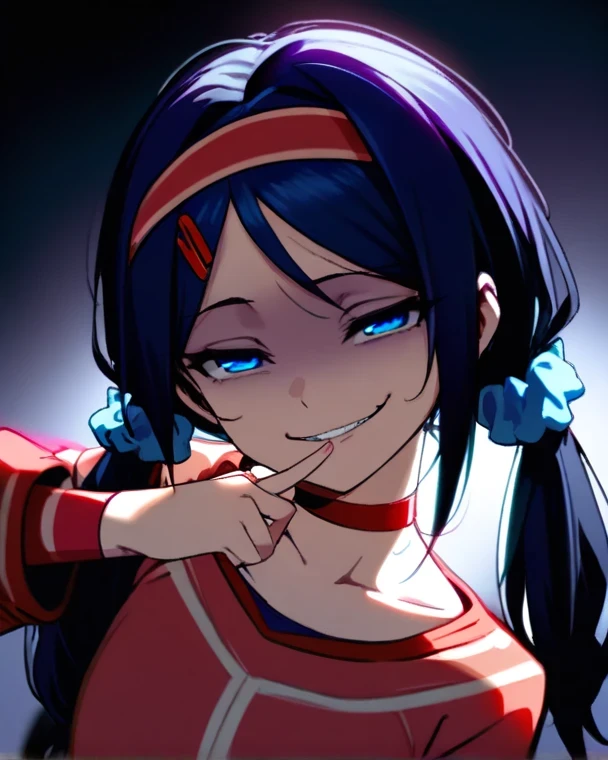
It is 612px x 765px and will be adjusted to 608px x 760px after generation. The ratio after adjustment is 4:5.
PatternA-1⚡️COST6⇨⚡️COST3(4pic 12)SDXL 4:5 612px×765px⇨608px760px .⤴️
PatternA-2⚡️COST6⇨⚡️COST3(4pic 12)SDXL 4:5 608px × 760px .⤴️
Pattern B 614px 768px⇨ 608px 768px
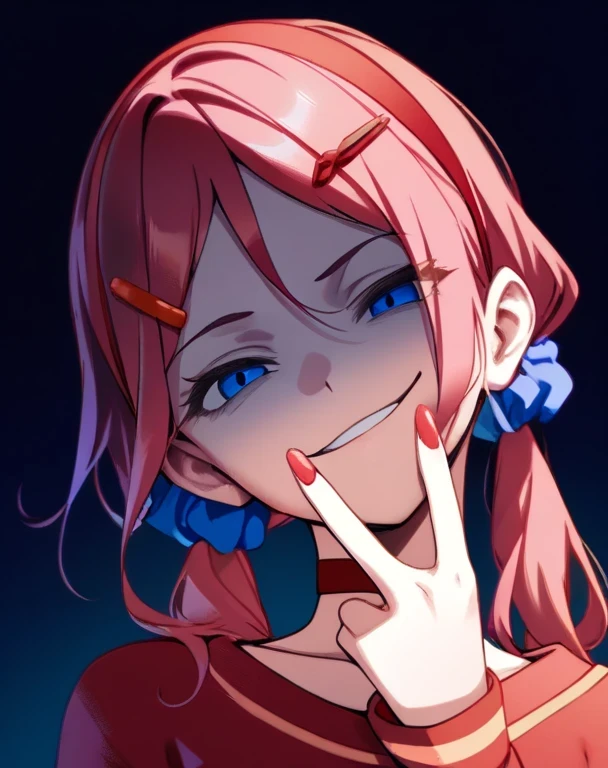
PatternB-1⚡️COST6⇨⚡️COST3(4pic 12)SDXL 4:5 614px×768px⇨608px ×768px .⤴️
PatternB-2⚡️COST6⇨⚡️COST3(4pic 12)SDXL 4:5 608px ×768px .⤴️
As a result, it will be generated at 608px x 768px. Since the image is the same,
it is better to generate it at 608px x 768px from the beginning.
Regarding the phenomenon that the px size of 4:5 is not a multiple of 8 by default
Please check this article for information on the difference in aspect ratio due to the difference in the px size after generation and how to deal with it.
SeaArt SDXL Image Generation Guide⤴️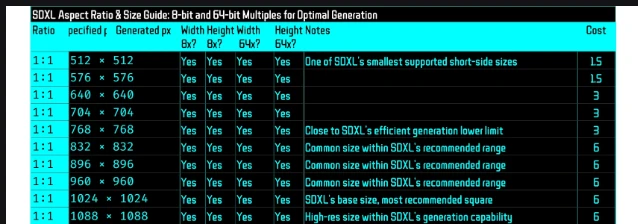
Here is a list of image sizes in multiples of 8 in height and width.
🖼️Raito 4:5#2(Cost 1.5) Quarter
COST 1 is the same as COST 3
If you set COST 1.5 to 512px, it will be 410px. This also has a different ratio before generation, etc. Production quality is low
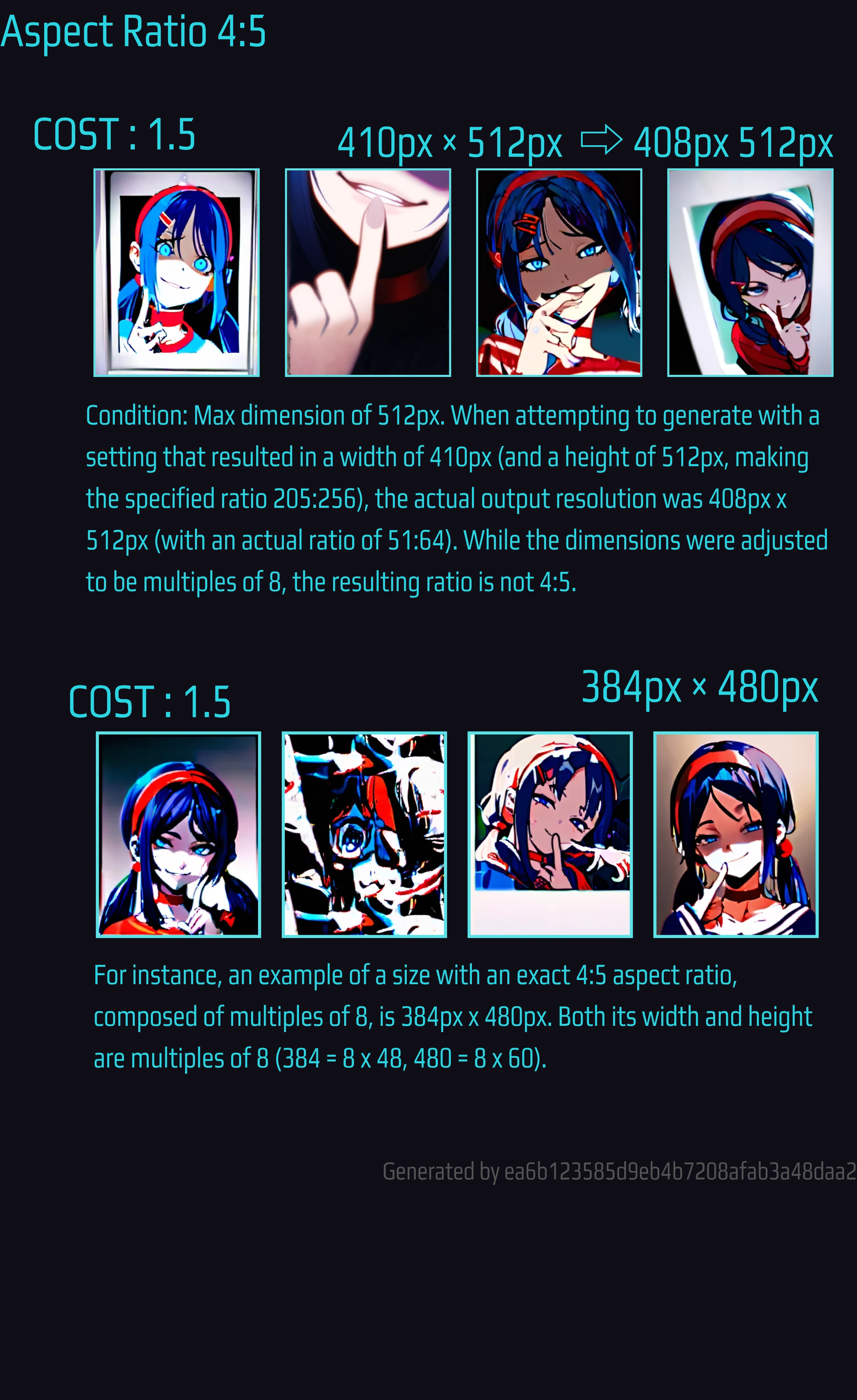
🖼️Raito 4:5 #3 Multiples of 64
SDXL is said to be best when it is a multiple of 64. 64 is 8x8. I checked to see if there are multiples of 64 for the resolution of COST3 and COST1.5. The result was 512px x 640px for COST3. COST1.5 is 256px x 320px. The result was worse than the previous COST1.5 results.
However, COST3 created with a multiple of 64 looked a little better. I would like to verify this in the future.
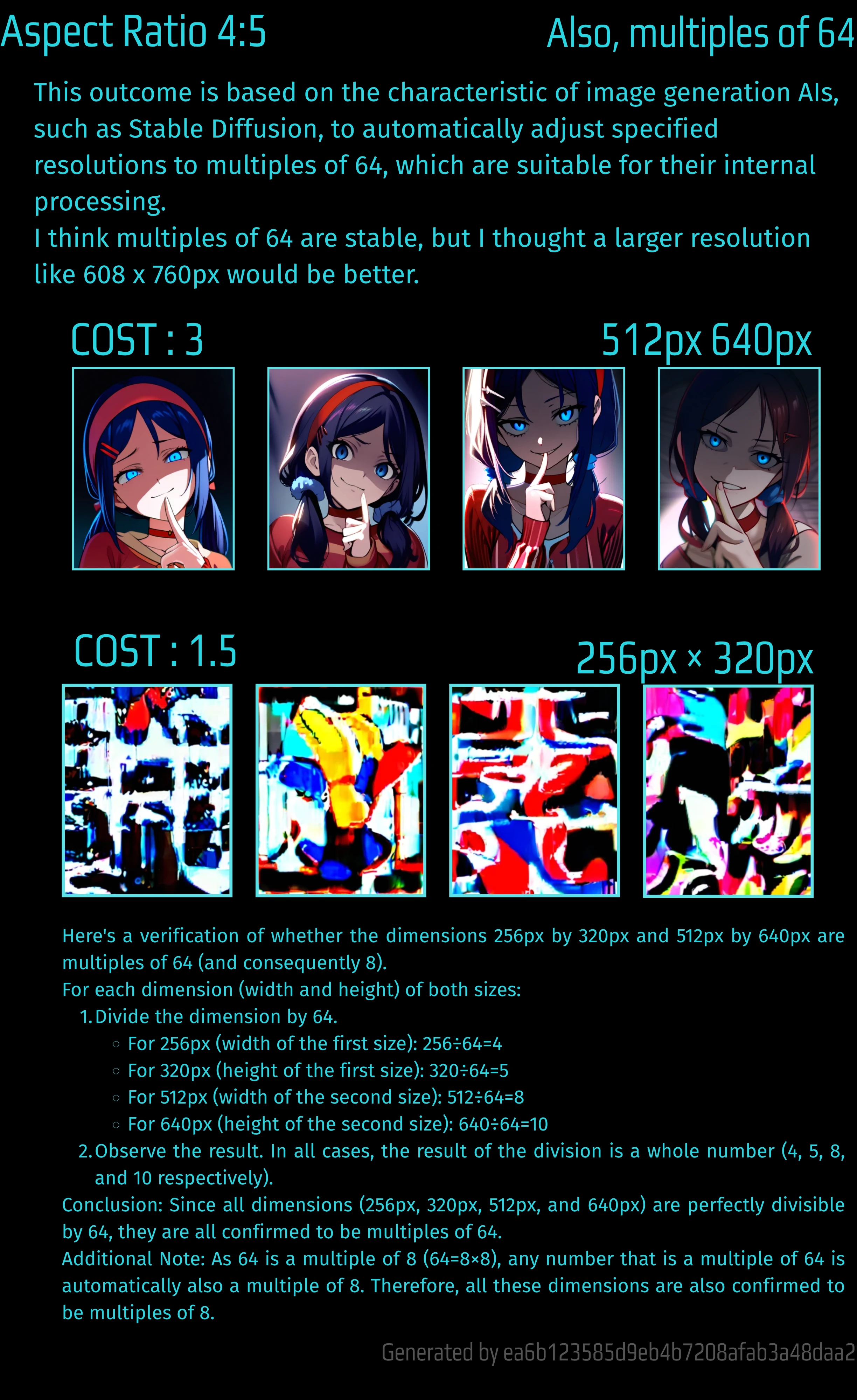
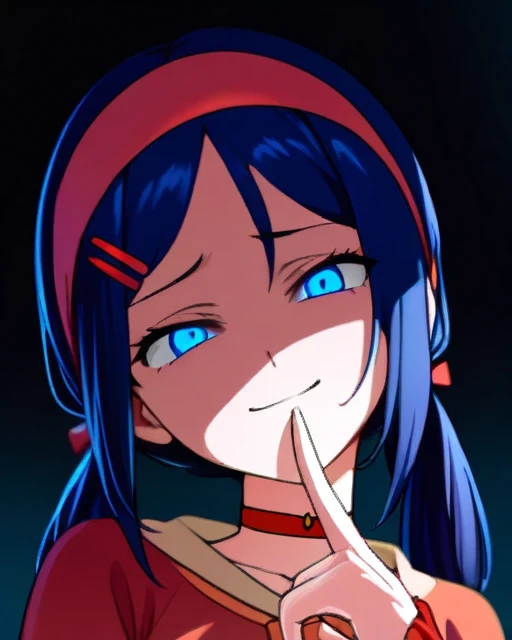
PatternC-1⚡️COST6⇨⚡️COST3(4pic 12)SDXL 4:5Multiples 64 .⤴️
🖼️【Raito 1:1】 1024px 1024px/Half/Quarter
Stable Diffusion XL (SDXL) is primarily trained on a 1024px × 1024px resolution. This is a significant jump from previous Stable Diffusion models (like SD 1.5), which typically used 512px × 512px, allowing SDXL to generate images with much greater detail and quality.
However, SDXL's training isn't limited to just 1024x1024. To enable the generation of diverse aspect ratios without visual distortions, SDXL is also trained on a set of various resolutions known as "buckets." These buckets are designed so that their total pixel count is roughly equivalent to, or close to, 1024px × 1024px.
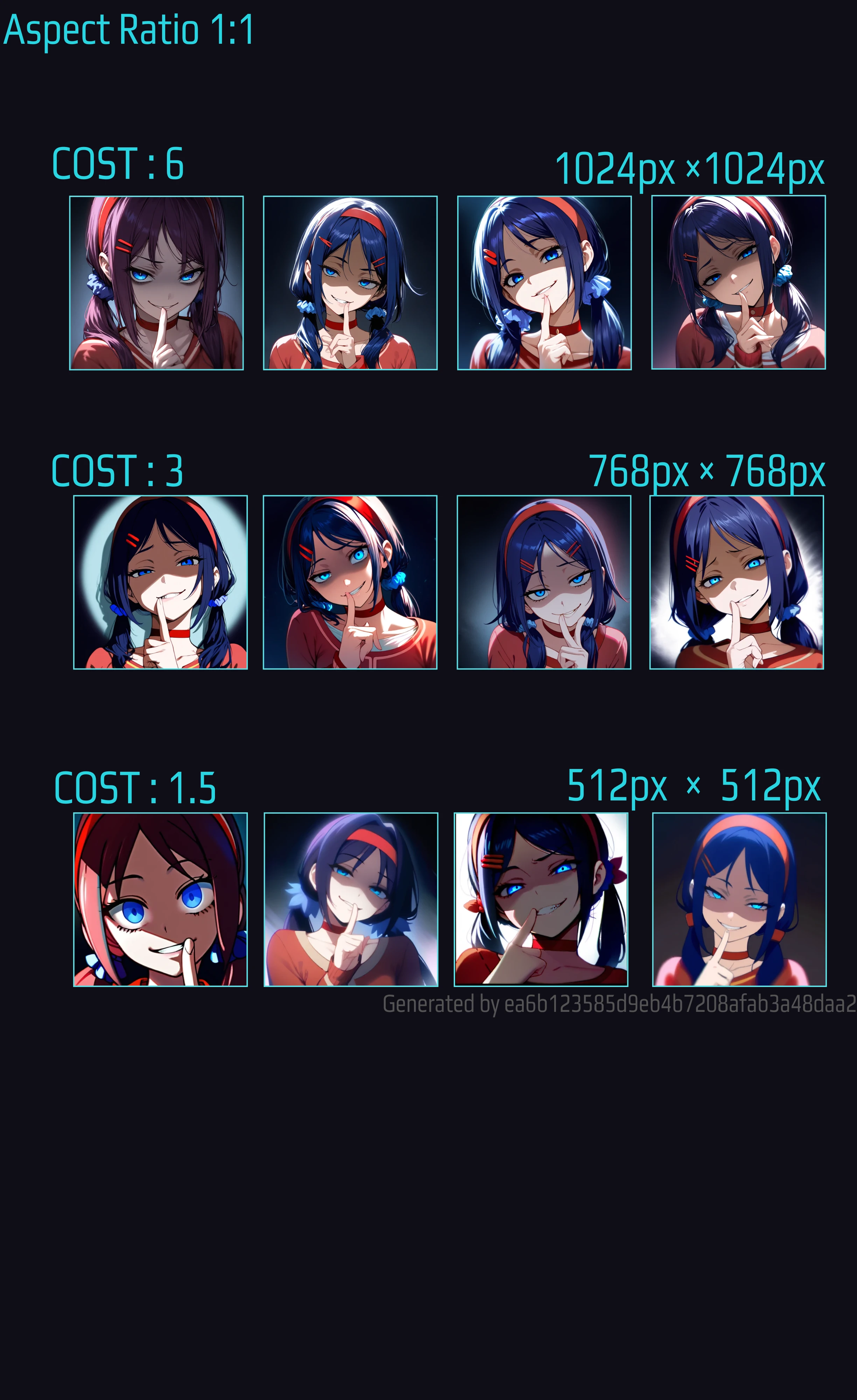
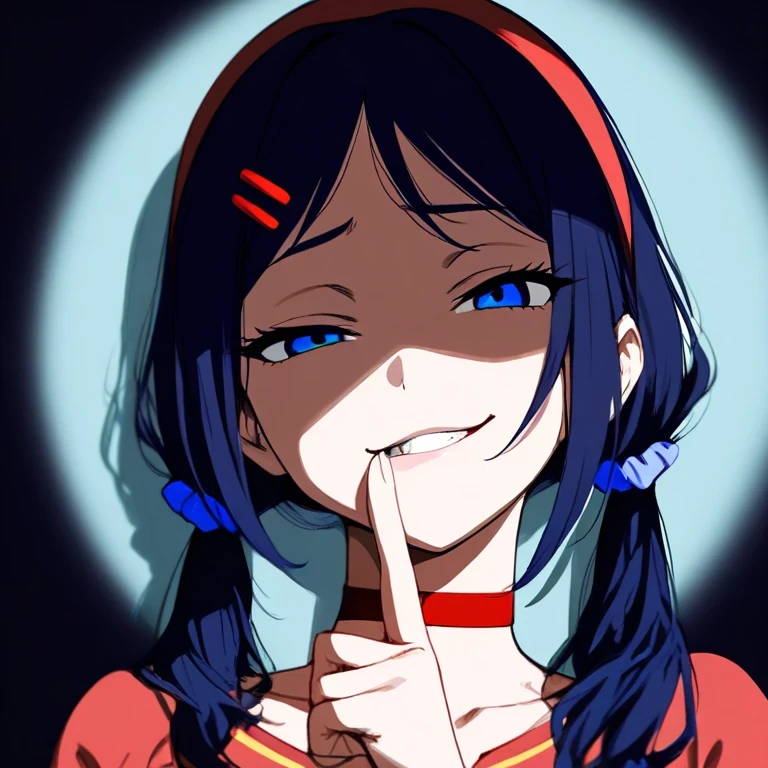
PatternB-1⚡️COST6⇨⚡️COST3(4pic 12)SDXL 4:5 768px×768px .⤴️
For information on 1:1, 1024px, and the official SDXL recommended values, please refer to the following items.
ℹ️SDXL Resolution Buckets: Sizes and Aspect Ratios
The resolution buckets that SDXL is trained to handle different image shapes, along with their respective simplified ratios,
are
| Size (Width x Height) | Aspect Ratio |
|---|---|
| 1024px x 1024px | 1:1 |
| 1152px x 896px | 9:7 |
| 896px x 1152px | 7:9 |
| 1216px x 832px | 19:13 |
| 832px x 1216px | 13:19 |
| 1344px x 768px | 7:4 |
| 768px x 1344px | 4:7 |
| 1536px x 640px | 12:5 |
| 640px x 1536px | 5:12 |
⚒️The image size is set in the Image settings. Aspect ratio
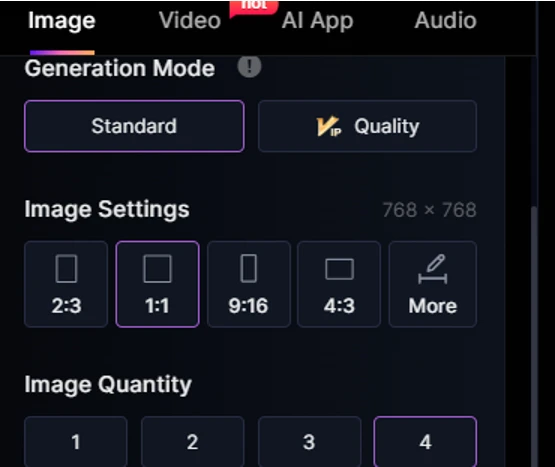
If you select More, you can choose other ratios.
There is Custom there.
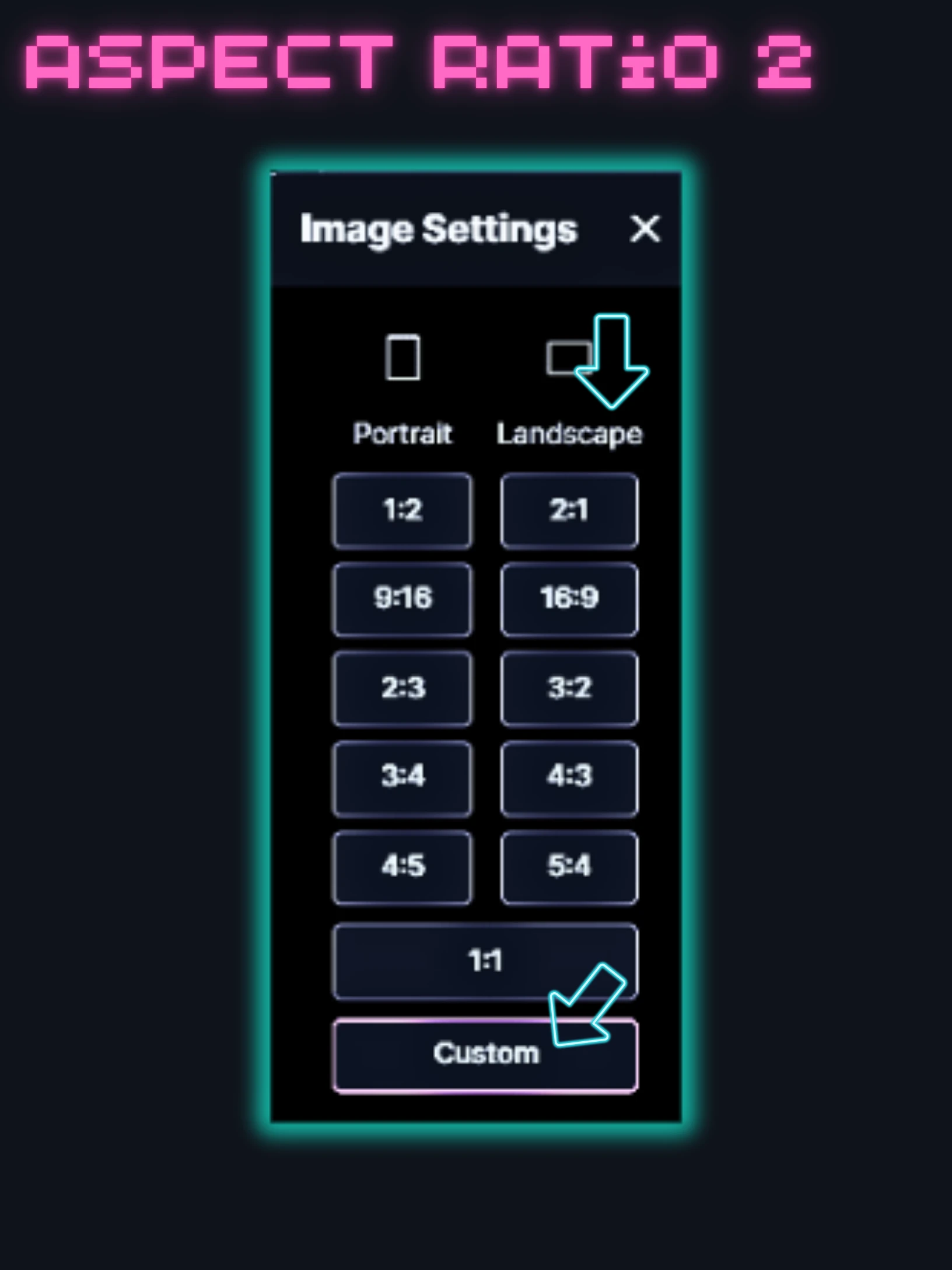
Select the rate first and then press Custom.
Select the lock in the center to lock it. Then move the slider to set the px at that ratio.
Recommended aspect rates are multiples of 8
If the height and width you set are not multiples of 8, the size of the finished image will be smaller. Therefore, even if the ratio is 4:3, it will be a different ratio. The error is very small.
For the px sizes related to this resolution, see the following article for a correspondence table.
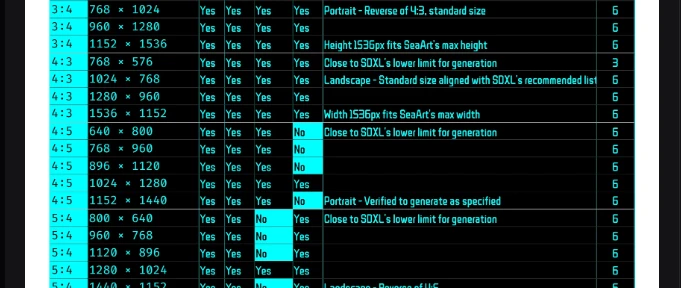
✅️All aspect ratios for COST3 and COST1.5
Finally, this is the same size as the actual aspect ratio comparison image for each COST from the beginning.