
Model Introduction
Wan2.2 is a new generation multimodal video generation model launched by Alibaba Cloud Tongyi Wanxiang team. It supports text-to-video (T2V) and image-to-video (I2V), featuring high-quality visuals, complex motion restoration, and fine semantic control. It is suitable for content creation, artistic generation, education, and other scenarios.
Core Features:
Cinematic-level aesthetic control: Supports multi-dimensional visual control such as lighting, color, and composition, making the visuals more professional.
Large-scale complex motion: Capable of restoring complex motion, with smooth and natural movement.
Precise semantic compliance: Excellent performance in complex scenes and multi-object generation.
| Wan2.1 | Wan2.2 | |
|---|---|---|
| Architecture | Single diffusion model | MoE (Mixture of Experts) hybrid architecture |
| Visual Aesthetics | Ordinary | Cinematic-level aesthetics, more natural lighting |
| Motion Performance | Average | Smooth complex motion, rich in details |
| Multi-object/Complex Scene | Limited | Excellent performance with multiple objects and complex scenes |
| Semantic Compliance | Average | More precise |
Basic Workflow
Wan2.2 Text to Video
https://www.seaart.ai/zhCN/workFlowDetail/d25k50de878c738tk9mg
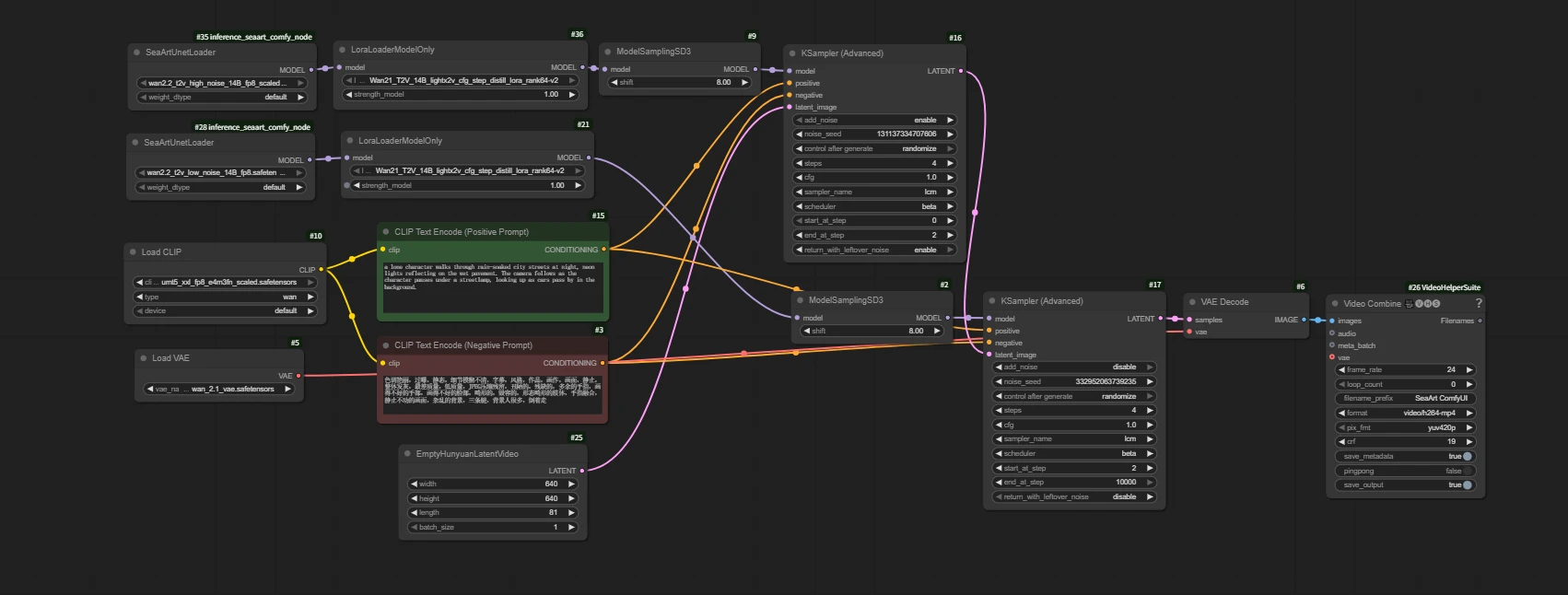
Load Model
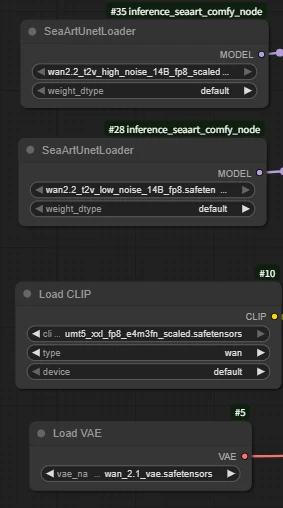
Wan2.2 uses dual-model sampling to make the video generation process more scientific and specialized, resulting in higher quality and more realistic AI video effects. This is one of the core reasons why Wan2.2 has significantly improved image quality and expressiveness compared to Wan2.1.
High-noise model: Responsible for the first half of the diffusion process, mainly determining the overall structure, motion, and layout of the image.
Low-noise model: Responsible for the second half of the diffusion process, mainly focusing on the restoration of details, texture, and color.
Q: Why is the VAE from Wan2.1?
A: The Wan2.2 VAE is the TI2V VAE, which is designed for the hybrid model.
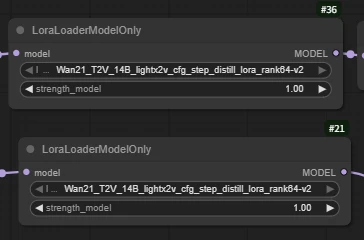
LoraLoaderModelOnly
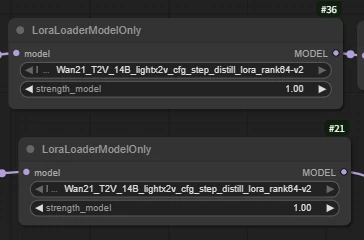
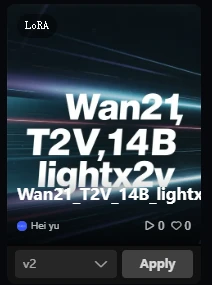
Wan21_T2V_14B_lightx2v_cfg_step_distill_lora_rank64-v2
(Wan2.2 acceleration LoRA, greatly shortens video generation time while maintaining high-quality output)
Q: Why use Wan2.1's LoRA for acceleration instead of 2.2?
A: Currently, there is no suitable acceleration LoRA model updated for 2.2.
EmptyHunyuanLatentVideo
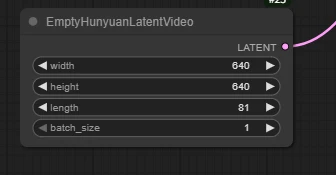
Set the width and height to your desired resolution (e.g., 640x640).
Parameter description:
width: The width (in pixels) of the generated latent image, which must match the resolution supported by subsequent models.
height: The height (in pixels) of the generated latent image, same as above.
batch_size: The number of batches generated at once, usually set to 1; can be adjusted as needed, and set higher for batch generation.
length: Number of video frames
length indicates the total number of frames in the generated video (i.e., how many consecutive images the video contains).
Impact:
Note: The more frames, the higher the requirements for VRAM and inference speed. It is recommended to adjust according to actual needs.
Each generated frame will participate in video composition, and the final output will be a complete video.
How to calculate the duration of the generated video:
Video Combine 🎥🅥🅗🅢: Combine images into a video
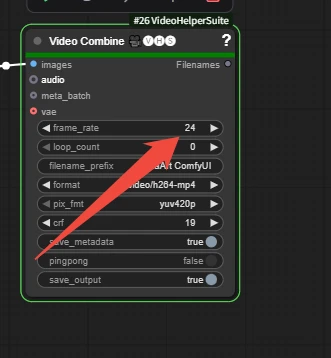
frame_rate is the number of frames per second when merging the video.
length / frame_rate
81 / 24 = 3.375 seconds
CLIP Text Encode (Positive Prompt)
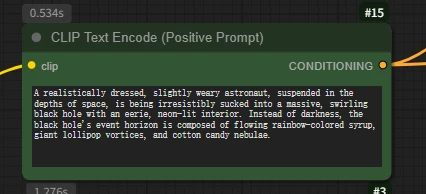
Key differences between AI video prompt writing and image prompt writing:
For video, you must clearly describe actions, motion, changes, and sequences of events.
AI image prompts only describe a static scene.
How to do it:
Use verbs: run, jump, spin, dissolve, explode, grow, fly by, gaze, morph, unfold, merge...
Describe motion trajectories: move quickly from left to right, slowly float upward, spiral upward, undulate like a wave...
Describe state changes: change from... to..., gradually disappear, switch instantly, over time...
Describe event sequences: first... then... next... finally...; at the beginning... in the middle... at the end...; after triggering...
Example:
(A Hollywood movie, a low-angle shot focuses on a thin boy, about five or six years old, wearing a bright red hoodie. He stands on the edge of a skyscraper roof, right arm extended, index finger pointed firmly at the sunny sky. Following the direction of his finger, above the city, a gray-blue humpback whale, the size of a mountain, slowly swims by. Its skin is covered with realistic barnacles and wrinkles, its belly has a cold metallic sheen, and its huge tail fin stirs up a visible airflow, swirling with rain and mist.)
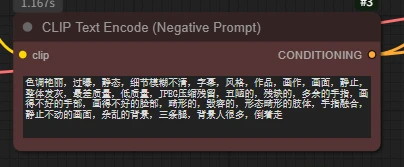
The negative prompt is the content you do not want to appear in the AI-generated image.
For example: "blurry, low quality, watermark, text"
Run Results:

(A Hollywood movie, a low-angle shot focuses on a thin boy, about five or six years old, wearing a bright red hoodie. He stands on the edge of a skyscraper roof, right arm extended, index finger pointed firmly at the sunny sky. Following the direction of his finger, above the city, a gray-blue humpback whale, the size of a mountain, slowly swims by. Its skin is covered with realistic barnacles and wrinkles, its belly has a cold metallic sheen, and its huge tail fin stirs up a visible airflow, swirling with rain and mist.)

A low-angle, medium shot (1 meter above the ground) moves backwards at a steady pace across a beautiful lawn. Before us, a barefoot European beauty in a faded floral dress, her chestnut curls flowing, runs towards the camera at full speed. Her arms are spread like wings, her face a look of and longing, her skirt and long hair fluttering dramatically in the headwind. A Steadicam pushes back, capturing a slow-motion shot of a foot stepping into a puddle. A golden hour mist frames the background, creating a shallow depth of field with bokeh and motion blur around the edges. Her hair and skirt flutter in the wind as she runs barefoot across the lawn.
Basic Workflow
Wan2.2 Image to Video
https://www.seaart.ai/workFlowDetail/d25k98de878c73fvugtg
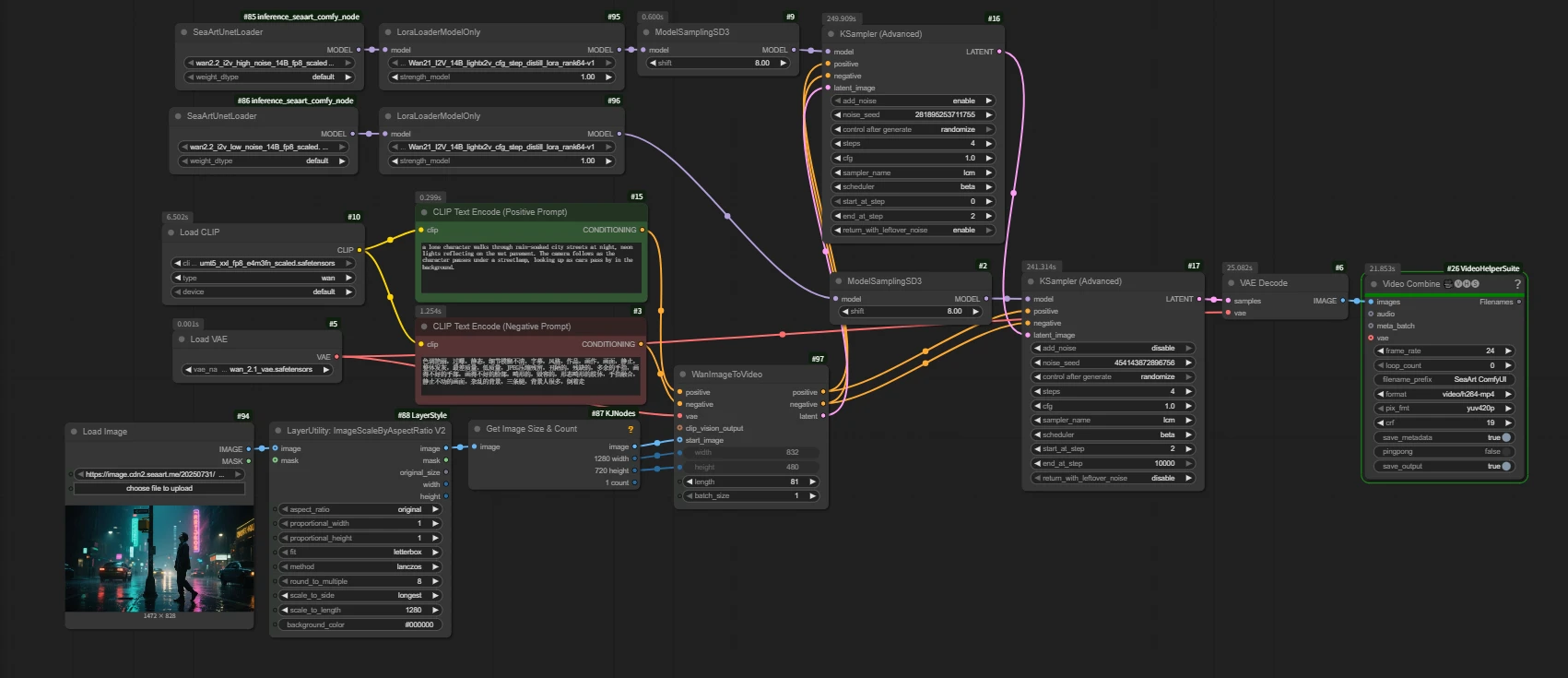
Load Model
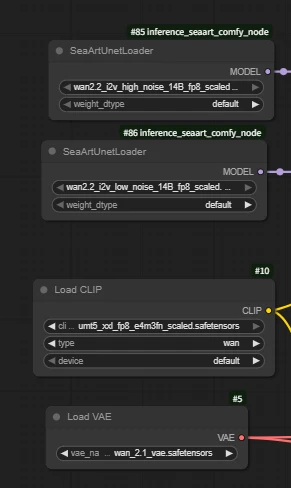
Note: The model is different from the base model used in Wan2.2 Text to Video (Text-to-Video: T2V and Image-to-Video: I2V).
LoraLoaderModelOnly
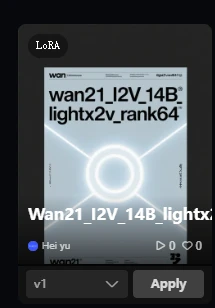
Wan21_I2V_14B_lightx2v_cfg_step_distill_lora_rank64
(Wan2.2 acceleration LoRA, greatly shortens video generation time while maintaining high-quality output)
Load Image
Upload an image to generate the video
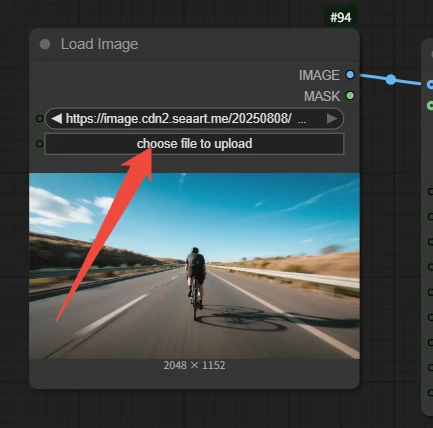
Image quality is crucial: Blurry, low-resolution, or poorly composed images will affect video quality. Clear images with a distinct subject and strong style are the foundation of success.
CLIP Text Encode (Positive Prompt)
Prompt input
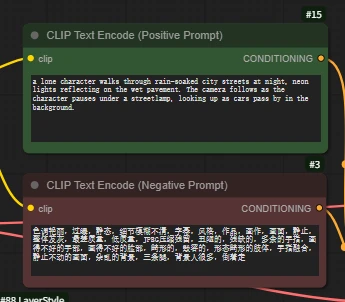
Text-to-Video prompt – creation from nothing
Image-to-Video prompt – bringing static images to life
Guide the AI to understand the content, style, and intent of the image, and add dynamic effects that are reasonable, coherent, and logically consistent with the scene.
Do not repeatedly describe static elements that already exist and are clearly visible in the image.
Focus on describing what you want to animate in the image and how it should move.
The motion should be "reasonable": For example, making a waterfall flow down is reasonable, but making a skyscraper twist like noodles may require a more specific prompt (and may produce strange results). Motions that conform to physical intuition or scene logic are easier to achieve.
For example: Motion blur, third-person perspective, a person is riding a bicycle on the road at a very fast speed, and the camera is bumpy due to the wind.
Execution result:
Input image:
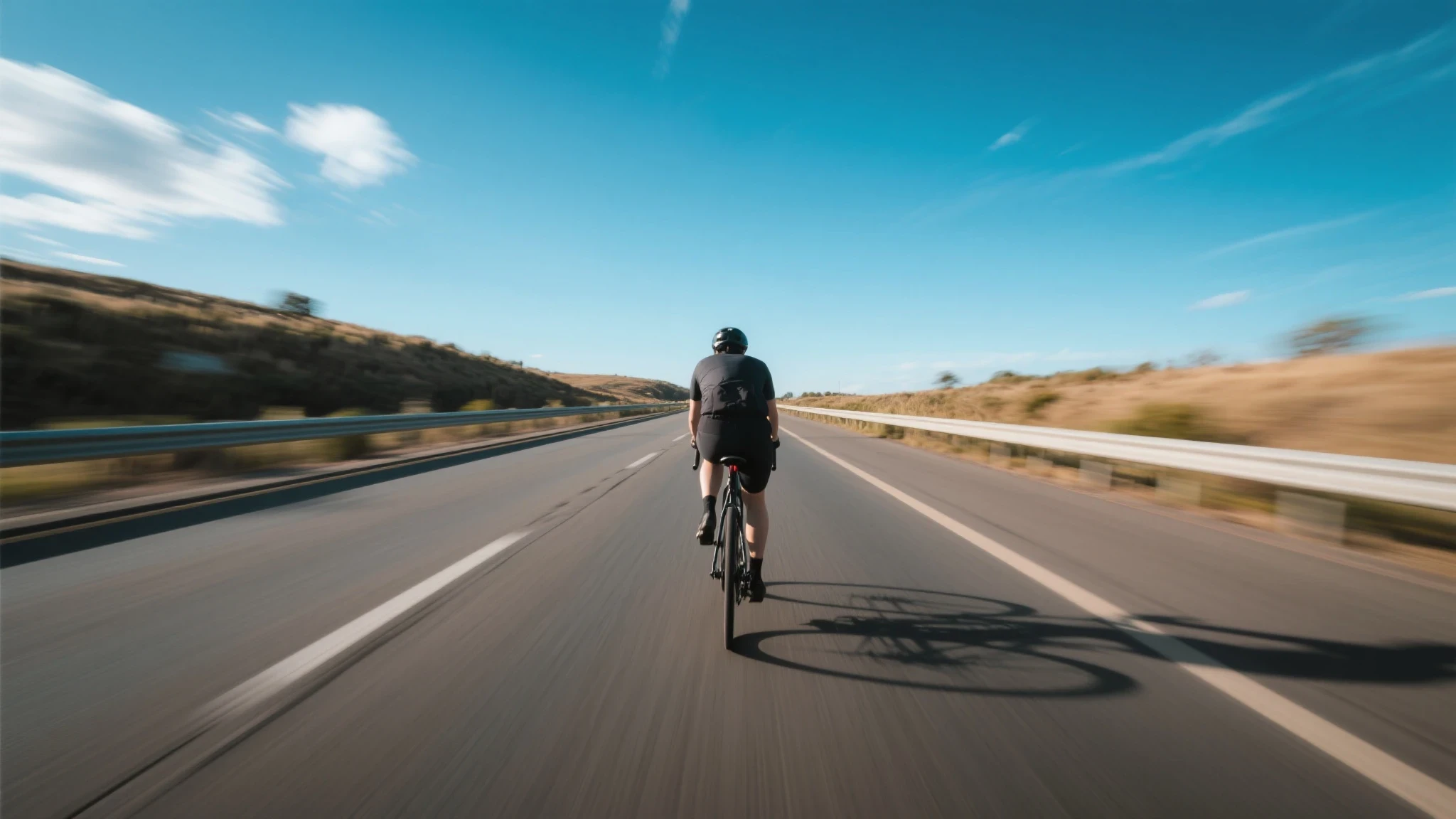
(Motion blur, third-person perspective, a person is riding a bicycle on the road at a very fast speed, and the camera is bumpy due to the wind)
Output:


Input image:
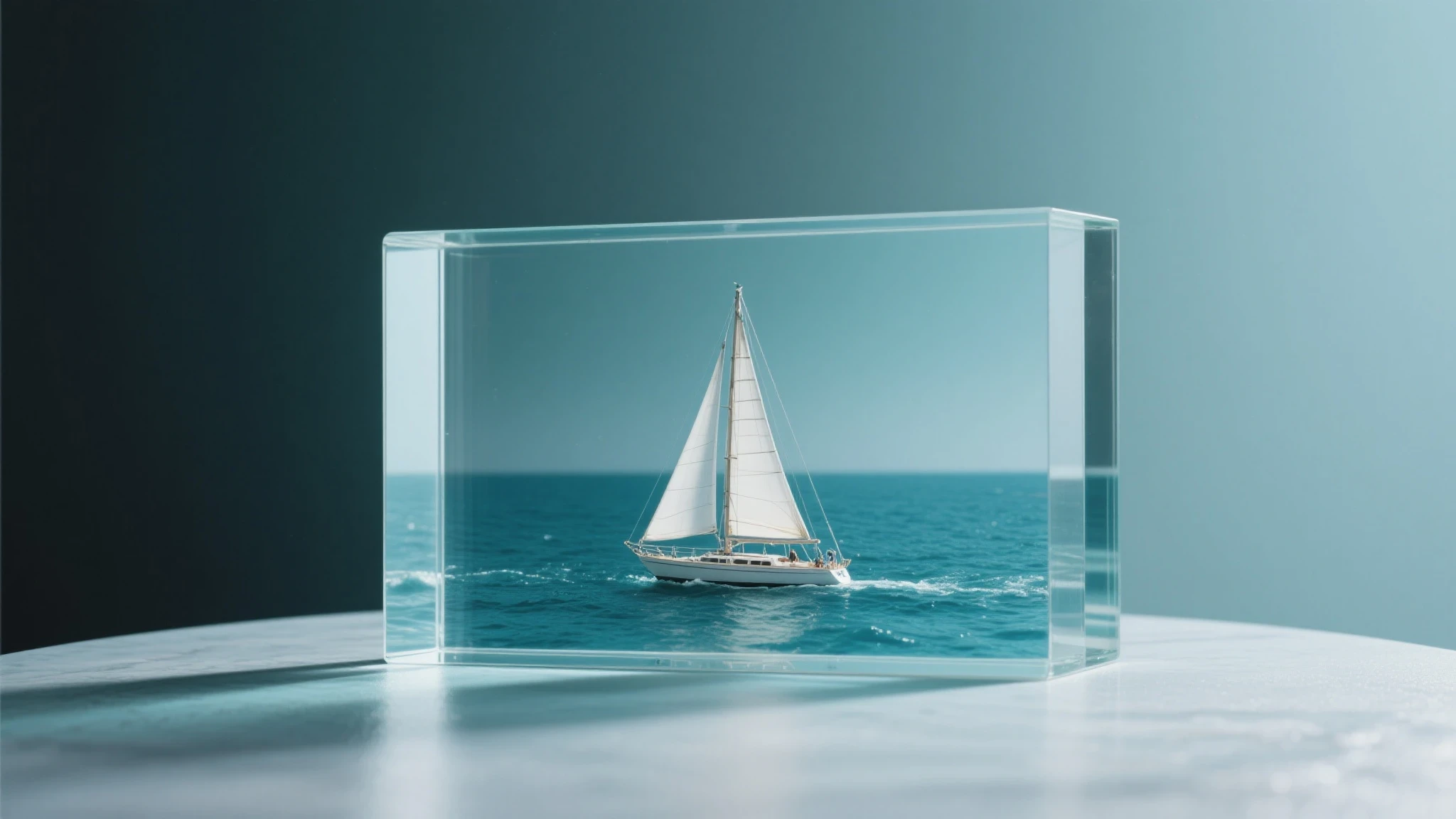
(The camera does not move, dark clouds appear in the glass, the sea water turns into a turbulent flow, and the boat continues to move forward under the heavy rain.)
Output: