

Top 6 Anime Filter Apps & Websites to Create Stunning Anime Art
Are you passionate about anime and eager to transform your photos into stunning works of art? Struggling to find the perfect tools to unleash your inner artist? You're not alone! With so many options out there, it can be overwhelming to choose the right anime filter apps and websites. This article is here to help, by showcasing the top 6 anime filter apps and websites that will turn your snapshots into breathtaking anime-inspired creations in just a few clicks.
What is Anime Filter?
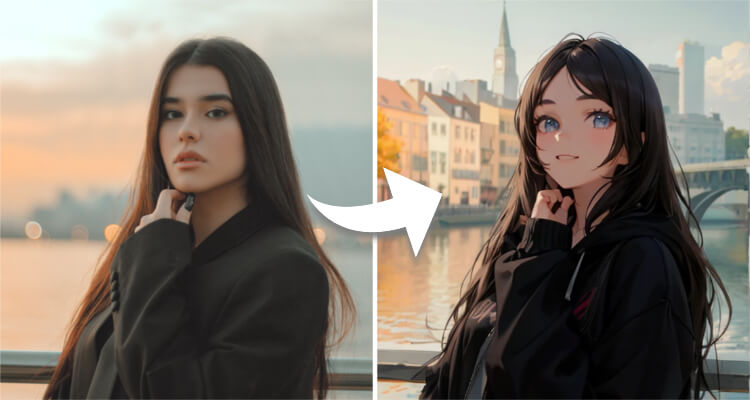
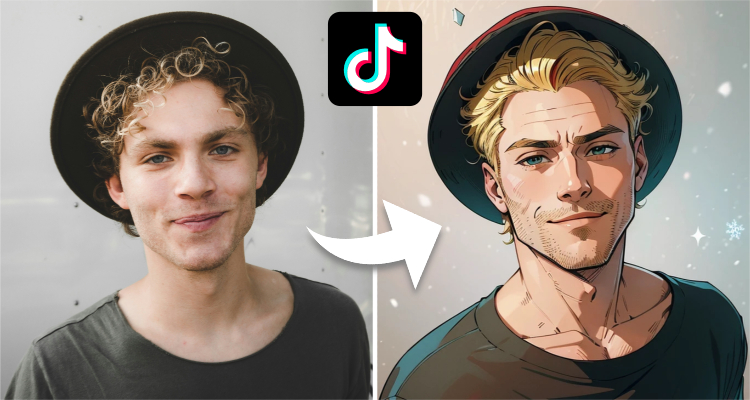
Anime filters are digital tools designed to apply anime-style graphics and effects to your photos, transforming them into vibrant, cartoonish images reminiscent of your favorite anime series. These filters often enhance colors, simplify features, and add unique stylistic elements to create a truly one-of-a-kind look. Whether you're a fan of Japanese animation or simply looking for a fun way to edit your photos, anime filters offer endless possibilities for creativity and expression. Anime filters provide a fun and creative way to transform your imagery into something straight out of your favorite anime world.
Top 6 Anime Filter Apps & Websites
Ready to dive into the world of anime filters? Here are the top 3 apps and 3 websites that are guaranteed to take your photo editing skills to the next level.
Anime Filter Apps
1. SeaArt AI App
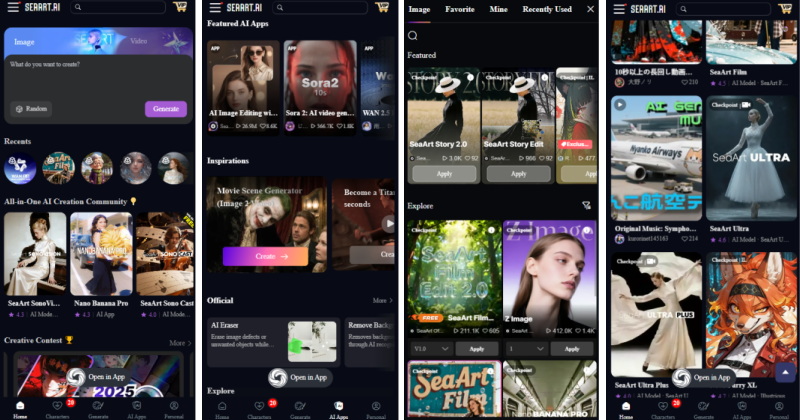
If you want to turn text or photos into anime art without a steep learning curve, SeaArt AI is likely your best bet.
Unlike basic filters that just slap a cartoon effect on top of your image, SeaArt AI actually rebuilds the visual style. It's surprisingly good at handling both simple prompts and complex ideas. Generate everything from quick manga style sketches to fully rendered AI anime portraits, and the results are consistently solid.
The real draw here is the library. You get access to over 300,000 models, which means if you don't like one style, there are thousands of others to swap in.
- Available on
You can grab it right now on both the iOS App Store and the Android.
Key Features:
- AI Art Generator: Turns text into art that actually looks like what you asked for.
- High-Quality Output: The images come out crisp, not blurry or distorted.
- Massive Library: 300,000+ models and styles to play with.
- Community Sharing: You can see what others are making and get inspired (or just remix their settings).
- Quick Tools: Features that help you get started if you have "creator's block."
Pricing
The app is free to download, and you get a daily refill of stamina to try out different anime filters. While the free tier is solid, the paid subscription is priced aggressively low. For what you get – high-quality generations and access to top-tier models - it's easily worth the upgrade.
2. Anime Filter
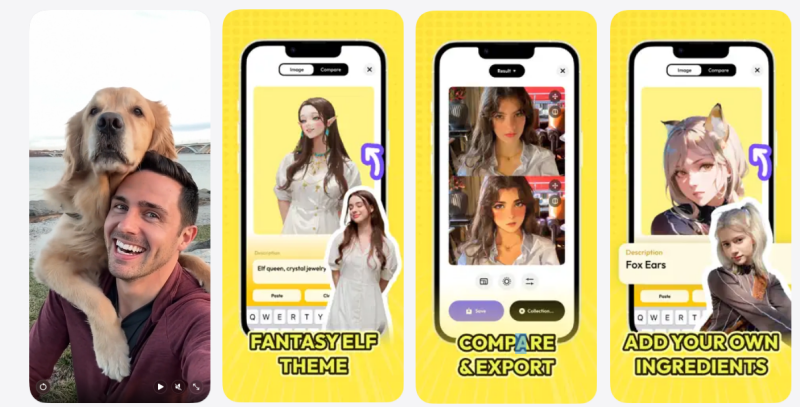
Anime Filter is an anime AI filter app designed for anime lovers, transforming your photos into beautiful anime-style images with one click. The AI anime filter free is loved by many users for its unique filter effects and easy operation. With Anime AI's many cute anime art styles, you can create fun selfies and group snaps with various kawaii looks, and even add details using word prompts. In just a few simple steps, you can make ordinary photos come alive and interesting, as if you are in the world of anime. Anime Filter not only provides you with a variety of anime styles to choose from, but also features real-time previews and adjustments that allow you to personalize the filter effects to your liking.
- Available on
Anime Filter is currently available on two major platforms, iOS and Android, and you can search and download it in the app store depending on your device type.
Key Features:
- One Click Animation
- A Wide Selection of Animation Styles
- Real-time Preview Effect
- Photo Editing Tool
- Social Media Sharing
Pricing:
Anime Filter offers free basics, advanced filters and special effects that may be unlocked with in-app purchases.
3. Anime AI
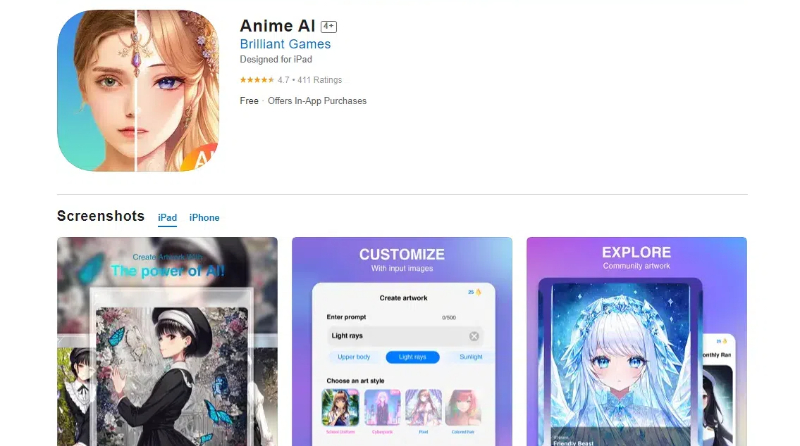
Anime AI is an app that uses artificial intelligence technology to give you personalized anime style graphics. It can not only convert your photos into beautiful anime style images, but also generate unique anime characters or illustrations according to your preferences and creativity. With its powerful AI algorithm and rich library of styles, this AI anime filter free has become the tool of choice for many anime lovers and creators. Anime AI features include intelligent recognition of features in photos and translation into anime style, multiple style options to suit your needs, and support for real-time previews and adjustments to ensure you're satisfied. Its image to anime can bring you more surprises.
- Available on
Anime AI is currently available for download on iOS and Android, and you can search and install it on the respective app stores.
Key Features:
- Intelligent Animation Style Conversion
- Highly Customizable Options
- Rapid Generation Capability
- Batch Processing Photos
- Real-time AI Suggests Optimization
Pricing:
Anime AI offers a free trial, but premium features and unlimited use may require a subscription or one-time purchase.
Anime Filter Websites
1. SeaArt AI
SeaArt AI doesn't just have the app version - its web platform is also a solid choice if you prefer working on a bigger screen.
The web version delivers the same high-quality generation but gives you more room to tweak details. You can jump straight into the "AI Filter Online Free" tool to explore a massive range of styles. We're talking about specific aesthetics like American comics, Conan style, and those distinct Ghibli Colors.
But the real strength here is the community. It's massive and incredibly active. You aren't limited to the official presets; You can browse thousands of custom anime filters created by other users. Whether you're looking for something niche or mainstream, you're bound to find a style that fits. It takes your standard photos and gives them a proper anime overhaul without the complex setup - just a few clicks, and you’re good to go.
2. AnimeGenius
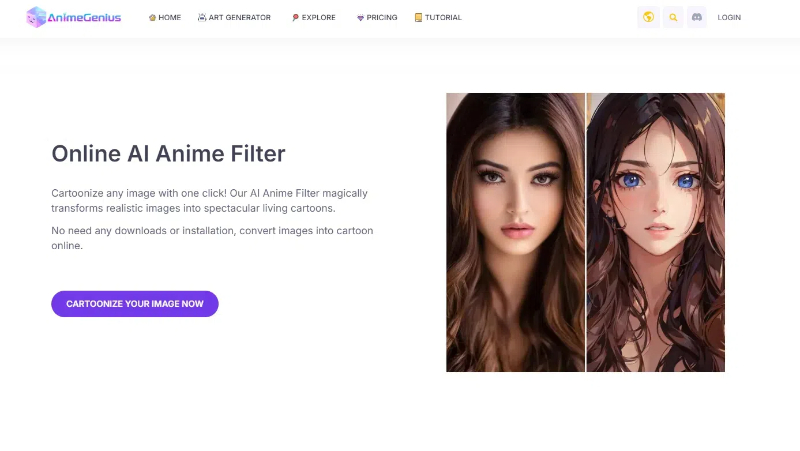
AnimeGenius is a powerful free anime filter online generator that utilizes advanced artificial intelligence technology to make it easy for you to create amazing anime artworks. Whether you want to turn ordinary photos into anime style images, or turn graffiti or hand-drawn work into anime art in real time, AnimeGenius makes it easy. In addition, it also supports the conversion of AI animation art into dynamic images or videos, providing you with a broader creative space. AnimeGenius is simple to use and easy to use, both professional designers and anime lovers can quickly master and enjoy the fun of creation.
Key Features:
- Instant Anime Transformation
- Multiple Styles
- Customizable Options
- High-Quality Output
- Cross-Platform Support
Pricing:
AnimeGenius offers both free and premium subscription plans. The free plan includes basic features and limited usage, while premium plans unlock all features and offer unlimited access.
3. AnimeFilter
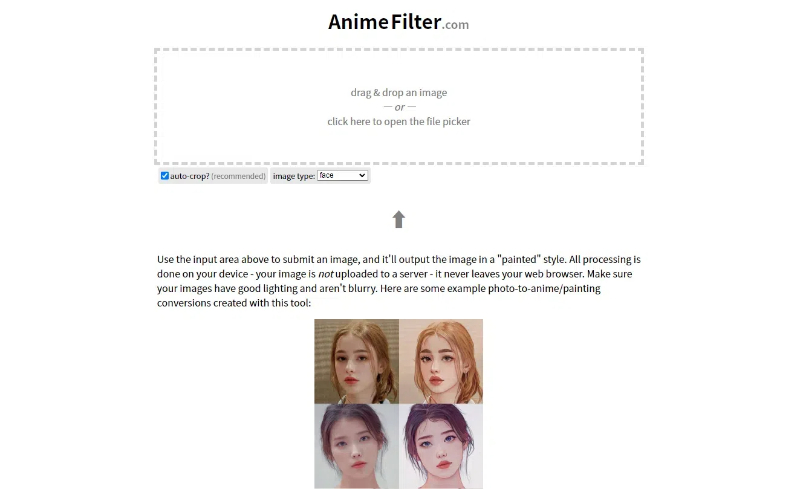
AnimeFilter is an image processing app designed for anime lovers, which uses powerful AI technology to instantly transform your photos or pictures into personalized anime style works. The app not only supports the conversion of human portraits, but also integrates various images such as animals and landscapes into animation elements to create unique visual effects. AnimeFilter is easy to use, you can complete the conversion in a few simple steps, no professional image processing skills are required. AnimeFilter can meet your diverse needs, so that everyone can become the creator of their own anime world.
Key Features:
- One-Click Animefication
- Diverse Filters
- HD Quality
- Batch Processing
- Social Sharing
Pricing:
AnimeFilter offers a free trial that includes basic features and limited usage. For full access to all filters and unlimited usage, you can subscribe to a premium plan, with pricing options tailored to suit individual needs.
Also Read: 6 Best Photo to Cartoon AI Tools: Transform Your Image to Art
How Do I Convert My Picture to Anime Online
Now that you're excited about transforming your images into anime masterpieces, let's dive into the easy steps using SeaArt AI tools. We'll explore how to use SeaArt AI's AI filter to convert your image to anime style.
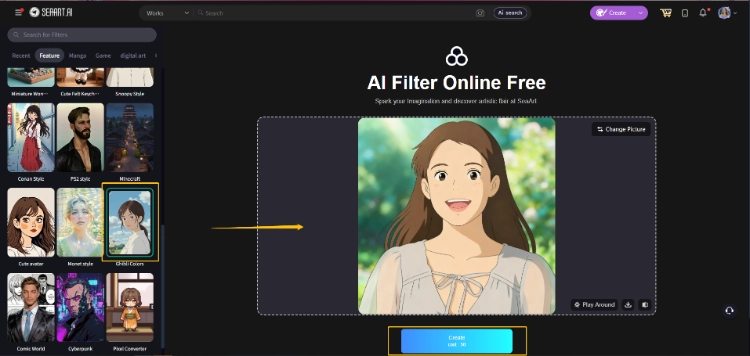
Step 1. Upload Your Personal Headshot
First, visit SeaArt AI's website and navigate to the AI Filter section. Click on the "Select Images" and select your personal headshot from your device.
Step 2. Choose the "Anime" Category
Once your image is uploaded, you'll see various filter options. Scroll through and select the "Anime" category to access a range of anime-inspired filters. Browse through the options and pick the one that you like the most.
Step 3. Click Create
With your chosen filter selected, simply click the "Create" button. SeaArt AI will instantly process your image, applying the anime filter and revealing your new anime avatar.
How to Choose the Anime Filter Generator for Myself
- Easy to operate and friendly interface
Look for tools with intuitive user interfaces that require minimal learning curves. A clean, straightforward design ensures smooth navigation and efficient use, even for beginners.
- Drawing efficiency and quality
High-quality anime filters should produce images quickly without compromising on detail or style. Evaluate the generator's ability to maintain sharpness and color accuracy while transforming your photos.
- Cross-platform compatibility and operation
Ensure the generator supports multiple platforms, including web browsers, mobile apps, and even desktop software. This versatility ensures you can create anime-style images anytime, anywhere.
- Personal privacy security
Choose generators that prioritize user data protection, with clear policies on data storage, sharing, and encryption. Look for trusted developers with a good reputation in the industry.
- Continuous update and optimization
Opt for tools that receive regular updates, introducing new filters, features, and performance improvements. This ensures your anime creations stay fresh and on-trend.
About Anime Filter – FAQs
1. What is the best AI anime filter?
The best AI anime filter depends on personal preference and needs. Look for tools that balance ease of use, output quality, and a wide range of filter options.
2. What app has an anime filter?
Many apps offer anime filters, including SeaArt AI, Picarto, and Canva. Choose the one that best fits your requirements and preferences.
3. Is there a free anime filter?
Yes, there are several free anime filter options available online and in apps like SeaArt AI, which offer AI-powered anime filters at no cost.
4. Is SeaArt AI's AI anime filter safe?
Yes, SeaArt AI prioritizes your privacy and security. Its AI anime filter operates within a secure environment, ensuring your data remains protected.
Conclusion
In this guide, we've explored the world of anime filter generators, focusing on how to choose the right one for your needs. From ease of use to privacy concerns, each factor plays a crucial role in crafting your anime-inspired masterpieces. With tools like SeaArt AI, the possibilities are endless. Now, it's your turn to unleash your creativity and discover the joy of creating pixel avatars and beyond. Start with SeaArt AI's AI anime filter today and embark on an exciting journey of anime creation!
Related Articles
AI Manga Filter Online Free: Create Your Unique Manga Art with AI
Top 5 Anime AI Art Generators to Create Incredible Images
How to Create Stunning Ghibli Art with Ghibli Filter on ChatGPT
How to Use Popular AI TikTok Filters (With & Without TikTok)