

Top 5 Gaming Avatar Makers to Create Unique AI Gaming Avatar
Picture this: you're scrolling through your favorite gaming Discord server, and everyone's got these insanely cool custom avatars—anime warriors, cyberpunk hackers, fantasy mages. Then there's yours: the default profile pic that screams "I just signed up five minutes ago."
Here's the thing: your gaming avatar isn't just a picture. It's your digital fingerprint in the virtual world. It's how your squad recognizes you, how strangers form first impressions, and honestly, how you feel about yourself when you log in. The good news? You don't need to hire a professional artist or spend hours fumbling with Photoshop anymore. AI-powered gaming avatar makers have completely changed the game (pun intended).
In this guide, we're breaking down the top 5 gaming avatar makers that actually deliver. No fluff, no generic recommendations—just honest takes on what works, what doesn't, and which tool you should use based on your specific needs.
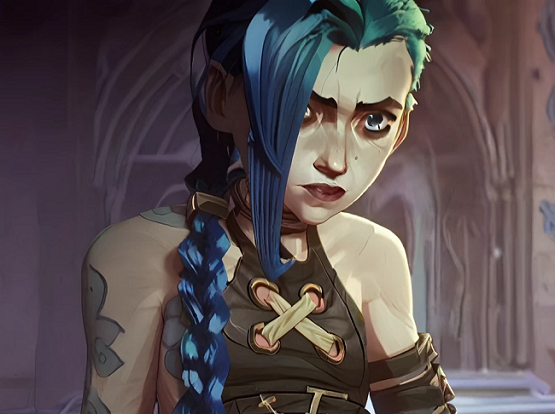
What is Gaming Avatar?
A gaming avatar is your virtual identity—the face (or helmet, or dragon head) you wear in online games, streaming platforms, and gaming communities. It's the visual representation that shows up next to your username on Discord, Steam, Twitch, or Reddit.
But here's where AI gaming avatars take it to the next level: instead of picking from a limited set of pre-made options, AI tools can generate a completely unique avatar tailored to your style. Want a hyper-realistic portrait of yourself as a warrior? Done. Prefer a stylized anime version with neon highlights? Easy.
For anime fans, this is especially exciting. Imagine uploading a regular selfie and watching it transform into a Studio Ghibli-style character or a Demon Slayer-inspired fighter. AI gaming avatar builders let you bring these fantasies to life without needing any artistic skills.
Top 5 Gaming Avatar Makers
Making a distinctive and alluring avatar is essential to making an impression in the virtual world as you start your gaming adventure. These five excellent gaming avatar makers will help you create your virtual character come to life.
1. SeaArt AI - Best for Customization & Quality
If you're the type who wants full creative control—tweaking prompts, experimenting with styles, and generating multiple variations until you hit perfection—SeaArt AI is your best bet. Unlike most "one-click" tools that give you limited options, SeaArt lets you describe exactly what you want through text prompts.
SeaArt isn't just an avatar generator; it's an entire AI art studio. You get access to hundreds of pre-trained models covering everything from realistic portraits to fantasy art, anime, cyberpunk, and even pixel art. The best part? It's completely free to start, with daily credits, more than enough to create a dozen avatars.
Key Features:
- AI-Powered Generation: Uses advanced models like Nano Banana and custom-trained variants
- Diverse Model Selection: Over one million+ styles to choose from
- Customizable Prompts: Full control over details (pose, lighting, accessories, background)
- High-Resolution Output: Download 4K images without watermarks
- User-Friendly Interface: Saves all your creations so you can revisit and refine them later
Gamers and streamers who want a signature look and don't mind spending 5-10 minutes experimenting with prompts.
2. Fotor
Fotor is a comprehensive online image editing and graphic design tool that stands out in the crowded market, especially when compared to gaming avatar makers online which often lack the depth and versatility of Fotor. In addition, it has a user-friendly interface that makes it accessible to both beginners and seasoned designers. With Fotor, you can access a vast array of templates, filters, and editing tools to enhance your photos, create social media graphics, and even design professional-looking documents. If you want to touch up a personal photo, craft a unique gaming avatar, or develop a marketing campaign, Fotor has the features you need.
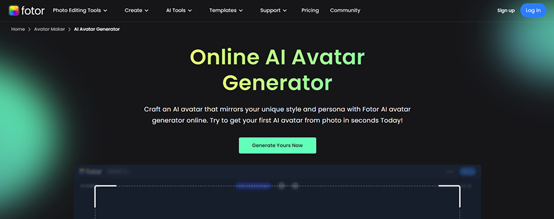
Key Features:
- Swift Avatar Creation
- Diverse Style Options
- High-Quality Output
- User-Friendly Editing Tools
- Instant Previews
3. LightX
LightX is a powerful and user-friendly gaming avatar maker that allows gamers to create unique and visually appealing avatars. From adjusting facial features and hairstyles to adding accessories and special effects, LightX provides endless possibilities for creating a truly unique gaming avatar. And with its high-quality rendering capabilities, your avatar will look stunning in-game and online.
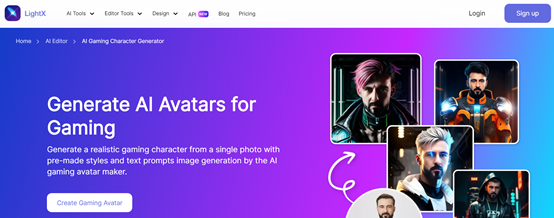
Key Features:
- Fast and Easy Avatar Creation
- Tailored Styles for Gamers
- High-Quality, Detailed Designs
- Customizable Features for Unique Looks
- Instant Download and Sharing Options
4. Picsart
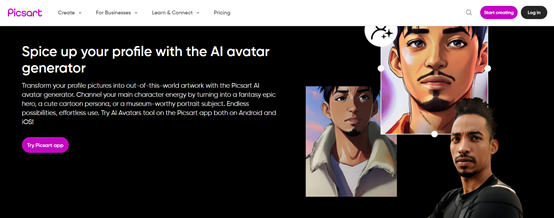
Picsart is a remarkable AI avatar generator that lets you enhance your online profile with stunning, personalized avatars. Picsart automatically creates unique and visually appealing avatars based on your uploaded photos. You can further customize your avatar by choosing from a variety of styles, poses, and backgrounds. If you're looking for a fun and playful avatar or a professional and polished one, Picsart has everything you need to create a standout profile. And it also has a user-friendly interface, so creating your perfect avatar is easy and enjoyable.
Key Features:
- Effortless to Use
- Multiple AI Avatar Styles
- Fully Customizable Avatars
- Advanced Photo Editing
- Quick Image Processing
5. PFPMaker
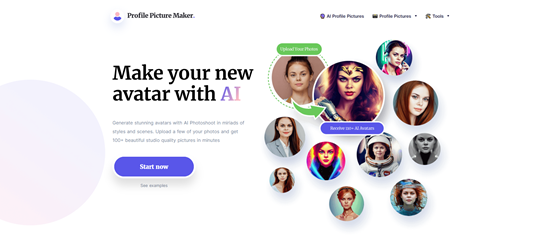
PFPMaker (Profile Picture Maker) stands out as an AI gaming avatar maker with its versatility and extensive customization options. By simply uploading a few of your photos, you can generate over 100 high-quality avatars in various styles. However, access to these advanced features requires a paid plan, and you'll also need to spend about an hour on model training. The free version is limited to creating only basic avatars, offering a simplified experience.
Key Features:
- Receive 100+ AI Avatar
- Easy to Navigate
- Photo into Gaming Avatar
- Basic Avatars Available for Free
How to Make a Gaming Avatar from Text
Ready to create your very own personalized gaming avatar? We're here to guide you step-by-step on how to use SeaArt AI to generate stunning, high-quality avatars in just a few minutes using different ways. Unleash your creativity and show off your design talent!
We'll start with the most straightforward method that gives you full control from scratch.
Method 1: Direct Creation Using Text Prompts
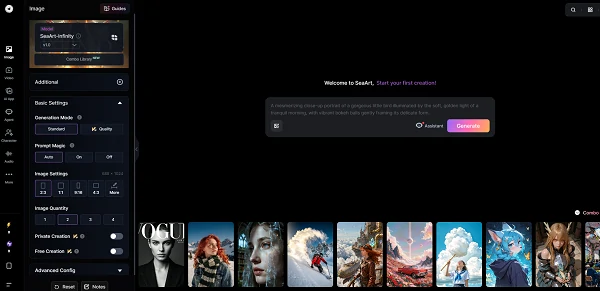
Step 1: Access SeaArt AI's image creation interface.
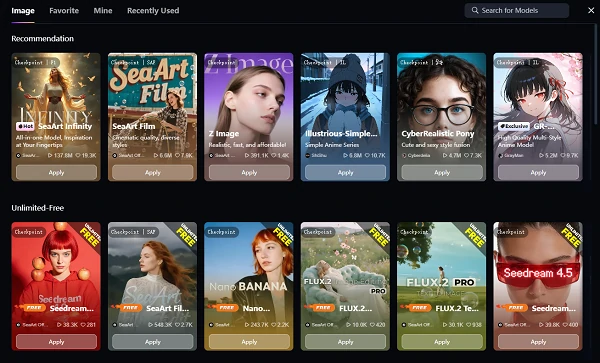
Step 2: Choose Your AI Model
At the top of the page, you'll see a model selector. Click on it to browse available models such as Nano Banana Pro, Flux 2, Seedream, and more.
Step 3: Set Your Image Preferences
Step 4: Write Your Custom Prompt
This is where your creativity shines. In the prompt box at the bottom, describe exactly what you want:
Example prompts for gaming avatars:
"Male cyberpunk hacker, neon blue hair, glowing visor, leather jacket with tech implants, dark city background, rain, cinematic lighting, highly detailed"
"Female fantasy warrior, long red hair, golden armor, holding flaming sword, castle ruins background, sunset, epic composition, 4K quality"
"Anime-style gamer boy, headphones, casual hoodie, colorful RGB lighting, sitting in gaming chair, vibrant colors, League of Legends art style"
Step 5: Generate and Download
Method 2 - Create with Existing Styles
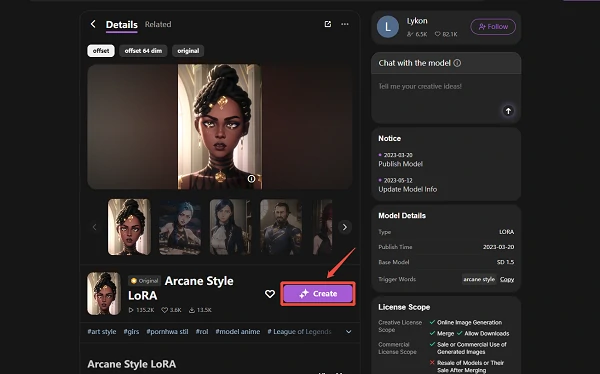
Step 1. Choose Your Favorite Model Style on the Homepage
Upon visiting the SeaArt AI homepage, you'll be greeted with a variety of model styles to choose from. Each style offers a unique look and feel for your gaming avatar.
Step 2. Click on "Create" to Follow Along
Once you've selected your model style, click on the "Create" button to access the creation page. This will allow you to follow along with the creation process and start customizing your gaming avatar.
Step 3. Enter the Editing Page and Customize the Prompt
Upon entering the editing page, you'll see a "prompt" box at the bottom, which is pre-filled with a prompt template. You can either imitate and modify this template or start from scratch.
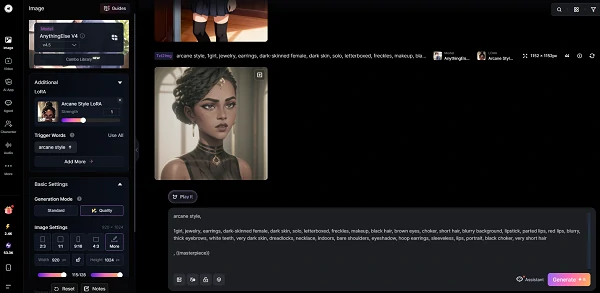
Step 4. Finalize Settings and Generate Your Avatar
Once you're satisfied with your prompt, click the arrow button or press enter to initiate the AI generation process. Wait a few seconds for SeaArt AI to create your gaming avatar.
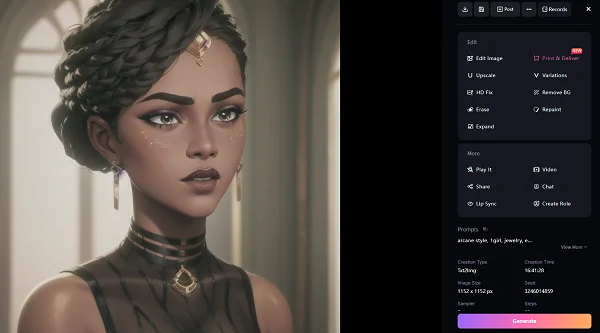
Step 5. Edit and Refine Your Avatar
When the image appears, hover over it or click to view it in full size. You'll see several editing options, such as Creative Upscale, Redraw, and Animate. If you're not satisfied with the result, click the "V" button on the image to generate a new version.
Step 6. Download and Save Without Watermark
Bonus: Create Your Gaming Avatar Using SeaArt AI Filter
While the gaming avatars created with SeaArt AI Filter may lean more toward portrait-style designs, its simple and quick process delivers surprisingly impressive results. It's definitely worth trying out and recommending!
SeaArt AI Filters
SeaArt AI Filter is an excellent online, free AI avatar maker that transforms your photos into stunning works of art with just one upload. You can explore a wide range of filters, each offering a unique artistic style, allowing you to experience the thrill of seeing your image come to life in different creative dimensions. It's an easy and fun way to add a creative touch to your portraits, giving you a unique experience with every click.
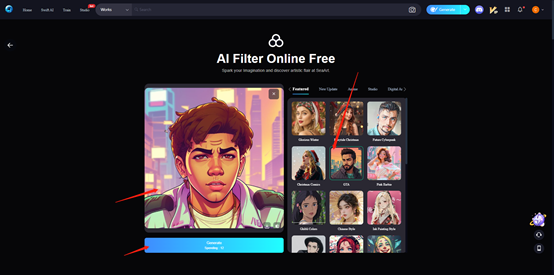
Step 1. Upload Your Photo
Click the upload button and select the photo you want to transform.
Step 2. Choose a Filter
Browse through the available filters and select the one that best suits your needs.
Step 3. Click Generate
Wait a few seconds for SeaArt AI to apply the filter and create your gaming avatar.
Conclusion
In conclusion, this article introduces you to the world of Gaming avatars. It takes you inside the creative world of the Top 5 Gaming Avatar Makers and introduces you to SeaArt's great tools. SeaArt AI offers a convenient and creative way to create gaming avatars from text or photos. With its diverse range of model styles, customizable prompts, and powerful filters, you can easily create unique and engaging avatars that stand out from the crowd. Gaming avatar free features open a richer world for you. Don't miss out on this opportunity to bring your gaming experience to life.
Related Articles
Top 6 Pixel Avatar Makers: Create Pixel Avatar from Text or Photo
How to Make a VTuber Avatar 2D & 3D Model for Free [Step-by-Step]
AI Avatar Jigsaw: Create Unique AI Avatars and Play Puzzle Game