

日本語版記事はこちら
Overview
Canny in Stable Diffusion's ControlNet is a powerful feature that allows for more precise control over image generation. This article explains everything from basic concepts to practical usage, specifically tailored for beginners.
What is ControlNet?
ControlNet is an extension for Stable Diffusion that enables control over image generation based on specific conditions such as edges, poses, depth maps, and more. While standard Stable Diffusion generates images using only text prompts, ControlNet allows you to add visual conditions to guide the generation process.
How to Use ControlNet
To use ControlNet, click on the "Control Net" section located on the left side of the creation flow.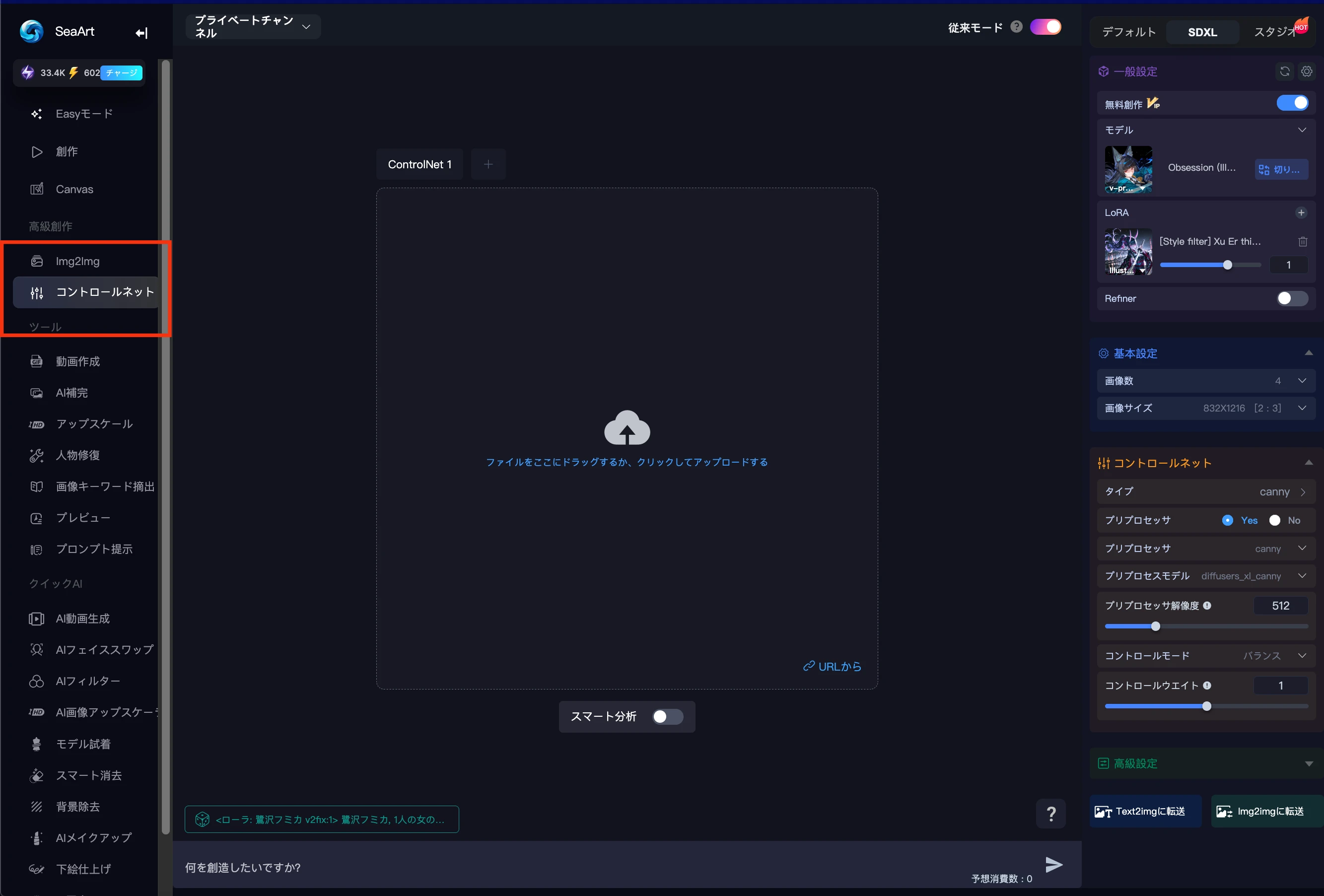
After clicking, a screen will appear with various ControlNet options. Select the one that suits your needs.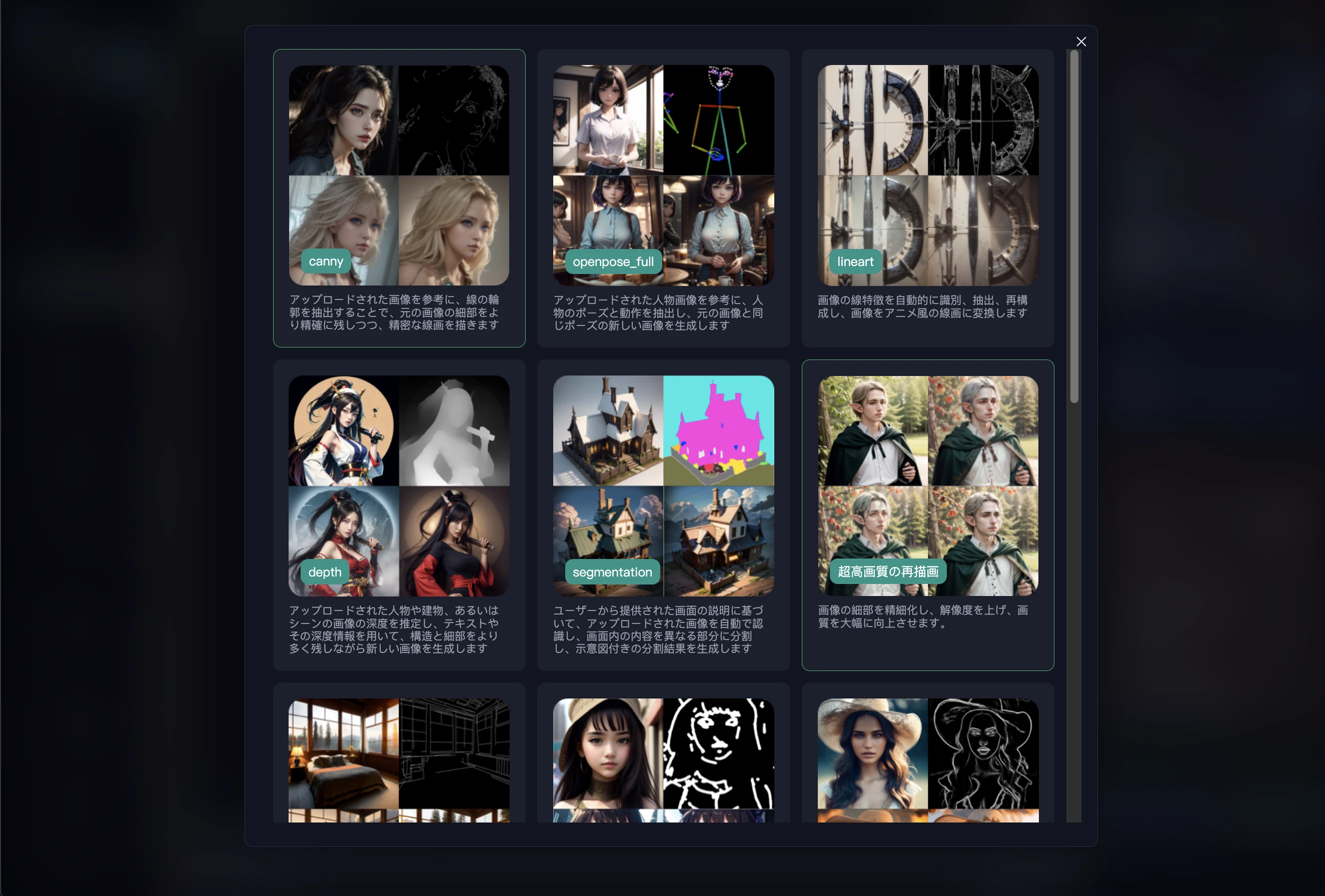
How Canny Edge Detection Works
Canny edge detection is a vital technique in image processing. This method follows multiple steps to detect edges in an image. First, it smooths the image to remove noise. Next, it calculates gradients to evaluate the strength of edges. Finally, it uses non-maximum suppression and hysteresis to determine the final edges. This process results in images with very sharp and clear edges.
Advantages of ControlNet Canny
The workflow for generating images using Canny follows these key benefits:
- Structure Preservation: You can maintain the shape and structure of the original image while applying new styles or textures.
- Precise Control: You can specify the layout of the generated image in detail.
- Creative Possibilities: You can transform photos into illustrations or change styles while maintaining a specific composition.
Through this process, users can generate images that align with their intentions.
Examples
One concrete example of a project using Canny is anime character design. For instance, an artist extracted the edges of their character using Canny and then generated illustrations with new styles based on those edges. In this way, Canny becomes a powerful tool that supports creative processes.

Tips for Utilizing Canny
Here are some tips for effectively utilizing Canny:
- Use High-Resolution Images: Using high-resolution images is important for obtaining more detailed edges.
- Adjust Edge Settings: By adjusting Canny's parameters, you can improve the strength and detection accuracy of edges.
- Combine with Other Tools: By combining Canny with other image processing tools, more diverse expressions become possible.
Conclusion
ControlNet Canny is an extremely powerful tool for image generation. By utilizing edge information, creators can produce works that align with their intentions. This technology will continue to evolve and holds even more possibilities for the future. We encourage everyone to try Canny for themselves.