

SeaArt AI Unternehmensversion
article cover

How to use DeepSeek, ChatGPT, Claude, or qwq-plus at SeaArt

avatar
S
avatar_frame
stevenp
veröffentlichte am Apr 22, 2025
43

How to use Large Language Models at SeaArt

To use DeepSeek, ChatGPT, Claude or qwq-plus you can click AI Character on the left side of the menu if you are using computer at SeaArt
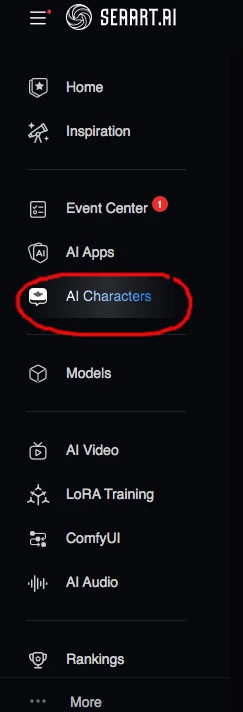
Thereafter choose the left most AI assistant
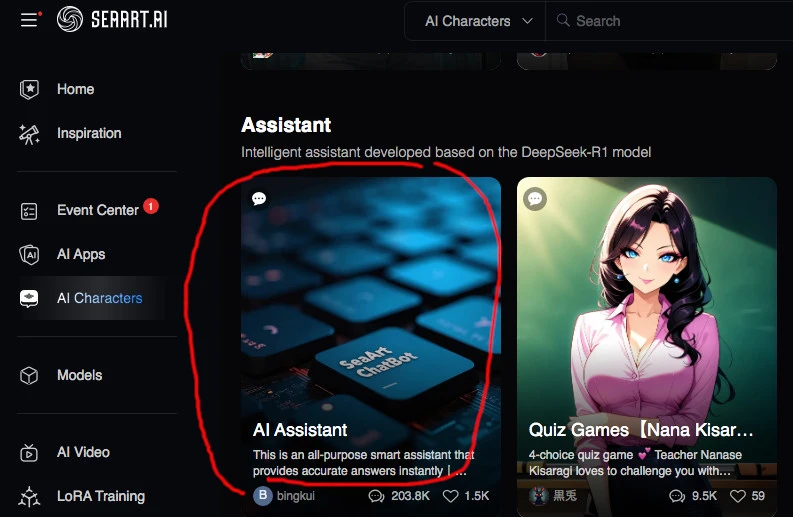
Choosing the Large Language Model and Settings

After choosing the AI Assitant above you will be shown this page
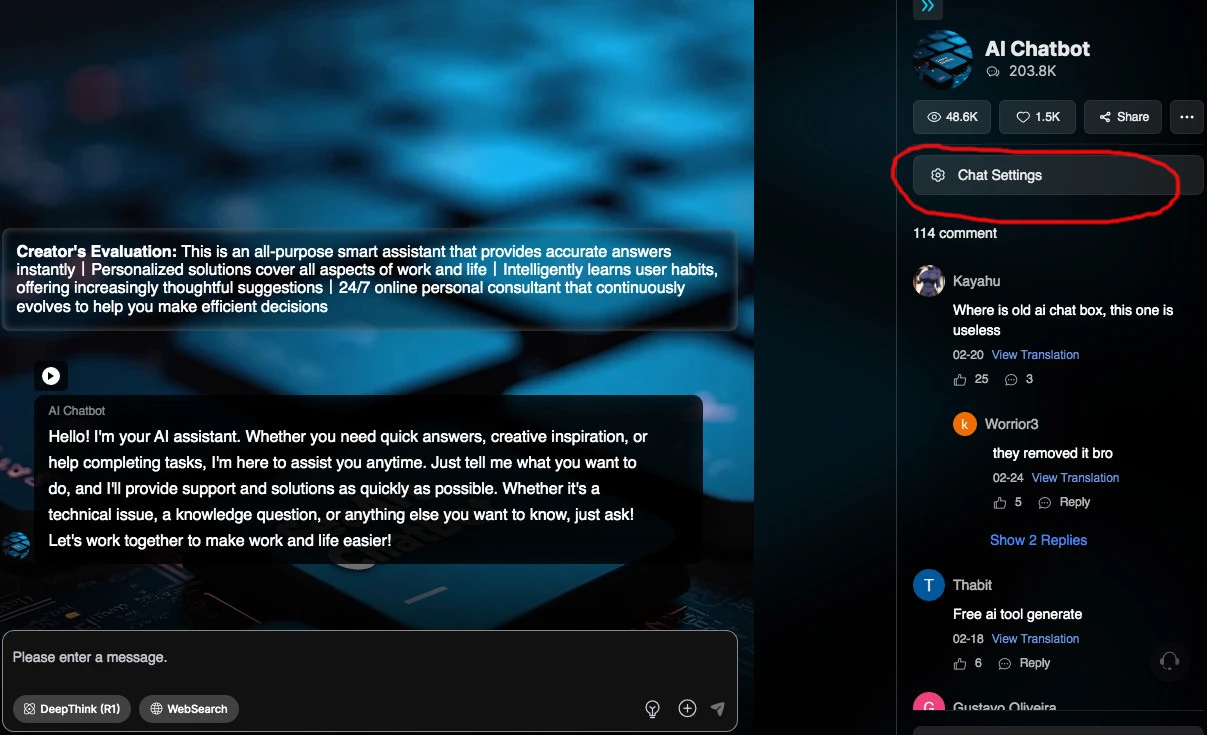
Choose Chat Settings
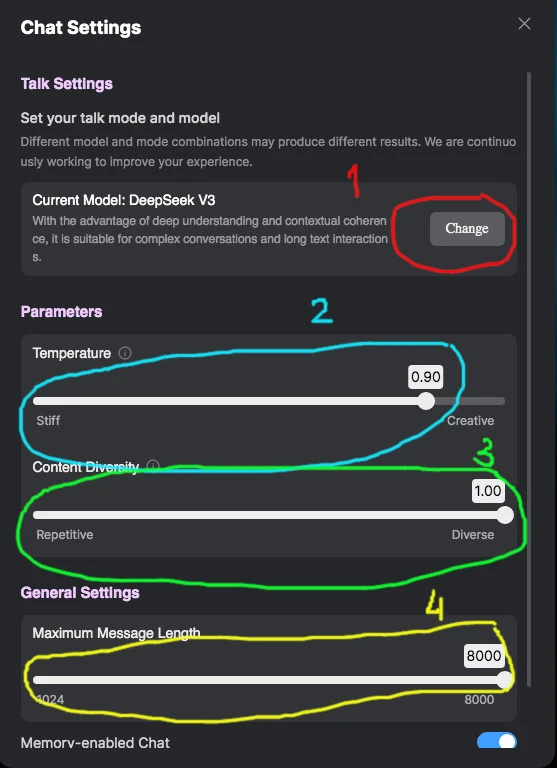
1. Choose your model: DeepSeek V3, DeepSeek R1, ChatGPT 4, Claude 3 Haiku or qwq-plus (For beginner, choose DeepSeek R1)

2. Set your prompt adherence (For beginner, just leave it as default)

3. Set your Content Diversity (For beginner, just use default)

4. Set your Maximum Message Length, this could influence stamina usage (For beginner, use default)
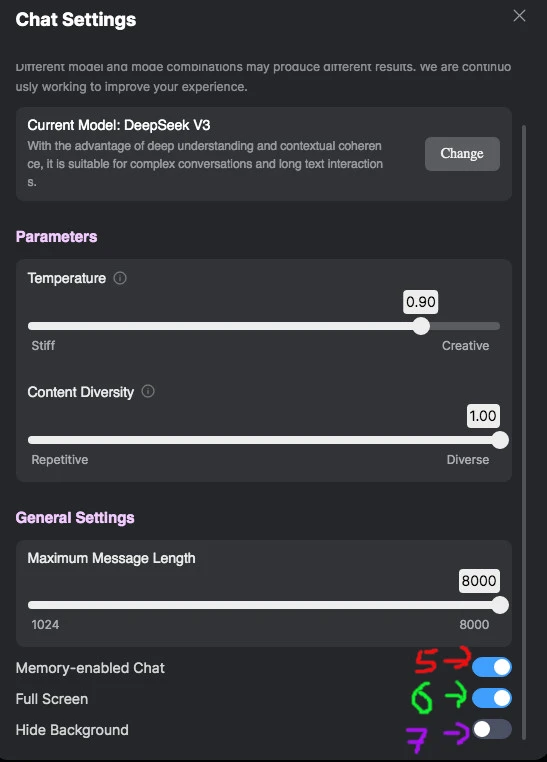
After scrolling down you will find additional options:

5. Memory-enabled Chat. I recommend to switch on this toggle.

6. Full Screen (up to you)

7. Hide Background (up to you)

Please Close the setting and you can now start typing your prompt at the marked area
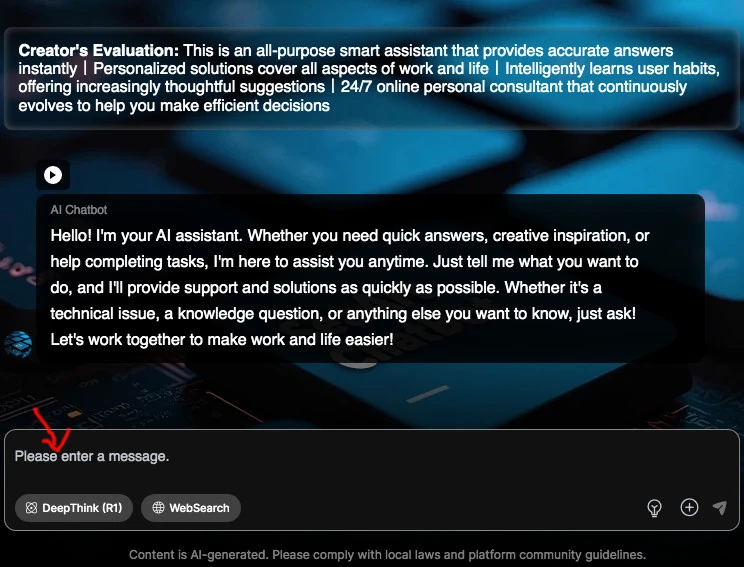
Usage of stamina depend on how long the model use the GPU. Good luck and have fun !



25
43
0 Kommentar(e)
43
25
0
0/400
Verwandte Tutorials
cover
COMPREHENSIVE GUIDE DIRECTORY
avatar
S
avatar_frame
SeaArt Official
12426
4995
cover
Wan2.5を使って10秒CMを作る(架空アパレルブランド編)
avatar
R
avatar_frame
razor
2681
376
cover
【Veo3キラー】Wan2.5 解説
avatar
椎
avatar_frame
椎名
1828
264
cover
SeaArt Flow Basic Operation Guide
avatar
S
SeaArt Guide Guy
700
33
cover
Your Own World: How to Create Your Exclusive OC with SeaArt
avatar
S
SeaArt Guide Guy
1531
132
cover
【🍌】Nano Banana 解説
avatar
椎
avatar_frame
椎名
1510
415
cover
SeaArt Film Video Realistic Style Tutorial
avatar
C
chengxu01
323
8940
cover
SeaArt Muse Prompt Tutorial
avatar
avatar_frame
SeaArt VIdeo Master
150
4687
cover
Veo 3.1 is live on SeaArt!
avatar
S
avatar_frame
SeaArt Comfy Helper
300
97
cover
WANVideo VACE KJ Fun Use Case Collection
avatar
S
avatar_frame
SeaArt Comfy Helper
250
101
logo
Deutsch
Anwendungen
Bild erstellen KI-Charaktere Swift AI Modelltraining Canvas Quick Tool Arbeitsablauf
Infos
Studio Rangliste KI-Chat KI-Blog KI-Nachrichten
Hilfe
Anleitungen Kundenservice
APP hunterladen
icon
Download on the
APP Store
icon
GET IT ON
Google Play
Uns folgen
iconiconiconiconiconiconiconicon
© 2025 SeaArt, Inc.
Copyright Policy
Nutzungsbedingungen
Datenschutzrichtlinie 特定商取引法 資金決済法に基づく表示
Mehr