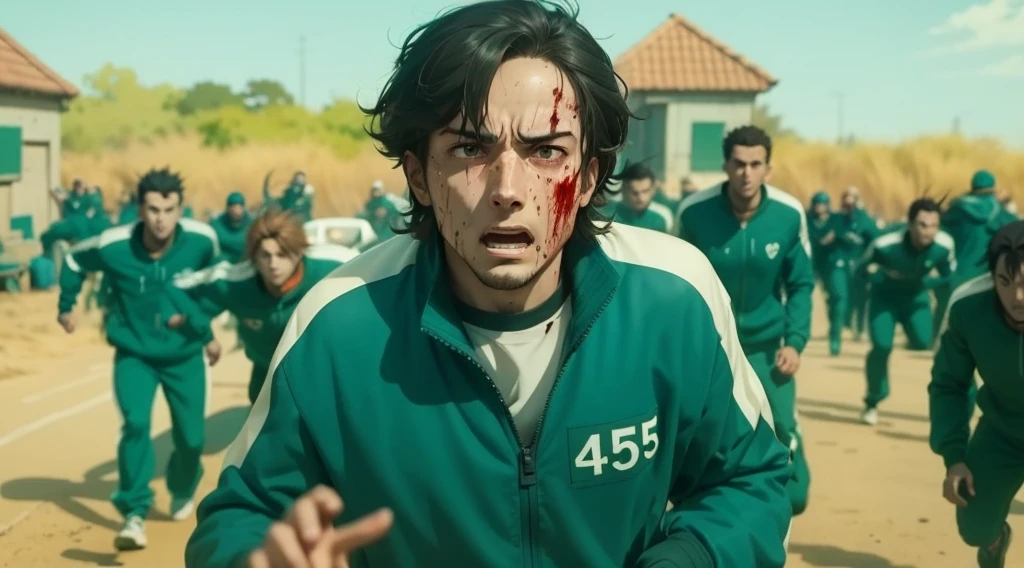

Turn Any Image into Anime with SeaArt
📌 STEP 1 – Access the site
Go to: https://www.seaart.ai/
Create an account (Google or Discord login is fast and easy)
🎨 STEP 2 – Select the correct tab
- In the left menu, click “Image to Image”
- Click “Upload Image” to add your image
⚙️ STEP 3 – Choose the model
In the Model box, choose one of the following:
- MeinaMix: dramatic / realistic anime style
- Anything V5: generic and versatile anime style
- RevAnimated: urban / shounen anime vibe
- AbyssOrangeMix: darker / intense style
📝 STEP 4 – Paste your prompts
✅ Prompt (beautiful anime style):
anime style, highly detailed, vibrant colors, soft shading, beautiful lighting, expressive face, cinematic atmosphere, masterpiece, trending on pixiv, 4k
🚫 Negative Prompt (to avoid weird results):
blurry, extra limbs, distorted, lowres, bad ?, watermark, text, mutated, poorly drawn
🎚️ STEP 5 – Tweak the settings
- Image Strength: 0.6 to 0.8 0.6 = closer to photo, 0.8 = more anime style
- Resolution: 512x768 (portrait), 768x512 (landscape), or 1024x1024 for HD
- Steps: 20 to 30
- CFG Scale: 7 to 9
🚀 STEP 6 – Generate
Click “Generate” and wait for the magic to happen.
💾 STEP 7 – Download your result
Click “Download” to save your anime art.
📦 Bonus: Extra prompts by anime style
- Demon Slayer: traditional Japanese clothing, glowing sword, dark background
- Your Name: soft colors, bokeh lighting, sky background, romantic atmosphere
- Akira / Cyberpunk: neon lights, cyber city, futuristic armor, gritty style
- Studio Ghibli: warm colors, hand-drawn look, whimsical setting, fantasy landscape
- Tokyo Ghoul: dark tones, red eyes, horror vibe, urban night background
- One Piece: exaggerated expressions, comic style, cartoony ?
Try theses prompts
🎨 1. Classic Anime Style
pgsqlCopiarEditar<<CHARACTER NAME>> in anime style, full body, standing in <<PLACE>>, vibrant colors, soft lighting, expressive eyes, detailed outfit, studio anime look, trending on pixiv, masterpiece, 4k

Negative Prompt: blurry, lowres, extra limbs, poorly drawn, bad ?, watermark, text, mutation
🧪 Example:
Mario in anime style, full body, standing in Tokyo Shibuya crossing...
🧙 2. Fantasy / RPG Style
pgsqlCopiarEditar<<CHARACTER NAME>> as a fantasy warrior, magical armor, glowing weapons, epic background, detailed fantasy art, anime style, cinematic lighting, masterpiece

Negative Prompt: cartoon, blurry, deformed, text, watermark, bad hands, poorly drawn
🧪 Example:
Link as a fantasy warrior, magical armor, glowing weapons...
🌃 3. Cyberpunk / Futuristic Style
pgsqlCopiarEditar<<CHARACTER NAME>> in cyberpunk anime style, neon city background, glowing eyes, futuristic clothing, cinematic lighting, dark atmosphere, masterpiece, 4k

Negative Prompt: low quality, distortion, text, watermark, mutated body, blurry
🧪 Example:
Batman in cyberpunk anime style, neon city background...
👘 4. Traditional Japanese Style
pgsqlCopiarEditar<<CHARACTER NAME>> wearing traditional japanese kimono, standing under cherry blossoms, serene expression, anime style, soft pastel colors, detailed fabrics, anime background, masterpiece

Negative Prompt: modern clothing, messy, poorly drawn, distorted hands, text, extra limbs
🧪 Example:
A dog wearing traditional japanese kimono...
🏖️ 5. Slice of Life / School Anime
pgsqlCopiarEditar<<CHARACTER NAME>> in school uniform, sitting on a bench under the sun, slice of life anime style, lighthearted expression, vibrant colors, clean lines, trending anime style

Negative Prompt: drama, dark, horror, glitch, watermark, extra fingers, low quality
🧪 Example:
Goku in school uniform, sitting on a bench under the sun...
🔥 6. Shounen / Battle Style
sqlCopiarEditar<<CHARACTER NAME>> in anime battle pose, energy aura around them, intense expression, dynamic action lines, anime style, glowing effects, detailed shading, powerful atmosphere

Negative Prompt: flat, low detail, boring pose, bad ?, extra limbs, glitch
🧪 Example:
Ash Ketchum in anime battle pose, energy aura around him...