Details
Empfehlungen
V1 Python
V2
V3
V1
Organize models script

Organize models script

0
0
3
#Werkzeug

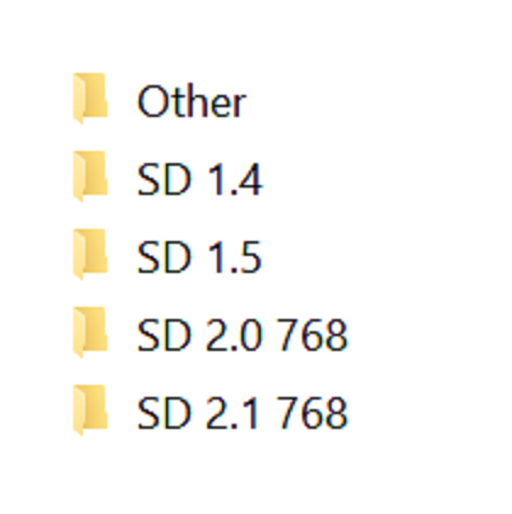
Simple script, execute it from the directory you want to organize. Sorts models into different sub directories by Person and ???? flags base on the ".civitai.info" files created by Civitai Helper. AUTOMATIC1111 will show sub-directories when the show/hide extra network icon is used so you can filter your results. You need to "Scan Models for Civitai" in the Civitai Helper tab prior to running the script in the model directory you want to organize.

Prerequisite: Civitai Helper

https://github.com/butaixianran/Stable-Diffusion-Webui-Civitai-Helper

Procedure:

  1. Install Civitai Helper

  2. Restart AUTOMATIC1111

  3. Check the checkboxes (ti, hyper, ckp, lora) of the model types you want to organize in the "Scan Models for Civitai" section in the "Civitai Helper" tab

  4. Run "Scan Models for Civitai" in the "Civitai Helper" tab by clicking the "Scan" button

  5. Wait for scan to complete

  6. Make sure that ".civitai.info" files have been created in the AUTOMATIC1111 model directories you selected

  7. Download the script zip archive

  8. Extract the Organize Script from the downloaded zip file

  9. Place this Organize Script file in the AUTOMATIC1111 model directory you want to organize (".\models\hypernetworks", ".\models\lora", ".\models\Stable-diffusion", ".\embeddings")

  10. Run the Organize Script file

  11. Wait for the script to finish organizing your models

  12. Verify the models have been organized into sub-directories as expected

Übersetzung anzeigen

Bewertungen & Kommentare

-- /5
0 Bewertungen

Noch nicht genügend Bewertungen oder Rezensionen erhalten

no-data
Keine Daten
avatar
Mitteilung
2024-07-25
Modell veröffentlichen
2023-05-05
Modellinformationen aktualisieren
Modelldetails
Typ
Other
Veröffentlichungsdatum
2023-05-05
Basismodelle
Other
Versionsvorstellung

Python version of the scripts, should be the same as the powershell versions

Umfang der Lizenz
Source-Modell: civitai

1. Dieses Modell dient nur Lernzwecken. Urheber- und Auslegungsrechte liegen beim Originalautor.

2. Bist du der Originalautor eines Modells, kontaktiere uns bitte zur Authentifizierung über unsere offiziellen Kanäle. Wir schützen die Rechte aller Schöpfer. Hier klicken, um es zu verifizieren.

Umfang der Kreativlizenz
Online Generierung
Fusion durchführen
Download zulassen
Umfang der Business-Lizenz
Generierte Bilder können verkauft oder für kommerzielle Zwecke verwendet werden
Modelle können weiterverkauft oder nach der Fusion verkauft werden
QR Code
SeaArt App herunterladen
Setze deine KI-Kreativreise auf dem Mobilgerät fort