Detalles
Recomendado
V1 Python
V2
V3
V1
Organize models script

Organize models script

0
0
3
#Herramienta

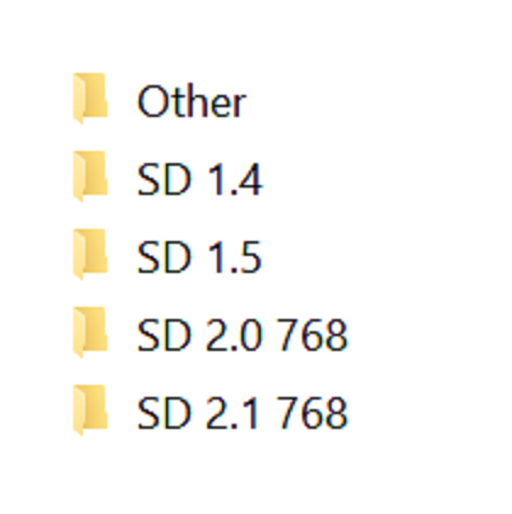
Simple script, execute it from the directory you want to organize. Sorts models into different directories by Person and flags base on the ".civitai.info" files created by Civitai Helper. AUTOMATIC1111 will show -directories when the show/hide extra network icon is used so you can filter your results. You need to "Scan Models for Civitai" in the Civitai Helper tab prior to running the script in the model directory you want to organize.

Prerequisite: Civitai Helper

https://github.com/butaixianran/Stable-Diffusion-Webui-Civitai-Helper

Procedure:

  1. Install Civitai Helper

  2. Restart AUTOMATIC1111

  3. Check the checkboxes (ti, hyper, ckp, lora) of the model types you want to organize in the "Scan Models for Civitai" section in the "Civitai Helper" tab

  4. Run "Scan Models for Civitai" in the "Civitai Helper" tab by clicking the "Scan" button

  5. Wait for scan to complete

  6. Make sure that ".civitai.info" files have been created in the AUTOMATIC1111 model directories you selected

  7. Download the script zip archive

  8. Extract the Organize Script from the downloaded zip file

  9. Place this Organize Script file in the AUTOMATIC1111 model directory you want to organize (".\models\hypernetworks", ".\models\lora", ".\models\Stable-diffusion", ".\embeddings")

  10. Run the Organize Script file

  11. Wait for the script to finish organizing your models

  12. Verify the models have been organized into -directories as expected

Ver traducción

Calificaciones y comentarios

-- /5
0 calificaciones

Aún no se han recibido suficientes calificaciones o comentarios

no-data
No hay datos disponibles
Anuncio
2024-07-25
Publicar modelo
2023-05-05
Actualizar información del modelo
Detalles del modelo
Tipo
Other
Fecha de lanzamiento
2023-05-05
Modelo básico
Other
Introducción de versión

Python version of the scripts, should be the same as the powershell versions

Alcance de la licencia
Fuente: civitai

1. Los derechos de los modelos republicados pertenecen a los creadores originales.

2. Si los creadores originales desean reclamar su modelo, contacten al personal de SeaArt AI a través de canales oficiales. Haz clic para reclamar

Alcance de la licencia de creación
Transmisión en vivo
Fusión
Permitir descargas
Licencia comercial
Las imágenes generadas se pueden vender o usar con fines comerciales
Permitir reventa de modelos o su venta tras la integración
QR Code
Descargar la aplicación SeaArt
Continúa tu viaje de creación con IA en móvil