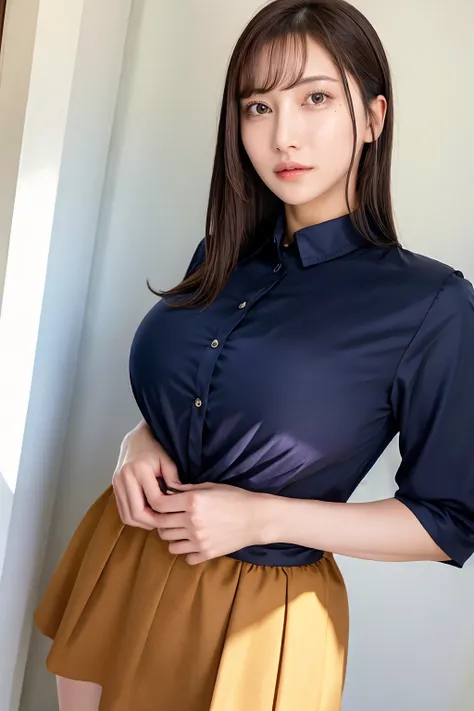
Imitation model. Modelled after Japanese AV star, influencer and youtube celebrity Hachimitsu Rin (八蜜凛).
This JAV actress is relatively new to the scene, with her first debut released only in 2022. And perhaps due to her look and styage presence, her work has mainly fall well into the slightly more vanilla genres of JAV. Well for those of you that knows her, the question that ponders some - were those fake or real? well, doesn't really matter as long as those H-cups look good on her. And they do look pretty natural on her, even though its too round to be developed that way. I took up to model this LoRA to understand ways for prompting more detailed facial features - moles.
Rin has heaps of them, and thats where the fun begins.
~~~~~~~~~~~~~~~~~~~~~~~~~~
Recommended LoRA strength: 0.8 (0.6-1.0 are plausible range dependent on checkpoints; higher values changes the tone of the face and make the face more doll-like..)
Main Prompt:
rinhachimitsu_jav, , long hair, brown hair, black hair, brown eyes, bangs,
variations: medium hair, tied hair, hair bun, ponytail, wet hair
facial variations: parted lips, lipstick, makeup, blush, teeth
Use of facial prompts depend on checkpoints, use it if your checkpoint have a bias towards minimal makeup. For Konan, you dont need this, really.
~~~~~~~~~~~~~~~~~~~~~~~~~~~~~~~~~~~~~~
Checkpoints that work well for this LoRA:
1) Realisian. Best in Slot model for this.
2) RealisticMix. Workable, and similar performance to Realisian, but with more instances of badHands (even with goodHand LoRAs).
3) PerfectWorld and MagicMix Realistic. Works fine, body ratios are appropriate, but if you are looking for high resemblence, the models on top are better. PerfectWorld tend to give a more 2.5D look and gives Rin perfect body proportions, while MagicMix tend to flatten her face, uzzlang the eyes abit too much, and makes Rin look more Korean..
~~~~~~~~~~~~~~~~~~~~~~~~~~~~
Note for achieving good resemblance:
If you are just after full body portraits or just want a version of Rin that is workable with your LoRAs etc. you can literally just use the same main prompt for ADetailer.
1. Generate the main prompt using a LoRA strength of 0.8, try to control for similar weight or slightly decrease the weight on full body modes.
2. Just turn on face Adetailer, without any additional prompt.
However, if you are into getting more refined facial resemblance, you can try and model the moles, in facial Adetailer. Rin has a very noticeable mole under the right side of her eye, and another mole beside her mouth. I specifically caption these tags in the training set, so you can prompt them manually.
Suggestion for the Adetailer prompt:
"face of rinhachimitsu_jav, "mole under mouth", "mole under eye", long hair, black hair, brown hair, brown eyes, bangs, <lora:JAV_rin_hachimitsu_v1_epoch_10:0.8>"
If you want to add makeup prompts you can do it there. And set Adetailer denoise strength to 0.4. for Full body, you can try to set this higher to 0.55.
It is still better to use AD at baseline generation (512,768 etc) and then upscale it later.
Recommended approach: is to not use HiRes, but upscale it with img2img instead.
Use a denoise strength of 0.20 -0.25 (anything higher will overcorrect face during the process), and turn off Adetailer.
~~~~~~~~~~~~~~~~~~~~~~~~~~~~~~~~~
Issues:
In some generations it seems to create multiple additional arms. I cant quite find the training images that are potentially causing this problem (though testing the image generation without any extensive clothing does not re-create this problem).
Perhaps just re-seed the generations.
Another minor issue for the perfectionist in me, is that the mole dont quite to appear correctly, even when there's no symmetric flipping done during the training. So far, I am unable to find a workable solution to make sure its always "left" rather than right, but this is probably a relatively very minor issue (well you can always flip the image manually LOL).
Post-production edits/Reproducibility:
None
Happy prompting. And do share [SFW] creations~