Tipo
Wildcards
Fecha de lanzamiento
2024-04-06
Modelo básico
SDXL 1.0


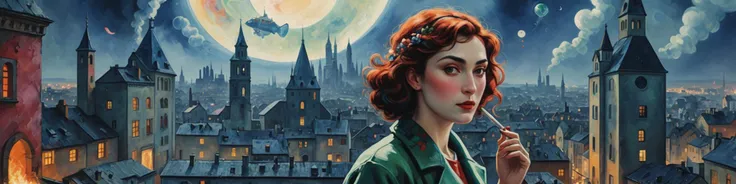
Work well with Dreamshaper XL turbo.
MOST LIKELY WON'T WORK WITH PONY OR ANIMAGINE.
Wildcard compilation from this great cheatsheet. Stable Diffusion 1.5 - Cheat Sheet (supagruen.github.io
This is a wildcards that contains a lot of artists names, some models have their styles, some don't. Tried it on, DreamshaperXL, majority of artists work well. As the list contained a lot of artists, their styles kinda mixed, so I sorted them as I see fit, maybe not really well, but I hope it can help you find your favorite style faster. Some styles I can't sort, so I just put them all together in separate files, You can sort them yourself or just keep them like that.
Probably the most important thing. Don't put too much negative, like blurry, saturated/oversaturated, monochrome, because it can affect the style very significantly.
Add some associated words like Illustration, painting, very helpful.
From the list, you can get an idea what's the style inside each file:
Wildcard_watercolor - watercolor paintings.
Wildcard_photo - photography, photorealism.
Wildcard_painting - non watercolor painting styles.
Wildcard_BlacknWhite - B&W style, also contain old-fashioned photos or illustrations, but all of them are black and white.
Wildcard_3d_But_not_really_working - well, this one doesn't really work for me, but if you figure out how to get something from it, it will be nice. Just include it because I add everything from the site. Anyway, there's only 4 artists.
Next styles I have no idea where to put it and the ones that contain "painting" in their description, but not really work for me. Well, I can't really exclude the option that I have bad eyesight on painting styles.
Wildcard_No_clue_what_is_this_style
Wildcard_questionable_Paintings
Wildcard_styled - this one definitely have some working styles, but sadly, I can't put them into a particular category.
Now, two more things that I add here. First is the list of artist + some short descriptions of his style, and other minor stuff (ALL_style_and_artists.txt).
And second thing that, for me, is more useful is Prompt S/R in txt format, in case you want to make grid a instead of just using it as a wildcard (PromptSR folder).
To make gird:
Open any file from folder PromptSR, copy text to X/Y/X plot - Prompt S/R window, copy-paste first sentence ("style of Edwin Austin Abbey","style of Tomma Abts"...) in your prompt without quotations, press Generate.
So your prompt should look something like this:
style of Edwin Austin Abbey, illustration, cityscape, post-apocalyptic, deer eating grass...


1. Los derechos de los modelos republicados pertenecen a los creadores originales.
2. Si los creadores originales desean reclamar su modelo, contacten al personal de SeaArt AI a través de canales oficiales. Haz clic para reclamar
