
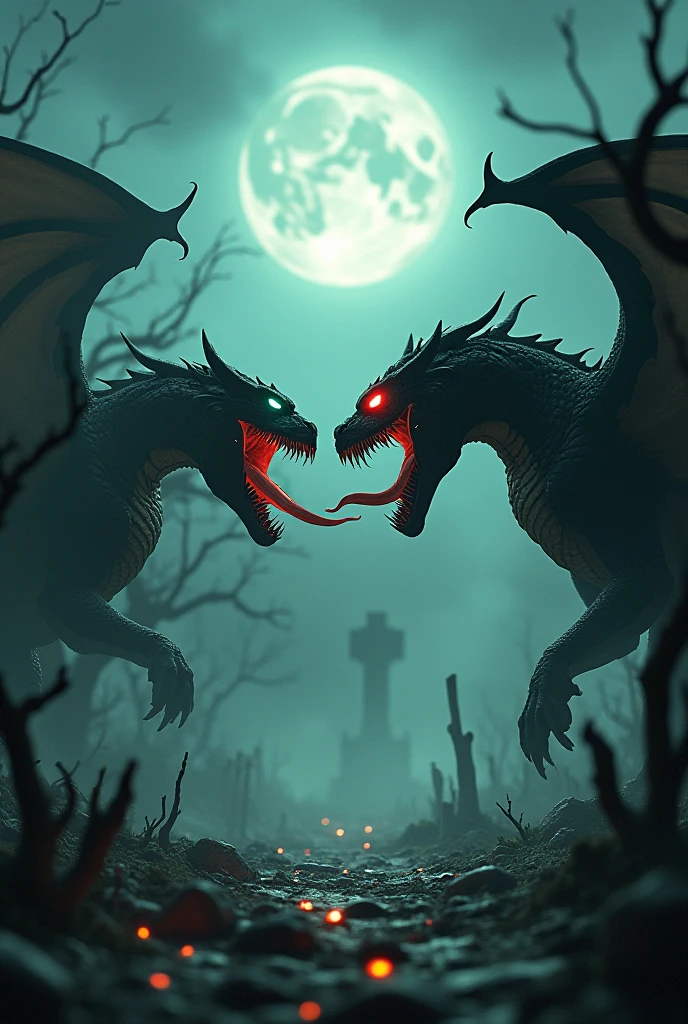
"A cinematic and highly detailed scene of a powerful dragon and Venom facing eac
Video Generation
Generation Info
Records
Prompts
"A cinematic and highly detailed scene of a powerful dragon and Venom facing each other in an intense standoff. The dragon is a fearsome creature with glowing red eyes, black scales, sharp claws, and massive wings spread wide. Venom is depicted with his iconic muscular symbiotic body, a wide-open mouth revealing sharp teeth and a long tongue, glowing with green venom. Both creatures have their mouths open, roaring fiercely at each other. The setting is a haunted, foggy graveyard with twisted, dead trees, crumbling tombstones, and faint glowing ghostly lights in the background. The atmosphere is dark and eerie, with a full moon and storm clouds illuminating the scene. Rendered in 4K HD with cinematic lighting, intricate textures, and a vertical 9:16 aspect ratio."
---
Steps to Create It
1. Use an AI Art Generator:
Platforms like MidJourney, DALL·E, or Stable Diffusion are excellent for detailed and atmospheric images.
2. Set the Aspect Ratio:
For MidJourney, add --ar 9:16 at the end of your prompt.
In other tools, select vertical aspect ratio settings.
3. Set the Quality to 4K:
Ensure the generator supports high-resolution output or use a tool that allows post-generation upscaling.
4. Adjust for Haunted Theme:
Focus on eerie lighting, fog effects, and detailed haunted landscapes in your prompt.
5. Review and Enhance:
If the result isn't perfect, refine the prompt or edit the image in software like Photoshop to add more detail or adjust lighting.
Checkpoint & LoRA
Checkpoint
SeaArt Infinity
#Monster
#Horror
#Mythology
#model westernrealism
#SeaArt Infinity
0 comment
Be the first to comment!
0
0
0
0
0/1000