AI Headshot Filter
Get the perfect headshot with ease using our headshot filter. Explore a wide array of headshot styles and choose the one that suits you best.
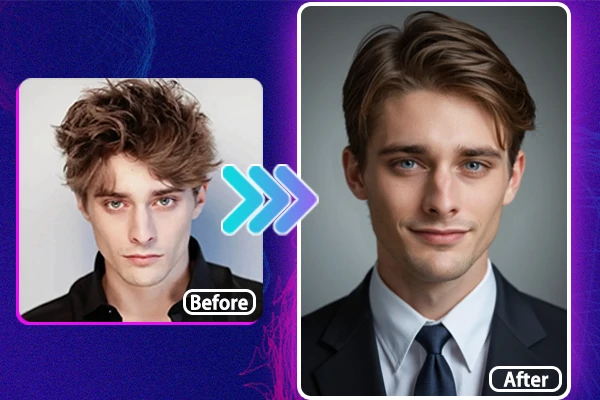
Transform Your Photo into Professional Headshot
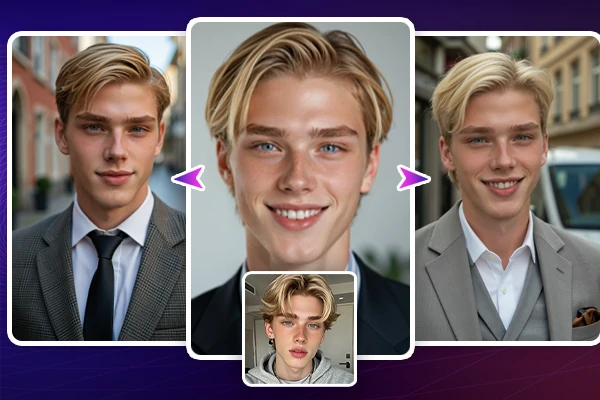
Easily convert casual selfies, portraits, and snapshots into professional-looking headshots with our AI headshot filter. Simply choose the gender and styles that you prefer. Upload your photo with a clear face and you'll get several super-realistic headshots within seconds. Our latest AI headshot generator ensures lighting, skin tone, and hair details are optimally enhanced. The results are highly authentic. Just give it a shot!
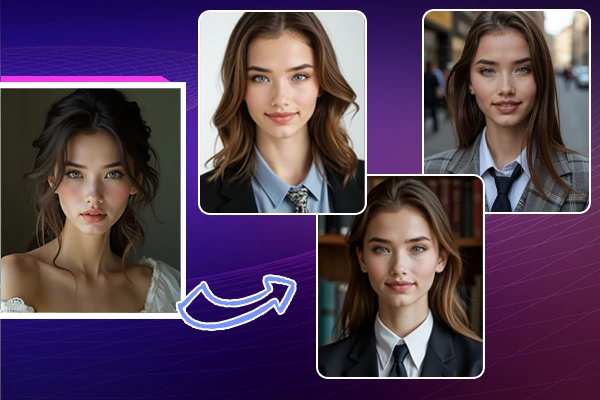
A Range of Headshot Styles for Every Occasion
Explore a wide variety of headshot styles tailored for every occasion with AI filter for headshots. Just pick up your favorite headshot styles or choose different modes to cater for various scenarios. Go for a classic and sophisticated look. Or select a cityscape style for a more contemporary visage. You'll find the perfect match to meet any professional need. Get your ideal headshots with ease and confidence now!
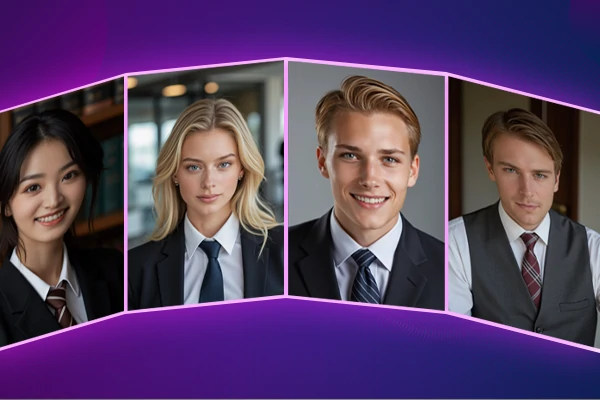
Get Crisp and Realistic Headshots in Minimal Effort
No more hassle and bustle - have a go at our AI headshot filter. Astounded by high-quality and lifelike images instantly. Save both time and money - no need to visit a costly photo studio. Obtain studio-quality photos right from the comfort of your home. It is perfect for any last-minute needs. Without appointments or scheduling, our tool delivers the best professional-quality headshots whenever required.
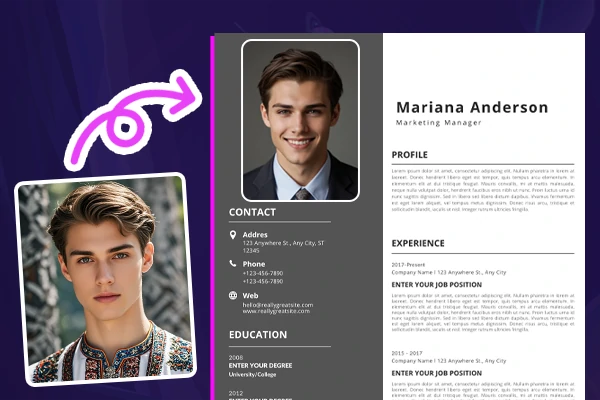
Create Profile Pictures for Business and Social Media
Stand out with a striking professional headshot. Perfect for business cards, CVs, portfolios, or social media profiles like Instagram, Facebook, or Tinder. Our AI headshot generator fine-tunes every detail of your images. Help you create a distinguished image that makes you excel among others. Make a memorable impression online. All start with a polished and professional profile picture.
Why Choose Our Headshot Filter?


Quick and Easy Editing
Get professional headshots swiftly and easily with our user-friendly AI headshot filter.

High-Resolution Output
Enjoy crystal-clear, high-resolution images that ensure your headshots look fabulous.



A Variety of Headshot Styles
Choose from a diverse range of styles to perfectly match your professional persona.

How to Use Our Headshot Filter?
Step 1: Choose Your Gender
Select your gender - male, female, or non-binary, and then click "Start Generating".
Step 2: Choose 3 to 10 Styles
Pick from various headshot filters to enhance your look.
Step 3: Upload Your Image
Upload a clear, high-quality portrait, selfie, or snapshot for the best results. Then hit on "Start Generating" again and wait for a few seconds.
Step 4: Preview and Download
Check your headshots and once you're happy with the results, download your high-quality headshots instantly.
Headshot Filter - FAQs

How to make my photo look like a headshot?

Is there a headshot filter app available?
Yes, this tool is optimized for both desktop and mobile devices. Just scan the QR on SeaArt, and download the SeaArt app. Then you can use the AI filter for headshots on your mobile phone.
What shall I do If I'm not satisfied with the results?
If you're not satisfied with the headshot results, you can re-choose other styles for different cases or take a new photo with clearer facial features.