
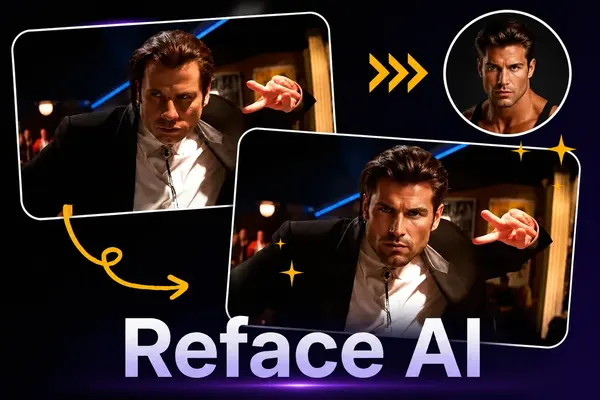
Reface AI: Replace Face for Free
Upload, pick your Target, and change faces across photos, videos, and GIFs in seconds - no editing skills needed, just a few clicks.
Why Choose Reface AI

Easy Face Changer for Everyone
Upload a selfie and replace faces inside ready templates or clips. You do not need design skills, so you can jump into playful edits instantly.

Made for Fun Social Content
You can use it for light entertainment: friend pranks, reaction memes, and shareable posts that feel quick to make and easy to drop into chats.

Photos, Clips, and Moving Images
You can switch faces on still photos, short clips, and looping GIFs, which fits the humorous content you already post across social feeds.

Fast Results You Can Share
You get from template to finished edit quickly, with little friction between your first upload and a result ready to post.
What You Can Do with Reface AI
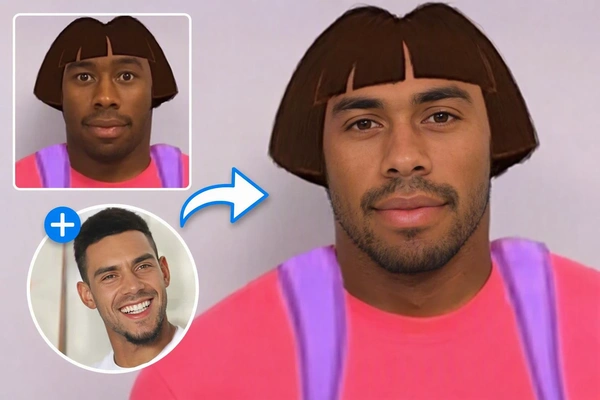
Entertainment and Social Sharing
Change faces with friends and family for jokes, memes, stickers, and chat reactions you can share on Instagram, TikTok, and group messages.
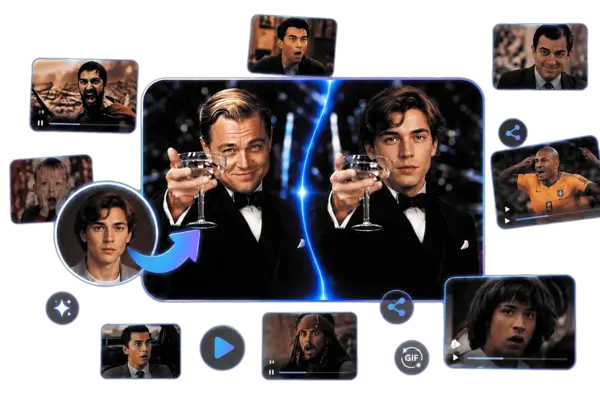
Content Creation and Short Video
Build comedy skits, mashup previews, and short-form clips when you need a quick character look before you shoot the full version.
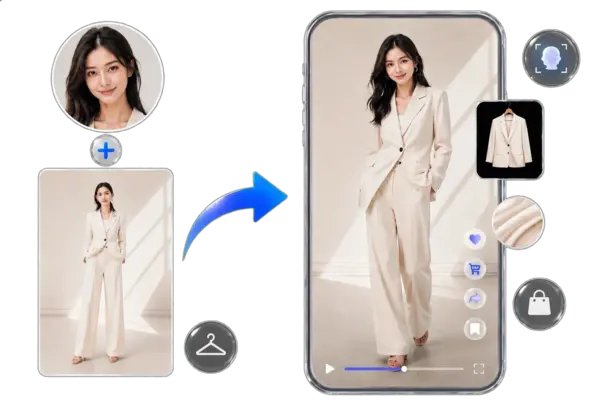
Marketing and Personalized Creatives
Draft personalized ads, virtual try-on style frames, and face variants so you can test one concept across different audiences faster.
Ready to Change Face Online
Open Reface AI style editing in your browser and create a share-ready result when the look feels right.
Switch Faces Online with Reface AI Alternative
AI Reconstruction also handles photos, videos, and GIFs for single or multi-person face edits. The lighter, cleaner interface helps you turn fun face ideas into results fast.
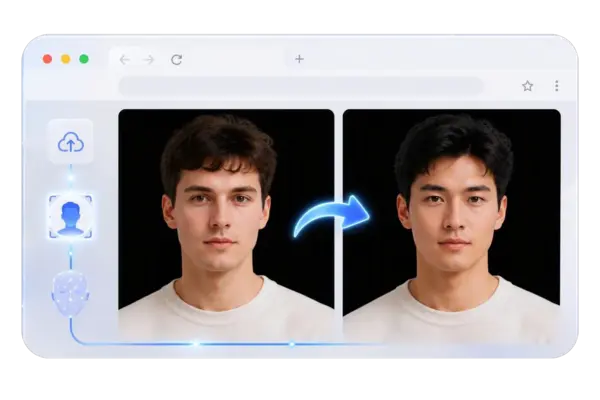
Online Face Changer, No App Download
Stay in the browser when you want to reface a photo, video, or GIF without installing another mobile app. Upload your media, add a reference look, and create from one page on desktop or phone. You can try it free in short sessions, then continue with a free AI art generator after your edit.
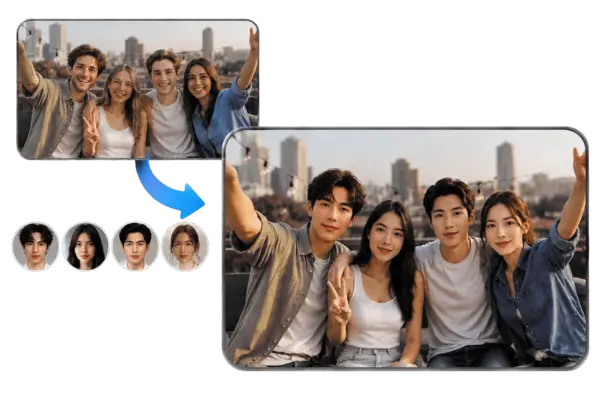
Replace Face on Photos, Single or Multi Person
Use AI replace face for one person or several people in the same shot. Choose Single or Multi Object mode, then select the Target person so only that face updates. Your reference look guides the result, and the rest of the frame can stay intact.
Video and GIF Face Reconstruction
Go beyond still photos when your idea needs motion. Upload a video or GIF, add the new look, and transfer it onto the subject while keeping the movement clear. Short clips, looping reactions, and social cutdowns stay consistent without a heavy editing suite.
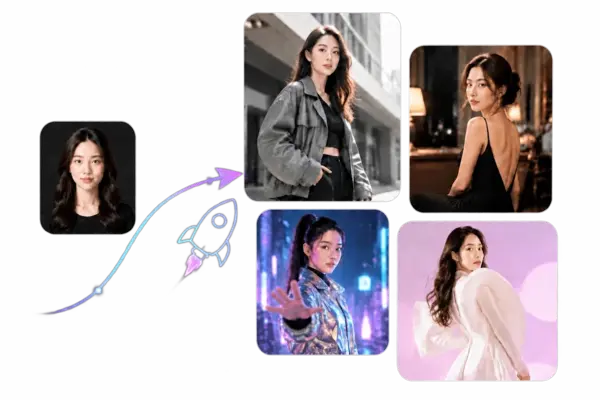
Fast, Free, Precise Results
Upload, set your reference, choose the Target person, then create. With AI face change, you can tweak the look, run it again, and download when the blend feels right for posts or drafts. Mode and Target selection keep the edit precise without extra setup.
How to Change Face in 3 Steps
For AI Reconstruction, image, video, and GIF edits follow the same simple path - even if this is your first try.
Upload Your Original File
Open an image or video, then upload the photo, clip, or GIF on the left.
Add a Reference Look and Choose Mode
Upload the new face on the right. Use Single Object for one person, or Multi Object and select the Target person.
Click Create
Press Create to build the result, preview it, then download it watermark-free - or reset and try again.
SeaArt AI Trusted by












Frequently Asked Questions

What is Reface AI?

Is Reface AI free to use?
Reface AI uses a freemium model. You can change faces for free with basic limits, while Pro unlocks higher resolution, fewer watermarks, and premium templates through a subscription. Costs vary by plan, region, and current store pricing.
How long does Reface AI take to process?
Your photo results usually appear within a few seconds after you pick a template. Short videos and GIFs often take longer, from under a minute to several minutes, depending on length, quality settings, and network conditions.
Are uploaded photos safe?
Yes. Both Reface AI and AI Reconstruction keep your uploads private - they are not sold or shared. You can fully delete your uploaded content anytime, and nothing goes public unless you choose to publish it.