
What is Wan VACE
Wan VACE (Wan Video VACE) is an integrated video generation and editing model that covers capabilities such as reference image to video (R2V) and video-to-video editing (V2V). Users can freely combine these capabilities within the same pipeline to both unleash creativity and streamline production. It also offers flexible control over visual elements: aligning content based on references, seamlessly extending the canvas, and animating static assets, among others.
KJ–Wan VACE basic workflow addresses:
wan2.1 vace
wan2.2 vace
How to use
-Model loading
1.select a base text-to-video checkpoint model
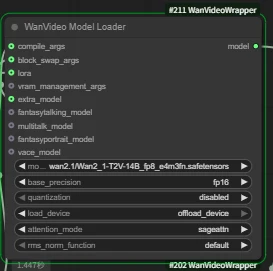
2. connect the corresponding VACE extra model.
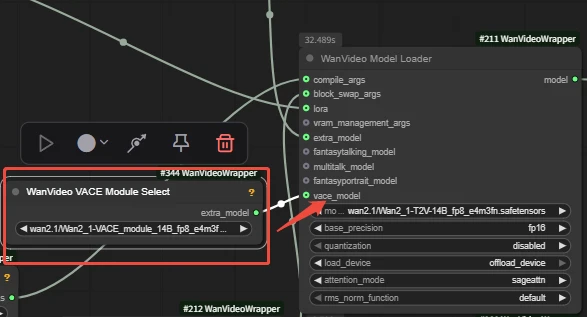
We can load VACE models via both extra_model and vace_model.
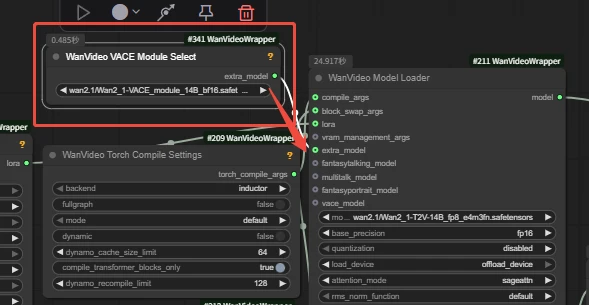
Q: It feels troublesome.Can I just use this model in WanVideo Model Loader directly?
A: No.You will get an error, because this model is an external extra model and can only be loaded through the vace_model and the extra_model input port.

-Key node:
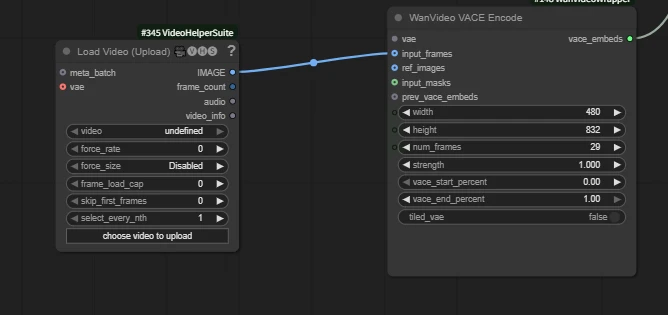
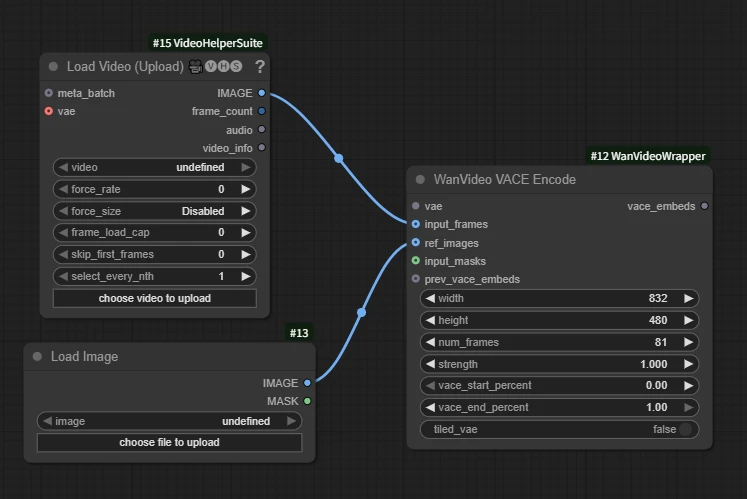
WanVideo VACE Encode
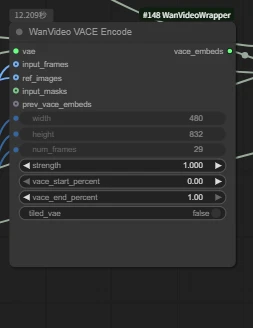
Key interfaces in this tutorial:
input_frames /optional
ref_images /optional
input_masks /optional
With a video and reference images, we can achieve specified video restylization effects

Use prompts to generate style transfer
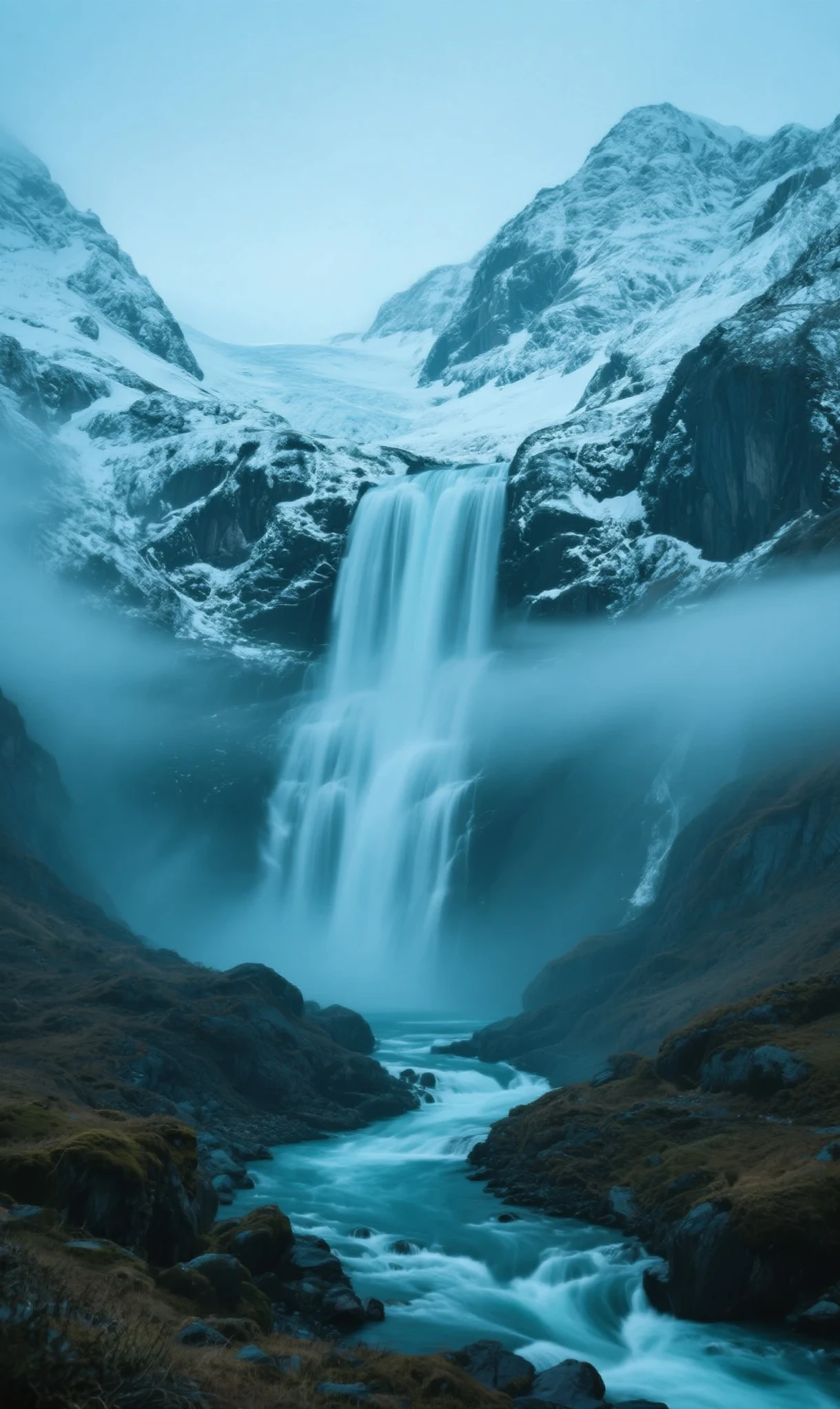
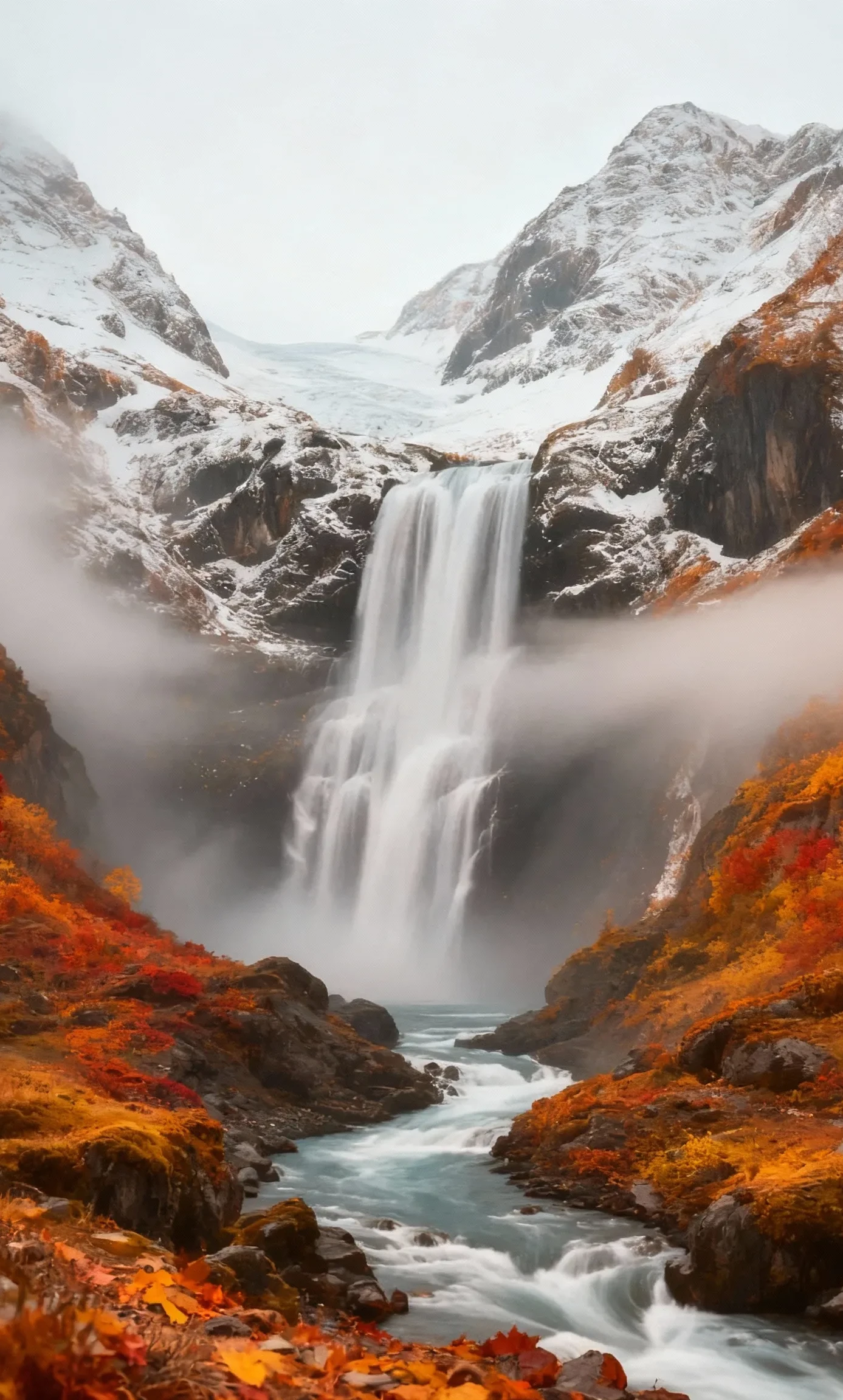
You can also feed reference images to specify the style you need.
Start-to-end Frames
with WanVideo VACE Start To End Frame
 +
+ =

=
1.upload the start and end frame images
2.select the corresponding frame rate to generate a video with coherent beginning and ending.
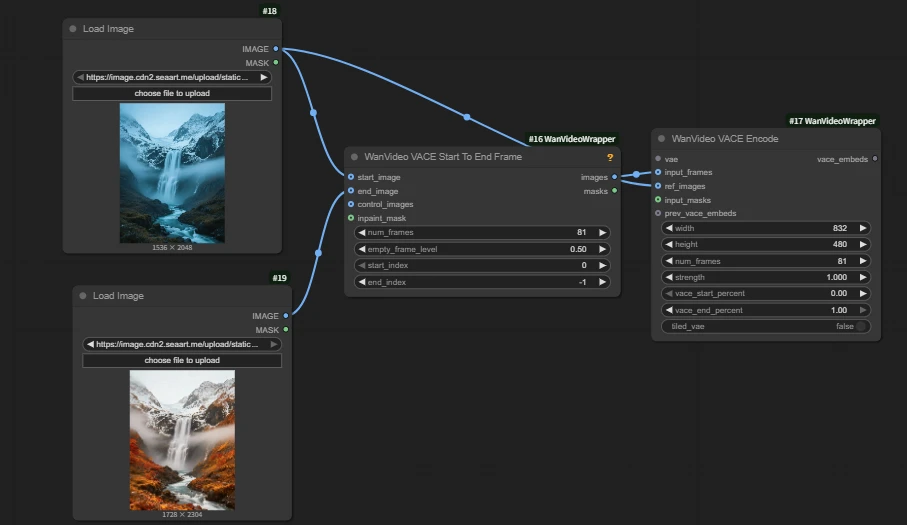
Expand Video
with ImagePad KJ

The usage and principle are the same as the outpainting board node in our image expansion workflow.
Enter the direction to expand and the specific size, then connect the expanded image and mask interfaces.
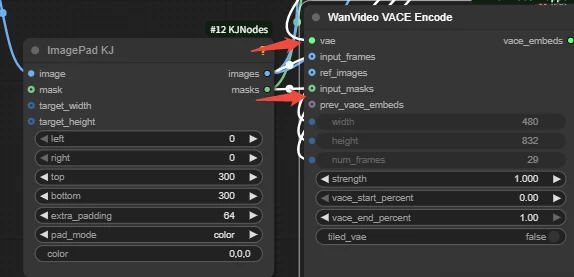
Pose Control
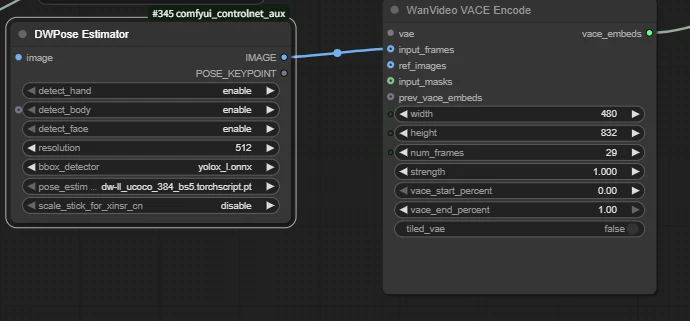
with DWPose Estimator

Within the node, freely toggle which body parts to transfer according to your needs.
Depth Control
with Depth Anything v2

Here we use the Depth Anything v2 node to obtain depth images and pass them to input_frames.
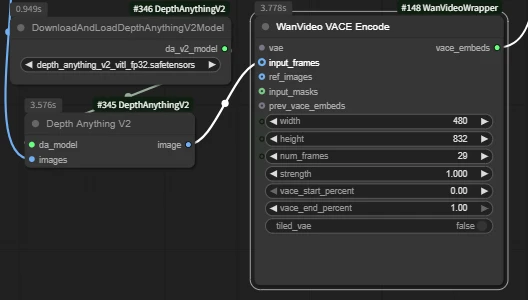

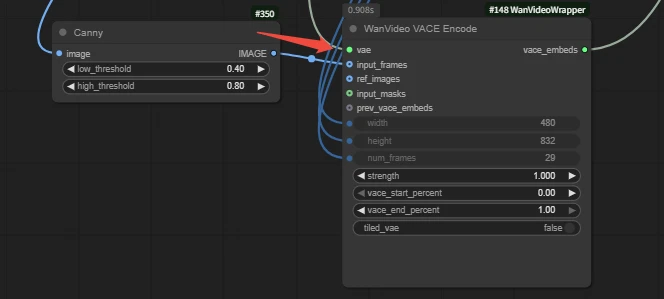
You can also connect to the Canny node to preprocess image for video control