Détails
Recommandé
V1 Python
V2
V3
V1
Organize models script

Organize models script

0
0
3
#outil

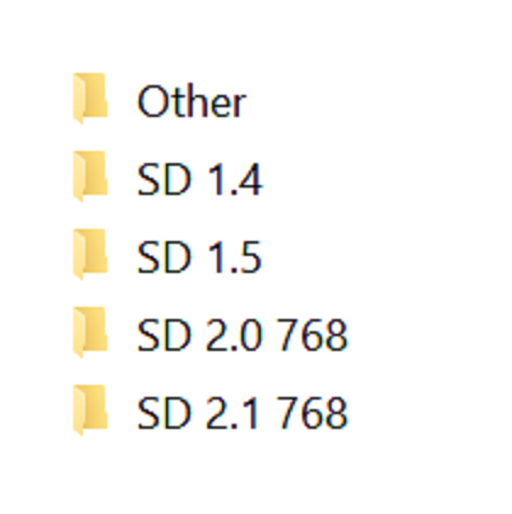
Simple script, execute it from the directory you want to organize. Sorts models into different directories by Person and flags base on the ".civitai.info" files created by Civitai Helper. AUTOMATIC1111 will show -directories when the show/hide extra network icon is used so you can filter your results. You need to "Scan Models for Civitai" in the Civitai Helper tab prior to running the script in the model directory you want to organize.

Prerequisite: Civitai Helper

https://github.com/butaixianran/Stable-Diffusion-Webui-Civitai-Helper

Procedure:

  1. Install Civitai Helper

  2. Restart AUTOMATIC1111

  3. Check the checkboxes (ti, hyper, ckp, lora) of the model types you want to organize in the "Scan Models for Civitai" section in the "Civitai Helper" tab

  4. Run "Scan Models for Civitai" in the "Civitai Helper" tab by clicking the "Scan" button

  5. Wait for scan to complete

  6. Make sure that ".civitai.info" files have been created in the AUTOMATIC1111 model directories you selected

  7. Download the script zip archive

  8. Extract the Organize Script from the downloaded zip file

  9. Place this Organize Script file in the AUTOMATIC1111 model directory you want to organize (".\models\hypernetworks", ".\models\lora", ".\models\Stable-diffusion", ".\embeddings")

  10. Run the Organize Script file

  11. Wait for the script to finish organizing your models

  12. Verify the models have been organized into -directories as expected

Voir la traduction

Notes & Commentaires

-- /5
0 Notes

Pas encore reçu suffisamment d'évaluations ou de commentaires

no-data
Aucune donnée disponible
Annonce
2024-07-25
Publier un modèle
2023-05-05
Mettre à jour les informations du modèle
Détails du modèle
Type
Other
Temps de Publication
2023-05-05
Modèle Basique
Other
Introduction de version

Python version of the scripts, should be the same as the powershell versions

Périmètre de la licence
Source: civitai

1. Modèle partagé uniquement à l'apprentissage et au partage. Droits d'auteur et interprétation finale réservés à l'auteur original.

2. Auteur souhaitant revendiquer le modèle : Contactez officiellement SeaArt AI pour l'authentification. Nous protégeons les droits de chaque auteur. Cliquer pour revendiquer

Périmètre de la licence de création
Génération d'images en ligne
Effectuer une fusion
Autoriser le téléchargement
Périmètre de la licence de commerce
Les images générées peuvent être vendues ou utilisées à des fins commerciales
La revente ou la vente après fusion du modèle est autorisée.
QR Code
Télécharger l'App SeaArt
Poursuivez votre voyage de création AI sur mobile