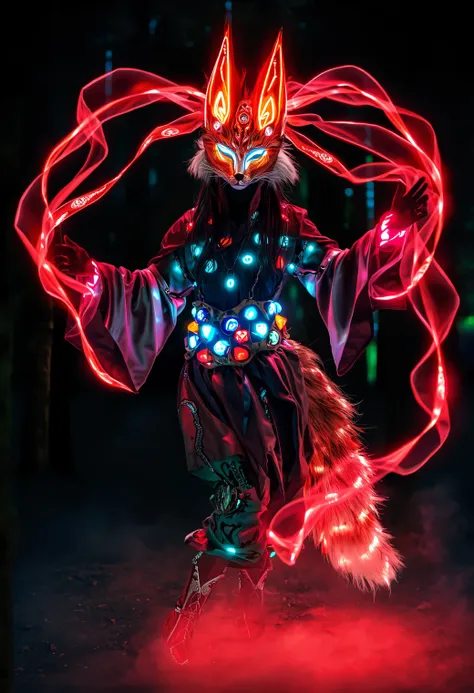
PixelWave FLUX.1-schnell 04 - Apache 2.0!
Safetensor Files: 💾BF16 💾FP8 💾bnb FP4
GGUF Files: 💾Q8_0 🤗Q6_K 💾Q4_K_M
Links to 🤗VAE 🤗T5xxl 🤗CLIP L
Model also available at: RunDiffusion and Runware.ai
PixelWave FLUX.1 schnell version 04 is an aesthetic fine tune of FLUX.1-schnell. The training images were hand picked to ensure the model has a bias to eye catching images, with beautiful colors, textures and lighting.
Trained on the original schnell model, so Apache 2.0 license!
No special requirements to run. Supports FLUX LoRAs
Euler Normal, 8 steps.
You can use more steps to improve finer details, but the output doesn't change much after 8 steps.
Shout out to RunDiffusion
Huge thank you to RunDiffusion (co-creators of Juggernaut) for sponsoring the compute that made training this model possible! Figuring out how to train schnell without de-distilling the model required a lot of experimenting, and being able to utilize RunDiffusion's cloud compute made it a lot easier.
For those needing API access for this model, we're partnering with Runware.ai
I have made the FLUX.1-dev 04 version exclusive to RunDiffusion and Runware for the time being. When I release version 05 in future, I plan to release the dev 04 open weights.
Grateful for their support in getting this model out there, please check them out!
Training
Training was done with kohya_ss/sd-scripts. You can find my fork of Kohya here , which also contains changes to the sd-scripts submodule, make sure you clone both.
Use the fine tuning tab. I found the best results with the pagedlion8bit optimizer which also could run on my 4090 GPU 24GB. I found other optimizers struggle to learn anything.
I have frozen the time_in, vector_in and mod/modulation parameters. This stops the 'de-distillation'.
I avoid training single blocks over 15. You can set which blocks to train in the FLUX section.
LR 5e-6 trains fast, but you have to stop after a few thousand steps as it starts to corrupt blocks and slow down learning.
You can then block merge with an earlier checkpoint, replacing the corrupt blocks, and then continue training further.
Signs of corrupt blocks: paper texture over most images, loss of background details.
For business or commercial inquiries please reach out to us at [email protected]. Licensing flux fine tunes. Customer training projects. Commercial AI development. The team can do it all!
PixelWave Flux.1-dev 03 fine tuned!
Safetensor Files: 💾BF16 💾FP8 💾NF4
GGUF Files: 💾Q8_0 🤗Q6_K 💾Q4_K_M
Links to 🤗VAE 🤗T5xxl 🤗CLIP L
The 'diffusers' files are actually the Q8_0 and Q4_K_M GGUF versions. GGUF files also available on huggingface.
I fine tuned version 03 from base FLUX.1-dev for over 5 weeks on my 4090. It is able to do different art styles, photography, and anime. Trick I discovered to help with LoRAs.
I used dpmpp 2m sgm uniform 30 steps for the showcase images. If you want a neater/cleaner output, try increasing the guidance. Also mentioning a style can help, so the model doesn't have to guess.
I also recommend try adding the upscale latent by node, and scale the latent by 1.5, e.g. generating an image that is 1536x1536 instead of 1024x1024.
PixelWave Flux.1-schnell 03
Safetensor Files: 💾FP8 💾NF4
GGUF Files: go to huggingface
I used dpmpp 2m sgm uniform 8 steps for the showcase images.
You can start with 4 steps, but there are less errors with ??????? if you run with more steps.
PixelWave Flux.1-dev 02
Safetensor Files: 💾BF16 💾FP8
GGUF Files: 💾Q8_0 🤗Q6_K 💾Q4_K_M
Version 02 has greatly improved black and dark images, and more reliable outputs with fewer issues with hands.
I recommend using dpmpp_2s_ancestral, beta, 14 steps. Or euler, simple, 20 steps.
Comfyui-GGUF Nodes
PixelWave 11 SDXL. A general purpose fine tuned model. Great for art and photo styles.
I use 20 steps, DPM++ SDE, CFG 4 to 6 or 40 steps, 2M SDE Karras
Accelerated Version - 5+ Steps, DPM++ SDE Karras, 2.5 CFG
PAG Recommended⚡Recommend 1.5 Scale, with CFG 3. Link to workflow
🔗Link to Expanded Gallery 🖼️
⭐Link to prompting guide.⭐ You don't need to use 'quality' terms such as 4K, 8K, masterpiece, high def, high quality, etc. Unless you want it, I recommend not using words such as 'vibrant, intense, bright, high contrast, neon, dramatic' for photographic styles if you a wanting a more natural look. This can cause images to look 'overcooked', but it's just the CLIP following your prompt. 🙂 If you do want vibrant, neon photos PixelWave will provide!
The focus for version 10 was to train the CLIP models, which improves the reliability, ensures you can produce a wide variety of styles, and better at following prompts.
Thanks to my friends who helped test: masslevel, blink, socalguitarist, klinter, wizard whitebeard.
Guide: Upscaling Prompts with LM Studio and Mikey Nodes
Guide: Add more details to your image using the skip step method
No need for the refiner model.
This model is not a mix of other models.
I also created Mikey Nodes which contains a lot of useful nodes. You can install it through comfy manager.