

Wan 2.5 Image-to-Video Workflow | Turn a single image into a smooth video
Quickly generate an animated short clip from a static image: just upload the image and describe the action and camera language in one sentence to get more coherent, natural motion and a more stable overall look.
Smoother motion synthesis
Makes the transition from static to dynamic more natural; action pacing and camera movement are smoother, and results look more like real video rather than shaky footage.
While preserving the subject and overall style of the original image, it can more accurately execute filmable instructions like “walk forward, look back, smile, camera push-in/pan,” etc.
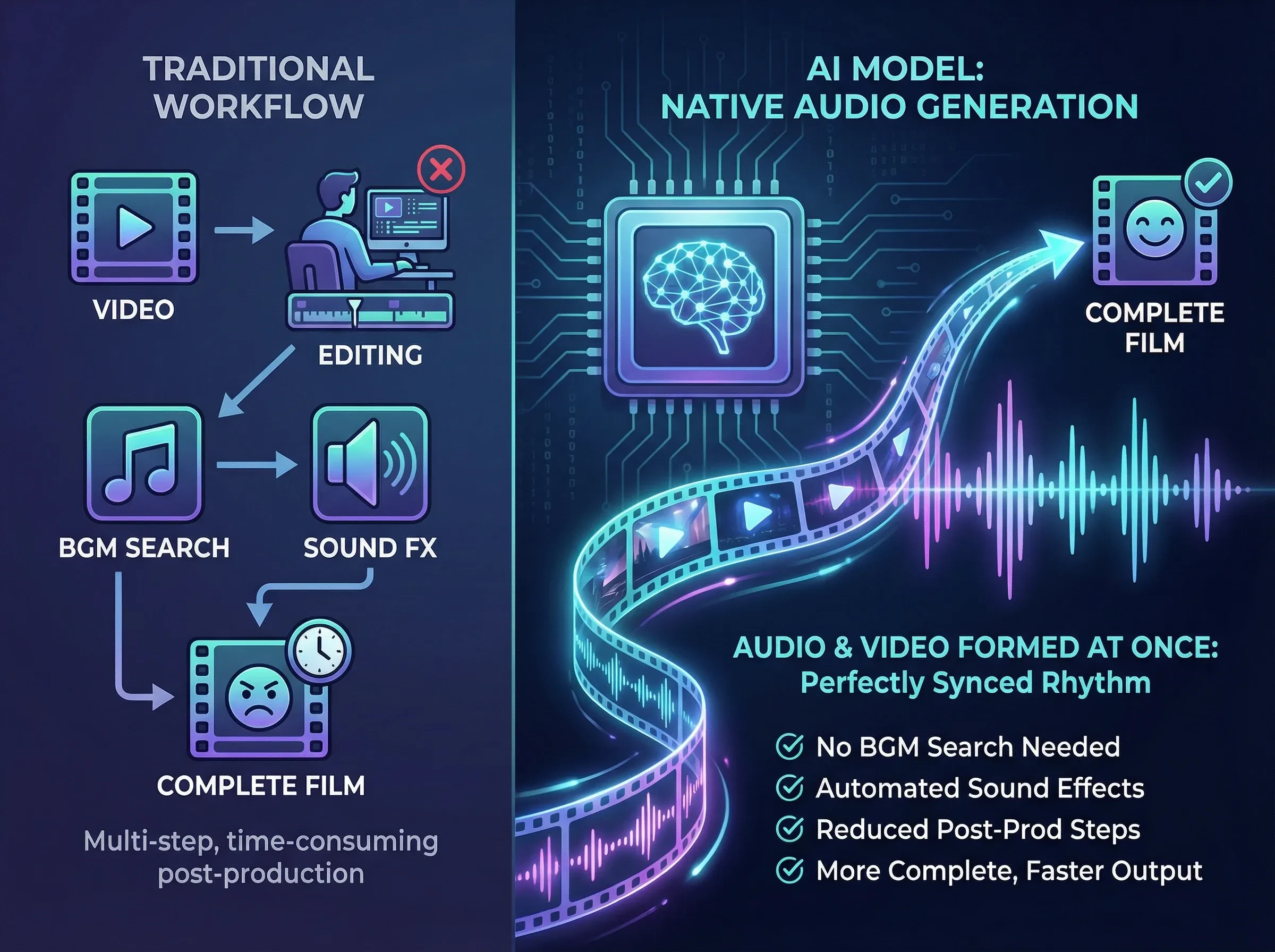
Native audio generation (audio and visuals in one pass)
Not only generates visuals, but also produces audio that matches the visual rhythm, reducing the need to find BGM or add sound effects in post, resulting in a more complete finished clip.
Find the image-loading node and click Upload to upload the image you want to use for image-to-video.
Enter the prompt
Positive prompt input: in the node input field, describe the video effect you want to produce.
Result
Click the Generate button and wait a moment to see the generated result.
FAQ
How do I make the result look “ready to run/publish” right away?
First set a clear single style goal (choose one: photorealistic/film/animation), then add 1–2 pieces of camera language (stable camera movement, slight depth-of-field changes, soft lighting). Avoid stacking too many style keywords, which can cause the visual tone to drift.
I only have one image—how do I make the video “move with a purpose”?
First choose a clear motivation: for products, use “rotating showcase / light sweep / camera push-in”; for people, use “turn head–blink–subtle breathing”; for scenes, use “wind / moving clouds / shifting light and shadows.” In the prompt, write only 1 main action + 1 camera action