50M
+Creator

Upload a picture, describe the translation you want, and create a new version with translated text that fits the visual.

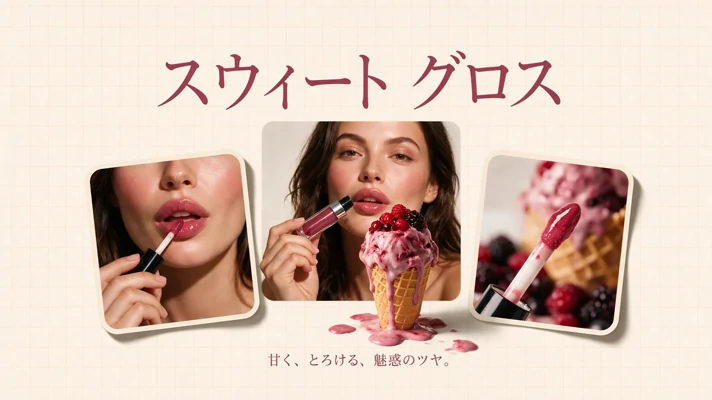
Upload Image
Click to upload or drag images here.
SeaArt AI's image translator doesn't just overlay text. It intelligently understands the image context and redraws the text naturally so it blends seamlessly with the original visual.
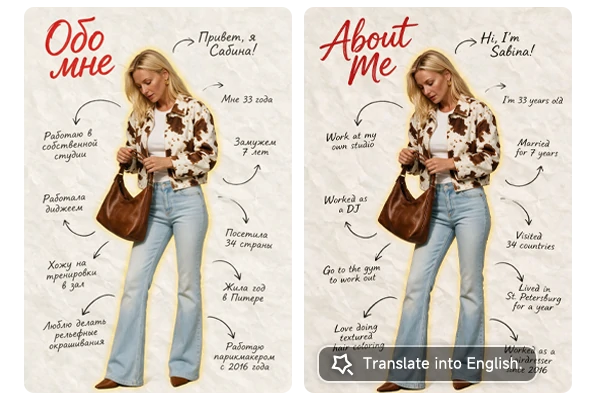
Translate photo to English by uploading your image and simply saying "translate text to English," or "translate to French." SeaArt AI recognizes the visible wording and surrounding visual context, then generates the requested language version directly inside the picture. Get a translated visual in seconds, then review names, dates, prices, or other important details before you publish or share it.
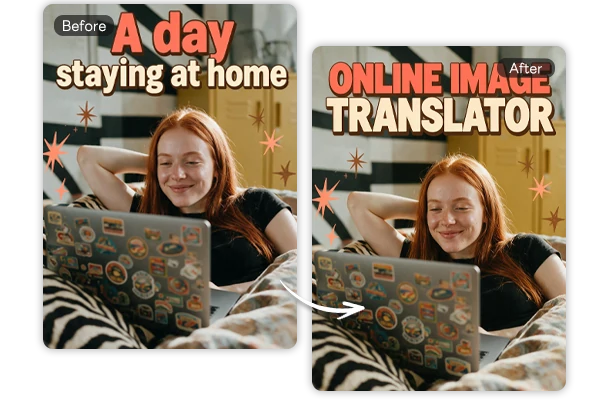
Keep the person, product, background, colors, and composition recognizable while changing the language. SeaArt AI rebuilds the translated wording as part of the original visual, so the result still feels connected to your source image. Create another language version without losing the look, subject, or design direction you already chose.
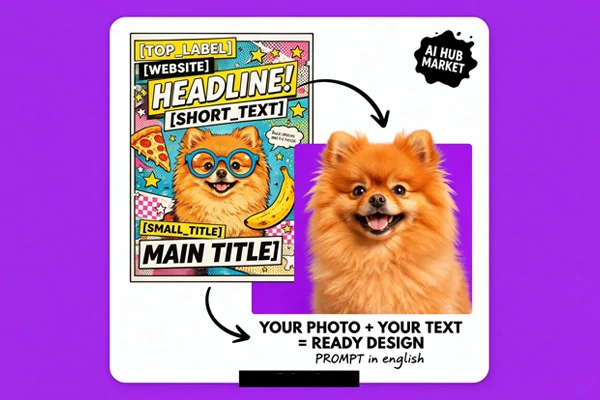
Translate the wording, then tell SeaArt AI what else you want to change. Replace objects, adjust colors, switch backgrounds, revise layouts, or turn the uploaded picture into a new style. Use AI image editing with text prompts to handle translation and broader image-to-image edits in one flexible creative workflow.
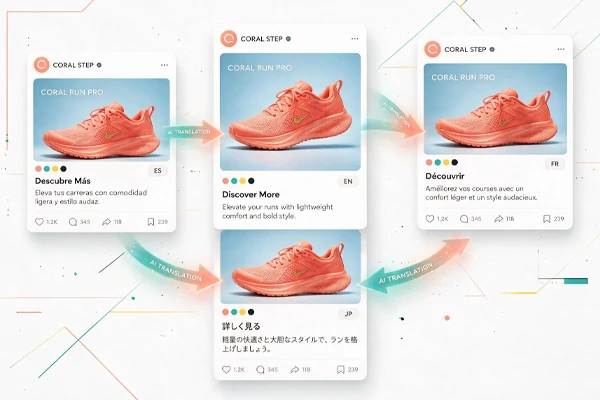
Adapt captions and promotional copy for different languages while keeping each social post aligned with the original colors, layout, and visual style.

Accurate Translation
Powered by advanced AI, SeaArt translates visible wording into your requested language while keeping names, dates, prices, and key details ready for review.

Multilingual Support
Create alternate-language versions for global audiences by describing the target language and replacement copy in your prompt.

Watermark Free
Create clean translated visuals without an added watermark, ready for presentations, posts, campaigns, and personal projects.

Flexible Copy Changes
Ask for translation, shorter phrasing, a different tone, or localized wording with a prompt, you can edit and customize image text easily.
Step 1: Upload Your Picture
Choose a clear image containing the wording you want to rewrite, translate, shorten, or localize.
Step 2: Describe the Translation
Write a prompt such as “translate photo to English”, specify target language, tone, or exact replacement text.
Step 3: Generate and Review
Create the edited version, inspect every important word, and refine your prompt if the picture needs another pass.

Can I specify the exact translated wording in my prompt?

How does the image translator free workflow work on SeaArt AI?
You can open the tool, upload a suitable picture, enter a translation or rewriting instruction, and generate an edited result. Generation will use SeaArt AI Stamina, so check the current tool interface for the applicable amount before starting because availability can vary by workflow and settings.
Can I create a new background after changing the text?
Yes, you can ask for broader visual changes in the same prompt or create a separate concept with the AI image generator. Keep instructions focused when exact wording matters, then handle larger style changes in a later generation so the translated copy is easier to verify before the design changes again.
Is there an app of SeaArt's image text translator?
Yes, SeaArt AI is available through iOS and Android apps, making it easier to continue image editing from a mobile device.
Upload your visual and start translating with SeaArt AI image editor today.