×
SeaArt AI Versi perusahaan

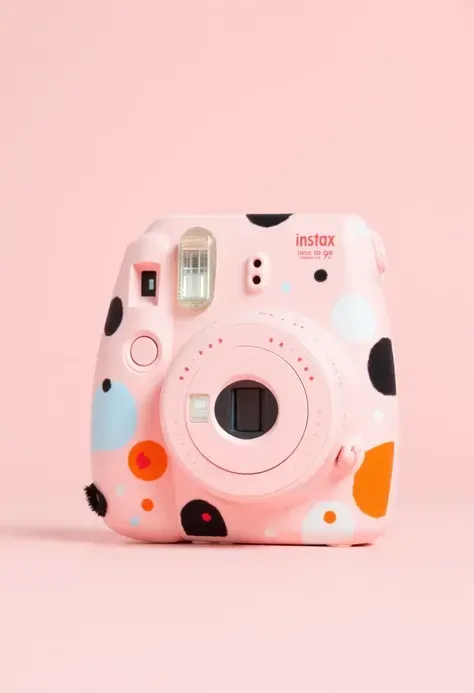
A close up of a camera lens with a circular design

import numpy as np
import matplotlib.pyplot as plt 
from mpl_toolkits.mplot3d import Axes3D  
# 参数设置
n = 1
pi = np.pi  
# 时空坐标计算
def spacetime_coordinates(t):
    r = n / pi * t
    x = r * np.cos(t) * np.cos(t)
    y = r * np.sin(t) * np.cos(t)
    z = r * np.sin(t)
    w = r
    return x, y, z, w
  # 量子场与概率 
def quantum_field(t, m):
    u_n_minus_1 = 0
  # 假设u_n-1为0,可根据实际情况修改
    u = u_n_minus_1 + np.sin(t + m)
    return u
  # 概率分布 
def probability_distribution():
    m_values = [0, 1 / 2 * pi, pi, 3 / 2 * pi]
    probabilities = [0.125, 0.125, 0.125, 0.125, 0.5]
    m = np.random.choice(m_values + [0], p=probabilities)
    return m
  # 计算时空坐标和量子场值
    t_values = np.linspace(0, 2 * pi, 100)
    coordinates = [spacetime_coordinates(t) for t in t_values]
    quantum_fields = [quantum_field(t, probability_distribution()) for t in t_values]
  # 绘制3D曲面 def plot_3d_surface(w_value):
    fig = plt.figure()
    ax = fig.add_subplot(111, projection='3d')
    x_values = []
    y_values = []
    z_values = []
    u_values = []
    for coord, field in zip(coordinates, quantum_fields):
             x, y, z, w = coord
    if w == w_value:
             x_values.append(x)
             y_values.append(y)
             z_values.append(z)
             u_values.append(field)
             ax.scatter(x_values, y_values, z_values, c=u_values, cmap='viridis')
             ax.set_xlabel('X')
             ax.set_ylabel('Y')
             ax.set_zlabel('Z')
             ax.set_title(f'3D Surface for w = {w_value}')
             plt.show()
             plot_3d_surface(1)
             plot_3d_surface(100)
             input("Press any key to exit") --auto
image
avatar
P
pang ping
Informasi kreasi
Serupa
Prompts
import numpy as np import matplotlib . pyplot as plt from mpl_toolkits . mplot3d import Axes3D # 参数设置 n = 1 pi = np . pi # 时空坐标计算 def spacetime_coordinates(t): r = n / pi * t x = r * np . cos(t) * np . cos(t) y = r * np . sin(t) * np . cos(t) z = r * np . sin(t) w = r return x , y , z , w # 量子场与概率 def quantum_field(t , m): u_n_minus_1 = 0 # 假设u_n-1为0 , 可根据实际情况修改 u = u_n_minus_1 + np . sin(t + m) return u # 概率分布 def probability_distribution(): m_values = [0 , 1 / 2 * pi , pi , 3 / 2 * pi] probabilities = [0 . 125 , 0 . 125 , 0 . 125 , 0 . 125 , 0 . 5] m = np . random . choice(m_values + [0] , p=probabilities) return m # 计算时空坐标和量子场值 t_values = np . linspace(0 , 2 * pi , 100) coordinates = [spacetime_coordinates(t) for t in t_values] quantum_fields = [quantum_field(t , probability_distribution()) for t in t_values] # 绘制3D曲面 def plot_3d_surface(w_value): fig = plt . figure() ax = fig . add_subplot(111 , projection='3d') x_values = [] y_values = [] z_values = [] u_values = [] for coord , field in zip(coordinates , quantum_fields): x , y , z , w = coord if w == w_value: x_values . append(x) y_values . append(y) z_values . append(z) u_values . append(field) ax . scatter(x_values , y_values , z_values , c=u_values , cmap='viridis') ax . set_xlabel('X') ax . set_ylabel('Y') ax . set_zlabel('Z') ax . set_title(f'3D Surface for w = {w_value}') plt . show() plot_3d_surface(1) plot_3d_surface(100) input("Press any key to exit") --auto
Size
2048X2048
Date
Jul 5, 2023
Mode
Default
Jenis
upscale
Checkpoint & LoRA
Checkpoint
ReV Animated
Total 0 komentar
0
0
0
0/400
Area Promo

Enam ekspresi emosional
icon
Enam ekspresi emosional
avatar
指
avatar_frame
指鹿AI
🦁🎩Anak-Anak Kecil dengan Topi Hewan
icon
🦁🎩Anak-Anak Kecil dengan Topi Hewan
avatar
洛
avatar_frame
洛希瓣酒徒
Foto ID
icon
Foto ID
avatar
反
反骨学院
Penggabungan Karakter
icon
Penggabungan Karakter
avatar
X
avatar_frame
Xi
Anime ke kehidupan nyata (Aliran)
icon
Anime ke kehidupan nyata (Aliran)
avatar
M
avatar_frame
Mia x
Image2Real - Buat gambar foto realistis dari gambar
icon
Image2Real - Buat gambar foto realistis dari gambar
avatar
M
mnx256
Oneclick-Ultimate Detailed Upscale
icon
Oneclick-Ultimate Detailed Upscale
avatar
A
avatar_frame
Architech1904
FaceID+pose (Video Swap Wajah +Kontrol Aksi)
icon
FaceID+pose (Video Swap Wajah +Kontrol Aksi)
avatar
Y
avatar_frame
YueShuo
Minyak - Mengkilap - Penambah Kulit Berkeringat
icon
Minyak - Mengkilap - Penambah Kulit Berkeringat
avatar
M
avatar_frame
Mia x
4× Detail Upscaler-SUPIR-Keterangan
icon
4× Detail Upscaler-SUPIR-Keterangan
avatar
V
VoxelFlow
Spesialis Pencitraan Digital
icon
Spesialis Pencitraan Digital
avatar
指
avatar_frame
指鹿AI
SATU GAMBAR LORA - ⭐1 KLIK⭐
icon
SATU GAMBAR LORA - ⭐1 KLIK⭐
avatar
E
avatar_frame
Eldoria
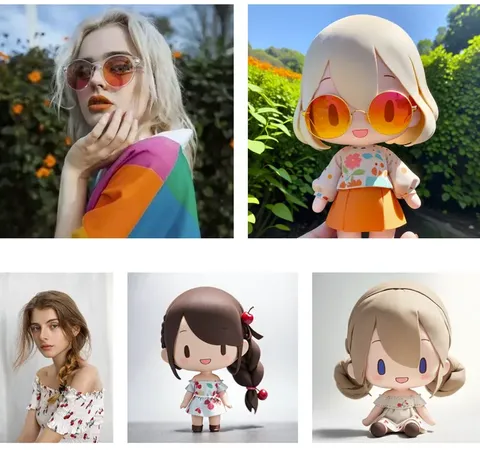
Foto Realistis Ke Gaya Anime 3D
icon
Foto Realistis Ke Gaya Anime 3D
avatar
M
avatar_frame
Mikiwa
Filter Langsing
icon
Filter Langsing
avatar
じ
avatar_frame
じゃがいも
Kategori 2: Generator video AI
icon
Kategori 2: Generator video AI
avatar
C
avatar_frame
ColinWine
MULUT DALAM GERAKAN - Gerakan mulut yang realistis (img2vid) (Rasio aspek 15:26)
icon
MULUT DALAM GERAKAN - Gerakan mulut yang realistis (img2vid) (Rasio aspek 15:26)
avatar
N
NLTYI
Pembesar payudara instan(Wan2.Versi 2)
icon
Pembesar payudara instan(Wan2.Versi 2)
avatar
J
avatar_frame
JAY
DEEEP T 1st P WAN 2.2 V3
icon
DEEEP T 1st P WAN 2.2 V3
avatar
A
avatar_frame
Alter Ego
Kombinasikan video/ Gabungkan Video
icon
Kombinasikan video/ Gabungkan Video
avatar
C
avatar_frame
Captain Web Spinner
Film Video--Gambar Ke Video
icon
Film Video--Gambar Ke Video
avatar
Y
avatar_frame
YUXINN6362
Metode Peningkatan Kurva Video
icon
Metode Peningkatan Kurva Video
avatar
雨
avatar_frame
雨上がり
Animasi Wan 10 detik

icon
Animasi Wan 10 detik
avatar
A
Ashes Ai World
Wilayah Mistis Acak Furry
icon
Wilayah Mistis Acak Furry
avatar
W
avatar_frame
wiz.X
Berputar Balik 2
icon
Berputar Balik 2
avatar
H
hornyloser
AnimateDiff video editor boolean
icon
AnimateDiff video editor boolean
avatar
帧
avatar_frame
帧螚晾
blow  (Gambar ke Video)
icon
blow (Gambar ke Video)
avatar
C
avatar_frame
Captain Web Spinner
WAN 2.2 DARI PEMBUAT VIDEO BELAKANG (img2vid)
icon
WAN 2.2 DARI PEMBUAT VIDEO BELAKANG (img2vid)
avatar
N
NLTYI
Lihat lebih banyak 

Explore Related

ControlNet
logo
Bahasa Indonesia
Aplikasi
Buat Gambar Cyberpub Swift AI Pelatihan Model Papan Gambar Lanjutan Aplikasi Cepat Alur Kerja
Tentang
Laboratorium Papan Peringkat AI Chat Blog AI Berita AI
Bantuan
Guides Customer Service
Dapatkan Aplikasi
icon
Download on the
APP Store
icon
GET IT ON
Google Play
Ikuti Kami
iconiconiconiconiconiconiconicon
© 2025 SeaArt, Inc.
Copyright Policy
Terms
Privacy 特定商取引法 資金決済法に基づく表示
Lebih Banyak