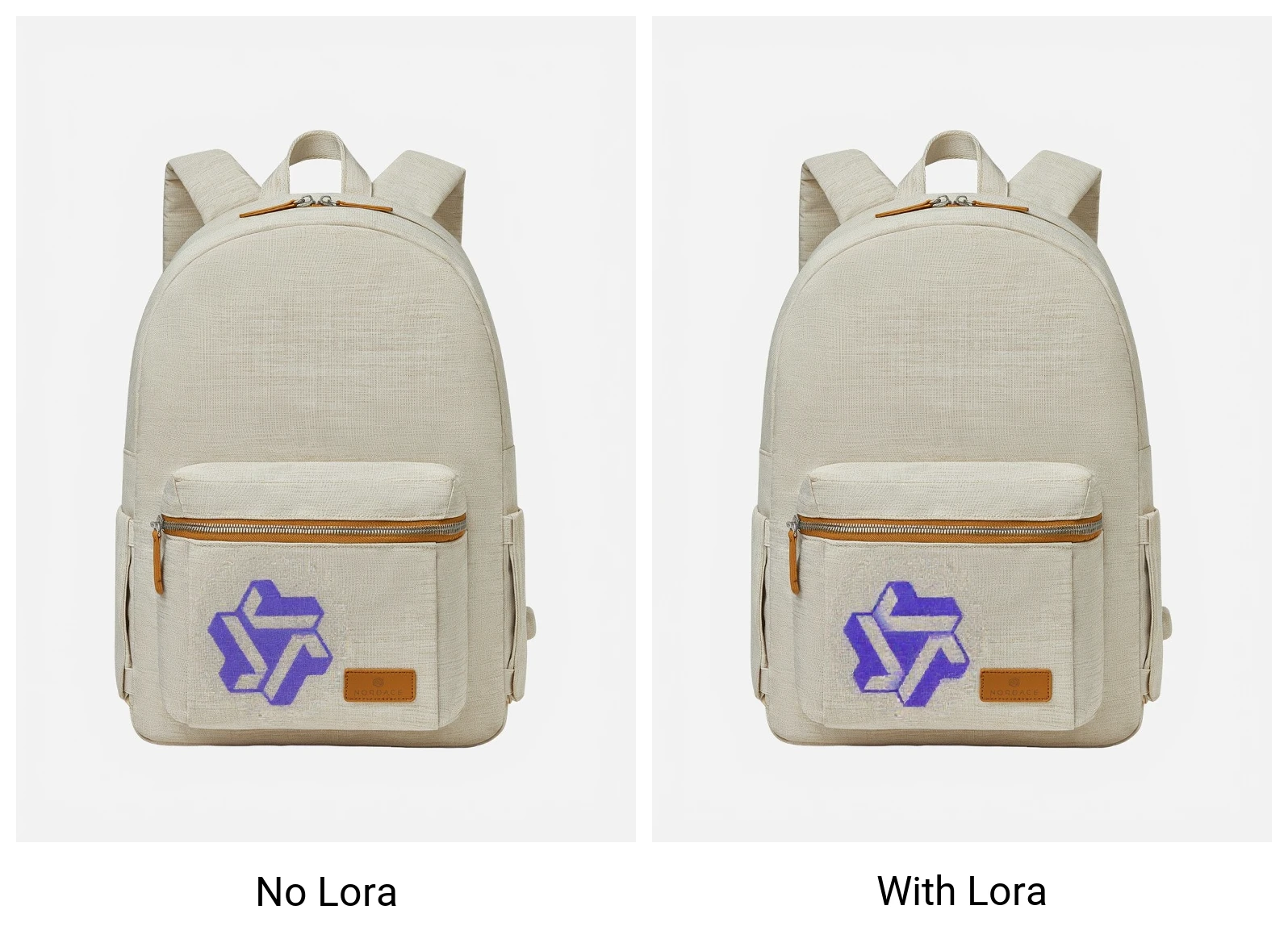
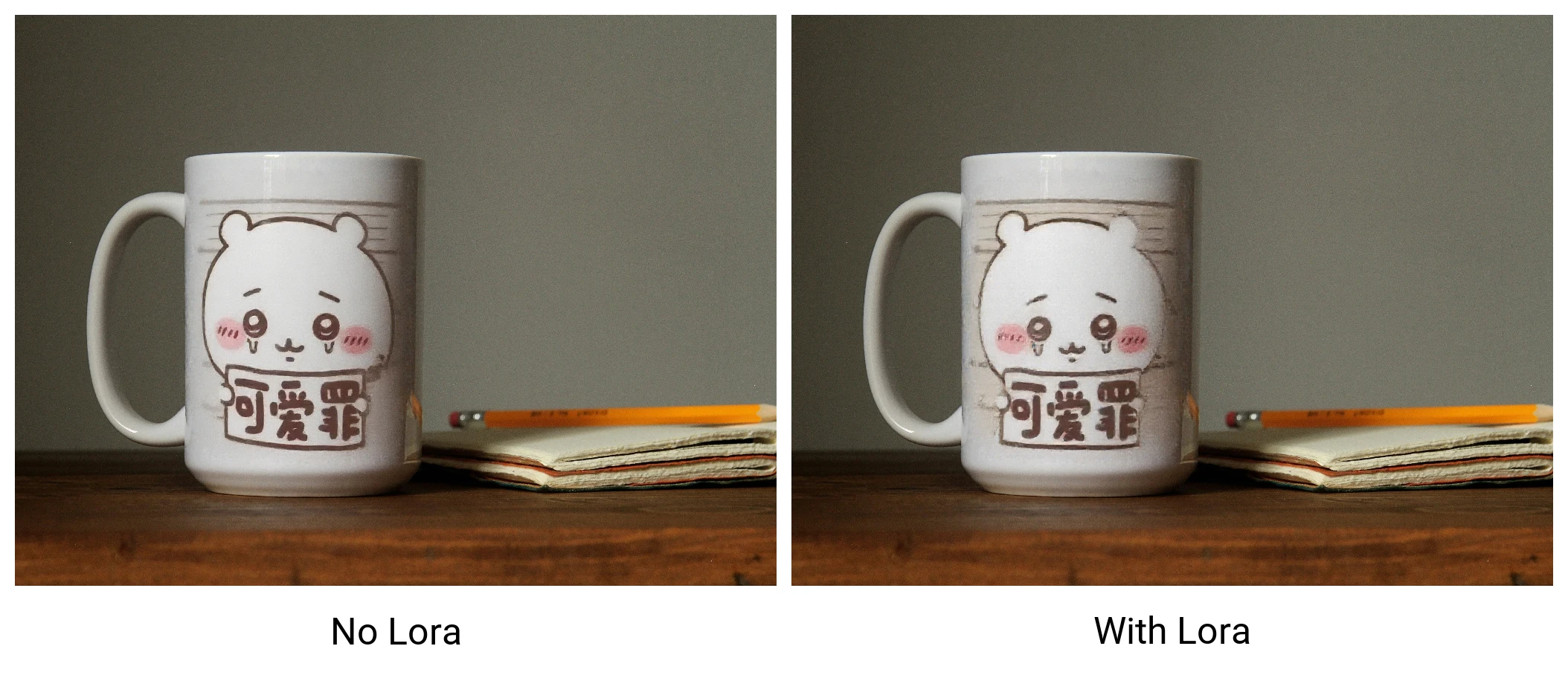
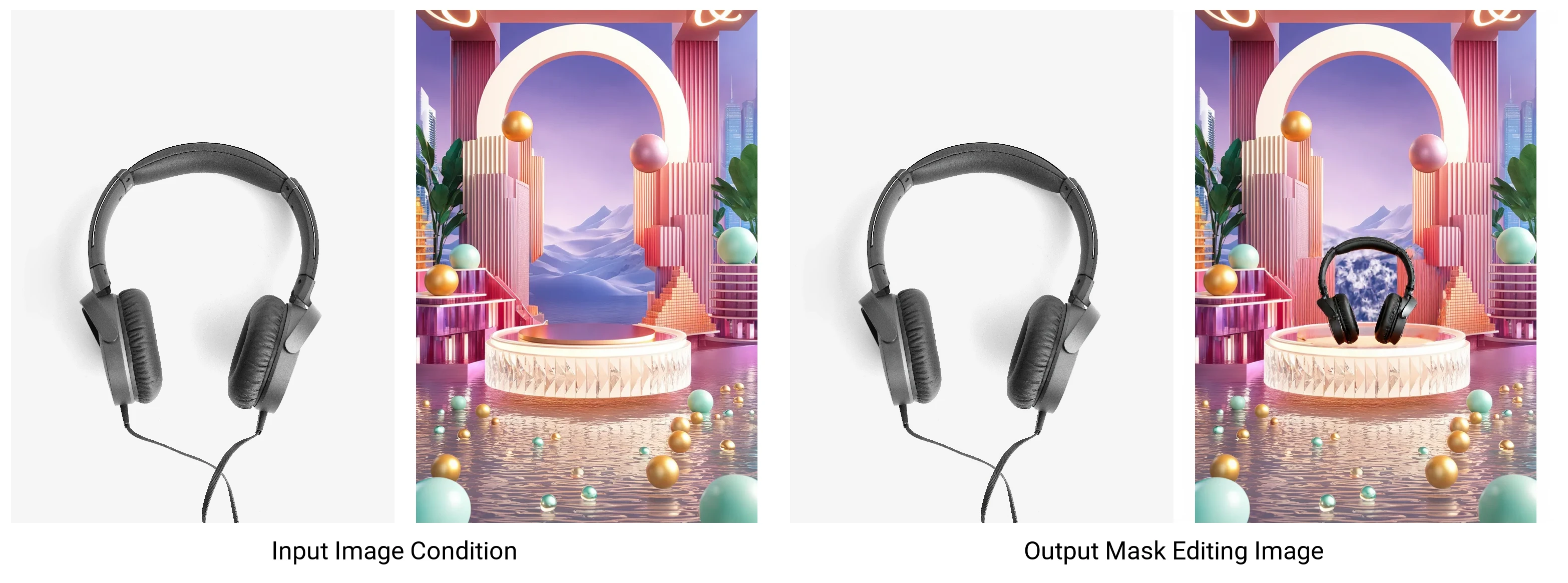
Detail
Rekomendasi
v3.0
v2.0
v1.0
Flux Product Design v3.0 IC_CONSIS - In Context Lora

Flux Product Design v3.0 IC_CONSIS - In Context Lora

43
33
1.1K
#tool
#FLUX

v3.0 update

Please use v3.0 with v2.3 workflow

https://civitai.com/models/933018/workflows-flux-in-context-lora-for-product-design

v2.0 update

Better prompt following, Better consistency. Work greate with IC_TRY_ON lora:

Prompt Example:

Flux Template:

[SIDE_BY_SIDE], The image pair highlights a product sample to the well designed product advertisement; [SAMPLE_IMAGE] {Image1_desc}; [PRODUCT_IMAGE] {Image2_desc};

Input Image Description Refer to [IMAGE1]:

an illustration of a stylized tree with black branches and green leaves, adorned with pink flowers. A small bird is perched on one of the branches, and another bird is flying nearby. The background is white, and there is a simple depiction of grass at the base of the tree

Output Image Description Refer to [IMAGE2]:

In a serene dusk outdoor setting, a [SAMPLE_IMAGE] illustration printed on a t-shirt as a well designed product, fullbody shot of a whiteman wear the t shirt in a gardon

As newly discoved in context lora usage of Flux.

https://ali-vilab.github.io/In-Context-LoRA-Page/

We could use image as condition to generate similar output.

I introduce this workflow to simply remove the ic-lighting and inpainting models for product background editing.

This lora trained with very few images which is a weak guidance and weak generalization.

If it is usaful, please give me some buzz for further training.

Please use with the following workflow:

https://civitai.com/models/933018/workflows-flux-in-context-lora-for-product-design

Feel free to dm me if you have any query.

Contact: [email protected]

QQ Group: 866612947

Lihat terjemahan

Rating dan Ulasan

-- /5
0 rating

Belum menerima penilaian atau komentar yang cukup

X
Berbicara dengan model
Pengumuman
2024-11-09
Memposting model
2024-11-21
Perbarui informasi model
Detail model
Jenis
LORA
Waktu publikasi
2024-11-21
Model Dasar
Flux.1 D

Cakupan Lisensi
Model Source: civitai

1. Hak untuk model yang diposting ulang adalah milik pembuat aslinya.

2. Pencipta asli yang ingin mengklaim model harap hubungi staf SeaArt AI melalui saluran resmi. Klik untuk mengklaim

Cakupan Lisensi Penciptaan
Gambar Online
Melakukan Penggabungan
Izinkan Unduhan
Lisensi Komersial
Gambar yang dihasilkan dapat dijual atau digunakan untuk tujuan komersial
Izinkan model dijual kembali atau dijual setelah penggabungan
QR Code
Unduh SeaArt App
Lanjutkan perjalanan kreasi AI Anda di perangkat mobile