Detail
Rekomendasi
v2.0
v1.0
sd-file-manager

sd-file-manager

0
1
0
#alat
#tool

Update: Completed most of my todo list for V2. Including cleaning up visuals and options for settings, There is a very basic check in place for auto filling model type. This one's been a struggle so I'll be iterating on it, seeing as there's no current standard for metadata for safetensor model types.

Main features added:

  • You can now add/remove things in the config file to add/remove from the json

  • You can now manually modify the final path if needed

  • Config and log window visual options

  • Launchers for linux and windows you can just double click (I don't have a mac to test on)

Note:

The program will appear to freeze while moving larger files. Give it some time. Fixing that is planned for V3.

If anyone has any requests please feel free to do so.


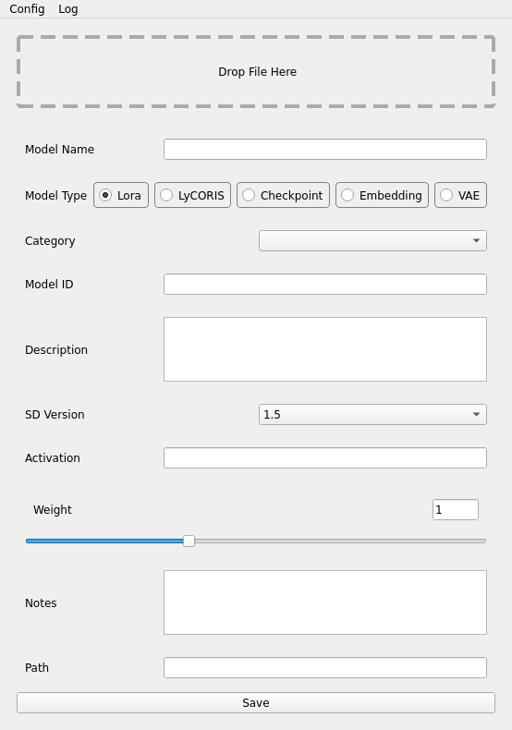
A small script to help sort downloaded models. This script will sort files into their proper folders, based on given parameters. It them uses the same parameters to generate a json compatible with Automatic1111's Extra Networks GUI. Stores slightly more information than the json generated by Automatic1111. For people who want a bit more customization outside of downloader extensions available, or not using the webui.

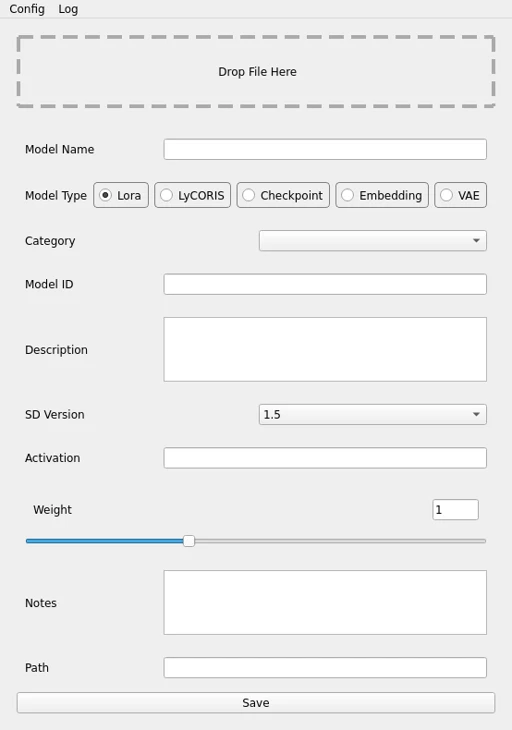
You can drag and drop each file into the window, fill in the info, and hit save.

It currently saves in the folder structure of root > type (lora, checkpoint, etc) > version (1.5, sdxl, etc) > category (pose, background, structures, etc).

github: https://github.com/MagicHatJo/sd-file-manager

WARNING: make sure the destination does not have a file of the same name, or you will overwrite it.

Lihat terjemahan

Rating dan Ulasan

-- /5
0 rating

Belum menerima penilaian atau komentar yang cukup

no-data
Tidak Ada Data
M
Pengumuman
2024-07-25
Memposting model
2024-01-31
Perbarui informasi model
Detail model
Jenis
Other
Waktu publikasi
2024-01-31
Model Dasar
Other

Perkenalan versi

Update: Completed most of my todo list for V2. Including cleaning up visuals and options for settings, There is a very basic check in place for auto filling model type. This one's been a struggle so I'll be iterating on it, seeing as there's no current standard for metadata for safetensor model types.

Main features added:

  • You can now add/remove things in the config file to add/remove from the json

  • You can now manually modify the final path if needed

  • Config and log window visual options

  • Launchers for linux and windows you can just double click (I don't have a mac to test on)

Note:

The program will appear to freeze while moving larger files. Give it some time. Fixing that is planned for V3.

If anyone has any requests please feel free to do so.

Cakupan Lisensi
Model Source: civitai

1. Hak untuk model yang diposting ulang adalah milik pembuat aslinya.

2. Pencipta asli yang ingin mengklaim model harap hubungi staf SeaArt AI melalui saluran resmi. Klik untuk mengklaim

Cakupan Lisensi Penciptaan
Gambar Online
Melakukan Penggabungan
Izinkan Unduhan
Lisensi Komersial
Gambar yang dihasilkan dapat dijual atau digunakan untuk tujuan komersial
Izinkan model dijual kembali atau dijual setelah penggabungan
QR Code
Unduh SeaArt App
Lanjutkan perjalanan kreasi AI Anda di perangkat mobile