Tipo
LORA
Data di pubblicazione
2024-08-29
Modello Base
Flux.1 D
Parola Chiave
Hand Drawn Vector Style
Copia
Introduzione alla versione
Version 1 - First Release


Please Show your love & Support if you find my resources useful -
❤ https://ko-fi.com/psiclone ❤
This Lora is part of my ArtForge MasterKit - https://civitai.com/collections/4329159
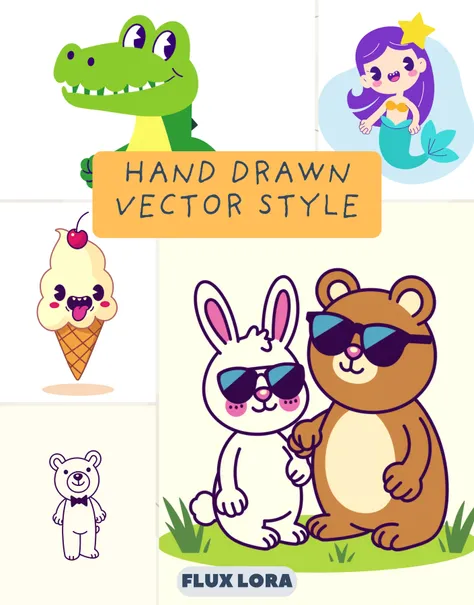
Unleash your creativity with the Hand Drawn Vector Style Character Creator LoRa! Perfect for artists, designers, and anyone who loves playful, vibrant characters, this LoRa brings your ideas to life in a unique, hand-drawn vector style. Whether you're crafting cute animals, whimsical food items, or fantastical creatures, this LoRa will add a colorful and fun twist to your creations.
Featuring a clean, flat graphic look with bold outlines and vibrant colors, each character you create will stand out with its personality and charm. Ideal for illustrations, branding, stickers, and more!
This Flux-based LoRa is incredibly responsive to detailed prompts, so feel free to get creative and push the boundaries of your designs. The LoRa’s ability to generate images that closely mimic actual vector styles makes it perfect for further editing. You can easily trace these images in Illustrator to refine or expand upon your illustrations.
Don’t forget to share your creations with the community! I am excited to see how you leverage this powerful tool in your projects.
Please Note - Using this Lora with Any other Lora might not give the desired output.
Getting Started:
Creating vibrant, playful characters in the hand-drawn vector style is easy with this LoRa. Here’s a simple step-by-step guide to help you get the best results.
Basic Prompt Structure:
Character Description: Describe the character you want to create (e.g., “a cute ,” “a joyful crocodile”).
Style: Always include “hand drawn vector style” to ensure the LoRa applies the correct artistic style.
Pose/Expression: Mention the character’s pose or expression to add more personality (e.g., “waving at the viewer,” “walking with a big smile”).
Colors: You can specify colors or extra details if needed (e.g., “bright yellow with pink accents,” “Tritone color Scheme”).
Example Prompts:
"A cute character, hand drawn vector style, cheerful expression, waving at the viewer."
"A happy ice cream character, hand drawn vector style, with a cherry on top, tongue sticking out."
"A playful cat character, hand drawn vector style, bright yellow and pink, walking forward."
Advanced Tips:
Add Backgrounds: If you want a simple background, include it in the prompt (e.g., “standing in a grassy field, hand drawn vector style”).
Multiple Characters: You can create scenes with multiple characters by combining descriptions (e.g., “a and a bear, hand drawn vector style, sitting together and smiling”).
Custom Details: Feel free to specify accessories or unique features (e.g., “wearing sunglasses,” “holding a balloon”).
Custom Style Implementation: It also detects keywords like half-tone texture, no borders, and thick/thin borders, but it is hit/miss right now.

Version 1 - First Release
1. I diritti dei modelli ripubblicati appartengono ai creatori originali.
2. I creatori originali che desiderano reclamare il proprio modello devono contattare il personale di SeaArt AI tramite canali ufficiali. Clicca per rivendicare
