Tipo
LORA
Data di pubblicazione
2023-04-30
Modello Base
SD 1.5
Parola Chiave
npmaybe
probably no
hidden privates
see description for more
Copia


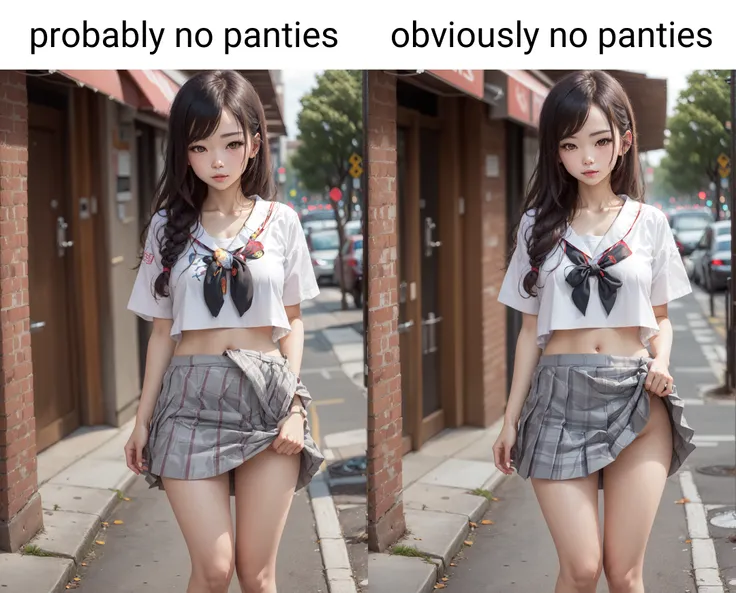
This is a Lora trained on images where a girl is probably or obviously not wearing , but is not visible (such as haitenai? tag on pixiv). Most models, especially anime/booru models, can be too eager to go full when trying to generate suggestive images, and if you add "" then it's pretty much impossible to not generate . This Lora will drastically improve consistency when generating those borderline suggestive prompts, and also contains training for various types of ways to display a lack of without exposing the . See list of tags below for details.
npclearly, obviously no : used when there's no way girl's wearing . The training didn't really grasp the difference very well, so most of time it won't make any difference which tag you use, but it does sometimes make a difference as shown in the previews.
hidden privates : used on all images in the dataset. Very effective at hiding privates, as you could guess. I would recommend always using it.
hidden or partially visible : one or the other used depending on if the , specifically the area right next to where you would expect the to be, is visible or not. Ex: raising skirt right at the edge so bottom of is visible, or a front slit cutting off right next to .
hidden by leg/clothes/hair/tail/border/other : These help hiding the , but the "by" part doesn't seem to do anything. Probably not enough training data for each. "convenient leg" was also added with hidden by leg.
innerthigh : this one's ambiguous and I'm not sure it does much, but it's added on images where you can see the inner thigh right next to the .
sidethigh : when you can see the thigh from the side all the way up to the . Probably won't do much if the view isn't from the side, use "from side", or "side view" for more moderate effect.
sitbare : when sitting down, usually on floor, with knees up, and you can see the bottom of . I haven't tested this much, I wouldn't expect a noticeable difference since default generation is like that already.
backcrack : the opposite of I guess, lowleg showing .
underbutt : not a new tag, but putting it here since it's similar to above tags. for .
(slightly) lifting one side/both sides of skirt
very lowleg
hair censor (check out hair censor loras, very few images with hair censoring in this one so it probably won't work great on its own),
see-through silhouette (lora for this will also help a lot, otherwise it usually becomes completely , although it does always hide )
The :TT after lora in previews is a preset for the Lora Block Weight extension. It reduces the lora's impact on the background, in particular. To reproduce, add this line in the presets:
TT:1,0.2,0.2,0.2,0.5,0.5,0.5,0.5,1,1,1,1,0.5,0.5,0.5,0.5,0.5

1. I diritti dei modelli ripubblicati appartengono ai creatori originali.
2. I creatori originali che desiderano reclamare il proprio modello devono contattare il personale di SeaArt AI tramite canali ufficiali. Clicca per rivendicare
