Dettagli
Raccomandazioni
vedo3.1 Flusso di lavoro per la generazione di video
Originale

vedo3.1 Flusso di lavoro per la generazione di video

2.2K
37
33
#Image to Video
#Text to Video

Visualizza la traduzione
Anteprima dei nodi5 nodes
Schermo intero
Clicca per Caricare l'Anteprima del Nodo

Valutazioni e recensioni

4.8 /5
0 valutazioni

Non ancora ricevute valutazioni o commenti sufficienti

no-data
Nessun dato disponibile
avatar
avatar_frame
Dettagli del Flusso di Lavoro
Tipo
Flusso di Lavoro
Data di pubblicazione
2025-10-27
Stato
Può Essere Eseguito
Informazioni sul Nodo (5)
Selezione dell'autore
cover
WAN2.2 i2v-KJ
4.6
61.9K
62
cover
Modifica immagine Qwen 2509
4.9
24.9K
105
cover
Flusso di lavoro da immagine a video Wan 2.5
4.8
19.1K
135
cover
Z-Image Turbo
4.9
22.0K
68
Vedi di più
QR Code
Scarica l'app SeaArt
Continua il tuo viaggio di creazione AI su mobile

Veo 3.1 | Multi-image composition, start/end frame transitions

Generation can be driven by text or images, supports three-image compositions, automatic transitions between start and end frames, and strengthens prompt adherence and the native sound effects experience.


vista di profilo con cuffie metalliche

High-quality generation driven by multiple assets

Supports up to three-image combinations and Frames-to-Video (start-to-end frame transitions), making it well-suited for product highlight reels and brand short films.


Ballerini hawaiani con torce sulla spiaggia

Prompts are easier to use and more faithful

More accurately understands shot, style, and narrative instructions, reducing off-topic drift, and is better suited for repeated iteration toward a usable version.

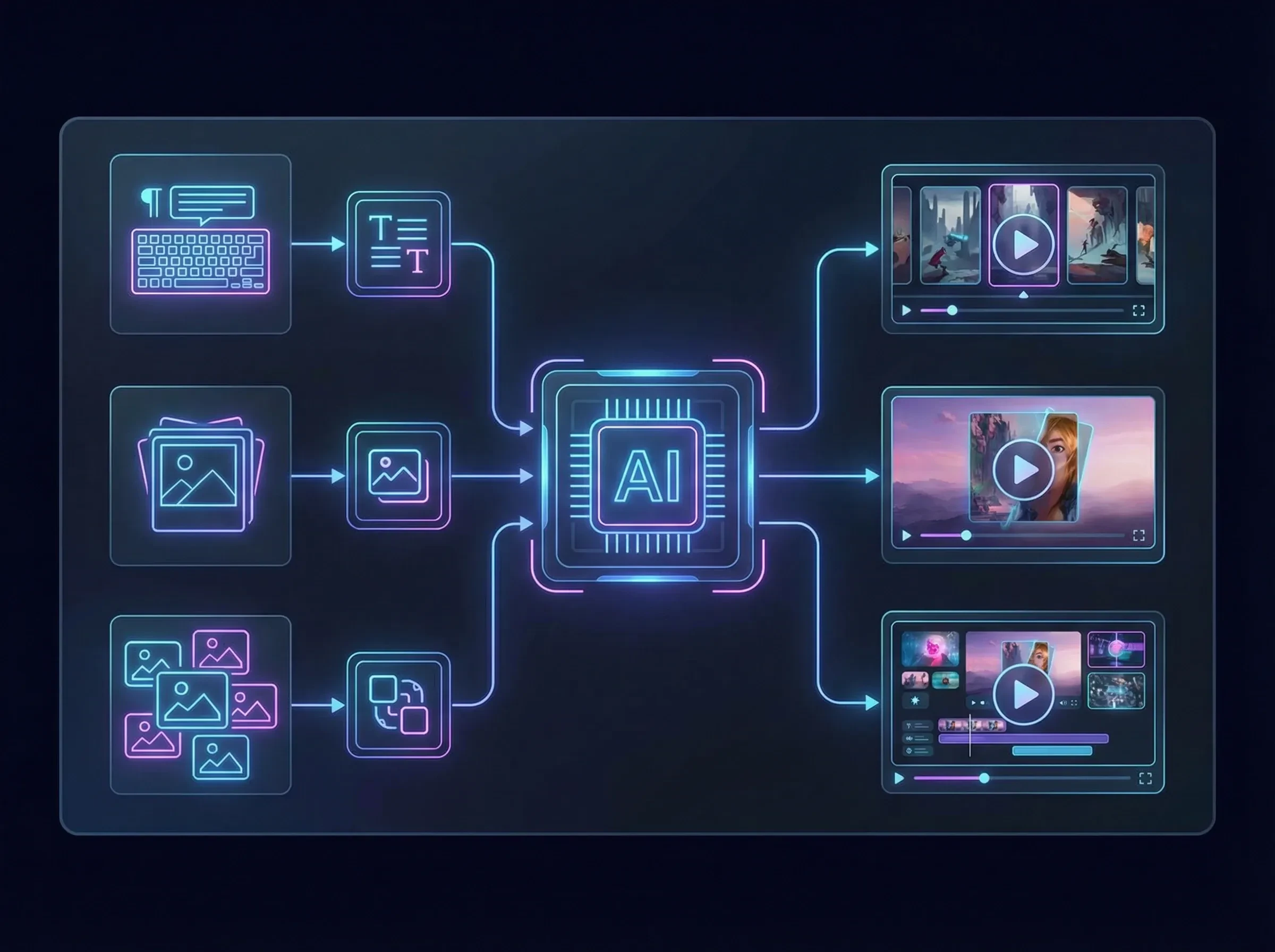
IA che elabora dati multimediali per creare video

Multiple input paths, covering mainstream scenarios

Supports both text-to-video and image-to-video with reference images; supports multi-image composition generation, suitable for integrating brand elements and creating series content.

Operation Steps

Parameter Settings

Connect according to the required function (text, image, and reference generation).

Prompt Input

In the node input field, enter the scene you want.

Generate Results

Click the Generate button and wait a short while to see the generated results.

FAQ

collapse

How should prompts be written to make it easier to get a usable result?

Use the structure 'scene subject + action/event + camera language (shot size/movement) + style/image quality + atmosphere/lighting + duration/aspect ratio (if there are options),' and keep key constraints consistent.

expand

What kind of content is multi-image reference generation suitable for?

Suitable for feeding the model elements like 'logos/product images/scene mood images' together to quickly get a first draft of an ad short film, opening atmosphere, or product showcase video with unified visuals.