
タイプ
Other
投稿日時
2023-09-23
基本モデル
Other
バージョン紹介
Initial version

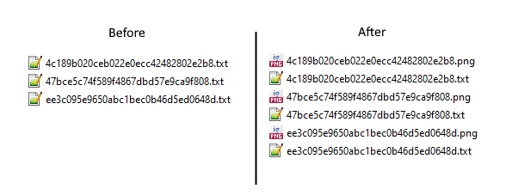

This is a script to generate images from a folder. I made it to batch generate and save images from prompt files.
Download the archive, and ????? the script to the "scripts" folder (located in your webui folder).
Save all your prompt files as ".txt" files in a chosen folder.
Select the "Prompts from folder" script in "txt2img", and set the path to your folder in "Directory Path".
Press "run". It will generate and save the images to your chosen folder.
Note: Do not put anything in the txt2img prompt, as the prompt files will override it.
To generate regularization images for your dataset:
use the same model you are going to train (animefinal-full-pruned.ckpt if NAI, etc)
same Clip Skip as training
use the same VAE embedded in your training (or none if none)
same prompt as the caption for the training image (use the prompt files of your dataset with the script)
use DDIM as sampling method
resolution equal to your training resolution (not the same as the training image!)
seed should be equal to your training seed (420 if you didn't touch it in the scripts).
remove any activation tags on the prompts before generating
Initial version
1.転載モデルは学習・共有目的のみで使用し、著作権は原作者に帰属します
2.モデルの認証は公式チャンネルでご連絡ください。クリエイターの権利保護に努めています クリックして認証
