banner_image ×
SeaArt AI エンタープライズ版

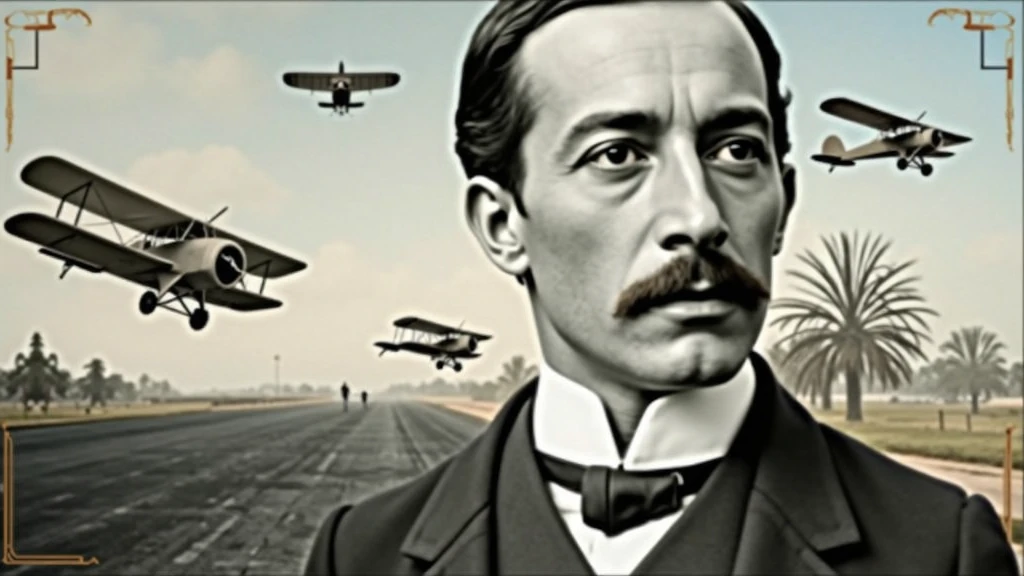
Background: background-image: Use an image that refers to the history of aviati

Background:

background-image: Use an image that refers to the history of aviation. It could be a photo of an old runway, a blue sky or a montage with vintage aviation elements. Another option is a background that matches Santos Dumont's era., as an early 20th century setting.
Color Effect: Consider a sepia tone or a slight texture to give the background a historic, vintage feel..
main image:

Portrait of Santos Dumont: Place a central image of Santos Dumont. It could be a classic photo of him or a stylized illustration.. If you use an illustration, make sure it captures the essence of Dumont's pioneering spirit and personality.
Historical Aircraft: Include images of your most famous inventions, like the 14-Bis or the Demoiselle, somewhere on the cover. These planes can be in the background or as part of the design..
Leading text:

Video Title: Add a big, eye-catching title, as “Santos Dumont: Aviation Pioneer and His Technological Vision”. Use an elegant, easy-to-read font, like “Garamond” or “Montserrat”.
Color and Effect: Use colors that contrast with the background, like white or gold. Consider adding a light shadow or outline to improve readability..
Additional Text:

Subtitle or Short Description: Include shorter text that provides more context, as “Exploring the History and Innovations of the Father of Aviation”. Use a smaller font and keep the color consistent with the title, but a little less prominent.
Position and Colors: Position the subtitle below the main title, ensuring that it does not overlap the main image. Use a complementary color to the main text.
Graphic elements:

Icons and Symbols: Add subtle aviation-related graphics, like stylized wings, old planes or aircraft parts. Position them to complement the main image and text., without overloading the cover.
Borders and Dividers: Use discreet borders or dividers to separate text from images, if necessary.
Logo and B
image
avatar
S
SOFT BYTE
創作情報
創作
履歴
プロンプト
Background: background-image: Use an image that refers to the history of aviation . It could be a photo of an old runway , a blue sky or a montage with vintage aviation elements . Another option is a background that matches Santos Dumont&#39 ; s era ., as an early 20th century setting . Color Effect: Consider a sepia tone or a slight texture to give the background a historic , vintage feel .. main image: Portrait of Santos Dumont: Place a central image of Santos Dumont . It could be a classic photo of him or a stylized illustration .. If you use an illustration , make sure it captures the essence of Dumont&#39 ; s pioneering spirit and personality . Historical Aircraft: Include images of your most famous inventions , like the 14-Bis or the Demoiselle , somewhere on the cover . These planes can be in the background or as part of the design .. Leading text: Video Title: Add a big , eye-catching title , as “Santos Dumont: Aviation Pioneer and His Technological Vision” . Use an elegant , easy-to-read font , like “Garamond” or “Montserrat” . Color and Effect: Use colors that contrast with the background , like white or gold . Consider adding a light shadow or outline to improve readability .. Additional Text: Subtitle or Short Description: Include shorter text that provides more context , as “Exploring the History and Innovations of the Father of Aviation” . Use a smaller font and keep the color consistent with the title , but a little less prominent . Position and Colors: Position the subtitle below the main title , ensuring that it does not overlap the main image . Use a complementary color to the main text . Graphic elements: Icons and Symbols: Add subtle aviation-related graphics , like stylized wings , old planes or aircraft parts . Position them to complement the main image and text ., without overloading the cover . Borders and Dividers: Use discreet borders or dividers to separate text from images , if necessary . Logo and B
サイズ
1024X576
日付
Aug 25, 2024
モード
スタジオ
タイプ
cell
Checkpoint & LoRA
SeaArt Infinity
Checkpoint
SeaArt Infinity
コメント:0件
0
1
0
0/400
特典コーナー

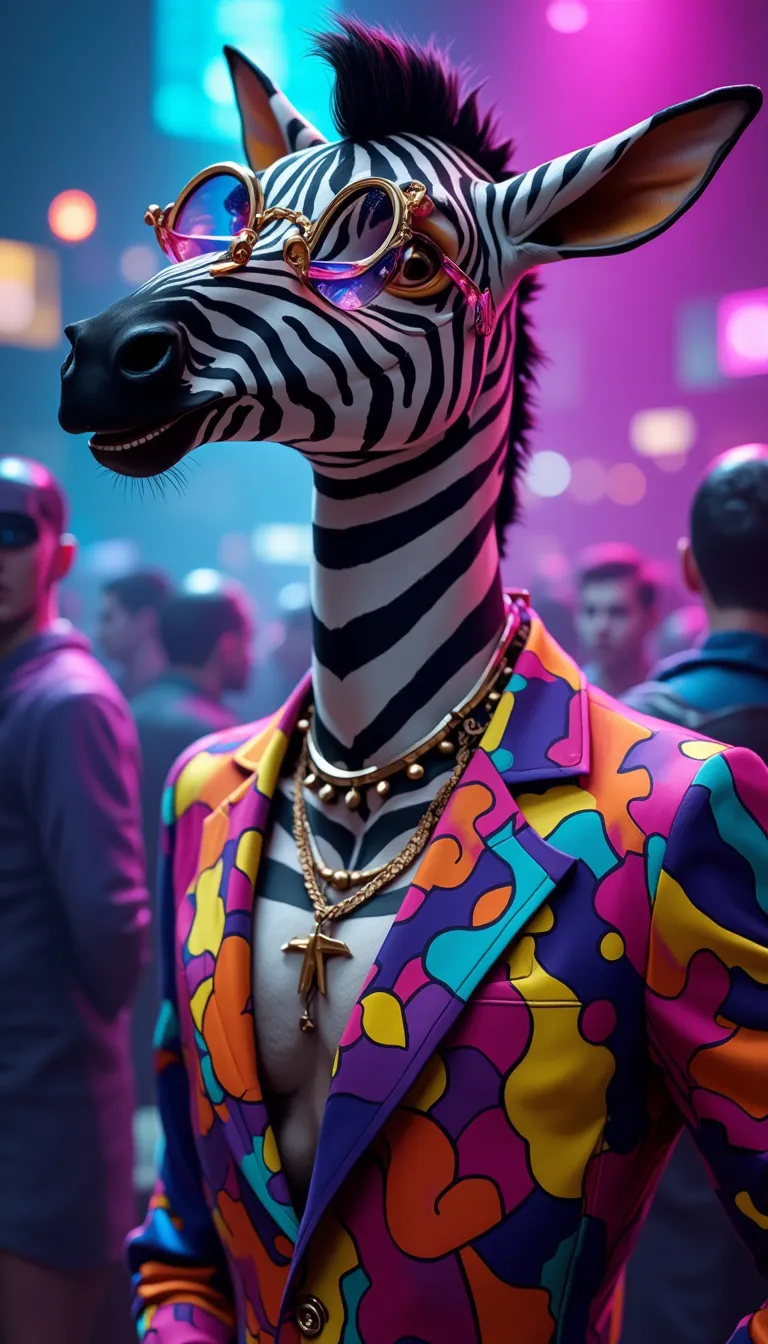
ビビッドな動物DJパーティー
icon
ビビッドな動物DJパーティー
avatar
L
levi21.
真実
icon
真実
avatar
S
Saky Gomeda
 リアルなヨガのポーズ
icon
リアルなヨガのポーズ
avatar
S
Suhana
家が欲しいです
icon
家が欲しいです
avatar
9
avatar_frame
93GSD5
а
icon
а
avatar
L
Lelelele Elq
 イメージジェネレーターの比較 ( Qwen Image vs Flux Krea vs Wan2.2 t2i)
icon
イメージジェネレーターの比較 ( Qwen Image vs Flux Krea vs Wan2.2 t2i)
avatar
L
LodWKobku
電商製品画像の統合照明
icon
電商製品画像の統合照明
avatar
W
WorkflowCustomizati
ワンダーランド ストローラー
icon
ワンダーランド ストローラー
avatar
J
avatar_frame
JM32
Tシャツの上の絵を作る
icon
Tシャツの上の絵を作る
avatar
J
avatar_frame
JM32
DreamShaper アウトペインティング
icon
DreamShaper アウトペインティング
avatar
U
Unix 126
消毒済み
icon
消毒済み
avatar
L
learningday
私の魔法の木の家
icon
私の魔法の木の家
avatar
R
Ren
i2i | アクア プリンセス
icon
i2i | アクア プリンセス
avatar
L
levi21.
「エレクトラ」 (光の稲妻の化身)
icon
「エレクトラ」 (光の稲妻の化身)
avatar
E
avatar_frame
Eduard Niyazov
もっと見る 

関連コンテンツ

コントロールネット
logo
日本語
プロダクト
画像生成 AIキャラクター クイックAI モデルトレーニング Canvas クイックツール ワークフロー
その他
スタジオ ランキング AIチャット AIブログ AIニュース
サポート
利用案内 カスタマーサポート
アプリをダウンロード
icon
Download on the
APP Store
icon
GET IT ON
Google Play
公式SNS
iconiconiconiconiconiconiconicon
© 2025 シーアート株式会社 
Copyright Policy
利用規約
プライバシーポリシー
特定商取引法
資金決済法に基づく表示
もっと見る