banner_image ×
SeaArt AI エンタープライズ版

Background: background-image: Use an image that refers to the history of aviati

Background:

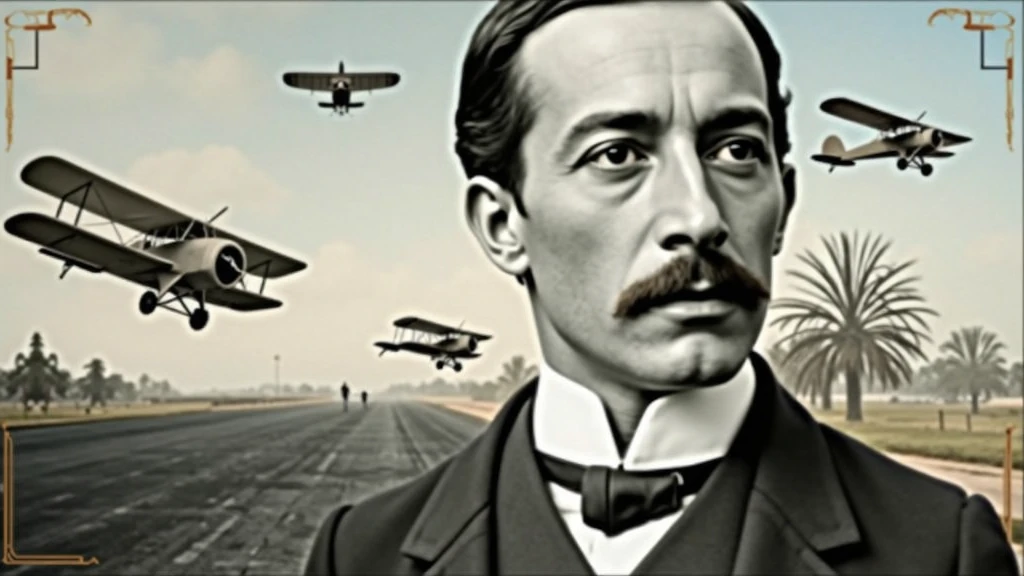
background-image: Use an image that refers to the history of aviation. It could be a photo of an old runway, a blue sky or a montage with vintage aviation elements. Another option is a background that matches Santos Dumont's era., as an early 20th century setting.
Color Effect: Consider a sepia tone or a slight texture to give the background a historic, vintage feel..
main image:

Portrait of Santos Dumont: Place a central image of Santos Dumont. It could be a classic photo of him or a stylized illustration.. If you use an illustration, make sure it captures the essence of Dumont's pioneering spirit and personality.
Historical Aircraft: Include images of your most famous inventions, like the 14-Bis or the Demoiselle, somewhere on the cover. These planes can be in the background or as part of the design..
Leading text:

Video Title: Add a big, eye-catching title, as “Santos Dumont: Aviation Pioneer and His Technological Vision”. Use an elegant, easy-to-read font, like “Garamond” or “Montserrat”.
Color and Effect: Use colors that contrast with the background, like white or gold. Consider adding a light shadow or outline to improve readability..
Additional Text:

Subtitle or Short Description: Include shorter text that provides more context, as “Exploring the History and Innovations of the Father of Aviation”. Use a smaller font and keep the color consistent with the title, but a little less prominent.
Position and Colors: Position the subtitle below the main title, ensuring that it does not overlap the main image. Use a complementary color to the main text.
Graphic elements:

Icons and Symbols: Add subtle aviation-related graphics, like stylized wings, old planes or aircraft parts. Position them to complement the main image and text., without overloading the cover.
Borders and Dividers: Use discreet borders or dividers to separate text from images, if necessary.
Logo and B
image
avatar
S
SOFT BYTE
創作情報
創作
履歴
プロンプト
Background: background-image: Use an image that refers to the history of aviation . It could be a photo of an old runway , a blue sky or a montage with vintage aviation elements . Another option is a background that matches Santos Dumont&#39 ; s era ., as an early 20th century setting . Color Effect: Consider a sepia tone or a slight texture to give the background a historic , vintage feel .. main image: Portrait of Santos Dumont: Place a central image of Santos Dumont . It could be a classic photo of him or a stylized illustration .. If you use an illustration , make sure it captures the essence of Dumont&#39 ; s pioneering spirit and personality . Historical Aircraft: Include images of your most famous inventions , like the 14-Bis or the Demoiselle , somewhere on the cover . These planes can be in the background or as part of the design .. Leading text: Video Title: Add a big , eye-catching title , as “Santos Dumont: Aviation Pioneer and His Technological Vision” . Use an elegant , easy-to-read font , like “Garamond” or “Montserrat” . Color and Effect: Use colors that contrast with the background , like white or gold . Consider adding a light shadow or outline to improve readability .. Additional Text: Subtitle or Short Description: Include shorter text that provides more context , as “Exploring the History and Innovations of the Father of Aviation” . Use a smaller font and keep the color consistent with the title , but a little less prominent . Position and Colors: Position the subtitle below the main title , ensuring that it does not overlap the main image . Use a complementary color to the main text . Graphic elements: Icons and Symbols: Add subtle aviation-related graphics , like stylized wings , old planes or aircraft parts . Position them to complement the main image and text ., without overloading the cover . Borders and Dividers: Use discreet borders or dividers to separate text from images , if necessary . Logo and B
サイズ
1024X576
日付
Aug 25, 2024
モード
スタジオ
タイプ
cell
Checkpoint & LoRA
SeaArt Infinity
Checkpoint
SeaArt Infinity
コメント:0件
0
1
0
0/400

SeaArtクイックAIアプリ
ai_video_generationimg
AI動画生成

想像力を解き放ち、AIが視覚的な奇跡を実現します

face_swap_titleimg
無料オンライン顔交換

面白くてリアルな顔交換動画や写真を瞬時に作成しましょう
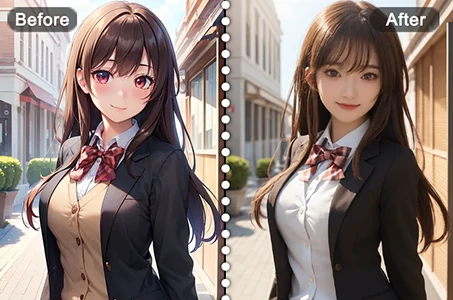
anime2realityimg
アニメを現実に

お気に入りのアニメキャラクターを即座にリアルな姿で蘇らせます
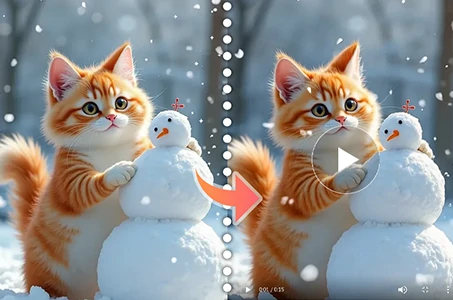
wanimg2vid_h1img
Wan 2.1 画像から動画へ

写真にリアルな動きと映画のようなエフェクトを追加できます。
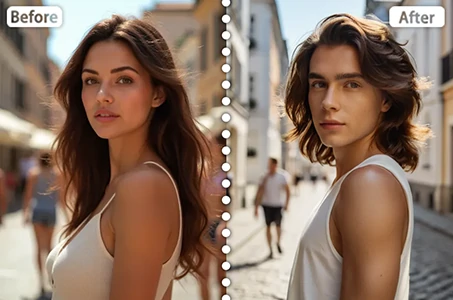
gender_swapimg
性別チェンジ

SeaArtのAI性別変換で写真や動画の性別を変換できます。簡単で楽しく、リアルな変身を無料でオンラインで体験できます。
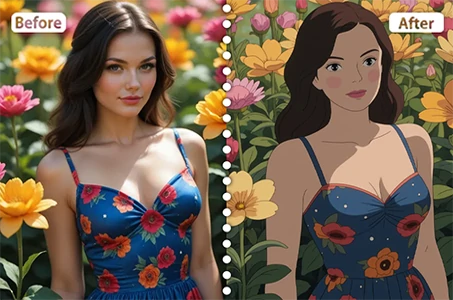
ghibli_filter_h1img
スタジオジブリフィルター

ワンクリックで任意の写真をユニークなジブリ風アートに変換できます。

より多くのAIアプリを探索 

関連コンテンツ

コントロールネット
logo
日本語
プロダクト
画像生成 AIキャラクター クイックAI モデルトレーニング Canvas クイックツール ワークフロー
その他
スタジオ ランキング AIチャット AIブログ AIニュース
サポート
利用案内 カスタマーサポート
アプリをダウンロード
icon
Download on the
APP Store
icon
GET IT ON
Google Play
公式SNS
iconiconiconiconiconiconiconicon
© 2025 シーアート株式会社 
Copyright Policy
利用規約
プライバシーポリシー
特定商取引法
資金決済法に基づく表示
もっと見る