タイプ
Other
投稿日時
2023-09-07
基本モデル
Other
バージョン紹介
This workflow is for new versions of WAS-NS
Adjust the Image Adjustment Filters Edge Enhance as needed.

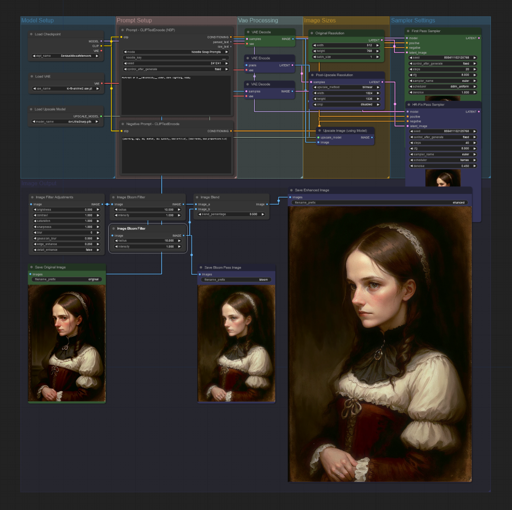
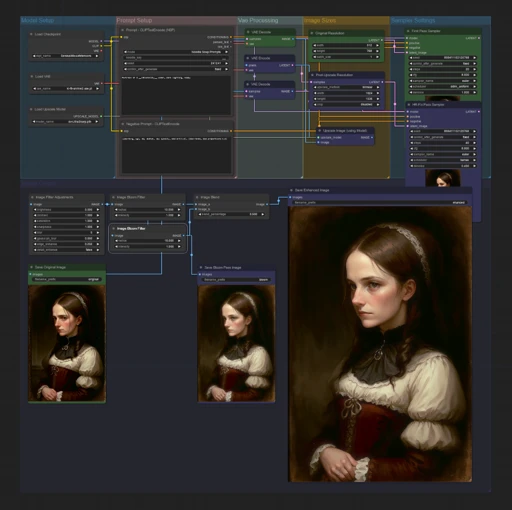
These are worksapces to load into ComfyUI for various tasks such as HR-Fix with AI Model Upscaling
HR-Fix Bloom Workspace depends on Filters Suite V3, and NSP CLIPTextEncode nodes from here: https://civitai.com/models/20793/was-node-suites-comfyui
Extract "ComfyUI-HR-Fix_workspace.json" (or whatever the worksapce is called)
Load workspace with the "Load" button in the right-hand menu and select "ComfyUI-HR-Fix_workspace.json"
Select your desired diffusion model
Select VAE model or use diffusion models vae
Select your desired upscale model
change prompt and sampling settings as seen fit.
(currently v1 set to 512x768 x4= 2048x3072, v2 has a resize so final size is 1024x1536)

This workflow is for new versions of WAS-NS
Adjust the Image Adjustment Filters Edge Enhance as needed.
1.転載モデルは学習・共有目的のみで使用し、著作権は原作者に帰属します
2.モデルの認証は公式チャンネルでご連絡ください。クリエイターの権利保護に努めています クリックして認証
