タイプ
Checkpoint
投稿日時
2024-03-21
基本モデル
SD 1.5
Model Parameters
sampler:Euler a
cfg_scale:7
steps:30
prompt:8k,bestquality,masterpiece,realistic,photo-realistic
もっと見る
バージョン紹介
Fixed the issue with body proportions


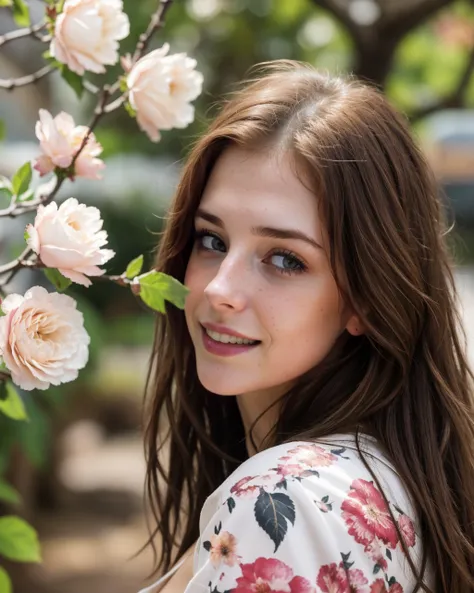
Fixed the issue with body proportions. You still can obtain extreme body proportions with loras of course.
Right now, I'm using:
UI: ComfyUI with comfyui_facetools (a rotation aware face extractor/merger made by me) to fix the faces
positive quality prompt: masterpiece, best quality, drop_shadow, subsurface scattering
negative quality prompt: extra_hands, extra_arms, bad_, fat, overweight, abs, muscular, fat_rolls, badhandv4 realisticvision-negative-embedding epiCNegative
1st pass:
sampler: dpm++ 3m sde
cfg: 3.8
steps: 20
HiRes and subsequent (like face detailer) pass:
sampler: dpm++ 2m sde
cfg: >
steps: 8
upscaler:
model: 4x_NMKD-Siax_200k
controlnet: I know this can be a bit surprising, but it works really well in my use cases. The trick is to give some freedom to the inpaint controlnet with Scaled Soft Weights and inpaint the whole image, no mask. So, if there was no Scaled Soft Weights, or if base_multiplier was set to 1.0, it would have no effect, as it would repaint the same picture as the one provided in image
cfg scale can be quite different. I got nice results from 2.5 to 7 (I haven't really tried higher). Also v6 doesn't even need quality tokens in the positive prompt to give good results. At least as long as realisticvision-negative-embedding and epicrealism-neg are in the negative prompt.
The model should require less token in both positive and negative prompt to get realistic results, now.
Low CFG scale ~2.5 gives a nice photo-realistic look to the picture and allows you to go a bit crazier with the weighting in the prompts.
Heun sampler with as low as 8 steps also gives quite nice results.
Initially built to create lifelike portraits of characters from the novel I'm working on, whose title is Endless, thus the name of the model.
This is a rather complex merge, and sadly I did not took notes.
Prompting
Example of prompt for a realistic image (replace {prompt} with your subject):
professional photograph
{prompt}
((video grainyfilm)), natural cinematic lighting, ((professional photo highly defined))
realistic, best quality, photo-realistic
8k, best quality, masterpiece, realistic, photo-realistic
You can add more details using this lora which gives pretty good results: Detail Tweaker LoRA (细节调整LoRA)
Example of negative prompt for a realistic image:
(text, signature, watermark, logo, ux, ui:1.3), monochrome, (2D), (3D), ((camera)), ((cartoony)), (CGI), ((drawing)), ((lowres)), ((painting)), ((sketchy)), ((The Sims)), (ugly), ((blur)) (worst quality, low quality, normal quality:1.3), lowrescontent is possible, , uncensored in the negative prompt can help get rid of them.
More tips on prompting
You can actually use negative weights on lora/lycoris. Here is an obvious example with Microwaist Lora:
Using this, you can use Sharpness Tweaker LoRA (锐度调整LoRA) to lower the sharpness of the image, resulting in a somewhat more realistic picture as if it had been taken by an old camera. Here is an example showing the effect on girls of various ethnicities:

Fixed the issue with body proportions
