
DO YOU KNOW THAT YOU CAN MAKE
YOUR COMFY UI WORKFLOW SMARTER?
HAPPY NEW YEAR! this is my first article in 2026.
and this tutorial is a New Year Gift from me to all of you.
after a month of absence, i think i will share you guys some secret recipe of my workflows.
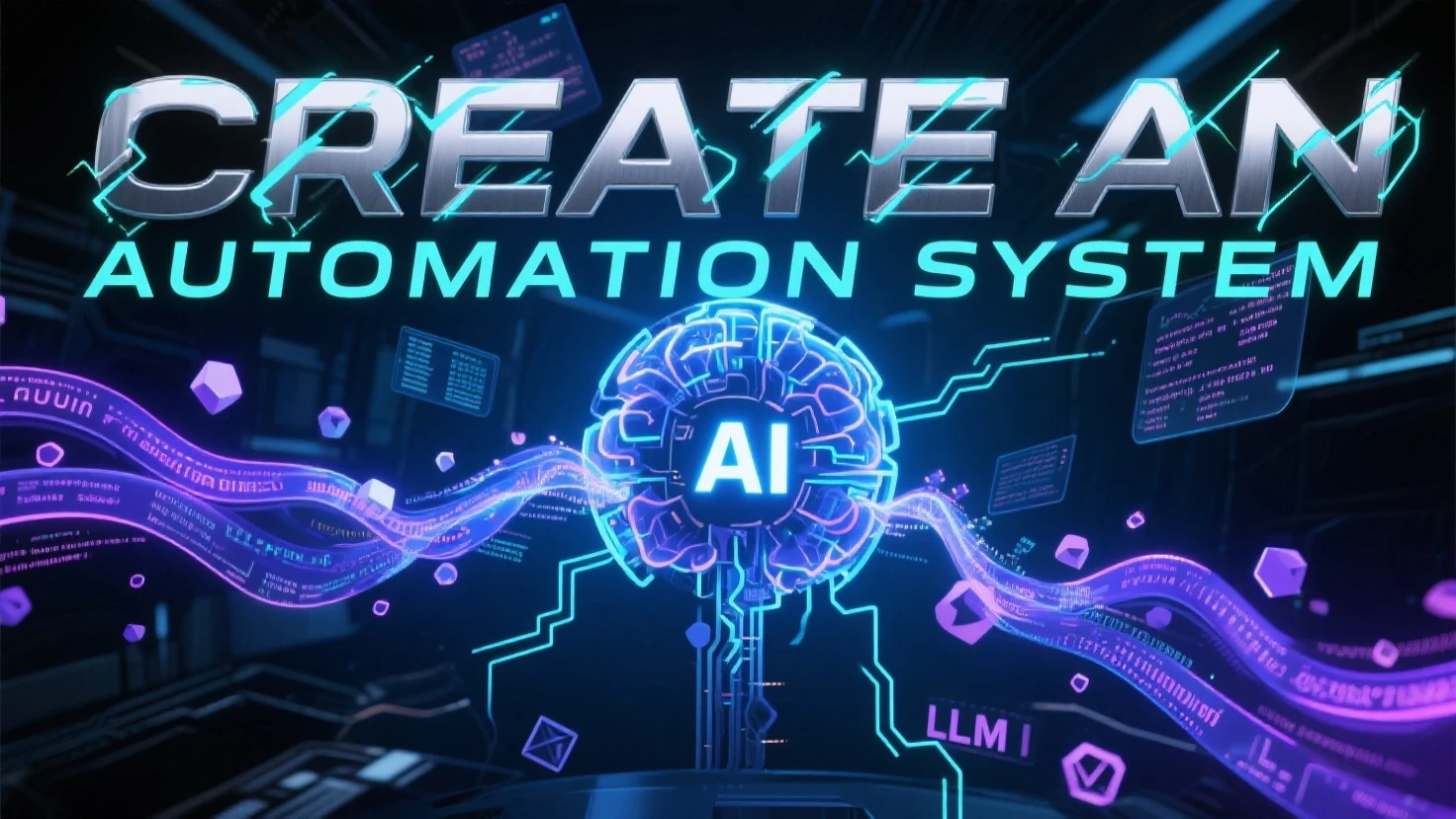
first of all, do you know why i create this "Automation System" ?
there are some reasons:
- my capability in creating a prompt is not as good as my idea in my head
- i feel disappointed with official AI assistance for generating the video prompt
- my curiosity in how far can i make the BOT as MY MAID. lol
- etc
i will share you link of my workflows that has automation system in this article systematically,
you can see the differ, and the progress on how this invention getting better and better.
SEE MY FIRST WORKFLOW WITH AUTOMATION SYSTEM
(super simple, it works as magic prompt on)
Let's skip the introduction and get to the main dishes.
A. KNOWING THE NODE
there is a node called "OPENSEAART_CHAT"
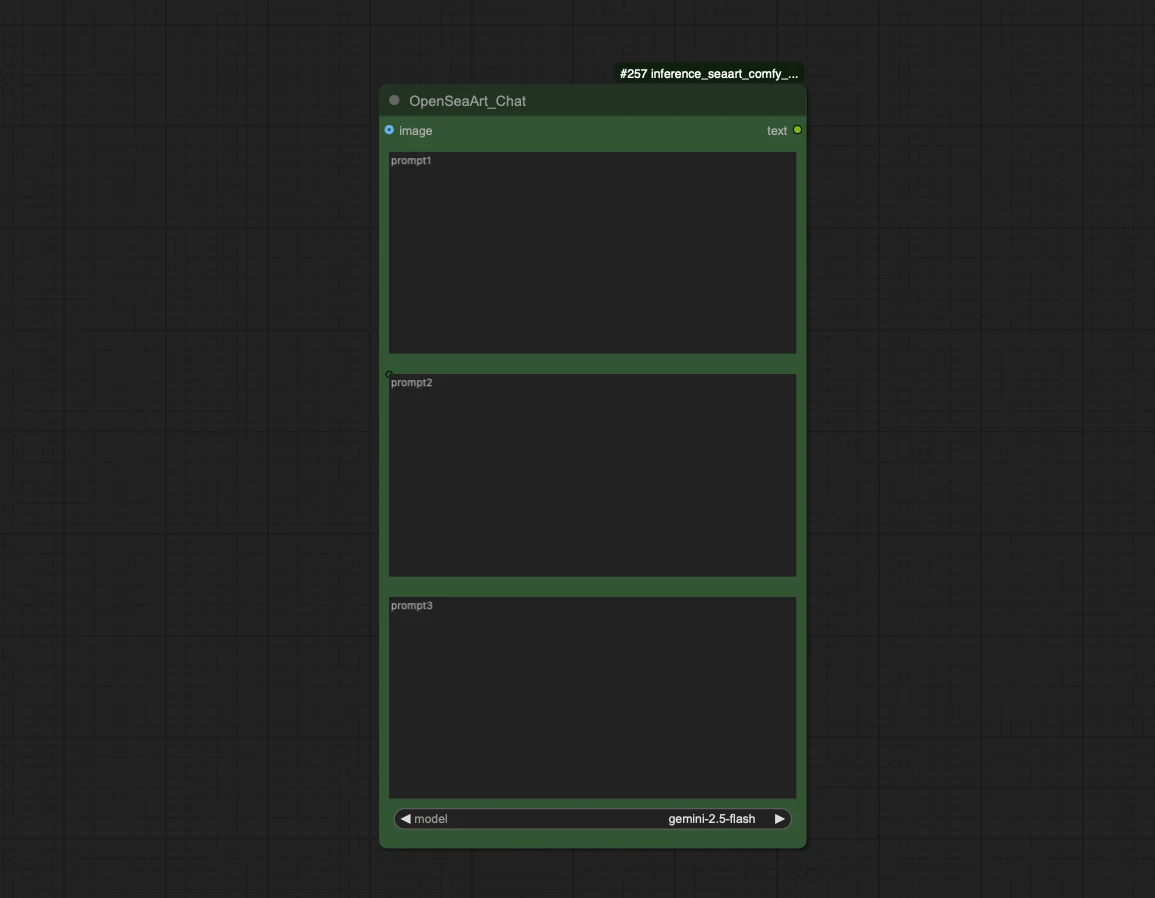
it is a chat bot, but i invented another usage for this chat bot to be a MAID BOT, and i create the AUTOMATION SYSTEM with it.
and it has 11 models inside it (For Now)
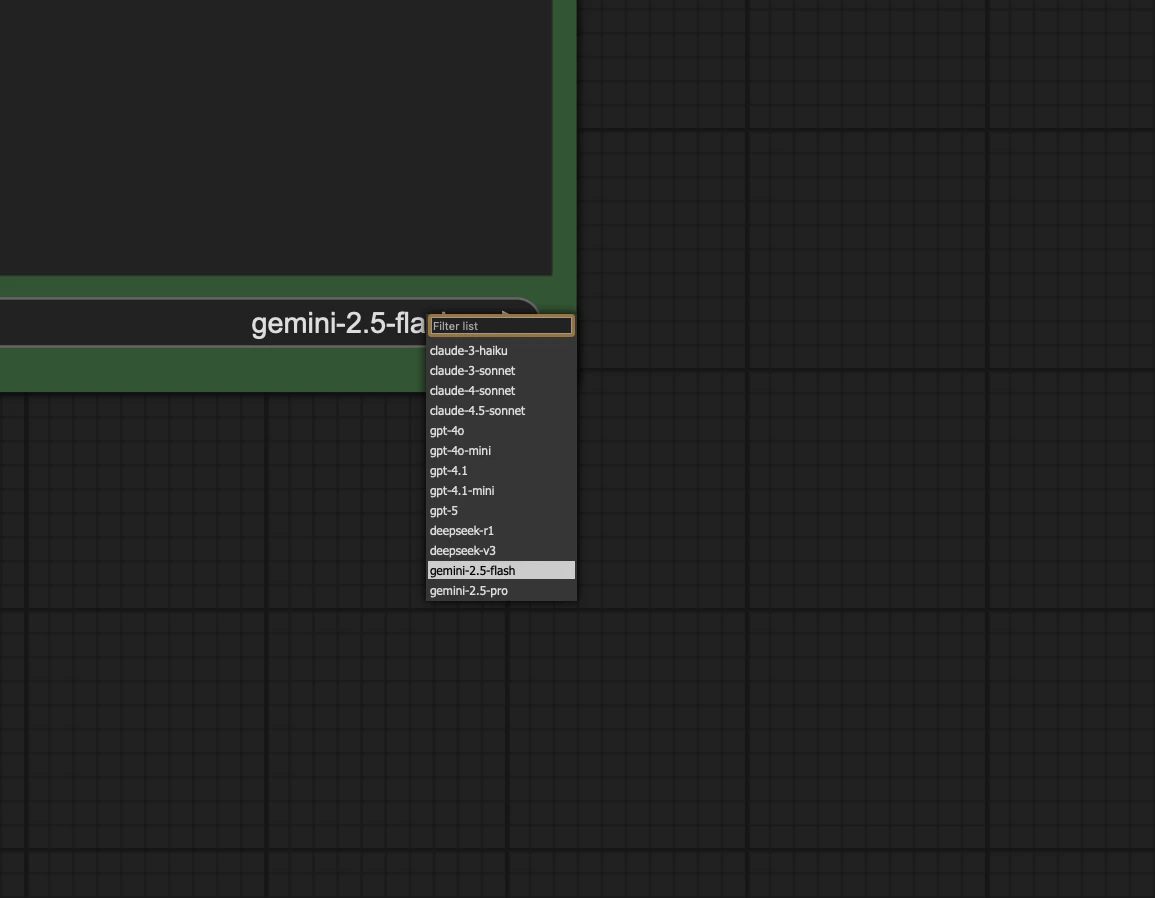
and my favorites are Gemini 2.5 Flash, why? because it is faster and cheaper, lol
do not use deepseek for image detector, deepseek can't see your image.
B. SETTING UP THE NODE
because there are 3 columns, you can put any order inside the column, my tips are:
B.1 use first column to give GENERAL ROLE and TASKS including NOTES and WARNING
B.2 use 2nd column for adjustable input (such as text input or text receiver from another input)
B.3 use 3d column for additional info that you think you should add. (such as guide, or link from description image, or etc)
SEE I2MV WORKFLOW
(it has 3 bots automation system)
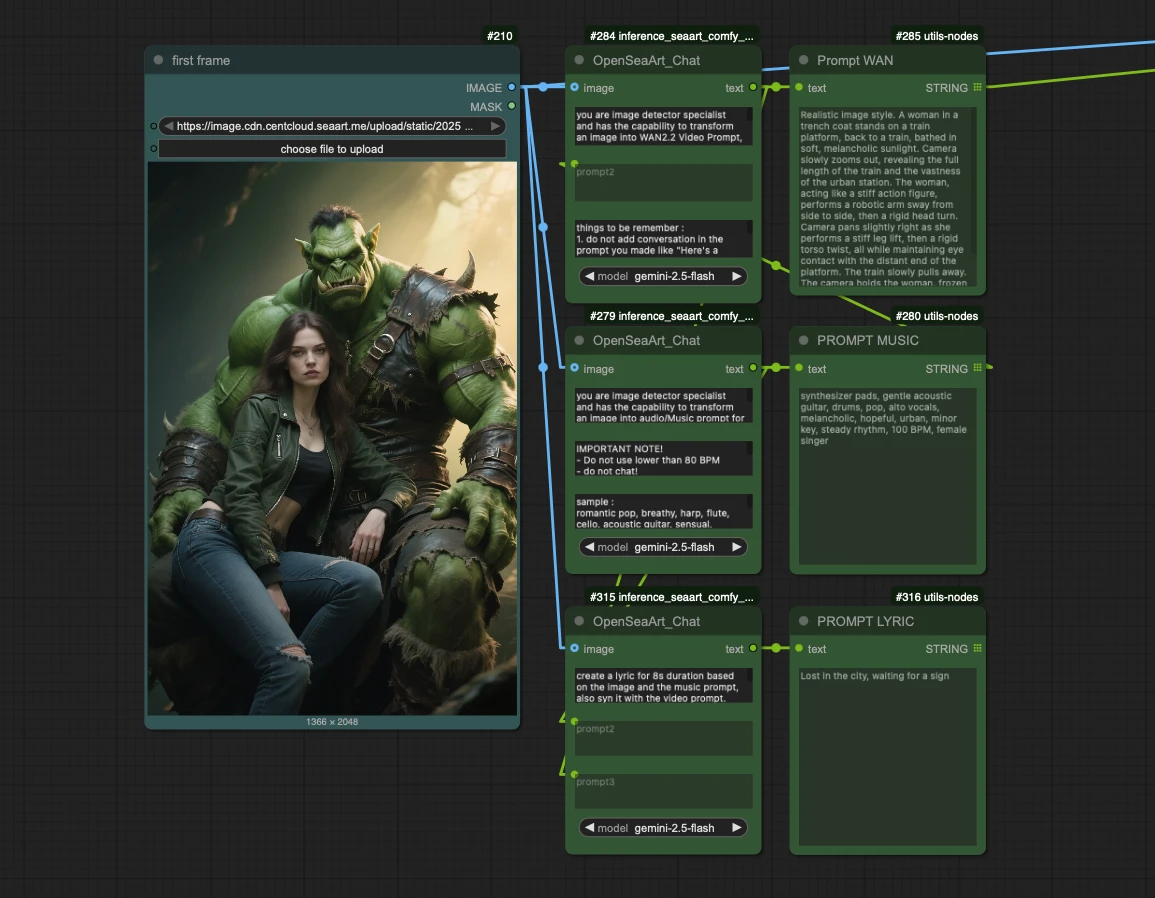
EXAMPLE 1ST NODE SETTINGS:
you are image detector specialist and has the capability to transform an image into WAN2.2 Video Prompt,
direction :
1. detect the image, mention as the style inside the prompt (if you found anime, use photorealistic)
2. your capabilites are to create camera movement, determining the angle, create the action, and mention the image style
3. create the most aesthetic video prompt within wan2.2 capabilities
4. keep the subject from the provided image in frame.
5. create the prompt in LLM, concise, but detailing the action instead detailing the appearance, because your prompt is for I2V generation.
6. do not chat, do not make conversation.
7. do not create opening like "Here's a WAN2.2 Video Prompt based on the image, music, and lyrics, Prompt:"
8. read user order from below for your guidance, create the video by combining image information and user's order.
9. read chat3 for references to create the prompts.
SEE ACTION WORKFLOW
note: you can ask the bot to be anything, as long as what you need is a "text answer"
C. CONNECTING THE NODE
To understand how to connect them , you can't just read this article, you need to visit the links, and understand the connection between the system, here:
SEE SMART HUNYUAN VIDEO 1.5
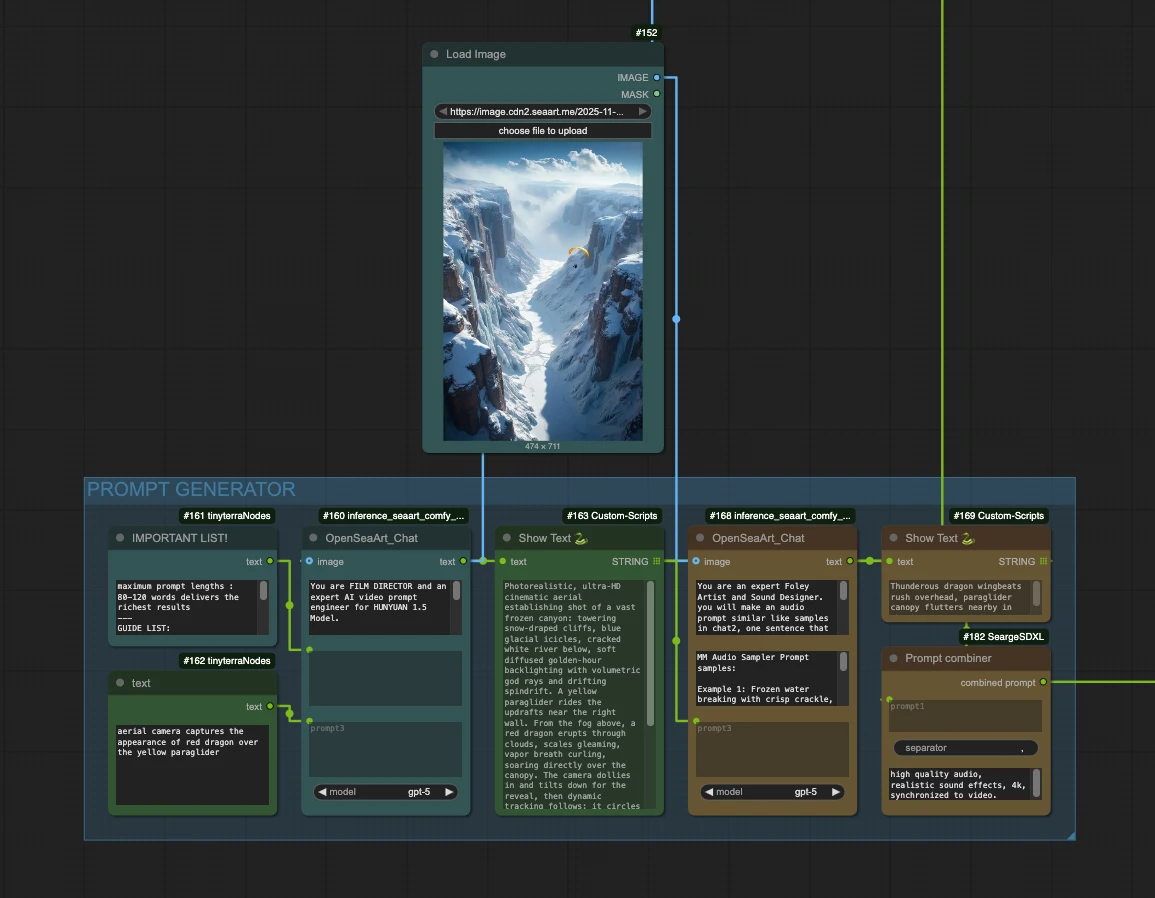
SEE Hybrid T2V: Z-Image + Wan 2.2 + MM Audio
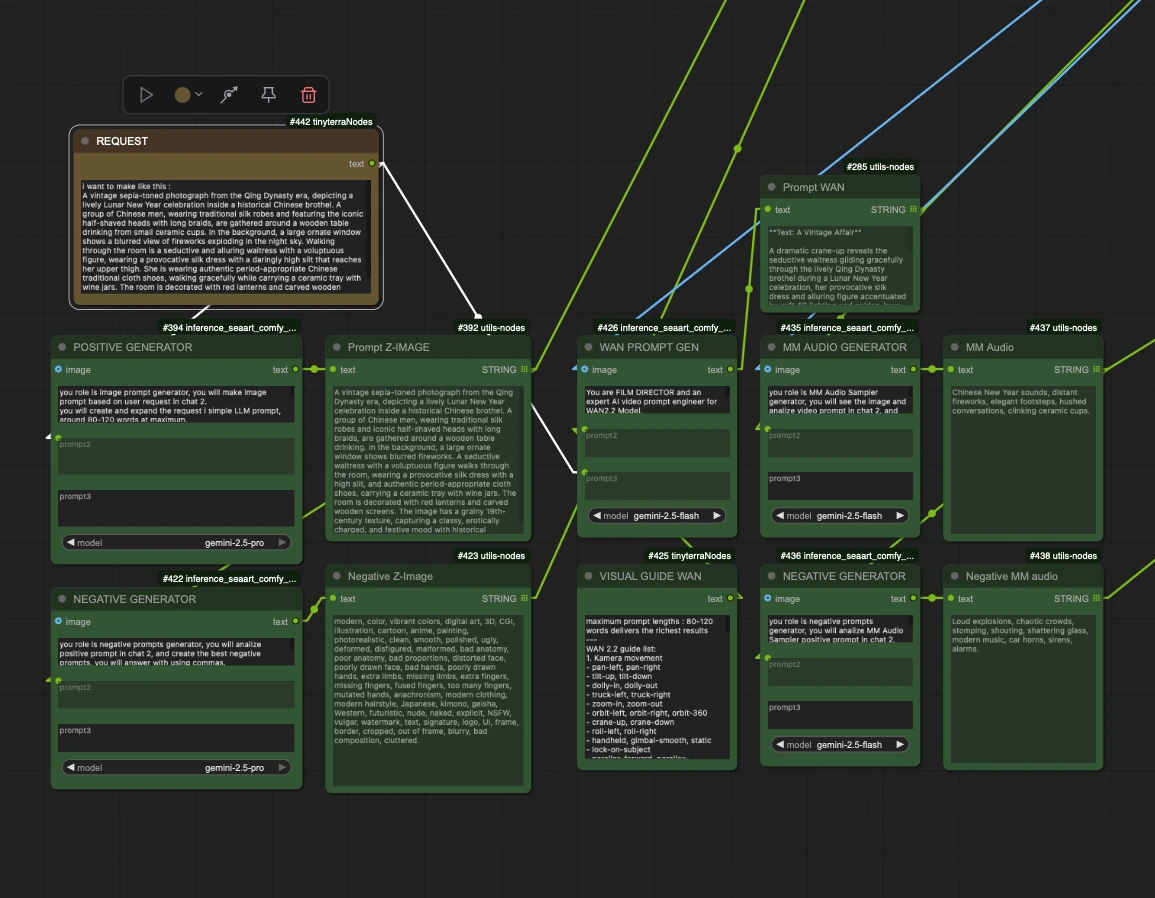
the different between those two is : in the first one, i use the first bot as image detector, while in the second one, i use the bot to be image maker
VISIT THEM TO SEE THE ROLE OF EACH BOTS
D. SCENE DESIGNER AUTOMATION SYSTEM
narrowed role, guided result, to achieve a simple customization workflow
SEE WORKFLOW & APP DISPLAY GENERATOR
SEE HYBRID ULTRAVISION + QWEN
SEE IP CHALLENGE VIDEO APP
SEE SMART QWEN 2511 + WAN2.2
open them, see the roles, how i design the automation system to make every users feel easy to run a workflow.
sample to narrowed the scene using HYBRID (contain image editing workflow), my method is put the
narrowed role:
directions, create a photo editing prompt for QWEN IMAGE EDIT 2509 editing:
TWEAK/CHANGE THE GUIDE IN CHAT3 INTO COMPLEX QWEN IMAGE EDIT PROMPT INCLUDE WEIGHTING, WITH THIS GUIDE:
1. detect character from image 1 and chat 2, are they realistic or anime or any other artworks, without changing their basic appearance, if it's anime or cartoon, the image should transforms into real human, a live action or a cosplayer that should be real photograph with real human skin, hair and clothes, or fur (depends on the input), because the image result should be real life photography (not 3D render or photorealistic).
2. combine your detection (only face and hair and skin and outfit/clothes) with the guide prompt in chat3.
3. change "AAA" words into the character you found from the image 1. such as the woman, or the man, or the old man, or bald man, or mention the character name if you know who he/she is, etc.
4. add your detection into simple words in the opening, such as :
- edit the image into real photograph of the woman with long blonde hair bla bla bla.
- edit the image into real photograph of the woman in black hair bla bla bla
- edit the image into cooking audition scene where Saitama is cooking bla bla bla
5. detect user character and location input in chat 2, it will be labeled as "XXX" in the prompt, "XXX" is the one in chat 2, turn user input into LIVE-ACTION Character if it's an anime or cartoon character mentioned on guide number 1 above, gives additional details you know about "XXX".
6. create a new background that is ordered in chat2, the location will be labeled as "SSS" in the prompt, gives additional details if its must to enhance the provided prompt.
7. determine the "BBB" expression based on the situation, expression will be labeled as "BBB" in the prompt.
8. "AAA" should has the "BBB" expression while interaction with "XXX", "XXX" expression should match the scene mentioned in chat2.
9. digest the prompt, change the "XXX" into user character input, gives the new expression to "XXX" that match the action scene, change the "SSS" into the location you determined, and change the "BBB" into "AAA" expression, and "ZZZ" will be the action/situation, "JJJ" is new outfit for "AAA" that should match the scene, and "TTT" is an interaction that you should make with your creative capability!
10. combination in chat2 will be: "character, location, action/situation.", based on that, you should make a complete prompt with the guide from chat3, and always keep in mind that the result should be real photography.
10. do not chat!
11. the important thing to keep is the subject face and outfit must be the same with provided image, and her/his/it face must be detailed and has the same face with provided images.
IMPORTANT:
- if you found AAA in image 1 is anime or cartoon character, tweak the prompt into cosplay real human / live action character / cosplayer without changing their basic appearance such as head, ears, skin.
- if you found XXX in chat 2 is anime or cartoon character, tweak the prompt into cosplay real human / live action character / cosplayer without changing their basic appearance such as head, ears, skin
- this is cinematic shot, make it as cinematic as you can within QWEN IMAGE EDIT 2509 CAPABILITY, adding lighting and atmosphere prompt will be a great addition.
- you can tweak the prompt guide to your liking, as long as it will give the best results!
create a scene:
"edit the image into ZZZ scene, AAA from image 1 is interacts with XXX from image 2 with (BBB expression:1.7), (AAA face should be same with image 1:1.8), and she/he is doing TTT interaction with XXX in SSS, (XXX face should be same with image 2:1.8), AAA is BBB while XXX, TTT with him/her, AAA is wearing JJJ that suitable for the scene, while XXX is in his iconic attire, SSS background is blur, detailed ZZZ scene with (Cinematic lighting:1.6), keep the focus on AAA and XXX face, (XXX face should same as image2:1.8), (Minimal headroom:1.8), AAA should has the same face with reference image, same hair, same skin, detailed SSS scene, dramatic realism scene SSS lighting, high clarity, give more details or a little exaggerate BBB expression of AAA, also the composition of XXX should be close to AAA."
then you create the links:
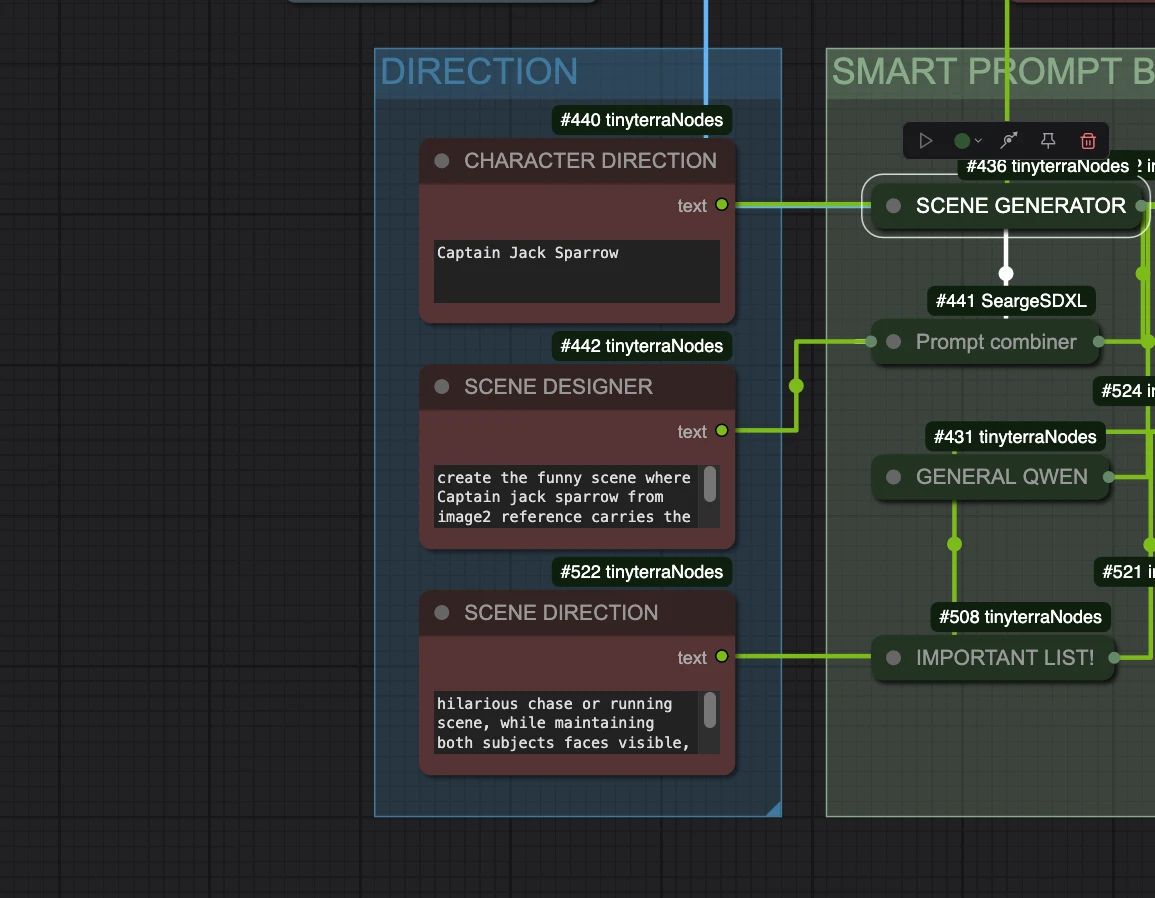
and you will get the image as you want.
note: i know it is exhausting to direct a maid, but when your maid follow your command correctly, you will be happy.
E. SOME OF MY APPS THAT ARE USING THIS SYSTEM :
and many more...
F. CONCLUSION
you can use this system for :
- image generation
- image to prompt
- image editing
- video generation
- music generation
- negative prompt maker
- prompt enhancer
- etc
GOOD LUCK TO CREATE YOUR OWN SYSTEM.