유형
Checkpoint
게시 날짜
2023-06-07
기본 모델
SD 1.5

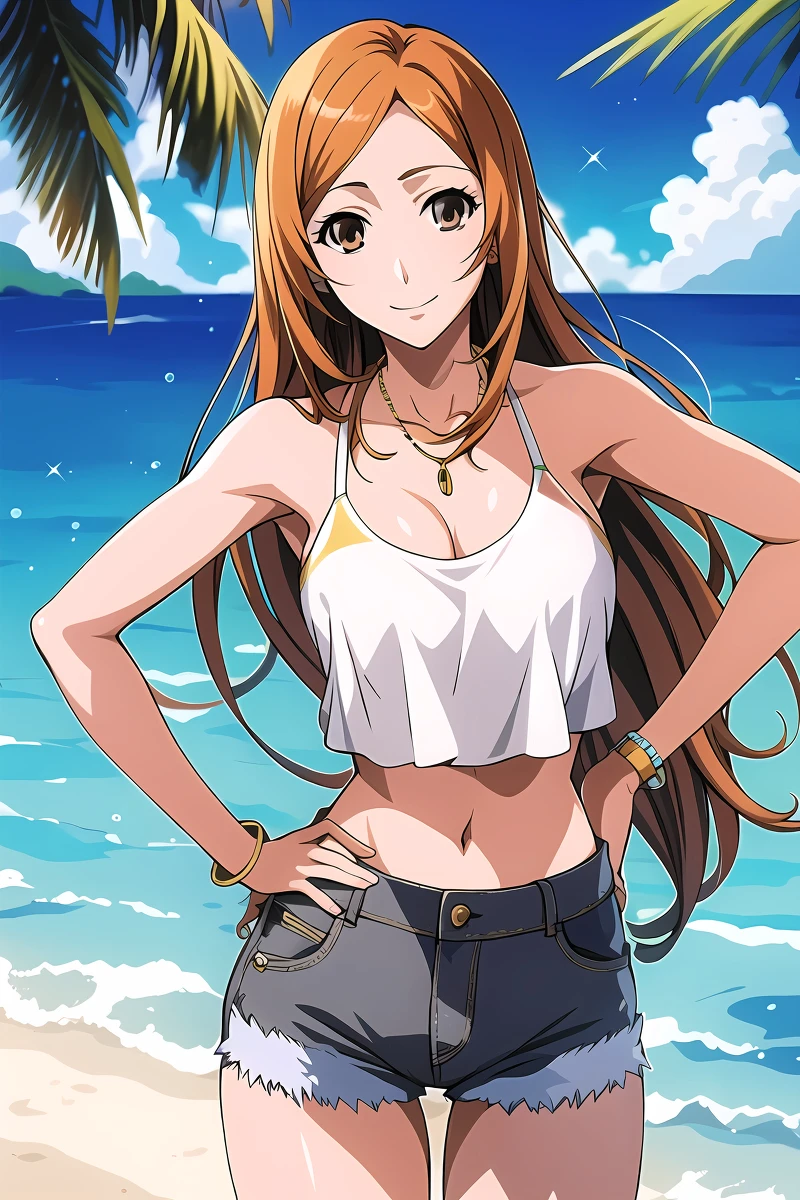

This model has no trigger words and doesn't require any other content, but I highly suggest to use negative prompts, at least EasyNegative and bad_prompt_version2, which let you refine your creations, I am going to leave an example on how to use them and the download link for both of them.
Ready-to-Go Example:
masterpiece, portrait of 1girl,
Negative prompt: (worst quality, low quality:1.4), watermark,
Steps: 20, Sampler: DPM++ SDE Karras, CFG scale: 7, Seed: 3209849427, Size: 540x960, Model hash: b6e7035f54, Model: falkonsAnimeAndHentai_v13, Denoising strength: 0.1, Hires upscale: 2, Hires steps: 20, Hires upscaler: R-ESRGAN 4x+ Anime6B, Version: v1.3.2
In the world of anime, style and aesthetics play a huge role in creating memorable and captivating characters. From bold and vibrant colors to intricate and detailed designs, there's no limit to the creativity that can be expressed through anime. In this model, we embrace the anime style and bring it to life with our own unique spin. Each character is carefully crafted to embody the essence of the anime universe, with exaggerated features and dynamic poses that capture the imagination. So if you're looking for a model that truly captures the spirit of anime, look no further than our collection.
Download and install Stable Diffusion, I personally suggest the executable version by AUTOMATIC1111.
Download Falkons model in .safetensor format and insert it into the "ckpt" folder.
Start Stable Diffusion.
Select the "Falkons.safetensor" model from the "Stable Diffusion checkpoint" dropdown menu.
This model is compatible with LORAs, Textual Inversion embeddings and Stable Diffusion's extensions, just download your favourites and put them rispectively in stable-diffusion-webui/models/Lora, stable-diffusion-webui/embeddings and stable-diffusion-webui/extensions.
Each add-on has its own trigger words or tags to be added in prompt in order to be triggered. In Stable Diffusion Web UI, you can click on the "show/hide extra networks" button, right below the Generate button, here you can click on Refresh, then on Textual Inversion tab or Lora tab, finally you can click on your wanted add-on to automatically add the trigger words or tags.
I highly suggest EasyNegative and bad-hands-5, download EasyNegative.safetensor and bad-hands-5.pt from https://huggingface.co/datasets/gsdf/EasyNegative and https://huggingface.co/yesyeahvh/bad-hands-5/, copy them in stable-diffusion-webui/embeddings, and use the words EasyNegative, bad-hands-5 as negative prompt to trigger them.
Of course you can try it with the prompt, sampling methods, steps, CFG, etc. you desire, I use to generate images with:
Sampling methods: Euler a, DPM++ SDE Karras or DDIM
DPM++ SDE Karras for overall best results with characters
Euler a for a more classic toon effect or DDIM for faster generation, both still offer good quality, but these samplers tend to generate deformed hands
Sampling steps: I usually set a minimum of 20 steps, more steps often help to generate a more detailed image, but it's not always true, and typically there is less difference as the number of steps increases
Restore faces, Tiling and Hires. fix turned off
Dimensions: I suggest you to choose multiple of 64. I usually pick 640x960, but I have noticed good results with other resolutions such as 512x512, 512x704, 512x960, 624x1176, 720x1024, 960x1280, while I have experienced poor results with bigger resolutions you can still generate low-resolution images first, then use stable diffusion img2img to increase their resolution through upscaling techniques, e.g. you can generate a 640x960 picture and then upscale it to 1280x1920, increasing both quality and details; I will update this readme with more details later
Batch size and batch count: my GPU can handle a Batch size of 5, which means 5 images generated per run at once, it really depends on your GPU's VRAM, so find the highest number of batch size you can handle. With batch count, Stable Diffusion starts a new run automatically after the previous one, so you get the multiplication result of the two numbers (e.g. batch size: 5, and batch count: 10, means 50 output images)
Example 1
You can start with very easy prompt, such as:
Prompt: a girl,
Negative prompt: (worst quality, low quality:1.4), watermark,
Steps: 20, Sampler: DPM++ SDE Karras, CFG scale: 7, Seed: 2118282899, Size: 640x960, Model hash: 460b71c1c2, Model: Falkons
Example 2
You can try something more detailed (for example if you want to generate the same character in different poses or in different outfits):
Prompt: masterpiece, best quality, best resolution, girl, perfect ???????, tight, fantasy worlds background, fantasy, determined, power, flames, intense, night sky, outdoors, moon, stars, clouds, wind, trees, night, sorceress, witch, profession witch, witch uniform, summoning, glowing runes, neck ribbon, hair ornament, heart jewelry crystal, lace feather white frills, gloves, thighhighs, skirt, thighboots, neckline, extrovert personality, favourite color blue, blue eyes, blue hair, short hair, ?????????????, small waist, shiny skin, looking at viewer, magic circle, standing in the center of the circle,
Negative prompt: worst quality, low quality, EasyNegative, comic, sketch, not masterpiece, not best quality, not best resolution, poorly drawn, bad ???????, wrong ???????, sketches, mutated, mutilated, monochrome, grayscale, greyscale, logo, watermark, duplicate, artifact, noise, film grain, blur, blurry, deformed, distorted, disfigured, fused fingers, extra fingers, twisted, malformed hands, ((((mutated hands and fingers)))), deep depth of field, simple background, abstract background,
Steps: 20, Sampler: DPM++ SDE Karras, CFG scale: 7, Seed: 648403476, Size: 640x960, Model hash: 3624a75e34, Model: Falkons
You can use this template for commercial purposes but not solding it directly.
Please mention you have used the Falkons model to spread the word! Thank you!
Feel free to support my work by buying me a coffee, requesting commissions, or purchasing exclusives.
1. 재게시된 모델의 권리는 원 제작자에게 있습니다.
2. 모델 원작자가 모델을 인증받으려면 공식 채널을 통해 SeaArt.AI 직원에게 문의하세요. 저희는 모든 창작자의 권리를 보호하기 위해 노력합니다. 인증하러 이동
