SeaArt AI 기업

Create a high-quality video showcasing a red sleepwear set with a model posing g
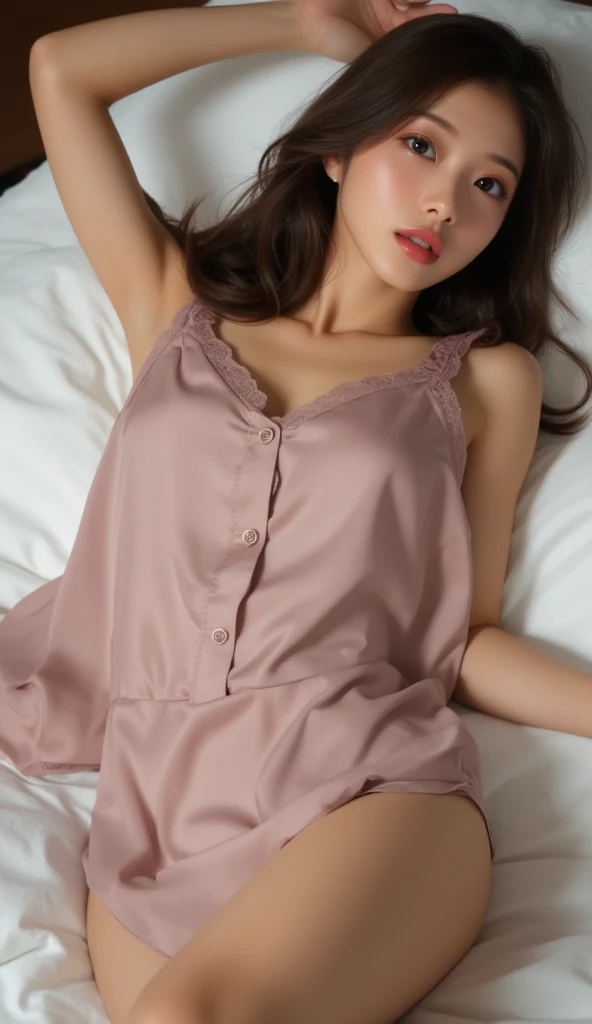

Create a high-quality video showcasing a red sleepwear set with a model posing gracefully on a bed. The video should feature professional 3D camera angles to highlight the product from all perspectives. Follow these specific instructions: Introduction: Start with a wide shot of the entire scene, showing the model and the bed in a well-lit, aesthetically pleasing bedroom setting. Zoom-In and Detail Shots: Slowly zoom in on the model to focus on the details of the sleepwear. Capture close-up shots of the fabric, design, and any unique features such as lace, buttons, or patterns. 360-Degree View: Implement a 360-degree camera rotation around the model to provide a comprehensive view of the sleepwear. Ensure the camera moves smoothly and maintains focus on the product. Dynamic Angles: Use dynamic angles to showcase the sleepwear from different perspectives, including top-down views, low angles, and side views. Highlight how the fabric moves and drapes naturally. Pose Transitions: Have the model change poses to demonstrate the versatility and comfort of the sleepwear. Include poses such as lying down, sitting up, and stretching to show how the product looks in different positions. Lighting Effects: Utilize soft, flattering lighting to enhance the visual appeal of the sleepwear. Play with light and shadow to create depth and highlight the texture of the fabric. Conclusion: End with a final wide shot of the model smiling and looking comfortable in the sleepwear, providing a sense of relaxation and luxury.
image
avatar
N
Nguyễn Thiên Long
생성 정보
리믹스
기록
프롬프트
Create a high-quality video showcasing a red sleepwear set with a model posing gracefully on a bed . The video should feature professional 3D camera angles to highlight the product from all perspectives . Follow these specific instructions: Introduction: Start with a wide shot of the entire scene , showing the model and the bed in a well-lit , aesthetically pleasing bedroom setting . Zoom-In and Detail Shots: Slowly zoom in on the model to focus on the details of the sleepwear . Capture close-up shots of the fabric , design , and any unique features such as lace , buttons , or patterns . 360-Degree View: Implement a 360-degree camera rotation around the model to provide a comprehensive view of the sleepwear . Ensure the camera moves smoothly and maintains focus on the product . Dynamic Angles: Use dynamic angles to showcase the sleepwear from different perspectives , including top-down views , low angles , and side views . Highlight how the fabric moves and drapes naturally . Pose Transitions: Have the model change poses to demonstrate the versatility and comfort of the sleepwear . Include poses such as lying down , sitting up , and stretching to show how the product looks in different positions . Lighting Effects: Utilize soft , flattering lighting to enhance the visual appeal of the sleepwear . Play with light and shadow to create depth and highlight the texture of the fabric . Conclusion: End with a final wide shot of the model smiling and looking comfortable in the sleepwear , providing a sense of relaxation and luxury .
사이즈
592X1024
날짜
Jul 2, 2024
모드
스튜디오
유형
cell
Checkpoint & LoRA
majicMIX realistic 麦橘写实
Checkpoint
majicMIX realistic 麦橘写实
0개의 댓글
0
0
0
0/400

SeaArt 빠른 AI 앱
ai_video_generationimg
AI 영상 생성

상상력을 해방시키고, AI가 시각적 기적을 이룩하게 하세요
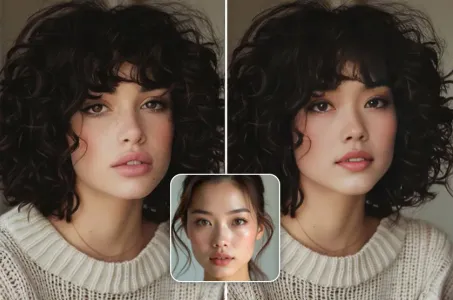
face_swap_titleimg
무료 온라인 얼굴 바꾸기

빠르고 재미있고 진짜 같은 얼굴 바꾸기 비디오와 사진 제작
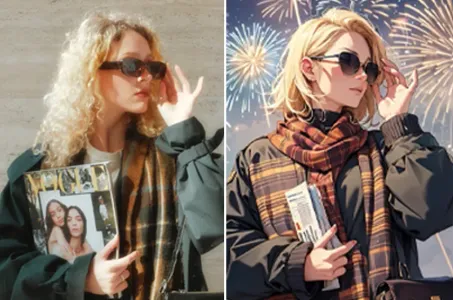
ai_tools_4img
AI 필터

모든 사진을 예술작품으로 만드세요

anime2realityimg
애니메이션에서 현실로

즉시 좋아하는 애니메이션 캐릭터를 생동감 있게 만들어 보세요.
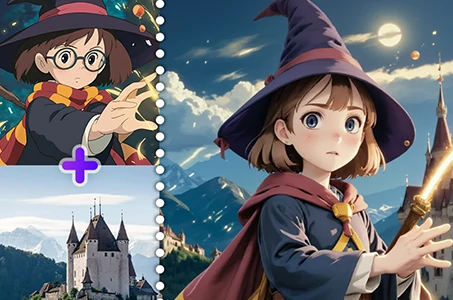
fuse_anyoneimg
AI 이미지 융합

AI 이미지 퓨전을 사용하여 두 이미지를 결합해 새로운 놀라운 비주얼을 만들어보세요.
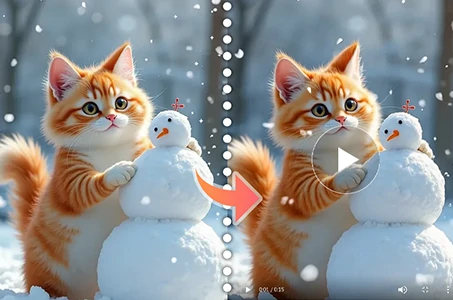
wanimg2vid_h1img
Wan 2.1 이미지에서 비디오로

사진을 현실적인 움직임과 영화 효과로 생동감 있게 애니메이션화하세요.

더 많은 AI 앱 탐색 

관련 추천

컨트롤넷
logo
한국어
응용
이미지 창작 AI 캐릭터 스위프트 AI 모델 훈련 Canvas AI 앱 워크플로우
정보
스튜디오 리더보드 AI 채팅 AI 블로그 AI 뉴스
도움말
가이드 고객 서비스
응용 프로그램 가져오기
icon
Download on the
APP Store
icon
GET IT ON
Google Play
우리를 팔로우하세요
iconiconiconiconiconiconiconicon
© 2025 SeaArt, Inc.
Copyright Policy
<약관>
<개인 정보 정책> 特定商取引法 資金決済法に基づく表示
더 보기