50M
+Creator

Try open H3-Base online, create multimodal videos, and explore the model without downloading weights or configuring a local GPU.

Try Open MiniMax H3 Online
Try the free MiniMax H3 on SeaArt AI without a local GPU, downloaded weights, or deployment setup.

Fast Generation for Easy Iteration
Generate a first clip in under a minute, test different prompts and references, and keep refining the version that comes closest to your idea.

Multimodal Reference Creation
Combine text, images, video, and audio references to give H3 a clearer sense of the characters, movement, camera, and mood you want.
The open MiniMax H3 release gives technical users room to explore, while SeaArt makes the model easier to try.

With MiniMax H3 open weights available, the model is open to deeper exploration, but the surrounding context workflow can still take time to build. SeaArt AI handles the Context-IR process for you, helping H3 connect prompts and references clearly while you focus on the scene instead of designing the preprocessing pipeline.

Text, images, video, and audio can work together in the open model's creative workflow. Write a scene from scratch, guide it with a first and last frame, or use subject and media references to shape the result. H3 gives developers and creators more than a basic text-to-video starting point.
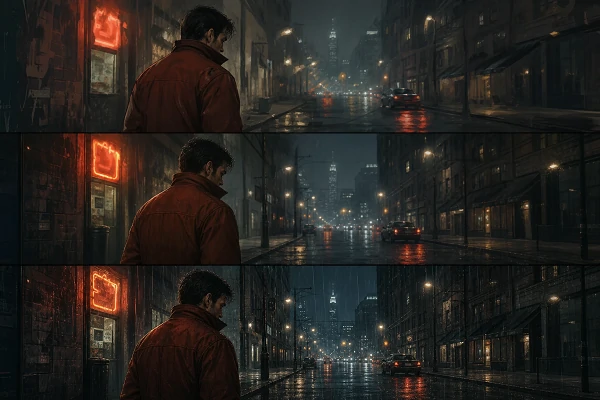
MiniMax H3-Base creates video with the shorter side set to 768 pixels by default. Compared with the full MiniMax H3, fine detail may be softer, but the open path is faster and practical for storyboards, prototypes, model testing, and repeated creative iteration.
Choose a Generation Mode
Pick Text-to-Video, Image-to-Video, First-and-Last-Frame, or Reference-to-Video based on the control your scene needs.
Add the Matching References
Add a prompt, starting image, first and last frames, character reference, video, or audio according to your chosen mode.
Generate and Refine
Describe the action and mood, set output options, preview the clip, then refine your instruction before downloading.













What is MiniMax H3 Open Source?

Can MiniMax H3 Open Source be used commercially?
Commercial use is allowed only where the Community License applies and under its conditions. The license excludes the United States, European Union, United Kingdom, and South Korea; businesses earning over $20 million annually need written authorization before commercial deployment.
How does the open version differ from the official MiniMax H3 API?
The open release lets you deploy H3-Base locally for 768p audio-video generation, while the official API adds hosted Context-IR and Regenerate-2K for the complete workflow, and results can reach 2K.


