
Type
Other
Publish Time
2023-05-03
Base Model
SD 1.5

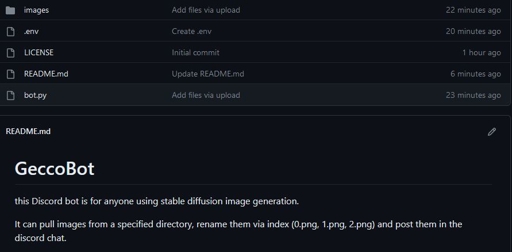
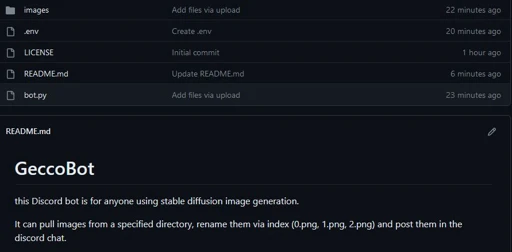
this Discord bot is for anyone using stable diffusion image generation.
It can pull images from a specified directory, rename them via index (0.png, 1.png, 2.png) and post them in the discord chat.
To set it up, create a bot on the https://discord.com/developers/applications portal first and generate your bot token.
open the .env file and replace the "your-bot-token-here" string with your actual bot token.
open the bot.py and specify the directory you want to pull images from by replacing "YOUR/FILE/DIRECTORY/TO/PULL/IMAGES/FROM" with your local output folder from SD (or any other images directory containing .png files)
to run the file, you need the following python packages:
nextcord, install with 'pip install nextcord' dotenv, install with 'pip install python-dotenv'
save the files, and you're good to go.
The bot comes with the following commands:
!hi (Hello!) : Ping command to test if the bot is working
!commandlist : prints a list of available commands
!pull : command to iterate over files in source directory (defined in a variable in the code) and move them to bot directory "images" folder
!prepare : command to rename all images in the "images" folder in the bot directory by index in preparation of !imagedump
!imagedump : command to post all images in the "images" folder in the bot directory, then rename them with timestamp and move to the "uploaded" folder
!imageget : command to post a single image from the "images" folder in the bot directory, syntax: !imageget
!go : command to execute all three main functions in one go, pull, prepare and imagedump
These functions allow access to the generated files on the go by pulling them into the chat and then to your mobile device.
If you find yourself using this bot regularly, consider buying me a coffee - or a golden house, or gecco food, idc.
https://www.buymeacoffee.com/cybersnacc
enjoy
shoutout and credit to Max Teaches Tech for getting me started on Discord bots. If you struggle to activate the bot on your server, be sure to check out his Youtube Channel! https://www.youtube.com/@MaxTeachesTech

1. The rights to reposted models belong to original creators.
2. Original creators should contact SeaArt.AI staff through official channels to claim their models. We are committed to protecting every creator's rights. Click to Claim
