Details
Related
V1 Python
V2
V3
V1
Organize models script

Organize models script

0
0
3
#tool

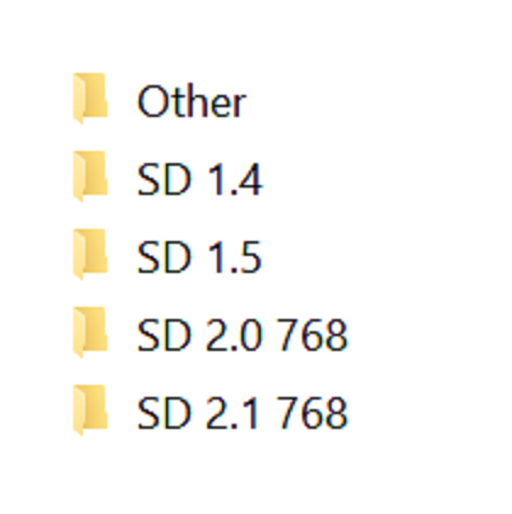
Simple script, execute it from the directory you want to organize. Sorts models into different sub directories by Person and ???? flags base on the ".civitai.info" files created by Civitai Helper. AUTOMATIC1111 will show sub-directories when the show/hide extra network icon is used so you can filter your results. You need to "Scan Models for Civitai" in the Civitai Helper tab prior to running the script in the model directory you want to organize.

Prerequisite: Civitai Helper

https://github.com/butaixianran/Stable-Diffusion-Webui-Civitai-Helper

Procedure:

  1. Install Civitai Helper

  2. Restart AUTOMATIC1111

  3. Check the checkboxes (ti, hyper, ckp, lora) of the model types you want to organize in the "Scan Models for Civitai" section in the "Civitai Helper" tab

  4. Run "Scan Models for Civitai" in the "Civitai Helper" tab by clicking the "Scan" button

  5. Wait for scan to complete

  6. Make sure that ".civitai.info" files have been created in the AUTOMATIC1111 model directories you selected

  7. Download the script zip archive

  8. Extract the Organize Script from the downloaded zip file

  9. Place this Organize Script file in the AUTOMATIC1111 model directory you want to organize (".\models\hypernetworks", ".\models\lora", ".\models\Stable-diffusion", ".\embeddings")

  10. Run the Organize Script file

  11. Wait for the script to finish organizing your models

  12. Verify the models have been organized into sub-directories as expected

View Translation

Rating & Review

-- /5
0 Ratings

Not enough ratings or reviews received yet

no-data
No data available
avatar
Notice
2024-07-25
Publish Model
2023-05-05
Update Model Info
Model Details
Type
Other
Publish Time
2023-05-05
Base Model
Other
Version Introduction

Python version of the scripts, should be the same as the powershell versions

License Scope
Model Source: civitai

1. The rights to reposted models belong to original creators.

2. Original creators should contact SeaArt.AI staff through official channels to claim their models. We are committed to protecting every creator's rights. Click to Claim

Creative License Scope
Online Image Generation
Merge
Allow Downloads
Commercial License Scope
Sale or Commercial Use of Generated Images
Resale of Models or Their Sale After Merging
QR Code
Download SeaArt App
Continue your AI creation journey on mobile devices