Type
LORA
Publish Time
2024-09-26
Base Model
SDXL 1.0


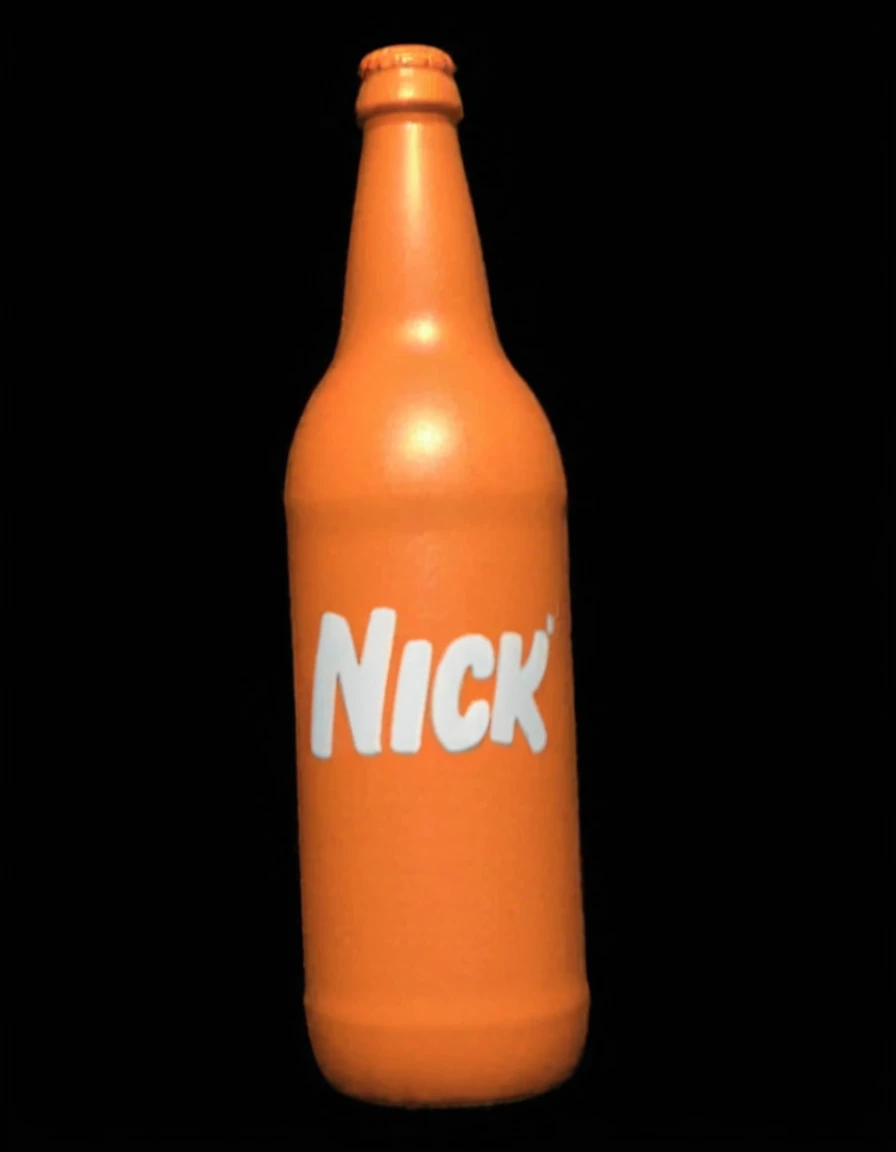
I don't know what to say about this except that I was bored, curious, and it didn't exist before.
Yes, I really trained a model to do one of the most basic things ever. But, I mean, honestly, I wouldn't put it above them to do something like this.
The dataset is comprised of various 2D vector logos and some of the old CGI logo endtags. There's a couple things I wish I'd added but forgot to. I didn't include Nick Jr. for... well, obvious reasons if you think about it. People could be WAY too weird with that.
I tried a FLUX model at first but I didn't like the training results. I might add it later on but it wouldn't have any previews. I don't know what version of SDXL it is exactly but it's the Standard option next to the Pony option in the training menu.
As usual the example images were generated in Fooocus with a weight of 1.0 and 60 steps, this time using juggernautXL_v8Rundiffusion.safetensors as the base model (No clue which version that is so I left it on Reborn in the resource section) although with PonyXL as the VAE (no idea what that means). Most of them use the "Fooocus Enhance" style thing.
No idea what the hell kind of feasible use this could serve, but now the niche is filled for whoever out there was craving this.
How to use:
The prompts use the description format instead of tags, example:
2D "Nickelodeon" vector logo on a white background shaped like an orange splat
That's how I captioned the dataset (aside from the FLUX version, so I don't know if it would work the same). If you don't add the color orange before the object/shape, it will come out with the colors of the original object, for example a gray or green leaf. As seen with the knife logo, it can do elements with other colors too.
It should go without saying that the orange will vary due to the different tones in the dataset.
The addition of:
The only colors used are orange and white
may help with the generation in my experience. However it may be rare to be able to do something like saying "the shape is white and the text is orange" even though that is a logo that exists because all the logos are orange objects with white text. May add some data like that in the future.
CGI logo results are likely to have a low quality 90s tinge to them because the data are low resolution VHS screenshots.
The three texts it should be able to make are "Nick", "Nickelodeon", and "Nicktoons". Since it's an SDXL model it obviously won't be perfect every time but it's possible. You'll likely see the letters duplicated into something like Niickellodeon and etc. If you were really so uptight about it you could just slap the original Nickelodeon text onto a generation, lol.
For some shapes, the addition of:
The text "Nickelodeon" is warped to adhere to the shape
may be useful since there are some logos that do that. It was only tagged on the vector logos, but it may also help with CGI logos. I didn't test that.
Sometimes it might make multiple logos. It might be due to the vertical image shape while most of the data is cropped to the area of the logo.
The results could probably be enhanced when combined with other SDXL models; again, I didn't test that.
It's possible to change the text by putting something else other than "Nickelodeon" but the results aren't stable. The text capabilities could probably be increased with artificial texts in the Nickelodeon font (I have a 1:1 editable vector version) on the logos.
inb4 this is used for weird facebook boomer shit or something like a logo captioned with "ZOMG HOW DID THEY GET AWAY WITH THIS???" to add fuel to the Dan Schneider fire lmao

1. The rights to reposted models belong to original creators.
2. Original creators should contact SeaArt.AI staff through official channels to claim their models. We are committed to protecting every creator's rights. Click to Claim
