
Details
Related Works
V1.0
5.9K
295
0
...View More
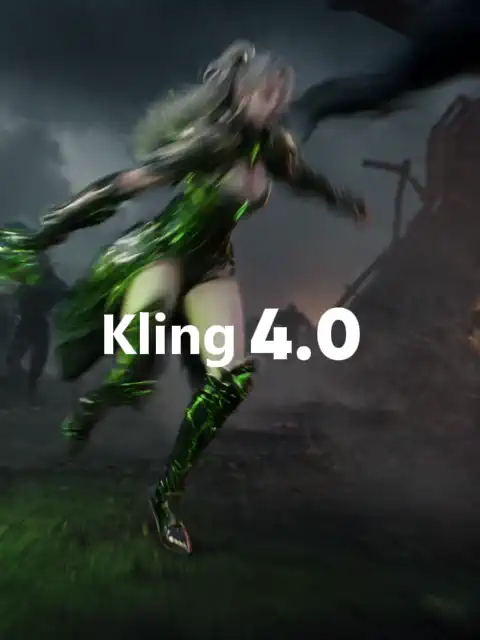
Kling 4.0
A single image can introduce a world. A well-directed video can make that world feel real. Kling 4.0, now on SeaArt AI, gives creators more room to turn original AI art, character concepts, and imaginative scenes into audiovisual stories—with greater control over what happens between the first frame and the last.
The full Kling 4.0 model brings up to 30 seconds of native video generation, up to 10 timeline keyframes, up to 15 combined reference assets, and more stable action and camera movement. It is built for creators who want to guide an entire moment, not just animate a still picture. Exact controls and output settings on SeaArt depend on its release configuration.
From a beautiful frame to a complete scene
Think of a SeaArt fantasy character standing under lantern light. In a still image, you see the costume, expression, and world. In Kling 4.0, you can plan what happens next: the character hears a distant sound, turns, starts running, and reaches a glowing doorway as the camera follows. The extra duration gives the scene space to build anticipation and finish on a purposeful beat.
·Make action readable. Motion is designed to remain steadier through runs, fights, dance, sports, and complex camera moves.
·Guide the middle of the story. Place up to 10 keyframes at important beats instead of specifying only the starting image.
·Keep the cast recognizable. References can help communicate a character’s face, outfit, props, setting, and look across the sequence.
·Think in sound as well as motion. Native audio and stereo capabilities can bring dialogue, ambience, and effects closer to the action in supported workflows.
Build a shot the way an artist builds a scene
1 Start with a visual identity
Bring an original character portrait, anime design, game world, product image, or concept artwork from SeaArt into image-to-video. Add references for details that should stay recognizable. With Omni Reference, Kling 4.0 can accept combinations of images, videos, subjects, and voice references (up to 15 total in supported workflows).
2 Plan moments, not only motion
Use first/last frames or as many as 10 timeline keyframes to shape meaningful transitions: a slow reveal, a character’s changing expression, a costume transformation, or a journey from one environment to another. A keyframe should represent a story beat—not a random extra picture.
3 Direct movement and atmosphere
Explain the action in time order, then add camera direction, lighting, emotional tone, and sounds. Kling 4.0 is well suited to more demanding sequences than a single slow zoom, but prompt clarity and strong references still matter.
| STORYBOARD PROMPT FORMULACHARACTER / SCENE + VISUAL REFERENCES + OPENING (0–5s) + DEVELOPMENT (5–20s) + END BEAT (20–30s) + CAMERA + AUDIO + WHAT MUST STAY CONSISTENT. Shorter sequences can use the same structure with fewer beats. |
Creative projects to make on SeaArt
·Original character episodes. Give a recurring hero a short entrance, discovery, or emotional reaction while preserving their established look.
·Anime and fantasy key art in motion. Turn an illustration or landscape into a composed moving scene with wind, lighting, action, and a meaningful camera path.
·Game-style cinematic moments. Previsualize a quest opening, boss encounter, environment reveal, or magical transformation.
·Social stories and creator edits. Develop 9:16 mini-narratives, dramatic reveals, or shareable moments based on your own artwork.
·Product and fashion films. Build longer reveals using original product references, shot progression, material detail, and atmospheric sound.
Prompt studio: three SeaArt-ready ideas
Use these as starting points. The character and environment references should be original or licensed; supported upload counts and controls should be checked in SeaArt.
| ORIGINAL FANTASY HEROINE / 25–30 SECONDSUse the uploaded original heroine illustration as the character reference. Preserve her silver braid, teal cape, face, and ornate boots. Opening: a wide shot of an abandoned observatory at dawn; she enters and sees a floating star map. Middle: track beside her as she reaches toward the map and glowing constellations illuminate the room. Ending: circle behind her as the dome opens to a sky full of auroras. Natural steps, fabric movement, gentle metallic ambience, emotional orchestral rise. Cinematic 16:9.CREATOR TIP For supported keyframe mode, anchor entrance, first touch, and final sky reveal. |
| ANIME CHARACTER / EMOTIONAL MICRO-STORYReference the uploaded original anime character. Start in a rainy station with the character looking at a folded letter. The camera slowly moves from a medium shot to a close-up as she smiles through tears, then pulls back when the train arrives. Keep the same face, hairstyle, school coat, and illustration style. Natural rain ambience, train arrival sound, restrained emotional pacing, 9:16.CREATOR TIP Use a clear visual beat instead of overloading the scene with unrelated actions. |
| STYLIZED GAME TRAILER / ACTION AND CAMERAOpening: a lone explorer stands before a monumental crystal gate in a desert canyon. Over the next moments, stone fragments rise, the gate activates, and an enormous luminous creature passes behind it. Follow the explorer with an energetic tracking shot, then cut to a sweeping wide reveal. Preserve the explorer’s orange scarf and the gate’s geometric design across shots. Dust, low-frequency rumble, impacts, dramatic orchestral build. 21:9 cinematic composition.CREATOR TIP For fast action, keep the physical path and camera trajectory . |
How to create with Kling 4.0 on SeaArt AI
1.Choose Kling 4.0. Open SeaArt video creation and select the full model. Confirm which modes are enabled on your account.
2.Start with text or your image. Use a prompt for a new scene, or animate an artwork, portrait, or concept frame that already has a strong visual identity.
3.Add references when available. Assign clear jobs to reference images, videos, or subject assets: identity, costume, motion, setting, or camera mood.
4.Mark your story beats. If SeaArt exposes first/last frames or timeline keyframes, use them for major changes in action or composition.
5.Describe sound and export format. Include dialogue or environmental sound where supported; choose an aspect ratio suited to your target platform.
6.Generate and refine. Review consistency, timing, motion, and sound. Tighten the weak beat, then share the result or continue editing in supported workflows.
View Translation
Notice
2026-10-23
Publish Model
2026-10-23
Add Model Version
2026-10-26
Update Model Info
Model Details
Type
Checkpoint
Publish Time
2026-10-23
Base Model
Kling 4.0
Model Parameters
Training Parameters
Epochs:1
Steps:0