Tipo
LORA
Tempo de Publicação
2024-03-15
Modelo básico
Pony


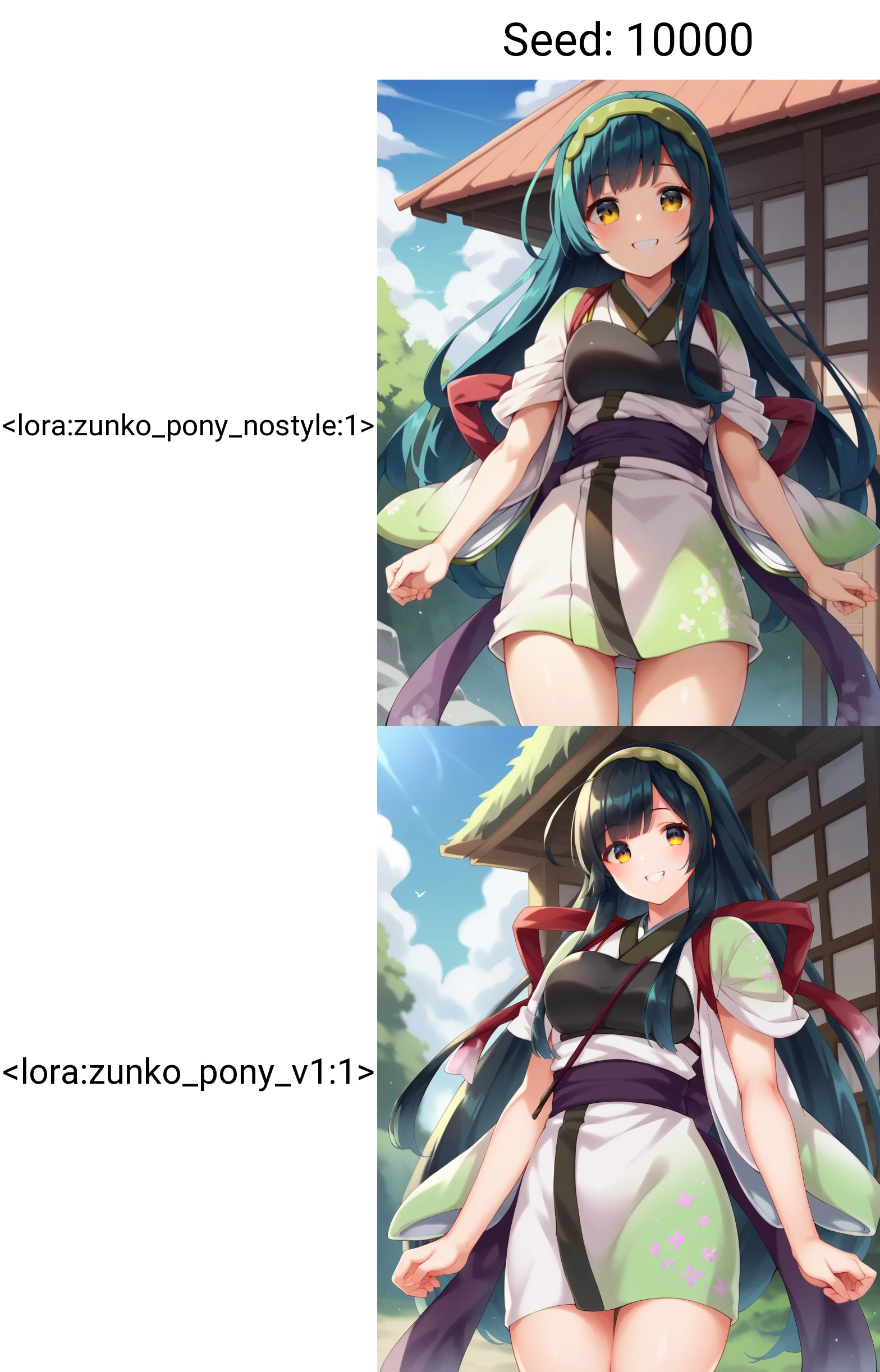

This guide explains my method for training character models.
Using 20 images, you can create a SDXL Pony LoRA in just 15 minutes of training time.
This guide assumes you have experience training with kohya_ss or sd-scripts. It skips over tool operation details.
In creating this training, I referred to the excellent guide at the following URL: https://civitai.com/models/281404/lora-training-guide-anime-sdxl
Recommended VRAM: 12GB or higher (Confirmed working on RTX 4060Ti 16GB)
*Can be trained with 10GB VRAM if using the FP8 option.
kohya_ss GUI: https://github.com/bmaltais/kohya_ss
I installed kohya_ss using Stability Matrix: https://github.com/LykosAI/StabilityMatrix
Pony Diffusion V6 XL:https://civitai.com/models/257749?modelVersionId=290640
zunko_dataset(20 image&tag):https://files.catbox.moe/lnelg0.zip
zunko_Exclude_tag_list.txt: https://files.catbox.moe/2jbc93.txt
kohya_ss preset(zunko_pony_prodigy_v1.json):https://files.catbox.moe/t5clrs.json
Number of images: 20-40
Using more than this may decrease reproducibility. Consistent quality is more important than quantity.
It's best if the images are from the same illustrator, TV series, etc. with a consistent art style.
For fan art, try to gather illustrations with as consistent an art style as possible.
For this, I borrowed publicly released AI training data from the Japanese ZUNKO project: https://zunko.jp/con_illust.html
I selected 20 illustrations of zunko in the same outfit, converted the 768x1024 PNGs to WEBP format.
*The sd-script supports WEBP files which have a much smaller file size, so I prefer using them.
Using webui's wd14tagger to re-tag the images:
Model: moat-tagger-v2
Weight Threshold: Default 0.35
select「Batch from directory」
set input & output directory path
Additonal tags "zunko,score_9,source_anime,znkAA"
Character Name: zunko
Trigger Word: znkAA
Quality Tags: score_9, source_anime
Excluded Tags
- Remove all character traits (green hair, yellow eyes, long hair...)
- Remove clothing traits except one (kept "japanese clothes")
I've attached a list of the words I excluded, so pasting that into the excluded tags field should give the same result.
Ideally, we want to consolidate into the trigger word, but with few training steps it's hard for the model to learn "znkAA" refers to the outfit.
So instead, I have the model absorb the outfit traits into the existing concept it recognizes as clothing: "japanese clothes", adding "znkAA" as a supplement.
- Leave tags for character poses, compositions, and undesirable objects (bows, books, food, etc.)
Launch khya_ss and select the "LoRA" tab. Be careful not to open a LoRA preset while the DreamBooth tab is selected.
I've attached a preset, so download that and "Open" it from the settings.
Adjust the file and Source model paths for your environment. Also adjust the Mixed precision and Save precision setting based on your accelerator (e.g. fp16).
Base Settings:
Optimizer: prodigy, LR Scheduler:1
dim: 16,Network Alpha: 2
batch: 3,repetition: 1,epoch: 50
If you get an OOM error due to low VRAM, try checking the fp8 training option.
On my setup, 50 epochs took 14 minutes. Time will vary based on your PC specs.
Finally, review the results and pick your preferred epoch. 50 epochs is just a guideline - the final epoch isn't necessarily best.
The settings save every 10 epochs, but saving every 5 may be better.
If the training data and model are well suited, it may converge quickly.


1. Os direitos dos modelos repostados pertencem aos criadores originais.
2. Criadores originais que desejam reivindicar seus modelos devem contatar a equipe do SeaArt AI pelos canais oficiais. Clique para reivindicar
