Introduction:
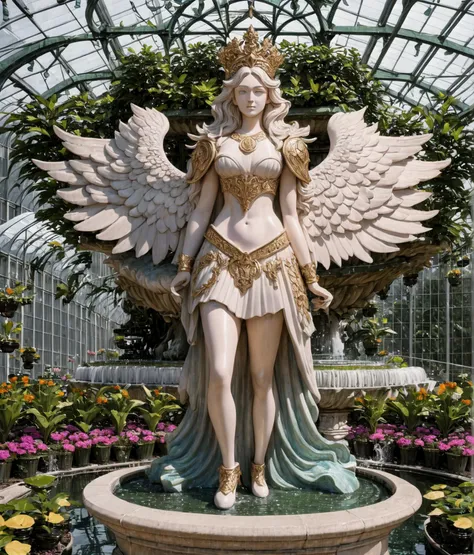
Mangled Merge V3 has been a labor of love side project for some time. I finally feel it's strong enough for a new iteration. It is great with 2D anime style AND realistic images. It also brings a lot of style with it.
Usage:
Mangled Merge V3 has a custom VAE built in to control contrast and brightness in order to handle both 2D and realistic styles. It is strongly recommended to keep the VAE set to automatic. As far as CFG settings, 7 is the sweet spot, but you can explore between 4 and 10. Self Attention Guidance is recommended, but on a scale between .1 and .3. Anything more can give it too much detail.
Hands and faces can still be an issue from far distances. I suggest adding [:highly detailed face, highly detailed eyes, highly detailed hands:.20] to help alleviate this. This model does much better with high res fix. Odd resolutions MAY give it some trouble without having it enabled.
Mangled Merge V2 is a merge of CharHelper Fine Tuned + Illuminati + RealismEngine. All keywords from CharHelper will work to help guide the model but are not needed.
Note: this model does not contain any to my knowledge however, there are monsters and creepy critters.
nfixer is nice too, but also not needed. CFG scale also plays nicely at 7 and above.
Use Auto for the vae in settings. If you are using a vae based on a SDv1.5 model, you may not get the best results.
Have fun!
Source Models:
CharHelper Fine Tuned
Illuminati Diffusion V1.1
Realism Engine 1.0
Credits to:
Razzz
IlluminatiAI
--------------------------------------------------------------------
Introduction:
Mangled Merge V1 is a merge of 11 different v2.x 768x768 models currently available. All keywords from these models will work to help guide the model but not as powerfully as the individual models they were merged from. However, this is counterbalanced by the amazing versatiliy the v2.1 model gains from merging them all together. Mangled Merge makes for a much improved, much needed general purpose model for anyone interested in using a v2.x model. And there is still room for improvement!
Merged models include:
Redshift, synthetic cmodel, conceptSheet_conceptSheetAlpha, CharHelperV4, classicNegative1521_classicNegative768px, clayitization-SD2.1-768px, cuteRichstyle21_cuteRichstyle, oldjourney_oldjourneyLite, primevalNovaV2_primevalNovaV2, vectorArt_pulpVectorBeta, and vectorArt_vectorArtBeta.
All of the models merged together in Mangled Merge are all absolutely great on their own as well so try theirs out be sure to give them a like! All of their keywords have some effects on Mangled Merge but are somewhat toned down in comparison. If you want the keywords, you can find them on their model sheets.
Use Auto for the vae in settings. If you are using a vae based on a SDv1.5 model, you may not get the best results.
File Name is Mangled_Merge_V1.safetensors. Make sure to download the yaml file along with it or else it won't load for you.
Keywords:
cmodel, clayitization, cbzbb, Oldjourney, classicnegative, concept-art, redshift style, by vector-art, pulp-diffusion, CHV3CZombie, CHV3CAlien, CHV3CBird, CHV3CKnight, CHV3CWizard, CHV3CBarb, CHV3MTroll, CHV3MDeath, CHV3CRogue, CHV3CCyberpunk, CHV3CSamurai, CHV3CRobot, CHV3SLighthouse, CHV3SCute, CHV3SMacro, CHV3SWorld, CHV3SSciFi, CHV3MDragon, CHV3CVehicle,
Source Models:
Redshift (Cinema4D-redshift-render style) keywords = "redshift style"
synthetic-cmodel = comodel2 (glossy/cartoony humanoids, "studio-light" seems implied) keyword="cmodel"
concept-sheet (book-ilustrations, can do dragons quite well, except for overall ) keywords="concept-art"
charhelper (individual-specific) keywords= too many keywords to list HERE, highly specific
classic Negative (photography-style of dreambooth-set) keywords="classicnegative"
jaks-clayitization-image-pack (claymation) , keywords="clayitization"
cute Richstyle (high-contrast BOBBLE-HEADED people/animals , cg-stilized- mostly) keywords=" cbzbb, cbzbb style, cbzbb style of _____ "
oldjourney ( Midjourney 3 using Dreambooth) keyword="Oldjourney"
primeval Nova (abstract art, bad for realism)
vector-art + VectorPulpBeta (lots of contour-lines, not necessarily cell-shaded, FLASH-cartoon styles and icons) keyword="by vector-art"
Credits to hobolyra, Nitrosocke, jinofcoolnes, pmejna, BudFactory, plasm0, RICHVIP, and starwingdigital for making awesome models to merge with and for allowing their models to be merged and shared. Also to stablediffusioner for putting most of this info sheet together.