

SDXL t2i + +Fluxo de trabalho do Upscaler
Republicar
Última atualização:2025-11-27
This is the Text to Image workflow.
Features automatic upscaler + OpenPose.
Enter your prompt and press the Generation button to generate an image.
HOW TO USE
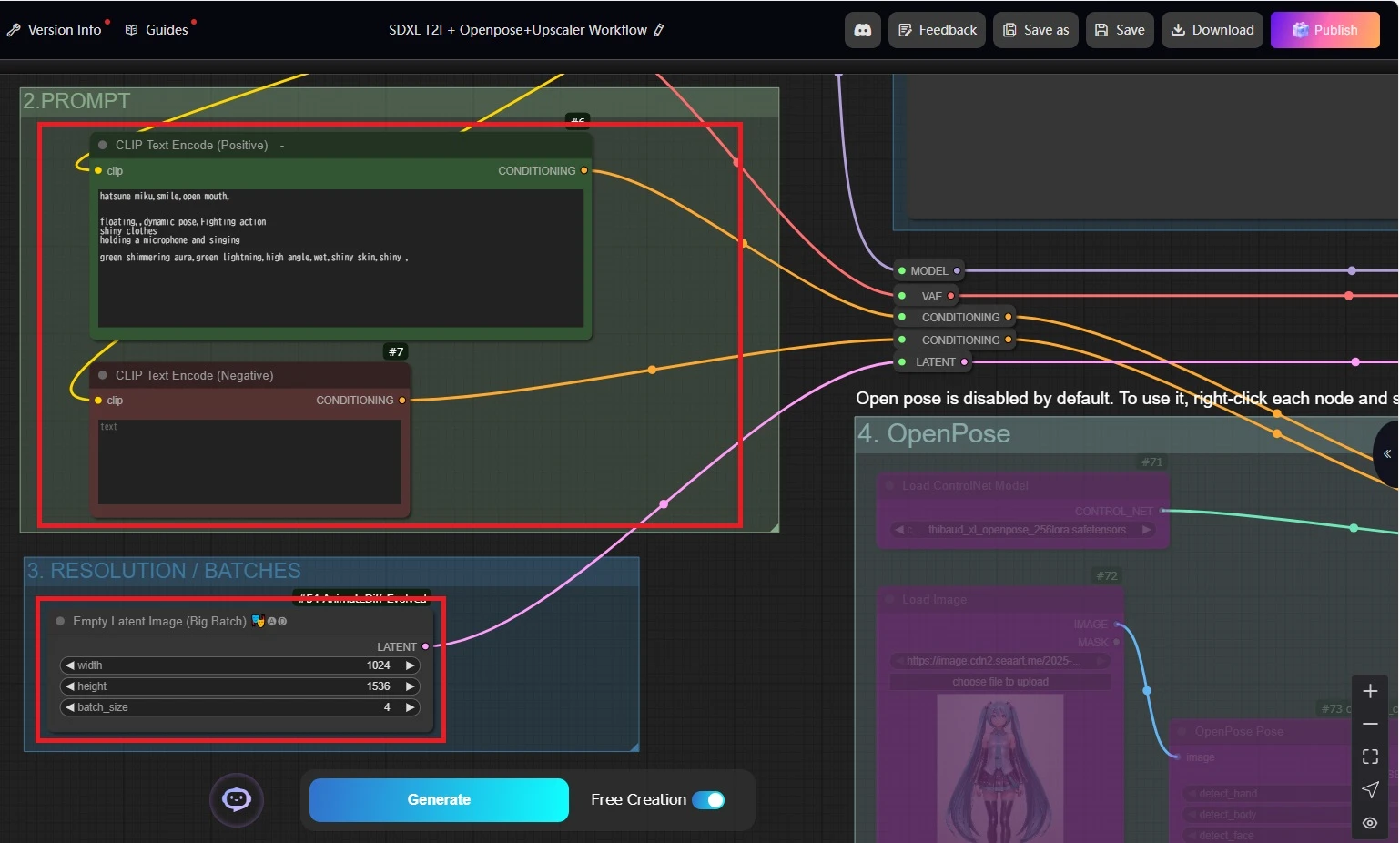
Specify the prompt, image size, and batch size, then press the Generate button.
The resolution entered here must match the model's recommended resolution.
Generation must occur at a resolution matching the model's training image resolution, which for most SDXL models is up to approximately 1536px. Exceeding 2k resolution may result in double heads or broken limbs.
If you want to generate larger images with SDXL, you must upscale them after generation completes. This workflow automatically upscales to 2k size, but if you desire upscaling with more detailed refinement, explore other upscaling workflows.
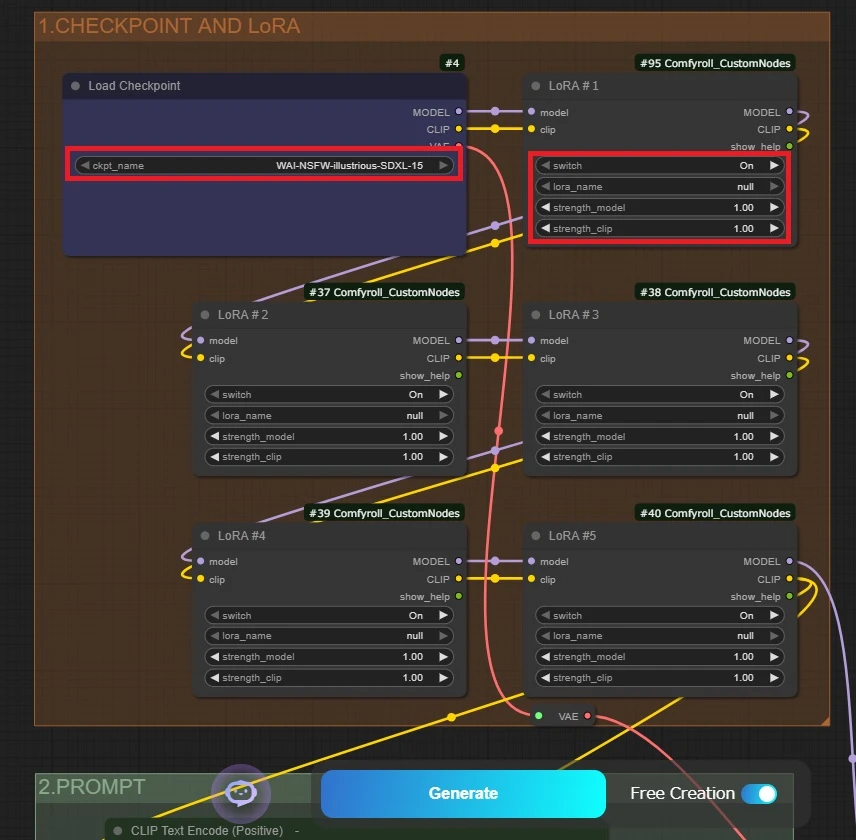
LoRA(OPTION)
The base model and LoRA are configured here.
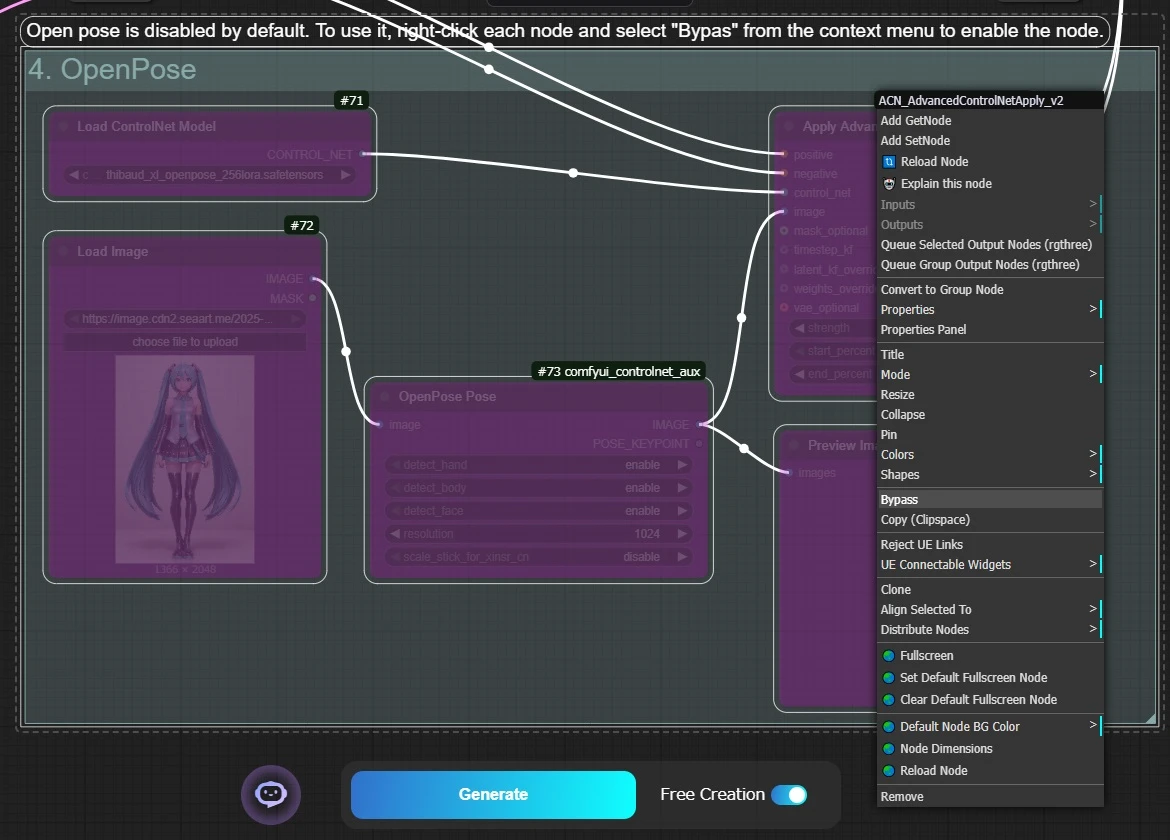
OpenPose(OPTION)
OpenPose is bypassed by default and disabled.
To use it, left-click and drag this node group, then right-click on any node and select “Bypass”.
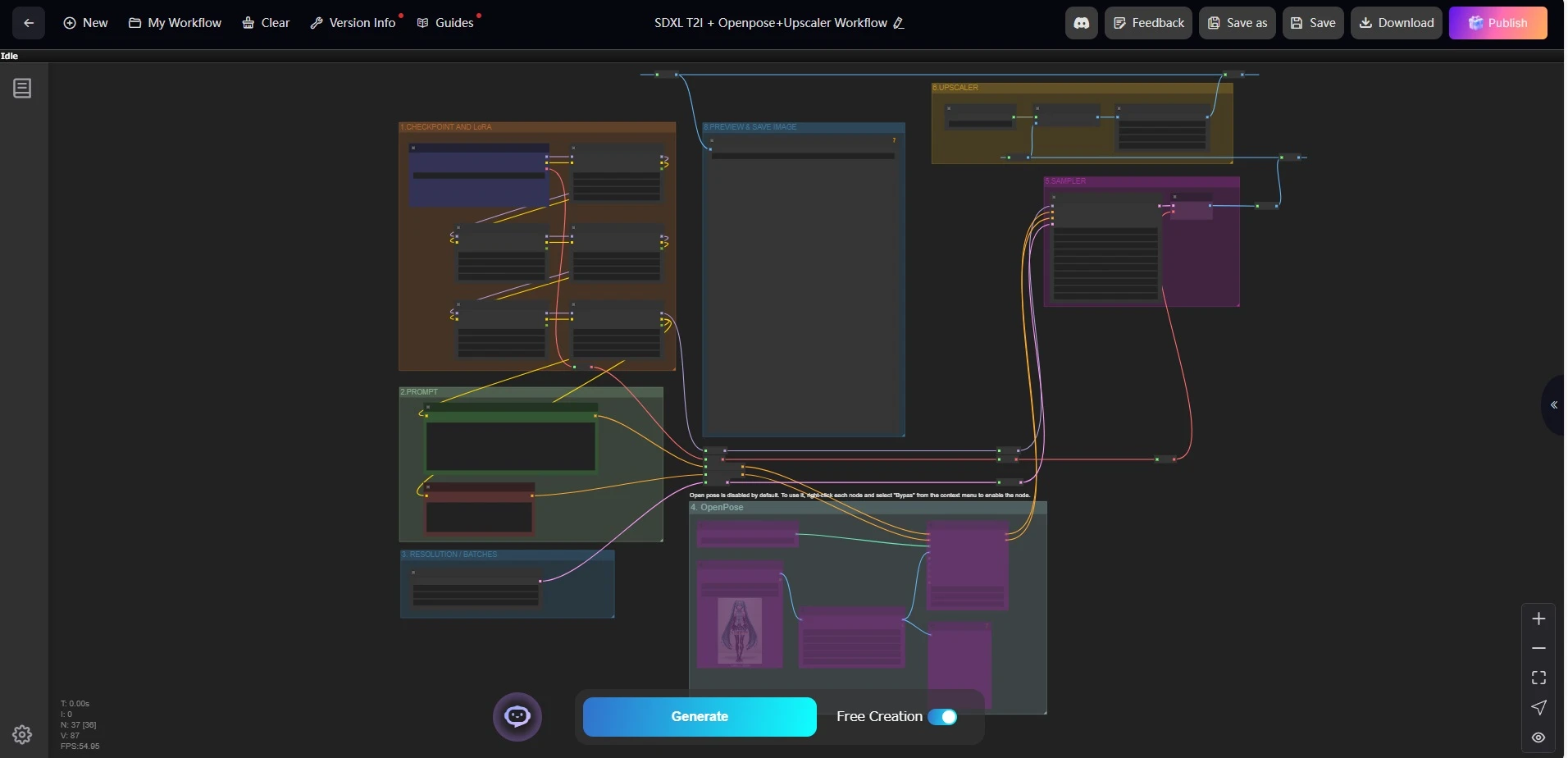
Saving Images
Once generation is complete, the generated image will appear in the central node. You can right-click and select Open Image to save it to your PC, or save the image from the History tab on the right edge of the screen.
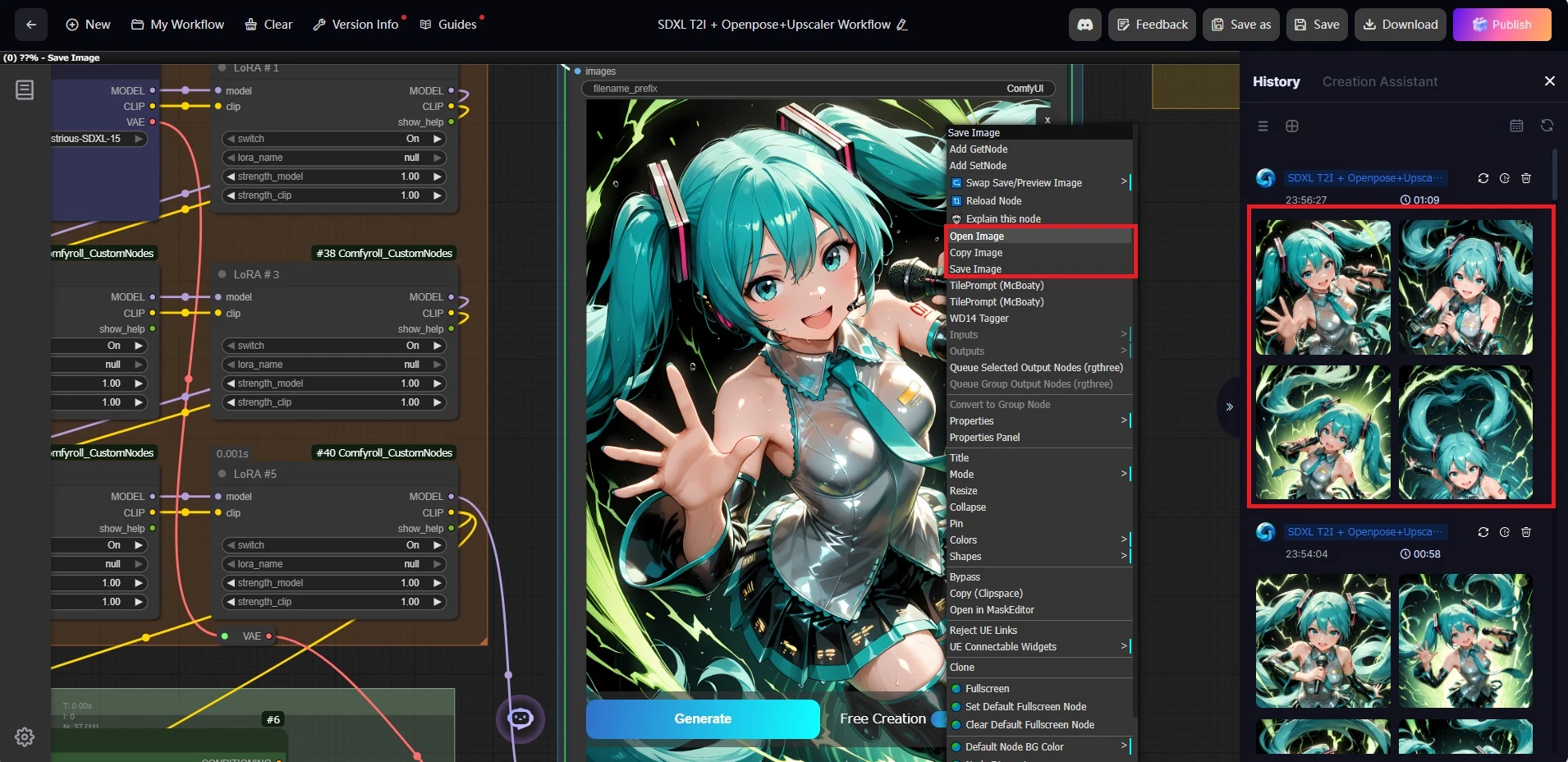
For those seeking upscaling and FaceDetailer, here is a workflow.
Tradução com um clique
Pré-visualização de Nós
37 nodes
Tela Cheia
Clique para Carregar Visualização do Nó

Franklin
309
7.6K
15.7K
Executar (2.3K)
Favoritar (39)
Download (18)
Compartilhar
Detalhes do fluxo de trabalho
Tipo
Fluxo de trabalho
Avaliação
5
Tempo de Publicação
2025-09-25
Status
Executável
Informações do Nó (37)
Comentário
2
0/400
comentário(s)